* [pl] UWAGA: Używasz przestarzałą przeglądarkę. Nie jest ona bezpieczna i nie odpowiada nowoczesnym standardom sieciowym. Zaktualizuj (lub zmień) swoją przeglądarkę, aby wyświetlać naszą stronę w sposób, w jaki powinna być oglądana. Polecamy przeglądarki „Safari”, „DuckDuckGo” lub „Brave”. Dziękujemy! —Kliknij, aby zamknąć tę wiadomość—
* [en] PLEASE NOTE: You are using an outdated browser. It is unsafe and no longer suitable for modern web standards. Please, update (or change) your browser to view our site as it is intended to be seen. We recommend 'Safari', 'DuckDuckGo' or 'Brave' browsers. Thank you! —Click to dismiss this message—
* [de] BITTE BEACHTEN SIE: Sie verwenden einen veralteten Browser. Es ist unsicher und nicht mehr für moderne Webstandards geeignet. Bitte aktualisieren (oder ändern) Sie Ihren Browser, um unsere Website so anzuzeigen, wie sie angezeigt werden soll. Wir empfehlen die Browser 'Safari', 'DuckDuckGo' oder 'Brave'. Danke! —Klicken Sie, um diese Nachricht zu schließen—


Security News
Security News
Security News
Security News
On this page
you get important news and warnings about security and privacy on internet!
(Be patient – loading of this page takes few seconds.)
On this page, I give you the latest news, warnings and advice on the subject of security and privacy on the internet. You alone can take care of your own security and privacy and this requires some knowledge, strategy and constant vigilance.
(On the PRIVACY POLICY page, you will find my recommendations for a broad strategy to protect your computer from hackers.)
DISCLAIMER:
- Copyrights belong to each article's respective author.
- Article links lead to external websites, where you will be tracked, most likely.
1. 1 PASSWORD Manager Appby Agilebits SoftwareA range of topics on security, focused on password management.
2026-10-06, 00:00
Identity and access have changed drastically in the past decade. To meet the needs of the modern enterprise perimeter, Enterprise Password Managers (EPM) have evolved far beyond traditional workplace password storage.
The GigaOm Radar: Enterprise Password Management charts this evolution of the category. As the report states, “...evaluation now turns on what surrounds the vault: passwordless login paths, machine and AI-agent credential delivery, breach intelligence, and the administrative machinery to govern all of it at scale.”
As such, it’s an honor to announce that GigaOm Radar positions 1Password as a Leader and Disruptive Pioneer among Enterprise Password Management platforms. This is the fifth year running that 1Password has been named a leader in EPM. Read on to learn more about the Radar’s analysis and criteria for EPM platforms, and how 1Password’s solutions are built to manage the complex access needs of modern companies.
Why GigaOm declared 1Password a leader in Enterprise Password Management
GigaOm’s report analyzes 23 EPM vendors according to how well they meet essential enterprise password management requirements, such as strong cryptography and the ability to manage developer secrets. It also analyzes emerging critical capabilities within enterprise password management, such as managing credential and secrets access for AI agents.
The report calls attention to how EPM platforms serve various security and management needs across the “Tech Buying Triad” of CIOs, CTOs, and CISOs.
Across the core capabilities for these buyers, 1Password EPM ranked highly on several distinct criteria. These include, among others:
Browser and application coverage
Developer API ecosystem
Identity integration extensibility
Passwordless and passkey support
Secrets management integration
Compliance certifications
Vault cryptography architecture
1Password’s strength is depth on two axes, developer tooling and identity integration. The developer surface carries published OpenAPI specifications, maintained Go, JavaScript and Python SDKs, a Terraform provider, a Kubernetes operator, and an explicit version-support and compatibility statement. Identity integration backs it up: OIDC Unlock with SSO participates in key management, with device-key-encrypted credential bundles and IdP policy evaluated at every unlock…For an organization that wants its vault wired into identity and developer workflow rather than sitting alongside it, 1Password is built for the job.”
–Paul Stringfellow, GigaOm Radar: Enterprise Password Management
AI-agent and non-human identity governance with 1Password EPM
AI agents and other non-human identities (NHIs) are increasingly used in enterprise environments to access applications, APIs, infrastructure, and sensitive data. An agent may need credentials to complete a specific task, but their access needs differ from human employees. To prevent credentials from becoming permanently accessible through the agent’s context, that access should be scoped, time-bound, individually revocable, and audited separately from the human who initiated the work.
Critically, GigaOm’s report also highlights 1Password as a leader in its “Disruptive Pioneer” category, referring to organizations that leverage emerging technologies to redefine authentication and access management.
In particular, they ranked 1Password highly in their criteria for “Agentic non-human identity credential governance.”
If AI agents will access credentials in your environment, they should have their own identities. These should be scoped, expiring, individually revocable, and audited separately from their human sponsors. A vault that allows an agent to use only its owner’s identity may make it harder to establish exactly who, or what, performed an action during an audit.”
–Paul Stringfellow, GigaOm Radar: Enterprise Password Management
Governing access for AI agents and NHIs is a critical capability in the modern enterprise. 1Password’s own research has found that while 65% of developers say they’re expected or encouraged to use AI agents, only 33% have a secure way to do so.
GigaOm echoes these findings, stating that “Agentic and non-human identity governance is the youngest capability in this evaluation and one of its weakest field-wide… The gap between the front and the floor is wider here than on any established criterion.”
In short, capabilities like agentic autofill make 1Password truly unique among EPM offerings, with a singular strength in our platform’s ability to manage credential access for agents and NHIs.
Innovation built on a strong foundation
The modern enterprise faces continuous evolution in how we define credentials and identities, and EPM platforms need to straddle this divide. For example, passwordless authentication is critical to modern security, but few would argue that it means we can stop securing traditional passwords.
1Password has been named a leader in GigaOm’s EPM Radar for the fifth year running; for an EPM to be effective, it needs to evolve to meet modern enterprise access needs, while still providing essential security controls. GigaOm’s report this year illustrates that 1Password EPM is a leader on both fronts.
AI agents and NHIs present security leaders with new credential and access challenges. The GigaOm Radar for Enterprise Password Management makes it clear that 1Password is uniquely able to manage this new access perimeter, built on a security model that provides the strongest foundation for credential and secrets management.
2026-10-06, 00:00
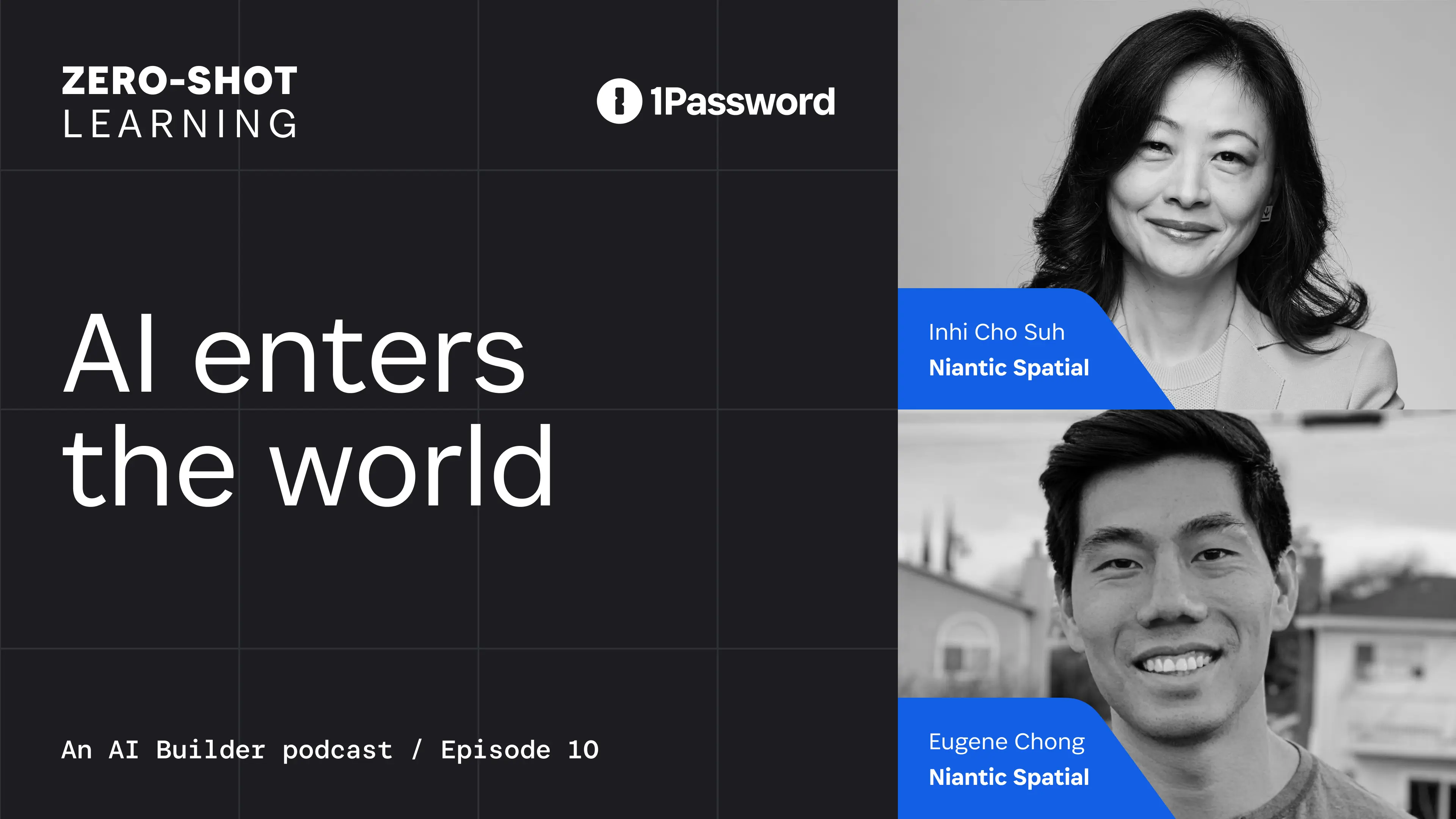
Niantic Spatial’s CEO Inhi Cho Suh and Director of Product Management Eugene Chong joined Zero-Shot Learning to explore why spatial understanding is essential for AI systems operating in the physical world and how a grounding layer can turn spatial data into something models can use.
Niantic Spatial builds real-world foundation models for physical AI. Before joining the company, Inhi spent over two decades at IBM and later led product and technology at DocuSign. Her career has focused on turning emerging technical capabilities into products and platforms others can build on. Their conversation raises a practical question for anyone building agents that can act in the world. What does an agent know about the environment it operates in, and what should it be authorized to access or do?
From spatial representation to production identity
Physical details are rarely part of the context supplied to a language model, but they determine whether a physical system can navigate and act safely. A language model can tell you that an office contains desks and chairs but to move them safely through a space, a robot needs to know where those objects are, how much space surrounds them, and potentially how much they weigh. This is the kind of physical context Niantic Spatial builds into systems operating in the real world.
In the interview, Eugene described a project with Flexion, a robotics company developing general-purpose robot intelligence. From a ten minute, 360-degree video, Niantic Spatial reconstructed an office setting to give Flexion a metric-scale environment where it could train a policy before deploying the robot in the physical space.
As the grounding layer for world models, Niantic Spatial provides precise representation that another system uses to act there. Once an application depends on that representation, it also needs an identity and a secure way to access Niantic’s services. For internal testing, teams can use organization-scoped developer tokens. In production, Niantic Spatial uses a backend authentication flow to keep the service credential on the backend, exchanges it for short-lived, user-scoped access tokens, and returns those tokens to the client.
That flow keeps a powerful service credential out of distributed applications, ties access to an authenticated user, and supports expiration and revocation without redistributing the underlying credential.
Who is accountable when AI acts?
Eugene described deployment as a feedback loop in which real-world outcomes can update what the system knows about its environment. As the system learns from those outcomes, its behavior can change after deployment. Organizations therefore need to keep checking which actions the model can take on its own and which still require human review.
When Nancy asked how organizations should distinguish between actions governed by a model and those that should remain subject to human review, Inhi made the boundary explicit.
You can’t delegate all of that responsibility of what’s been developed through decades of risk compliance measurement to a single model.” –Inhi Cho Suh, Niantic Spatial CEO
In production, evals need to measure more than successful outcomes, they need to evolve with the agent, its model, and the conditions it encounters. They should show whether the agent stayed within its authorized data, tools, actions, and human-review boundaries. As Zero-Shot Learning has explored earlier this season, an agent can produce the right result while using unnecessary data, calling unnecessary tools, or exercising authority beyond the scope of its workflow.
For agentic systems whose capabilities can evolve after deployment, accountability and authorization have to evolve with it. As Inhi told Nancy and Dev, “It’s not something that is a one-time solved-and-done kind of thing. It’s a continuous act.”
Authority has to be scoped
Inhi described an ExxonMobil technician using Niantic Spatial to locate a specific asset in a refinery. The technician compared the task to finding a needle in a stack of needles, but the spatial representation helped him identify the right place to act.
In the agentic workflow, the agent might be authorized to read the relevant spatial data and maintenance records and recommend an action to the technician. Writing to the system of record or controlling equipment would require separate authorization. These actions have different consequences and should carry different permissions, even within the same workflow.
These are the distinctions behind authority models for AI agents. Some agents act on a person’s behalf, others operate autonomously within explicit limits. Each needs an authority model that reflects its identity, purpose, and permitted actions.
In production, agents and machine identities need access to credentials, APIs, tools, and sensitive data. That access must be discovered, scoped to the task, delivered when required, and visible afterward. This is the role of continuous authorization, where access is reassessed as an agent’s workflow changes rather than granted once and trusted for the session’s duration.
Subscribe to the 1Password Developer newsletter
Stay up to date with the latest 1Password Developer product news, industry insights, and community contributions. Plus, learn best practices for becoming a better, more secure developer – both at work and at home.
Subscribe2026-09-29, 00:00

The information you need before a renewal meeting usually exists in SaaS Manager. Getting to it is another matter, because you have to know which report holds it, how to filter it, and whether the results actually answer the question you were asked. For an IT admin who works in the product daily, that's a minor detour. For a colleague in finance who opens SaaS Manager a few times a quarter, it can be the reason the question goes back to IT instead.
Today, we're announcing the general availability of an AI assistant in 1Password SaaS Manager. You can ask about your SaaS and AI environment in your own words and get a written answer based on your SaaS Manager data, along with a link to the relevant view with filters already applied. The practical effect is that finding an answer depends on knowing what you want to ask rather than knowing your way around the product, which matters as more finance and technology leaders get involved in decisions about software and AI spend. The assistant is included with existing SaaS Manager plans at no additional cost.
Opening that door raised a second set of questions for us. An assistant that can retrieve information about your applications and access needs clear limits on what it can reach and what should happen when someone tries to push it past those limits. We wanted customers to understand those decisions as clearly as they understand the feature itself, so this post covers both what the assistant helps you do and how we built its security and privacy controls.
Ask about your SaaS environment in your own words
Suppose you’re reviewing applications that may need closer attention because of their cost or access risk. You can ask:
“Which apps have spend over $100,000, high access risk, and no owner?”
The assistant provides a written answer based on your SaaS Manager data with a link to the relevant view, with filters and sorting already applied. You can then examine the underlying records and continue your review in the product.
If you’re unsure where to start, suggested prompts introduce common questions across areas such as Applications, Spend, and Contracts. These suggestions can also help you discover ways to use information you might not have considered.
The assistant helps you find and understand information while leaving changes to your environment in your hands. Its tools are read-only, so asking a question won’t create a workflow or delete an application. You can review results before deciding whether to take action.
Get answers without needing to be an expert on SaaS Manager
Even people who use SaaS Manager regularly don't know every corner of it. An admin might navigate the applications list from memory but rarely open contracts, while a finance lead preparing for a renewal may only sign in a few times a quarter. Both know what they're looking for, and both can lose time finding it.
People who need information from SaaS Manager don’t all spend the same amount of time using it. An IT admin may know exactly where to find an application report, while a colleague in finance preparing for a renewal discussion may only open the product occasionally. Both understand what they’re looking for, but they bring different levels of familiarity with the interface.
The assistant lets those colleagues start with their question rather than having to learn the reporting menus first. A finance team member with access could ask which AI tool is consuming the most tokens, then open a filtered view to reveal the cost per vendor details. As finance teams become more involved in managing AI and software costs, making SaaS Manager easier for them to navigate helps them participate directly in those decisions.
This also helps new customers. While your team learns SaaS Manager, suggested prompts can introduce questions the product can help answer, while links to the underlying reports show where to explore further. You can begin using the information available in your environment while building familiarity with the product, rather than needing to know your way around every view before starting.
The assistant works within your SaaS Manager permissions
SaaS Manager contains information about your organization’s applications and access, which means that an easier way to retrieve that information needs to respect the controls already in place.
Every assistant request runs in the context of the signed-in user, with SaaS Manager’s existing role-based access controls and tenant isolation applied. If a user can’t access certain information elsewhere, asking the assistant doesn’t grant access.
SaaS Manager’s APIs check authorization, and the tools available to the assistant, are filtered according to the user’s permissions. The service also validates tool selections and parameters against approved definitions, rejecting unsupported or unauthorized requests rather than attempting an operation outside its allowed scope.
This separation means the model can interpret a question and explain the results, while SaaS Manager remains responsible for deciding what information the user can retrieve.
Building security controls around the model
One of the challenges in building an AI assistant is that the text it processes can contain instructions intended to change its behavior. Someone might type a malicious request directly into the chat, or hide instructions in content the assistant retrieves. These attempts are known as prompt injection. We worked extensively with our internal security research team, Off-by-1 Labs, to harden our implementation before putting it in front of customers.
Instructions that tell a model to ignore malicious content can help, but we built additional controls around the model to limit what the system can access and do. Approved tools, permission checks, and parameter validation provide boundaries that operate independently of whether the model follows a particular instruction.
We developed the assistant in stages so our engineering and security teams could test those boundaries before expanding its capabilities. The first internal version accepted static prompts and returned links to existing views without sending customer data to the model. Later versions introduced natural-language input and responses grounded in data retrieved through approved SaaS Manager tools.
As the assistant’s capabilities expanded, the design added field-level controls over data passed to the model and sanitization of user-generated strings. Evaluation covered malformed requests, unauthorized tool calls, and checks for customer-data exposure, alongside security testing for prompt-injection attempts. Privacy and Security reviews were part of the architectural design and development processes from the start.
This approach gives us specific behavior to test as we develop the assistant further. It also reflects how we think about introducing AI into a 1Password product. Its usefulness depends in part on whether customers can understand and trust the controls around it.
Giving customers control over the AI experience
Because the customer-facing assistant can use retrieved SaaS Manager data to produce an answer, customers should understand how that access works and can choose whether to use it.
Requests operate under the current user’s permissions, with controls over data passed to the model. Admins decide whether to enable the assistant for their organization.
Individual users see consent terms before first use and can delete their chat history. That history is specific to each user, with a six-month retention period and the ability to delete individual conversations sooner.
These controls give organizations a way to manage access to the experience while allowing users to manage the conversations they retain.
Explore the AI assistant in 1Password SaaS Manager
The AI assistant is now generally available and included in existing SaaS Manager plans at no additional cost. If you’re already a customer, your admin can enable it in your organization’s settings. You can then review the consent terms and try a suggested prompt or bring a question from an upcoming application review. Your Customer Success Manager can help you get started.
If you’re evaluating SaaS Manager, the assistant gives your team a way to begin exploring the information the platform brings together, even before they’re familiar with its reports. SaaS Manager supports IT’s work to discover applications and govern access, while giving Finance and technology leaders visibility into software and AI spend to inform purchasing decisions.
Ready to get started?
Request a demo to see how your team can use 1Password SaaS Manager to manage access and spend, and how the AI assistant can help colleagues find the information they need.
Request a demo2026-09-28, 00:00
null
1Password for NVIDIA OpenShell is [now in beta](https://support.1password.com/betas). Connect a 1Password Environment to the OpenShell runtime and let your agents work with the systems it needs without exposing real credentials to the model.
Set up the integration65% of developers say they’re expected or encouraged to use AI agents, but only 33% say they have a highly secure way to do so, according to 1Password's 2026 Developer survey. Developers are leveraging coding agents to handle more of software development, including code debugging, development, documentation, and architecture. In fact, 91% of developers are either using agents today or expect to within the next two years.
The problem with agent credentials
Agentic workflows introduce a fundamental security challenge: credentials. An agent needs access to repositories, APIs, and internal services. A long-lived secret gives an agent a broader and longer-lived path than a single task requires, but keeping every credential away from the agent prevents it from completing useful work. Developers need a controlled path between those two extremes.
The better approach is to make the credential available to the agent only where it is approved and for as long as it’s needed, without exposing the credential values in the agent’s context. That is the problem 1Password for NVIDIA OpenShell is designed to solve.
How 1Password + NVIDIA enable developer velocity and agent security
NVIDIA OpenShell — part of NVIDIA Open Agent Security Platform — is an open, secure runtime for autonomous fleets of agents. It governs how agents execute, what they can see and do, and where inference is routed. Its controls are enforced outside the agent, so the agent cannot change the rules that govern its own access.
1Password for NVIDIA OpenShell extends 1Password’s secrets management workflow to agents. Developers have a secure path to adopt agentic workflows to automate repetitive work, spend more time writing code, and focus attention on the problems that require human judgment. Project variables stay organized, access stays scoped, and the setup fits into existing 1Password and developer workflows.
1Password Environments give developers a place to organize the variables an agent needs separately from personal passwords and shared team credentials. With OpenShell, the same model applies: developers create an Environment for a project or agent, specify the destination and expiration, and connect it to an OpenShell sandbox. 1Password manages the credentials, while the OpenShell runtime governs the agent’s behavior and the external services it is permitted to reach. The agent can work with real systems without holding any credentials in its context.
Teams can share access for a task without distributing long-lived secrets through chat, local files, or one-off scripts. Security teams get a clear boundary around which variables an agent can use, which hosts can receive them, whether the sandbox can read or write, and when access ends.
Together, 1Password and NVIDIA keep different responsibilities in the right place. 1Password transfers custody of the credentials to OpenShell for a defined time to live (TTL), while OpenShell governs where the agent can use them during that window. The developer stays in the loop by reviewing the connection before the agent starts work.
Coding agents should fit into the way developers already work today. Our integration with OpenShell gives agents scoped, time bound access to the systems agents need access to through 1Password workflows developers already use, so they can automate tasks without creating a separate credential process or placing credentials in the agent’s context.”
• Aashish Tripathi, VP of Product Strategy at 1Password
How 1Password for NVIDIA OpenShell works
The path from a 1Password Environment to a running OpenShell sandbox is straightforward, but each step controls a different part of the access flow.
Keep project and agent variables in one place. The developer creates a 1Password Environment with the secrets and configuration the agent needs. 1Password stores them by reference rather than by value.
Restrict where credentials work. Developers can then map the Environment to an OpenShell Provider Profile. A developer can use a built-in profile such as GitHub, or create one with their own host and port it themself. From there, users are able to set the expiration and whether the sandbox can read or write.
Review and authorize access. The developer approves the connection after reviewing which values are configuration rather than secrets, as well as the Environment, variables, destinations, and expiration. 1Password creates the provider on OpenShell’s Gateway and provides the necessary commands.
Temporarily transfer credential custody. The developer attaches the provider to an OpenShell sandbox. OpenShell owns the sandbox and has custody of the credentials for the configured time to live (TTL), while controlling which services the agent can reach.
Keep secrets out of context. Inside the sandbox, the agent sees placeholders rather than real credentials, including a placeholder for its model key.
Resolve values only on request. OpenShell Gateway replaces a placeholder with the real value only when the agent sends a request to an approved host. After expiration, it stops resolving the reference while the sandbox keeps running.
How to get started with 1Password for NVIDIA OpenShell
1Password for NVIDIA OpenShell is now in beta. For detailed instructions on how to set it up, read our documentation.
Already a 1Password user?
Set up the integration to give agents the access they need without putting long-lived secrets in their context.
Go to the 1Password MarketplaceNew to 1Password?
Get started with 1Password and give coding agents controlled access to the systems your development workflows depend on.
Start your free 14-day trial2026-09-21, 00:00
In March, we announced our first major post-quantum milestone. Customers using a compatible browser could negotiate X25519MLKEM768 when connecting to the 1Password web app. This protected browser traffic from harvest-now, decrypt-later attacks (HNDL) without any customer action required. While this release raised the bar, it did not cover other ways customers connect to 1Password.
Today, every first-party 1Password client can negotiate hybrid PQ-TLS. In other words, all vault data transmitted over the internet through the 1Password applications and services we control is protected against HNDL, not just data sent through a compatible browser.
In our previous launch, a single policy change on our TLS endpoints enabled PQ-TLS on our API endpoints. This release focused on the other half of the negotiation: the client. A single dependency change in our client build enabled PQ-TLS there. Across the two milestones, we migrated both sides of the connection without changing any code or deploying new services. This was possible because of the cryptographic agility built into 1Password and the undifferentiated heavy lifting AWS completed.
Post-quantum TLS is a two-sided negotiation
TLS 1.3 starts with the client offering the key exchange groups it supports. The server selects one of those offers. Our previous launch protected compatible browser traffic because those browsers already offered X25519MLKEM768. Our native 1Password clients use a TLS stack that we package and control, so enabling PQ-TLS required us to add X25519MLKEM768 support to the client side as well.
When both sides support X25519MLKEM768, TLS combines the classical X25519 key exchange with post-quantum ML-KEM-768. The hybrid design preserves the classical protection we rely on today while adding protection against a future quantum adversary. Our first-party clients and endpoints now negotiate that hybrid group.
Customers do not need to enable a setting or change how they use 1Password. The client offers the hybrid group, the server selects it, and TLS manages the rest.
One policy, one TOML change, no application code changes
On the server, the migration was a single AWS Application Load Balancer policy change. Applying that policy across all of our API endpoints enabled PQ-TLS without changing server application code.
On the client, our TLS stack uses Rustls for connection management and rustls-platform-verifier for certificates, which historically selected ring as the cryptographic provider. In our build, selecting aws-lc-rs as the provider enabled PQ-TLS and made X25519MLKEM768 the preferred key exchange group. Our client migration was a one-line change in Cargo.toml.
Taken together, those two configuration changes delivered a PQ migration on both the server and client, with no application code changes.
Cryptographic agility by design
The simplicity of this migration is only part of the story. Our TLS stack, networking logic, and business logic stayed the same. We did not deploy a new service, migrate to a new load balancer, or introduce a new TLS stack. Separating the cryptographic provider from our application allowed us to deploy PQ-TLS at the pace our customers expect.
Moving to aws-lc-rs gave us high-performance cryptographic implementations, formally verified algorithms , and PQ support through Rustls all at once. AWS reported an average 113% improvement for X25519 and between 2.0x and 2.4x for ML-KEM-768 over previous implementations. That work includes functional-correctness proofs for X25519’s core routines and machine-checked safety and correctness properties in mlkem-native. Together, this gave us highly optimized implementations of both parts of X25519MLKEM768 with stronger assurance in the code we depend on.
This cryptographic agility let us deploy across different microarchitectures with the same high performance and assurance requirements, without code changes or customer impact.
Building on AWS and open-source cryptography
Both the client and server migrations benefited from work AWS had already completed. Application Load Balancer exposed hybrid post-quantum TLS as a managed policy. AWS-LC provided the cryptographic implementation, aws-lc-rs exposed it to Rust, and Rustls made it available through its provider model.
Implementing ML-KEM securely, optimizing it across processors, and integrating it into TLS are specialized tasks. AWS and open-source maintainers did that work once in reusable infrastructure and libraries, where this undifferentiated heavy lifting belongs.
We still inventoried connection paths, updated builds, tested supported platforms, rolled out gradually, and monitored compatibility. We did not have to write or maintain a post-quantum cryptographic implementation ourselves or deploy new services.
Another milestone in a longer post-quantum roadmap
We are taking a pragmatic, risk-based approach to post-quantum cryptography. We consider internet traffic the most immediate HNDL risk today, so that is where we started. As we address each priority, our cryptographic inventory will guide us to the next. We’ll do this with transparency in mind and will publish more blog posts as we reach new milestones.
Security that evolves with the threat landscape
Post-quantum TLS is one part of how 1Password is preparing for what’s next. Learn how Unified Access helps organizations discover, secure, and audit access across the people, agents, and machines that power modern development.
See how Unified Access works2026-09-18, 00:00

Hi! I’m Audrey Weber, Senior Director of Customer Success (CS) at 1Password.
If you’re considering your next step in Customer Success, I’d love to share what we’re building at 1Password, how the work is changing, and why it matters to the future of identity security.
How we’re evolving Customer Success
We win when our customers win, and that’s at the core of our CS mission. As our customers’ needs evolve, we’re growing the team and the systems that support our work, investing in automation, and helping our people deepen their product and industry expertise.
Helping customers move forward with confidence
AI is changing the way work happens; that shift requires us to understand what matters to CISOs and security leaders today and how those priorities are connected to our product offerings.
This is where Customer Success becomes a value advisor. We’re focused on upskilling our team, helping them help our customers grow and get the most out of their investment in 1Password. We show up with consistency, clarity, and trust, building long-term relationships that create a stronger foundation for the work ahead.
Using AI to create better customer experiences
We’re investing in a culture of AI fluency that enables our team to focus on the work that matters most. In practice, that means we’re “automating the predictable and humanizing the meaningful,” a phrase my colleague coined.
As AI shapes our industry and the way we work, our success motions continue to be built with humans at the center. We’re focused on making it easier for customers to reach their goals, curating experiences that drive value for them wherever they are in their journey, and giving our team the tools and development opportunities to do great work.
Growing a team that learns and wins together
Our culture is grounded in collaboration, transparency, innovation, and a shared focus on results. We win together, and when something doesn’t work, we learn and adjust. Everything we do is designed to build trust and instill confidence while keeping the customer at the center.
As we grow the team, I look for people who bring ownership and passion to their work.
The core principles that build our team include:
Curiosity: The people who thrive here have a deep sense of curiosity about the industry, the customer experience, and how to translate goals into measurable value. Along with curiosity, I look for compassion and collaboration, which are soft skills that help us win and learn together.
Commercial acumen: We move quickly and expect people to take ownership. A big part of that is the ability to turn issues into solutions no matter your role or level, keeping the team moving towards our mission with speed, focus, and alignment.
Product enthusiasm: From Enterprise Password Manager to Credential Broker and Unified Access, we want new team members to share our excitement for the differentiation and evolution of our product suite, and what that means for our customers.
Come shape the next chapter with us
I joined 1Password to help evolve how we engage with our customers and drive their long-term success with our array of solutions. From my first conversation with the team, I was drawn to the opportunity to build something meaningful with brilliant, collaborative people. That’s still what excites me about the work today.
If you want to work in a fast-paced environment, refine your craft, and help shape the future of a beloved brand, this is the place.
Ready to take the next step?
*Read our [customer stories](https://1password.com/customer-stories) and explore [open roles](https://jobs.ashbyhq.com/1password) at 1Password.*
2026-09-08, 00:00
How build identity and scoped access secure software
Matt Moore, co-founder and CTO of Chainguard, joined the podcast to discuss the overlap between open-source software supply chain security and identity and access controls.
Modern applications depend on open-source packages, base images, and tools that most teams don’t maintain internally. When one of those dependencies is vulnerable, compromised, or published using stolen credentials, the compromise can move through the build and into software that reaches production. As AI coding agents gain authority, they introduce a new layer of uncertainty to the software development lifecycle. Matt argued that before shipping, teams need to know what enters a build, who or what changed it, and which credentials the workflow can access.
Most of what you ship is inherited
Developing with open-source projects includes known security risks. For teams working under time constraints, open-source projects provide packages, runtimes, tools, and the images they need to build applications and jumpstart a build, but those components also become part of the software an organization must inventory and update.
Across industries, open-source software is a critical building block of the software supply chain. Black Duck’s 2026 Open Source Security and Risk Analysis Report found open-source components in 98% of the 947 audited codebases it analyzed.
The amount of software that we actually write to ship modern applications is this tiny tip of the iceberg, compared to what we’re actually running in our environments.”
–Matt Moore, co-founder and CTO, Chainguard
To help developers make safe choices, many organizations create approved package lists, internal registries, dependency policies, and standard base images. These recommendations reduce the time it takes to source and review a package, but don’t make a dependency permanently safe from new vulnerabilities or guarantee it’ll be maintained and updated.
For developers, monitoring and patching vulnerabilities can feel like a distraction from other critical work. Matt shared that Chainguard’s approach addressed this by moving trust decisions earlier in the workflow, keeping security work off the developer’s task list. Chainguard tracks upstream source, builds artifacts from source, and provides evidence of how those artifacts were produced. By giving developers a more controlled and verifiable starting point, it provides more visibility into risks than an opaque artifact from a public registry.
How a compromised package becomes an identity incident
In the builder workflow, Matt sees two distinct identity types to secure. Human identities that need controls like password managers, MFA, and SSO, and machine identities that need federation and short-lived access. In both cases, security depends on removing reusable, long-lived credentials in a workflow. Despite the availability of credential security tools and best practices, long-lived credentials continue to play a significant role in supply chain compromises.
Matt recalled how the SolarWinds compromise showed attackers moving through a trusted software build to distribute malicious code via a legitimate update path. And again, how the Shai-Hulud campaign showed malicious npm packages scanning for developer and CI/CD credentials and using compromised access to distribute malicious packages.
“That is why you should never put credentials on disk,” Nancy affirmed.
Matt continued that short-lived credentials should be part of build security standards because many supply chain benefits rely on credentials. As he said, “Credentials let you launch the next wave of these things.”
This is one of the access problems 1Password is working to solve. 1Password Credential Broker verifies a workload’s identity against policy, delivers only the approved credential at runtime, and logs which workload requested it and which policy authorized delivery. This keeps long-lived credentials out of pipeline configurations and environments and offers security teams clear documentation of machine access.
As AI-assisted development increases the number of agents and automated workflows that can initiate access, software supply chain security and identity security must expand to make every authorization and access decision visible, secure, and auditable.
The co-pilot takes off
Every deployed agent is part of the software supply chain it operates within.
When securing identities, the agent and the CI pipeline have different roles; thus, they need different authority models, an idea 1Password has explored in agent identity architectures. A coding assistant acting for a developer has delegated authority. A CI workflow has bounded authority within a defined build process. Treating both as “agents” obscures the security questions of who authorized the action, what the agent was allowed to reach, and which workload performed it.
To Matt, right-sized access can limit an agent to the repositories, dependency manifests, and build configurations it is authorized to change. An audit trail should connect the authorization to the resulting change, the agent that made it, the workload that executed it, and the credentials issued to that workload.
He believes security starts upstream, with the software developers consume. Chainguard’s approach is to keep that upstream path current, controlled, and verifiable through source builds, supported versions, and automation.
As agents and automated workflows take on more of the path from code to production, organizations need to know not only what software they are building but also which identities can access it, what those identities can do, and when that access ends.
That is the identity problem emerging around AI-assisted development. Agents need an authority model that matches their role. By eliminating standing access and linking attribution to each access request, organizations can securely leverage the ease of open-source software and the efficiency of autonomous agents.
Explore Unified Access
See how 1Password Unified Access secures identity for humans, machines, and AI agents without long-lived credentials, attributable audit records, and clear dev/production boundaries.
Explore Unified Access Platform2026-09-03, 00:00

The tokenmaxxing era has left companies grappling with an uncomfortable reality. Now that AI vendors have switched to usage-based billing models, businesses are facing sky-high bills, and IT and finance teams are under pressure to rein in spending without slowing down innovation.
The logical first step is to locate areas where that spend is going to waste, but even getting visibility into usage can be overwhelming when it’s spread across departments, users, models, vendors, and agents.
If you’re trying to track down wasted AI spend and find opportunities to optimize your tokens, it helps to start with some of the primary reasons why AI bills may balloon past your company’s budget.
Top ways to optimize your company’s AI costs
So IT and Finance teams can know where to focus their efforts, here are five of the most common sources of unexpected AI spend.
1. Stop defaulting to the most expensive model
For businesses to optimize spend, they need a way of overseeing and enforcing which models are being used for what tasks. Different AI models can vary wildly both in their abilities and their cost, and many users default to flagship AI models without realizing that there are more affordable options that can accomplish their goals at a fraction of the cost.
For instance, in a recent experiment run by Cursor, building a web browser from scratch cost $10,565 when using a top-tier flagship model, and $1,339 when using a mix of models, even though the end results were comparable in terms of quality.
2. Stop letting agents run without oversight
As the Stanford Digital Economy Lab reported, AI agents are “uniquely expensive, consuming 1000x more tokens than code reasoning and code chat.” Meanwhile, data from OpenRouter shows that the majority of tokens spent overall are being used by agents.
Here’s a scenario that’s becoming familiar to many AI developers and builders: An agent is instructed to perform a certain task, but it fails. So it tries again, and fails. With each loop, it gathers more context and uses more tokens than the previous attempt, and nobody thinks to check on it until it’s consumed several engineers worth of tokens literally overnight.
IT teams and AI program managers need to ensure agents aren’t allowed to run without oversight from an accountable human, and to build strong harnesses that prevent them from going off the rails.
3. Surface shadow AI
Those unmanaged agents are just one example of “shadow AI,” or AI tools being used without the knowledge or oversight of a company’s IT team. In 1Password’s recent survey of technical workers, 62% reported gaps in how their company manages AI agents alone, and IBM found that even among the organizations that have AI governance policies, “...only about a third had strict approvals for deploying AI.”
Teams and individuals can sign up for these tools outside centralized procurement processes, or may even be using company-provisioned tools for personal projects, and IT and Finance teams are unaware of them until the bill shows up.
4. Make sure AI access is secured
In a story told on IBM’s Security Intelligence podcast, a business had a typical AI bill of $180 a month, but in two days it shot up to $82,000. In this case, the sudden spike had nothing to do with changes to billing models; rather, a bad actor had used a stolen API key to hijack AI compute from the company.
Cases like this are just one example of how unsecured and compromised credentials can have unforeseen side effects when it comes to token consumption. As AI compute becomes a more expensive commodity, be on the lookout for more AI-jacking stories, and make sure your company's AI access is always managed and secure.
5. Centralize AI oversight and accountability
AI governance and spend management is made complicated by fragmented reporting and unclear ownership. 1Password’s recent survey found that there’s no consensus among technical employees about who is actually accountable for AI in their organization, a fact that has implications for both security and budgets.
Typically, IT teams can monitor managed applications, and Finance teams can see invoices, but both teams have to gather data from multiple dashboards provided by their AI vendors, which may not alert them about potential overages until it’s too late. Without a centralized source of oversight for AI usage and spending, they can accumulate rapidly, unmonitored and unmanaged, until teams receive a bill that nobody planned for.
Governance is key to AI cost optimization
To optimize and reduce their company’s overall AI costs, IT and Finance teams need to collaborate closely to identify and manage unnecessary AI spending. To do so, they’ll need the right tooling. For instance, with 1Password AI Spend Management, teams gain a centralized dashboard to oversee AI use and break down token consumption by vendor, model, team, and user. It also enables controls, such as spending limits and overage alerts, while providing the reporting needed for AI governance and compliance.
With essential controls in place to take care of some of the waste, both teams will have the breathing room needed to think more strategically about how their company will govern and optimize AI costs in the years to come.
null
Want practical tactics and tools for AI governance? Read: *A practical guide to AI spend management across IT, finance and AI program leaders*
Read the guide2026-09-03, 00:00

Today we're releasing universal sign-in, a new experience from 1Password that provides a seamless and secure way to sign into any site with your preferred method. It's currently available to all customers in the latest version of the 1Password browser extension.
A single prompt for every sign-in
Signing in doesn’t happen one way anymore. A single site might support passwords, passkeys, or third-party providers like Google. Over the last several years, 1Password has evolved to support all major authentication methods used today (passwords, passkeys, 2FA, social logins, OIDC and SAML). But the authentication experience varied because of differences with the underlying technologies.
Not having a consistent way to use every authentication type 1Password offered meant needing to remember which third-party provider account you used, manually submitting pages, or needing to find and click sign-in fields. No password manager on the market had a single, consistent way to let you sign in, until now.
Universal sign-in means that when you land on a login page, 1Password displays a single prompt to sign in using the authentication method you’ve chosen for that website. No need to remember how you’ve logged into the website in the past; passwords, passkeys, one-time codes, social logins, and company-managed apps will all appear in the same, intuitive prompt. Simply pick which account you’d like to sign in with, and 1Password handles the rest.
How it works
Visit a login page, or launch a saved login in 1Password with an available sign-in URL.
The universal sign-in prompt appears at the top of the login page using our new advanced field analysis. It’ll appear when you need it, and disappear when you don’t.
Every account and available authentication method is listed and selectable within the universal sign-in prompt.
Choose the login you’d like to use. Over time, 1Password also learns which accounts and methods you prefer using for that site.
1Password then automatically fills your credentials across however many steps it takes to log into the site. It submits the forms, enters your one-time code, signs you in with your passkey, or selects the right provider for a social login or a managed app.
If a site requires you to manually complete a sign in step, an alert will display describing what the site needs you to do to complete sign in.
Making universal sign-in possible
1Password already provided best-in-class autofill functionality. With universal sign-in, we’re taking it a step further by improving the accuracy and speed of field analysis (i.e. what 1Password can and should autofill on a webpage) and sign-in with button detection (identifying buttons that allow third-party sign-in). This allows us to surface a consistent sign-in experience across many webpages, even when dynamic content changes.
What once required multiple steps and clicks has been streamlined, reducing the time and effort it takes for you to sign in. Improving our field accuracy also improves both filling and autosubmit accuracy, making sure multi-page login flows are a seamless experience.
Another crucial improvement involves how we handle URLs. The website address saved on a login is usually not the address that signs you in. It’s often the homepage or the URL where you created the account in the first place. When you ask 1Password to open the site and fill in your details, it can leave you searching for the right way to login. To solve this problem, we developed enhanced sign-in URLs.
That means when you click open and fill from the browser extension or desktop app, you’re brought to the correct login page where 1Password can sign in for you, even when the sign-in URL isn’t actually saved on your login. For more than a thousand of the most popular sites on the internet, sign-in now just works, and we plan to keep expanding the coverage.
A consistent sign-in layer matters for humans and agents
Universal sign-in is an enhanced change to the user experience, making it easier to sign in for both humans and agents, without sacrificing control or security.
Once every authentication method runs through our universal sign-in system, that system can be driven by something other than your click, including an AI agent acting with your explicit approval. That is the principle behind 1Password for Claude: your credentials stay in 1Password, access is scoped and approved, and the sign-in still happens. Universal sign-in is the layer underneath that makes it work the same way regardless of how a site expects you to authenticate.
Try universal sign-in today
Universal sign-in is available in the latest 1Password browser extension, across Chrome, Edge, Firefox, Safari and other supported browsers.
Already using 1Password?
Update your browser extension and you are set. It works with the logins already in your vaults, so there is nothing to move or re-save.
New to 1Password?
[Start a free 14-day trial](https://1password.com/pricing/password-manager) and universal sign-in is there from your first login.
2026-08-28, 00:00

As AI moves from answering questions to taking actions, the ecosystem around it will determine whether organizations can use it safely and with confidence.
OpenAI’s open letter on collective cyber defense warns that defenders have a limited window to strengthen security. It urges organizations to fix their highest-risk weaknesses, build least privilege and strong access controls, verify fixes, and make agentic identities traceable and accountable.
The real work is building the ecosystem that lets them act safely and earn trust in production. That is why we continue working with OpenAI on trusted access for people and their agents. 1Password integrations with OpenAI, Codex, Anthropic Claude Code, Cursor, Kiro, Perplexity, and AWS Secrets Manager extend trusted access across development and cloud workflows. People should give agents access to key systems without exposing underlying credentials to the AI model.
Cyber defense is a leadership responsibility. AI changes who and what can act inside the most sensitive systems, so identity security can no longer stop at human login. OpenAI is right to call for urgency, coordination, and fixes that organizations can verify without disrupting essential services. The standard is simple: every agent needs an identity, a boundary, and an audit trail.”
–Nancy Wang, Chief Technology Officer, 1Password
Status quo security won’t be enough
Every security organization balances known weaknesses, technical debt, and limited time. The challenge for CISOs is deciding where to focus first and finding controls that reduce risk across the environment where AI is changing who and what can act inside an organization. Agents that work across browsers, repositories, terminals, cloud infrastructure, and production systems create a security challenge that begins before they take action.
Standing access gives an agent more authority than a specific task requires and keeps it available after the task ends. If the agent is compromised or follows untrusted instructions, that extra authority increases risk and makes containment harder.
Credential abuse appeared in 39% of breaches in the 2026 Verizon Data Breach Investigations Report, more than any other tracked action. The report warns that service and machine accounts will require increased scrutiny as agentic workflows mature.
A June 2026 developer pulse survey conducted by 1Password found that 53% of technical employees give AI agents overly permissive access, with 40% granting persistent access to systems or credentials.
That is why high-risk workflows need access scoped to the task, limited in time, and revoked when the work is complete. 1Password Privileged Access applies that model to cloud infrastructure, databases, Kubernetes, and other sensitive environments.
The access model has to change with the work
Developers need credentials to build and ship software, including with AI-assisted coding tools, but these should not be hardcoded into source code or left in plaintext files where AI tools can find them.
GitGuardian’s State of Secrets Sprawl 2026 found 28.65 million new hardcoded secrets in public GitHub commits in 2025, a 34% year-over-year increase.
1Password Environments gives developers a secure place to store and use secrets without saving plaintext values on disk or committing them to open-source repositories. Developer Watchtower identifies plaintext credentials on local devices and guides users to import them into 1Password. For AWS workloads, Environments sync variables to AWS Secrets Manager so applications keep their existing retrieval path without teams manually maintaining separate copies.
1Password Credential Broker extends the same model to automated workloads. It authenticates machine workloads and AI agents at runtime and delivers only the credentials they are approved to receive. A workload proves its identity through Workload Identity Federation. A trust policy evaluates the request, and the approved credential is delivered with attribution to the workload and the policy that authorized it.
Together, Credential Broker and Privileged Access help organizations move away from broad, static access and toward authority that is tied to identity, context, and the work being performed.
Security is the architecture that lets companies say yes to AI
No one company can solve the AI security problem alone. Model providers, security companies, enterprises, and policymakers need a shared understanding of what responsible deployment looks like.
To advance shared knowledge in the field, 1Password security research group Off-by-1 Labs reported that AI-generated patches failed to resolve a vulnerability, introduced a new one, or both in 53.9% of cases. The inaugural article shares the research, tooling, datasets, and methodology that help defenders test whether AI-generated fixes work before they reach production.
These findings point toward an ecosystem where agents can work across tools and systems without inheriting a human’s entire identity.
Collective cyber defense will depend on making the secure path the natural path. Organizations should be able to adopt AI faster because they know the boundaries, how to revoke access, and who remains accountable when something goes wrong.
Explore Unified Access
See how 1Password Unified Access helps organizations discover, secure, and audit access.
Learn moreAbout 1Password
1Password is redefining identity security for how people and AI agents work today. The 1Password Unified Access platform discovers and secures identities and credentials, establishes trusted access, and audits actions across human and AI agents. 1Password SaaS Manager helps organizations discover and secure access to SaaS applications while optimizing spend. 1Password’s enterprise vault protects more than 1.5 billion credentials and secrets and is trusted by more than 1 million developers and over 200,000 businesses, including Canva, CIBC Capital Markets, Cursor, Dust, ElevenLabs, Figma, GitHub, HackerOne, Hugging Face, MongoDB, Notion, Perplexity, Salesforce, Stripe, Vercel, Wiz, Workday, and Zscaler.
2026-08-27, 00:00
At 1Password, we’re constantly working to make life simpler and more secure for our users, from the biggest businesses to each individual who signs up for our password manager. Over the past few months, we’ve been rolling out a slew of updates designed to make a difference for customers, whether you’re using us at home, at work, or (ideally) both.
Here are some of the latest developments for you to explore.
Upgrades to autofill and autosave
One of the most immediate benefits of using 1Password in your daily life is a smooth experience of creating, saving, and inputting your credentials and logins. These updates help you get the most out of that experience, with fewer clicks, on the devices you already use.
Universal sign-in for personal and business accounts
Signing in just got simpler with a smarter, modern experience using a one-click prompt. Now in beta, 1Password seamlessly logs you into any site or service at the right moment using your desired authentication method (passwords, passkeys, social sign in, OIDC, SAML*). We remove all the extra steps so you sign in quickly and smoothly, while staying secure.
*SAML is only available for business accounts that also have 1Password SaaS Manager.

macOS autofill
1Password now works as a native Credential Provider on macOS, so your logins and passkeys easily fill right inside Safari and other desktop apps.

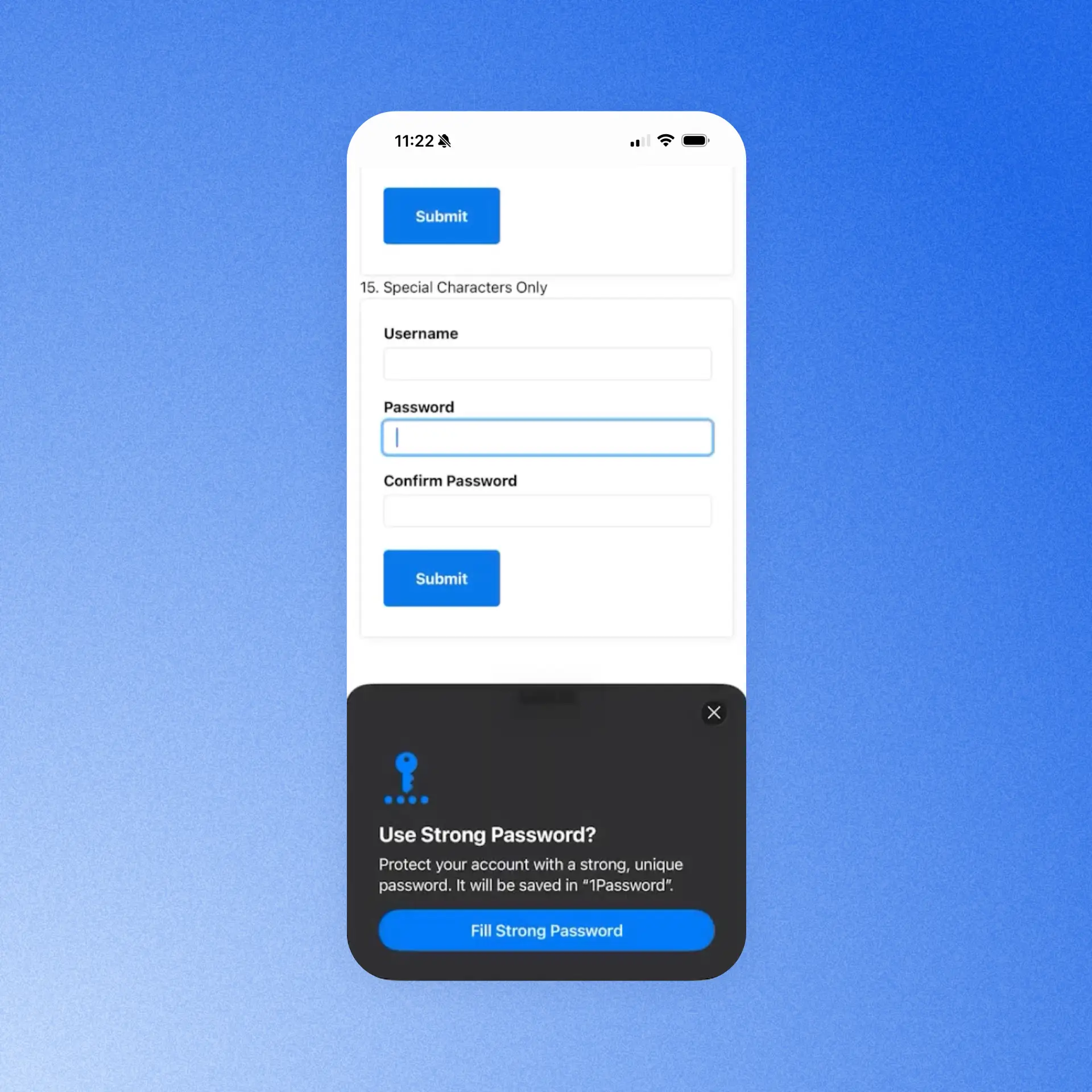
Save and generate passwords in iOS 26.2
The password creation experience on iPhone and iPad should happen at the exact moment you need it, especially when you’re signing up for a new account. With this update, 1Password shows up natively in Safari and other iOS-native apps so you can generate and save a strong password right in the account creation flow, without leaving what you're doing. This makes it easier to capture credentials when they’re created and keeps account setup uninterrupted.
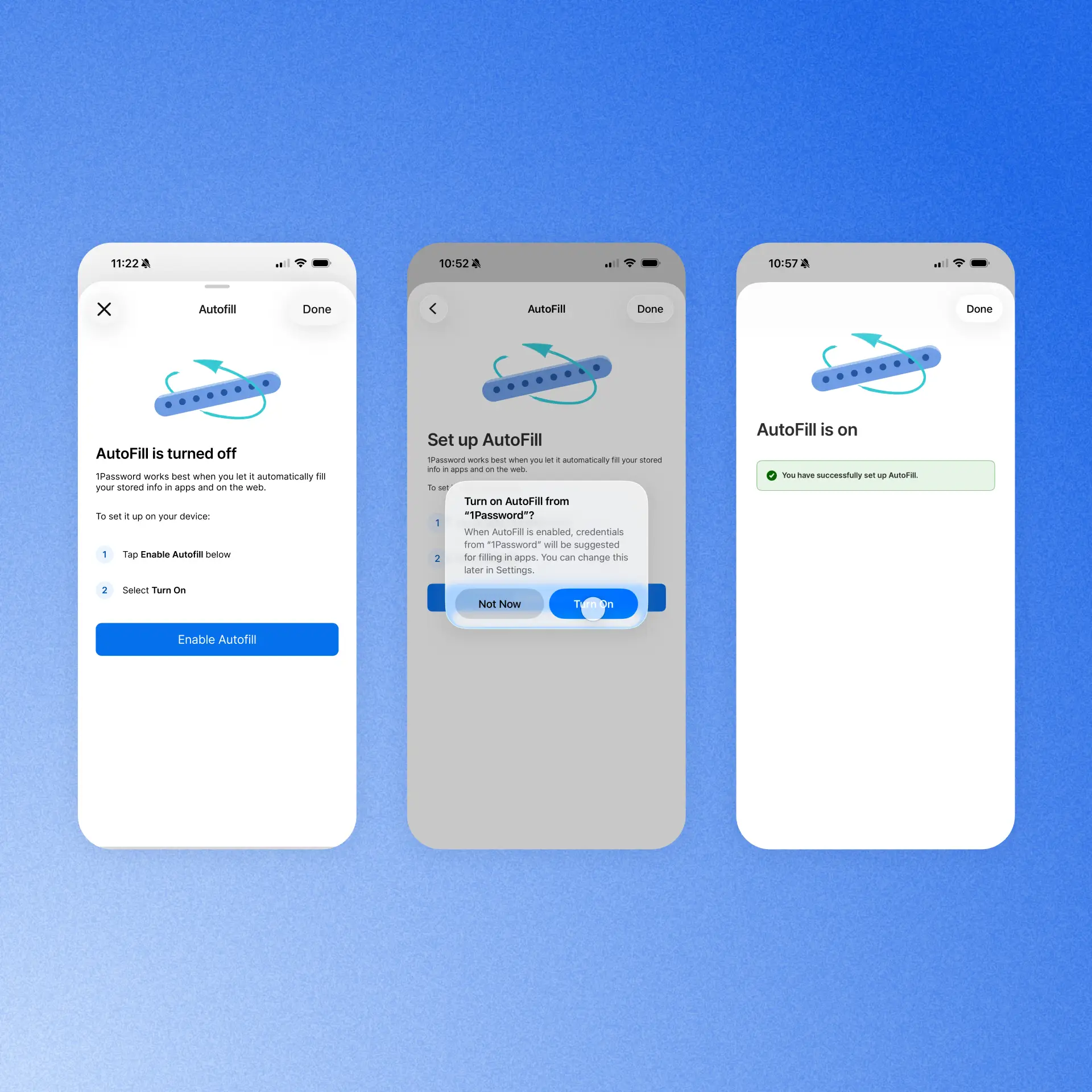
Autofill health check for iOS
The reliability of iOS autofill depends on a tangle of systems, and when there’s a problem with one, it's rarely obvious what's broken or how to fix it. So we built clear guidance that checks the autofill setup for you and deep-links straight to the exact setting that may need attention. That way, you can gauge if everything is configured correctly for autofill to work properly.
Data ownership and migration improvements
Transitions can be tough, and whether you’re moving to 1Password from another provider, or there’s been a change in the status of a shared account, you need access to your sensitive data with no interruptions.
Import your passwords (Business accounts)
We are making migrating from another password manager much smoother for our Enterprise Password Manager customers across Teams Starter Pack and Business accounts. A dedicated "import your passwords" step in an employee’s Guided Setup flow gives team members a clear, in-context nudge to bring over their existing credentials as they set up 1Password. Admins of Business accounts can control whether the step appears for their employees or not via a new policy, reducing the migration burden and getting teams to use and see the value of 1Password faster.

Data ownership and retention (Families accounts)
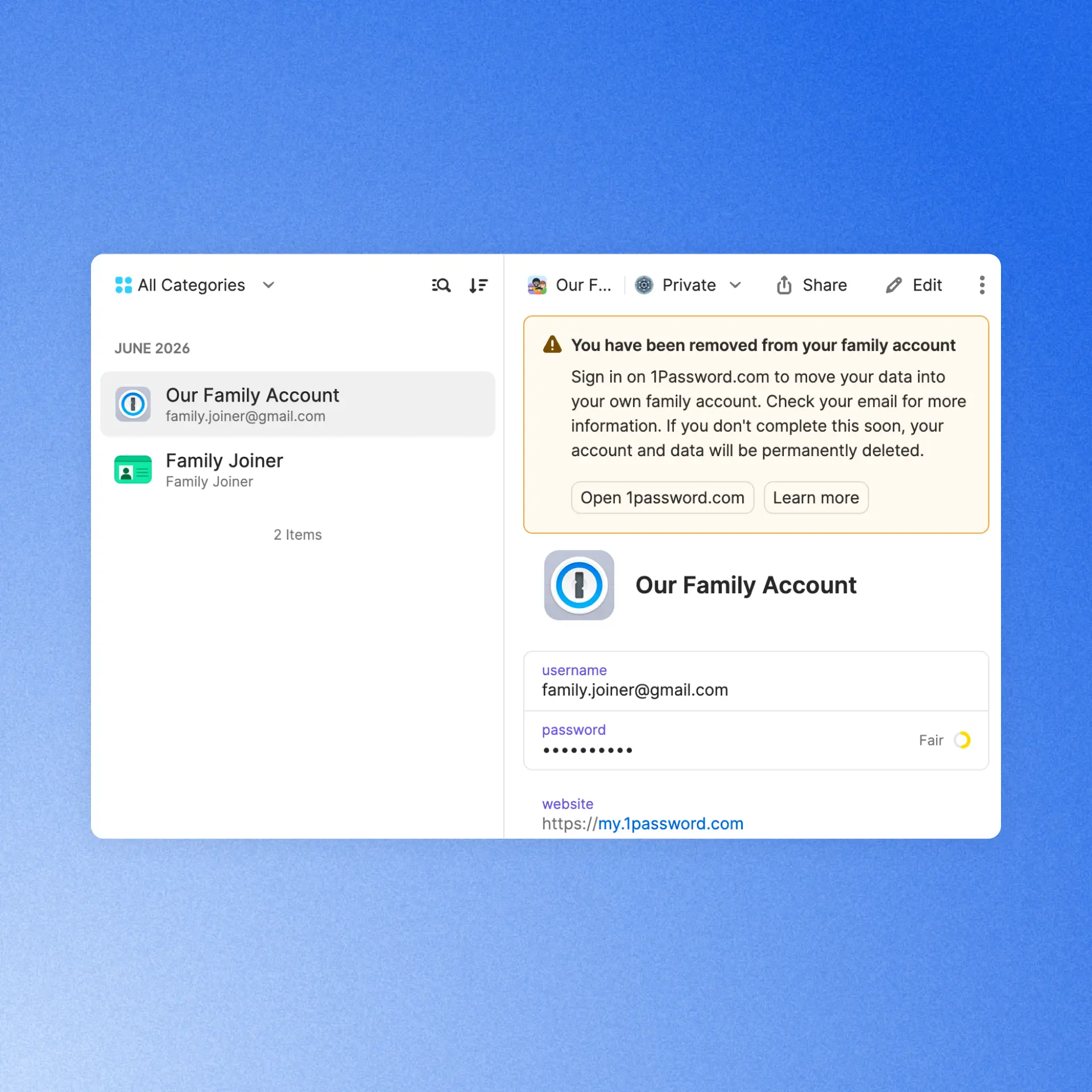
Members of a 1Password Families account are able to leave the account at any time. If they are removed from the account, they’ll now automatically receive an email and in-app notification guiding them through the process of moving to a standalone 1Password account. This ensures they retain access to their private data and experience a safe, seamless transition.
(Even more) secure by design
Naturally, as a security company, we’re constantly working to maintain and improve the safety of our products. These updates are designed to do just that, without adding friction for users or admins.
Phishing prevention updates
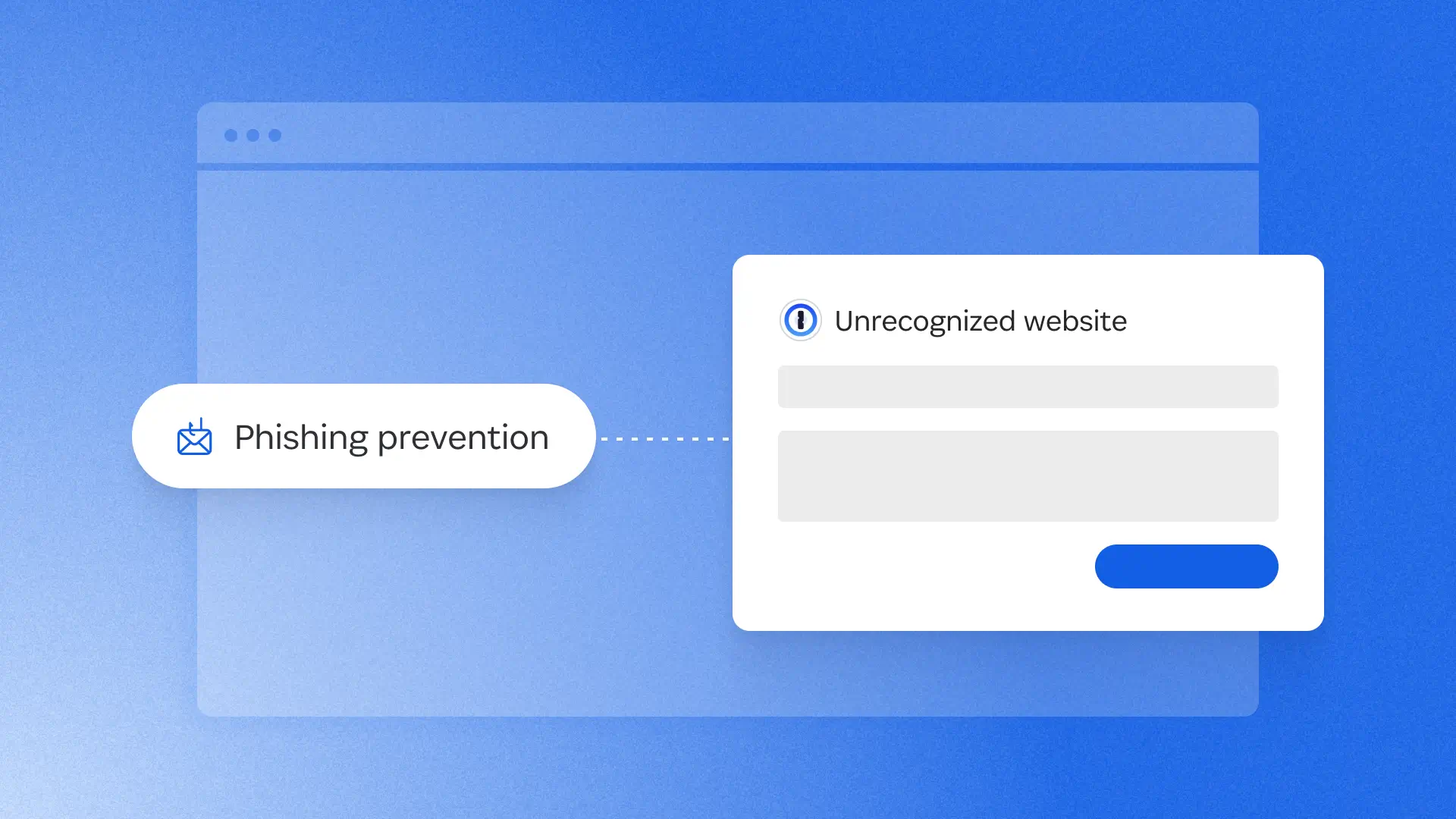
In January, we shipped a phishing prevention feature that alerted users if they were about to enter their credentials into an unrecognized site. Now, we’ve redesigned that experience with a smoother UI and a smarter risk assessment system. The feature now checks the current site against a curated, proprietary, and growing list of 50,000 verified URLs. It warns users about unknown sites and affirms the safety of trusted ones, so the URL can be added to an item for seamless future sign-ins. This gives users clearer, more actionable information to protect against social engineering attacks.

Improved default unlock settings (business accounts)
New and existing 1Password Business customers now benefit from updated default unlock settings and a more streamlined sign-in experience. These defaults make it easier to balance security and convenience from day one, while admins still have the flexibility to customize unlock and auto-lock policies to meet their organization’s needs. If you use 1Password Individual or Families at home, you’ll find these improved default unlock settings there, too.

Enforce work-domain sign-ins with MDM (business accounts)
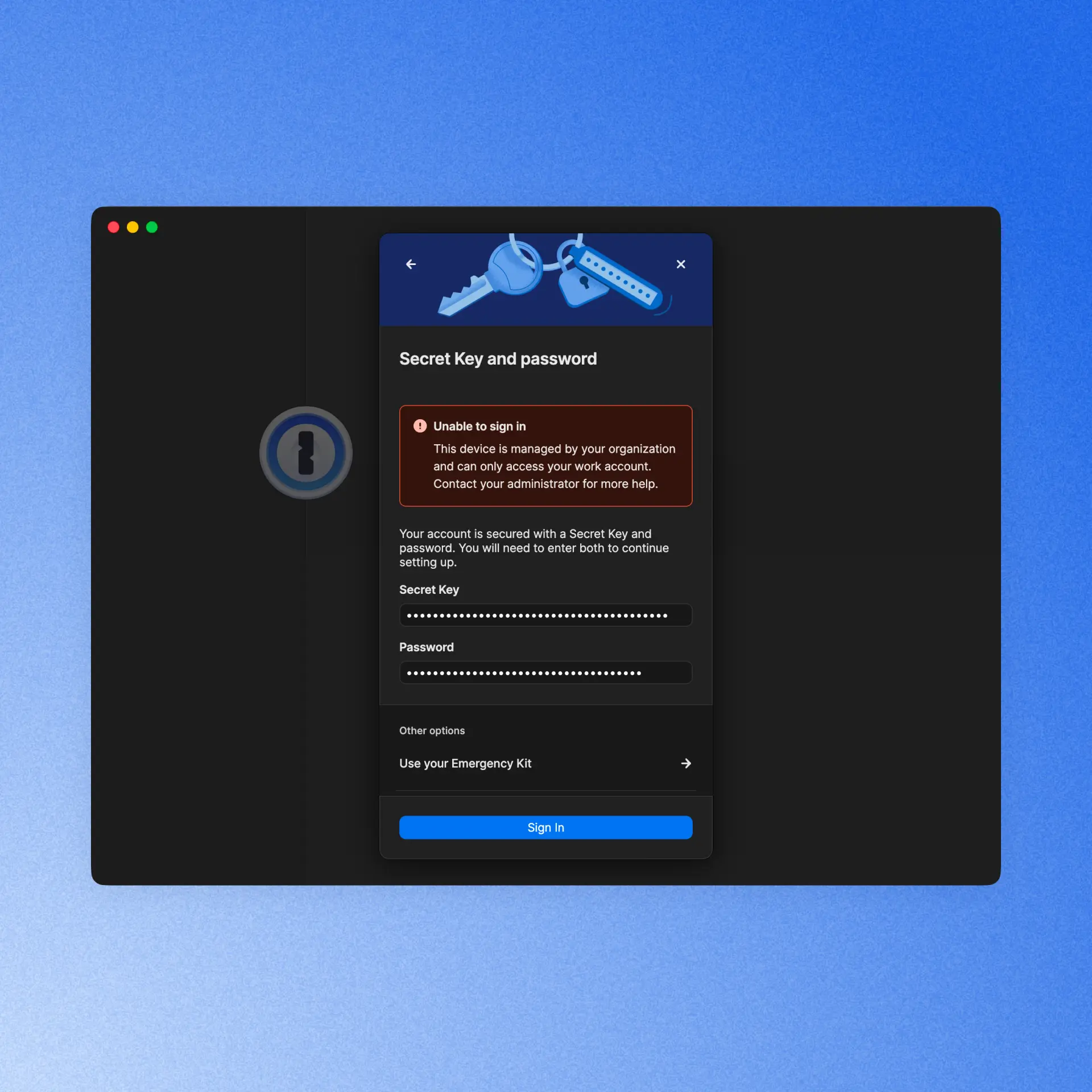
Admins who rely on MDM policies to restrict sign-ins on managed devices to their organization’s domains can now trust that enforcement holds across every authentication method and sign-in flow. We've closed the gaps in edge cases like SSO, Found Accounts, and QR sign-in flows so no path accidentally bypasses the restriction, giving IT full confidence that personal accounts stay off corporate managed devices.
Developer updates
In case you missed it, we just launched two major releases that make it easier for developers to work securely, without friction. Even if you’re not a professional dev and you just do a little vibe-coding as a hobby, you’ll want to make these part of your 1Password experience.
1Password Environments
Many developers use .env files to store and easily access credentials while they’re working. But the convenience of this method has always come with a major security tradeoff, until now. 1Password Environments gives developers a secure place to store, share, and use the secrets behind apps, services, automations, and AI-assisted workflows. You can import your existing .env files, so you keep the convenience, but stop storing plaintext credentials on your hard drive, within easy reach of bad actors.
Developer Watchtower
1Password users already know and love our Watchtower feature, which alerts users when it discovers a weak, reused, or exposed credential. Now, Developer Watchtower delivers insights tailored to devs. It identifies plaintext developer credentials like SSH keys and .env files on devices, and guides users to import them into 1Password.
Reliability Improvements
We’ve continued improving the overall 1Password experience with reliability enhancements across the product. Here are a few highlights:
[In Beta] Have you ever accidentally saved the password to a new account, but left the username field blank? It can make logging back into that account more difficult, so we built safeguards that stop users when they’re trying to autofill or autosave a login with no username. When that happens, an alert now appears that warns the user of what they’re doing and prompts them to autofill/autosave a username.
1Password for Android now tracks credential submissions over a multi-screen session and offers to save those credentials in 1Password.
We’ve improved the responsiveness of the 1Password Safari extension, so unlocking, autofilling, and interacting with 1Password feels faster and smoother as you browse the web on Mac.
[In Beta] We now offer Secret Key protection to prevent you from pasting your secret key in websites that aren’t 1password.com.
1Password now supports user verification for passkeys. When a site requires an additional security check, 1Password prompts you to verify your identity before signing you in. Available when the 1Password browser extension is connected to the desktop app.
2026-08-27, 00:00

At 1Password, we started expanding our use of AI with a familiar IT playbook. We identified the problems we wanted to solve and the tools that could help us achieve those goals. The plan was straightforward: enable teams, move quickly, learn what worked, and build the visibility needed to manage the cost.
Then the operating model changed. AI vendors introduced consumption-based pricing faster than our processes could keep up, leaving us with a distributed system of vendor-specific dashboards to track and manage our AI use.
For IT, that created a new kind of chaos when it came to understanding how much we were spending on AI and where that budget was being used throughout the company. We had data spread across systems, but we didn’t yet have a clear, shared answer.
How IT teams can govern AI use
IT teams are close to the tools and access patterns that shape AI usage. That gives IT an important role in AI spend decisions, and is no small part of why AI governance can become framed as an IT mandate. Budget and model decisions belong with the leaders who set business and engineering priorities, while IT’s role is to provide the context those leaders need.
In the face of the changing nature of AI governance, IT teams should focus on finding ways to make AI spend explainable, to give the company a more useful basis for making decisions.
Visibility changes the conversation
Previously, 1Password’s IT team could see activity in individual vendor consoles, but each view covered only part of the picture. We spent too much time moving between systems and interpreting different definitions. By the time we exported data from one tool and combined it with another, the result was already out of date.
When we started using AI Spend and Consumption Management in 1Password SaaS Manager, it felt like a breath of fresh air. We now had a shared view of AI usage and spend across vendors and teams, with detailed insights on users and models, meaning that we could better understand our budget and burn-rate context. The view was immediately more useful than working through disconnected dashboards.
The biggest change was the quality of the questions we could ask. For instance, when we saw an increase in spend, we could ask whether it was expected. Was a team working toward a product release? Has someone started a new project? Was a more expensive model being used by default? Was the activity legitimate, or did it require intervention?
Before we started using AI Spend and Consumption Management, every one of those questions would have started with a search across various systems. With better visibility, the search became an investigation with a starting point that gave us the context we needed to make informed decisions.
The organization defines the operating model
We learned very quickly that visibility is just the beginning. We needed to formally define how AI governance would work for our team.
AI vendors measure consumption on their own terms, with no uniform system across offerings. One vendor may report usage through credits, while another reports more directly in tokens or dollars. The controls used to manage that usage and spend can be similarly varied, from detailed administrative settings to only broad account-level controls. All of this makes it difficult for IT teams to apply a consistent approach across their organization. If we let each tool define our processes and rules, governance inherently becomes inconsistent.
At 1Password, we recognized that we needed to establish our own approach to governing AI use. That process began with answering strategic questions that couldn’t be dictated by the AI tools themselves. Those questions included:
Which tools can different teams use?
Which use cases require additional review?
What data can employees share within AI tools?
Who approves a new model?
What happens when spending increases unexpectedly?
Who decides whether a team should receive more AI budget?
The answers to these questions should inform policies and processes that reflect an organization’s priorities on how to govern AI consumption and use.
From there, a policy cannot live in a document while every vendor is configured differently. For IT, that means building a repeatable way to turn policy into action through controls, approvals, alerts, reviews, and escalation paths that people can use in practice.
Clear ownership across departments and teams is critical for AI spend management. For instance:
IT will likely own the systems and implementation
Security may define data handling requirements
Finance should own budget oversight
Procurement may review vendor terms
Engineering leaders may set priorities for development tools
This is just one example of how this could work in practice. The key is to ensure that each group understands its role before an AI spend issue appears that needs fast resolution.
We are still working through what that model should look like at 1Password. AI tools and pricing are changing quickly, and no single team can define the answer in isolation. The most vital principle for us is to establish our own processes deliberately, rather than allowing vendor defaults to become the process by accident.
Key steps to manage AI usage
Total spend tells us what the organization paid, but it does not tell us what’s driving those costs. For organizations struggling to manage AI consumption and spend, the most useful advice is to move thoughtfully before AI usage becomes even more difficult to interpret.
Understand your AI inventory
Start by building an inventory of the AI tools in use. This should include enterprise platforms, developer tools, model APIs, aggregators, embedded AI features, and tools employees adopted outside the formal procurement process. The inventory will change over time, but it provides a starting point for understanding the environment.
Give leaders the insights they need
The next step is to decide what information leaders need to make good decisions. Total spend may be useful, but it is rarely enough. Teams need to understand consumption by vendor, team, user, model, and, where possible, project or use case.
Chart accountability
Next, define decision rights. Who approves a new tool? Who sets a team’s budget? Who investigates a spend surge? Who decides whether a model is appropriate for a particular type of work? Clear answers will help the organization respond quickly when usage or costs change.
Formalize governance processes
Before configuring individual tools, IT teams need to establish governance principles . Define how the organization thinks about approved tools, sensitive data, model selection, spending limits, and escalation. Then apply those principles as consistently as the vendors allow.
Establish a review cadence
Finally, create a feedback loop by reviewing consumption regularly. Identify unexpected changes and share useful context with the teams using the tools. Then update the process as the organization learns.
Overall, the goal is to create a thoughtful operating model that can improve as usage changes, not design a perfect governance model on the first attempt.
From adoption to accountability
At 1Password, we are still learning what effective AI governance looks like for our organization. We do not have every answer yet, and we do not expect the environment to settle quickly. What has become clear is that visibility needs to come first.
A shared view helps the organization ask better questions. IT can see what is happening and leaders can make more informed decisions, so that governance can become part of everyday work.
At 1Password, using our own product internally has helped us move in that direction. AI Spend and Consumption Management in 1Password SaaS Manager gives us a shared starting point for understanding usage, and provides better information for deciding what our organization should do.
That is the role IT can play as AI becomes part of everyday work: create visibility, help define a consistent process, and give the entire organization the information it needs to move with confidence.
Learn more
1Password's ebook, *A practical guide for AI spend management* provides an actionable approach to managing AI spend.
Read the guideDiscover the solution
Learn more about how 1Password can help your organization proactively manage AI costs.
Explore AI spend management2026-08-27, 00:00
Early on in the AI adoption boom, I gained a reputation for just throwing everything at it to see what would stick. That wasn’t the most effective strategy, and my token usage was crazy high. There are a ton of talks and posts on all the cool ways you can use AI for detection engineering, but I didn’t see any that showed you where to begin.

So, this isn’t another blog about why you need to use AI in your defensive workflows. It seems most people understand why we need that. My focus is to show how our team got started and realized that providing AI with the necessary context is key to detection engineering successfully adopting AI.
This is not just about building detection logic, but that is one of the goals. This foundation helps create the AI Detection Engineering stack: logging pipelines, log onboarding, detection validation, threat modeling, and more.
An LLM does not know your stack, so out of the box it has limited value in a security review. In our experience, reliable results depend less on the fanciest model and more on the documentation and context around the workflow. If a human reads your log inventory and still has to ask three people what the ingestion method is, your agent does too.
Why cold prompting fails
When we first started using AI tooling, we realized prompts alone could get stuff done, but the output was inconsistent. Fields were missed, assumptions were made, and some detection logic was wrong. We saw it write queries that would not work in our SIEM. Usually these were around wildcards. The playbooks it wrote were generic, the tuning was poor, and some detections were just bad.
With enough re-prompting, the output would improve, but it always required some massaging. The effort invested in the agent inputs had a noticeable impact on the quality of the outputs. TL;DR: garbage in, garbage out.
Where our context came from
At the start, this was just internal documentation we built to make our own lives easier. It started with new-hire materials about where logs live, who owns each tool, and what needs protection. That is the bar. If you would hand it to a new hire on day one, it is good enough to onboard the AI (I fear saying this a bit, knowing onboarding isn’t always the best). Just like an intern, if you neglect to set the context, your agent will guess and hand you something that looks right, but isn’t aligned to the team’s actual goals.
So every artifact below gets judged against that one test.
All of these documents are dual-use. Humans read them, and agents read them. Once again, think of this like onboarding documentation, then modify it to your agents’ needs. The better the data, the better the context, the better the outcome for your agents.
The good news is AI can help you make these with a read-only access key. The bad news is you are going to have to read and edit some slop.
I ordered these roughly by what to do first. If you have two hours this week, start at the top.
Context inventories and libraries
Log inventory — what, how, where, format
Start with this. A basic log inventory needs a name, category, priority, and owner. It gets more complicated with ingestion methods, vendor or internal contacts, and, to go one step further, detailed notes on what the logs provide.

We always include external resources. Blogs, vendor documentation, anything else that will help get someone up to speed on what is being provided. This part does more work than you would think. When an agent has the vendor documentation for a log source, it stops guessing at field names.
An agent with a real log inventory can tell you whether a detection idea is even possible before you write a line of logic. That alone is worth the afternoon.
Detection library — centralized, mapped, and tagged
Creating a single point for all your EDR, SIEM, and CNAPP detections can be hard, but it helps answer that age-old question. Can we detect that?

This will require some normalization because not all security tools save the same data. You'll want ATT&CK tagging, log source, and in some cases, origin if you're tracking where the detection ideas came from. Some fields you will need for metrics are “Date Created”, “Date Modified”, and “Dates Tested”. Believe it or not, not all companies track the “Date Modified” field.
The last big part is having a description and/or playbook for the detection. Depending on the tool, some limit the number of characters you can put in a description. Our team uses a modified version of the Alerting and Detection Strategies Framework. This gives us a clear understanding of every detection and the next steps for triage when it fires.
Having a structured output format defined is also why an agent can generate consistent, high-quality playbooks for us now.
Tool inventory — who owns what, contact info
These are the tools you'll use to investigate, but you'll also want the tools your counterpart teams use: EDR, SIEM, CNAPP, as well as ticketing, inventory, or internal knowledge sources. These will also include contact information and resources.
Without this, every playbook an agent writes would lead to a dead end. It knows what to do but has no idea where to go to do it.
Company/entity profile — crown jewels, VIPs, locations, and possible attack paths
This is how we tell our agents what is critical to us.
Crown jewels, VIP accounts, office locations, and the attack paths are what actually matter for our environment. This context turns a generic severity rating into a significant one. An agent triaging an alert on a production secrets service should not treat it the same as a hit on a test box. The only way it knows the difference is if you wrote it down.
Team charters — scopes, ownership boundaries, and the tools they use
This data helps us know who does what and with what. It is vital to building out playbooks and knowing who to escalate to. Scopes, ownership boundaries, and the tools each team uses help you or the AI make those decisions quickly.
We already had these because we needed them for humans. Turns out an agent building an incident response playbook needs the exact same thing.
Infra and log pipelines as code — parsing, normalization, schema
We currently have our security tooling and cloud infrastructure configured as infrastructure as code. This takes the longest but pays off the most. If your parsing, normalization, and schema live in code, it can become more context for your agent.
Once it can read how a log source is currently parsed and normalized, it can write the next one. It matches your existing patterns instead of inventing new ones; it uses your real field names, and the output goes through the same review as anything else in the repository. Our ingest pipeline work went from a multi-day task to about an hour.
If you do not have this as code yet, that is fine. Document the schema and the naming conventions in plain text and start there. Even a written schema beats nothing.
What we built on top of it
We store all our skills, agents, hooks, and MCP servers in a custom plug-in repository. This creates consistency across the team's work and enforces change control. We have three primary focus areas for our agents: logging, detection, and knowledge transfer.
Logging
On the logging side, we built skills to log knowledge and provide context not just on what we are logging, but how it's logged and enriched.
We have a skill that stands up a full log ingestion pipeline: an S3 bucket, a collector Lambda that polls the vendor API, a forwarder into the SIEM, CloudWatch monitoring, and a PR at the end. It writes the handler, the Terraform, the README, and the PR body, then wires the new pipeline into the existing monitoring stack. Logging is where the gap analysis lives too, comparing the log inventory against the tool inventory and our knowledge bases to find what we are blind to in logging and detections.
Detection
On the detection side, we have MCP access to our detection tooling. When a new log is onboarded, we run a threat modeling agent to verify and suggest new detections. This can be passed off to our detection engineering agent, which can then create a detection in the targeted tool. It verifies we have logging, checks for detection overlap, and looks for false positives. Once done, it creates a pull request designed to be easily verified. The pull request includes the logic it used, hyperlinks straight into the SIEM query, and a basic description of its work.
Knowledge transfer
Knowledge transfer is the one people skip. Documentation, normalization, and schema creation. It is the least fun of the three, but it's why the other two keep working. The easy one is building something to write your detection descriptions. We have several agents that look for future work around logging or configuration changes.
Notice that none of these agents are doing anything crazy. Each is a thin wrapper around documentation we already had.
Security considerations
A few things to think about before you go feed your entire security program into a chat window. Not every platform is safe for internal data. Know what you are agreeing to, where the data lands, whether it is retained, and whether it trains publicly accessible models. Some of these documents map exactly what you protect and how you monitor it. Keep your company secrets safe by only using approved and appropriate AI tooling.
Remember to use least privilege. Prompt injection is real, and untrusted content can carry instructions; in our world, untrusted content is the whole job. Alert bodies, email samples, file names, ticket comments. If an agent reads attacker-controlled text and also has write access somewhere, you have a problem. Scope your MCP permissions like you would scope a service account, because that is what it is.
Do not trust the output. It can look completely right and be wrong. Validate before you ship. Every detection an agent writes still goes through the same review and testing as a human-written detection. The point is to speed up the boring parts, not skip the review.
What context do you already have?
Document what you have before you automate what you do not. The work is boring and front-loaded.
You have two options here. You can be me in 2025, throwing everything at the model to see what sticks, burning tokens, and getting output that is okay. It works. It gets you there. It just costs you a lot of back-end massaging, and you never quite trust what comes out. Or you can spend a couple of weeks writing down what you already know about your own environment and get results you will actually ship, in a fraction of the time.
If you want a first move for this week, pick one log source and document it end to end. Name, owner, ingestion method, which fields it actually provides, which parsing it goes through, and one link to the vendor doc. Then ask your AI tool a real question about it and compare that answer to what you got before.
That difference in what you wrote and the AI wrote is the whole reason to do this.
Automate secret references with the 1Password CLI
The 1Password CLI can reference approved secrets from scripts and automation without pasting plaintext credentials into prompts or source code. Connect secure secret management to detection engineering workflows with our free developer tools.
Explore the 1Password CLI2026-08-26, 00:00
As a company grows, more employees join, but the size of the IT team overseeing critical systems often doesn’t grow at the same pace. Admins have to be intentional about prioritizing their efforts to meet the needs of a growing organization. That’s why we’re excited to announce several releases aimed at helping admins optimize their organization’s use of 1Password in two important areas: reducing lockouts and automating provisioning at scale.
Preventing avoidable lockouts
Entra ID Secret Expiration
Most 1Password Business accounts sign in via SSO through an identity provider like Microsoft Entra ID. Admins rely on a secret provisioned by Entra to establish connectivity with 1Password. However, it comes with an expiration date. Once it expires, the connection breaks, preventing anyone from signing in. This was one of the most common and disruptive patterns we’d observe with customers.
Entra ID Secret Expiration now tracks it for you. Simply record the expiration date, and 1Password will send escalating reminders across in-app banners, emails, and login prompts at a fixed cadence (e.g., 90/60/30 days). Once it’s time to rotate the secret, follow the guided flow in the Admin Console, confirm it’s working as intended, and the countdown resets automatically. A predictable secret expiration date should never become an outage, and now it doesn't have to.
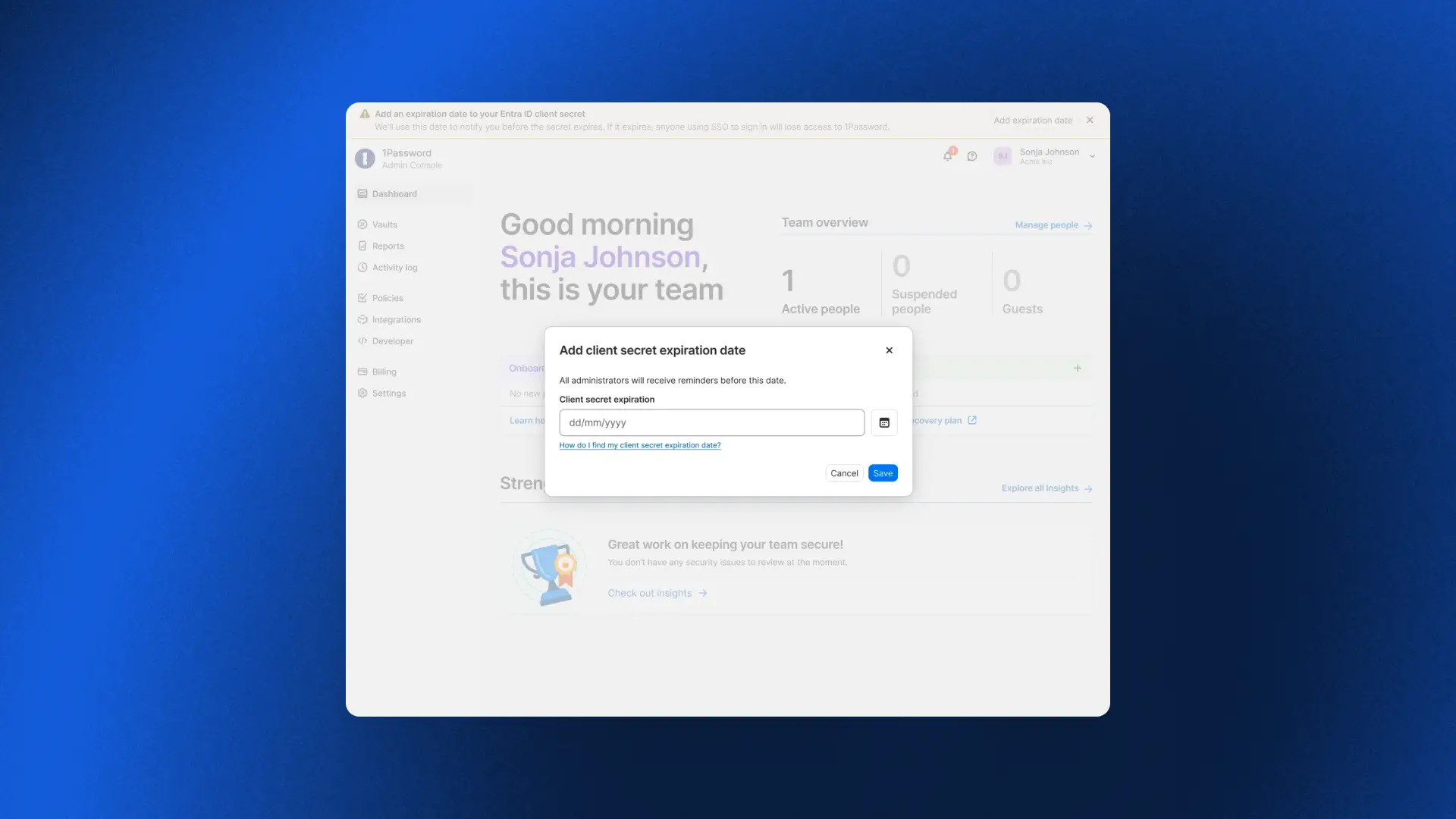
Standing up new parts of the business quickly
Multi-Tenancy and Automated Provisioning integration
Earlier this year we released Multi-Tenancy and Automated Provisioning, hosted by 1Password, two critical features for admins to manage provisioning, deprovisioning, and parent/child accounts at scale. Now admins can use these features in tandem, so enterprises with multi-tenant setups can take advantage of Automated Provisioning.
To get started, check out our detailed documentation for setting up the Multi-Tenancy and Automated Provisioning integration
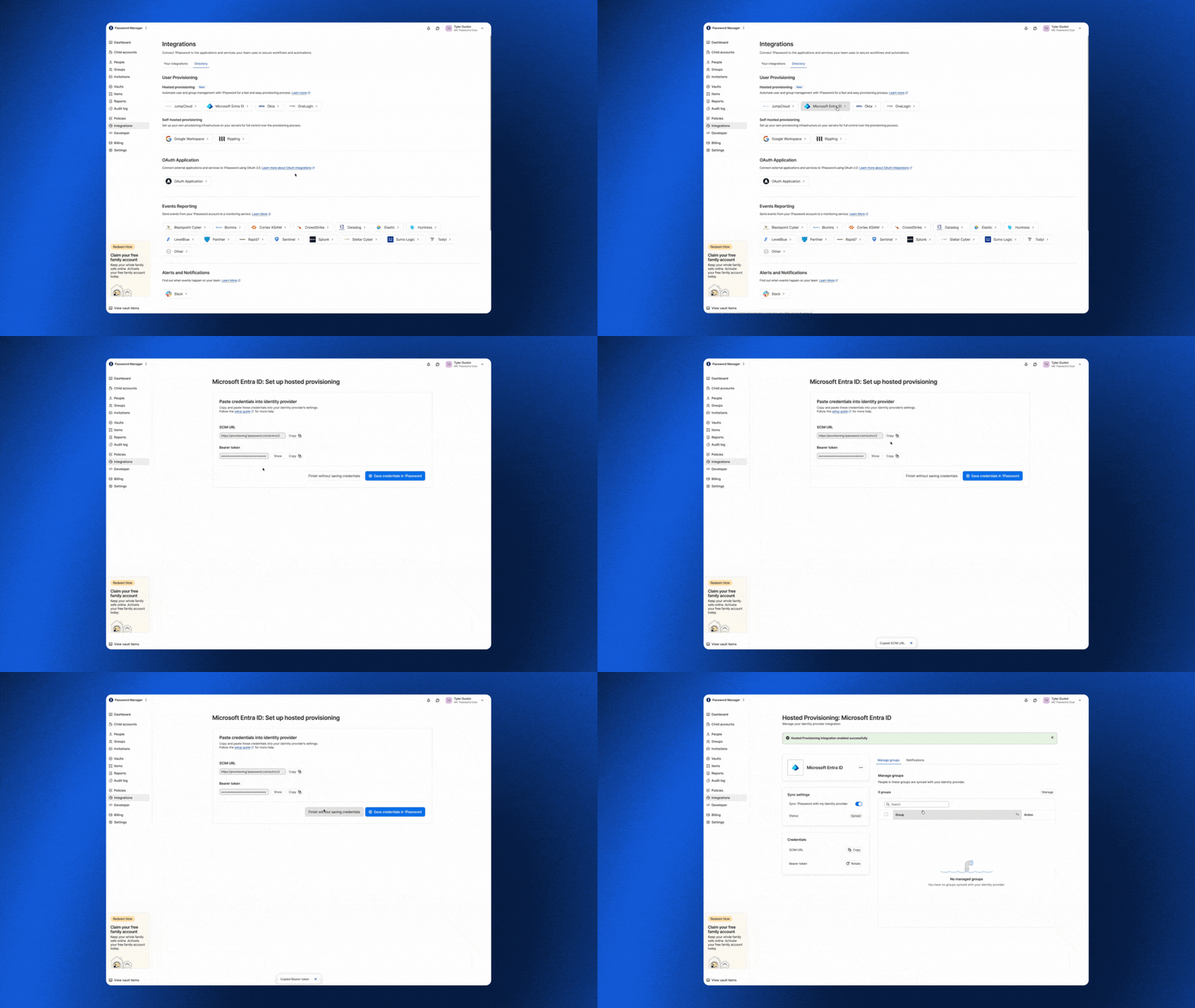
To get started, check out our detailed documentation for setting up the Multi-Tenancy and Automated Provisioning integration.
Vault migrations
With multi-tenancy, enterprises link multiple 1Password accounts under a parent account to mirror how the business is actually organized, whether by subsidiary, region, or acquisition. But linking a child account is only the first step. It still needs the right shared vaults, and until now the only way to populate them was to recreate each vault by hand. Vault Migrations removes that work. An admin can copy a vault from the parent account to one or more child accounts in a single workflow, so newly linked accounts are ready to use from day one.
Because 1Password is end-to-end encrypted, each vault is re-encrypted in your browser with the destination child account’s key before it is uploaded. Our servers never see your data in plaintext, and the vault key is never exposed unencrypted. Each migration creates a copy rather than a synchronized vault, preserving the security boundary between linked accounts. Access is reset to a secure default so admins can deliberately assign permissions in the child account, and every migration is recorded in the parent account’s audit log.
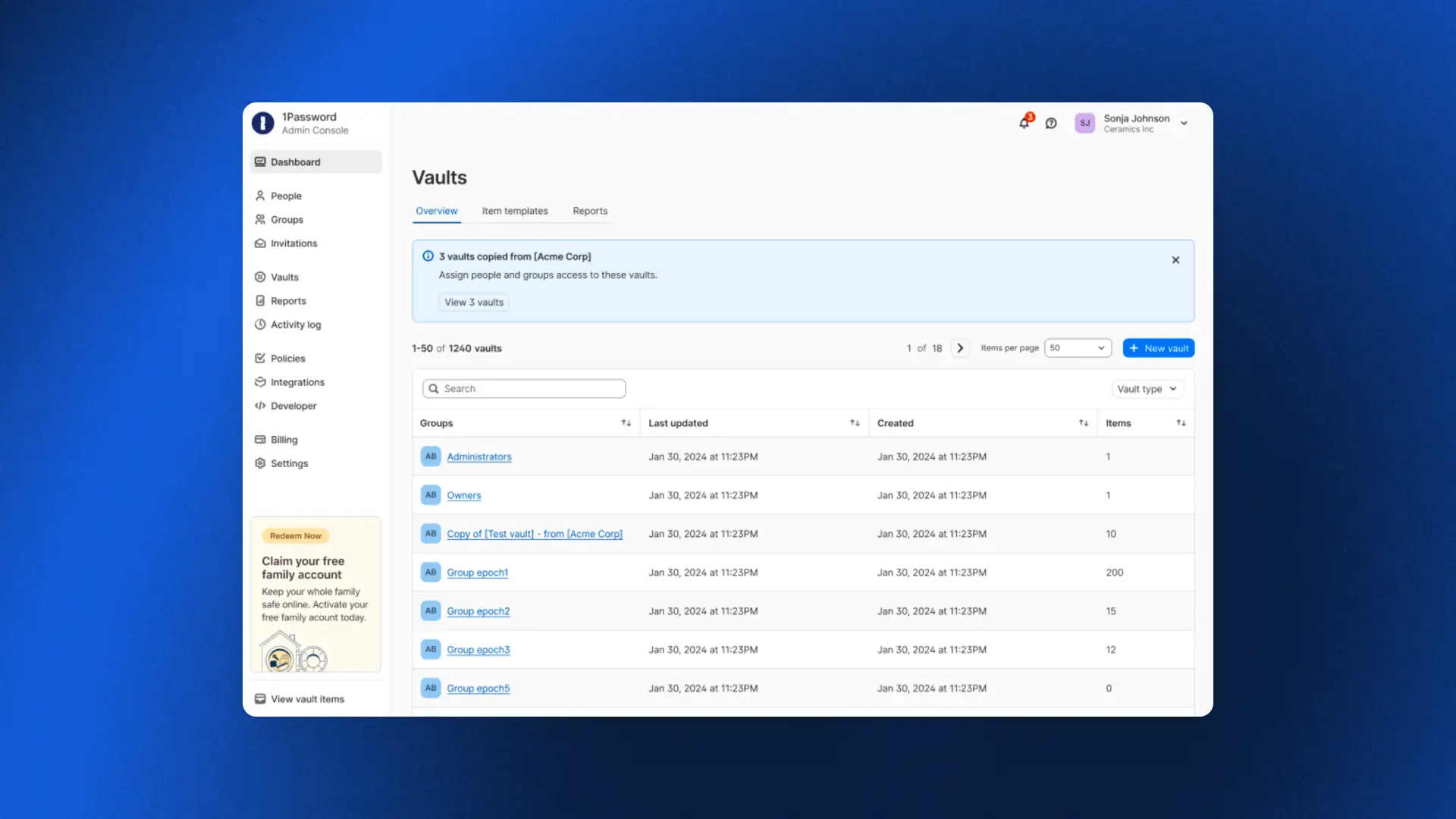
Automated Provisioning for MSPs
For MSPs, standing up provisioning for every new client has traditionally meant painstaking manual work. As one MSP shared: "If we can connect to their identity provider so that we don't have to provision accounts manually, that changes everything."
Automated Provisioning, hosted by 1Password, does exactly that. MSPs can connect an identity provider to any client in minutes, with users created, updated, and deprovisioned automatically across every managed tenant as clients grow and change. No infrastructure to deploy, no bridge to maintain, and no manual work in between.
One admin who tried it put it simply: "We were done in about five minutes. We set everything up from scratch, added the integration in Okta, and it worked immediately."
To get started, check out our detailed documentation for setting up automated provisioning for your managed company instances.
Final thoughts
What these releases add up to is peace of mind.
For an enterprise, it means fewer lockouts and improved efficiency. For an MSP, it means onboarding a new client in minutes. And whether you run one organization or a hundred, the team overseeing it doesn’t have to scramble to keep up with growth, because the platform now carries more of the operational burden without compromising the security model.
2026-08-25, 00:00
In this episode, Rohan Varma, Product Lead for Codex at OpenAI, described what happens when teams move from using agents for one-off tasks to enabling autonomous coworkers. Having worked on AI coding products at Cursor and OpenAI, Ro understands what people need to work effectively with agents and what agents need to work effectively with people.
What makes a good (agentic) coworker?
With any coworker, collaboration works best when everyone is working from the same context, toward a shared goal.
Human coworkers are accustomed to working toward shared goals. With proper context and resources, they can divide work without losing sight of how their contribution affects the team.
The difference between teams of people and agents is that people don’t need to be told how to remember things. Everything they do carries historical context. When a team works together, their shared knowledge expands exponentially.
Agents work within context windows, a temporary working memory that fills as a task continues. When the window is full, the system has to summarize the work without losing decisions and constraints that could cause the agent to miss crucial directives.
State is a fundamental building block for making an agent feel more like a coworker. Without memory, every time you prompt an agent, it's kind of like its first day on planet Earth.” –Rohan Varma, Codex Product Lead, OpenAI
To be a useful long-term collaborator, an agent’s memory has to exist outside its context window. The system has to preserve the work durably to understand which files were changed, which decisions were made, which results were gathered, and which tasks are yet to be completed. That shared state lets one agent resume a task, another pick it up, and gives a person a log to review to understand what happened when a run fails or loses context.
Filesystems give agents a place to store that context and support agent teams.
Another thing human coworkers bring is perspective. Memory helps an agent recall its directive, but it also needs to adapt to the person it works with. Some users want an agent that provides answers and makes plans. Others want one that asks questions and critiques their logic. According to Ro, to be a helpful coworker, an agent must be “steerable” and make it easy for the user to understand its output.
How do you safely hand off work to an agent?
One of AI’s most enticing promises is to take undesirable work off our plates. For Ro, that’s spending less time on call and more time focused on product development. As Jeff Wang, CEO of Business Development at Cognition, said in a previous episode, we should let AI do the work nobody wants.
To offload work safely, the system has to place the agent in the right environment, provide the tools and credentials it needs, initiate work with the appropriate trigger, and verify it is doing the right thing.
These agents are basically as useful as they have access to your systems and as permissive as you make them.” –Rohan Varma, Codex Product Lead, OpenAI
For human and non-human identities alike, limited access is a blocker, whileover-permissioned access creates security problems. Safe delegation requires giving an agent enough authority to act, with access scoped to the task and tied to an identity the team can monitor.
At OpenAI, Rohan’s team uses Codex to automate software updates. A pull request comment or CI failure triggers a new job for Codex. Tests and artifacts of its work show the team whether the change is ready to deploy. Then the agent reports progress, returns a result, and asks for help when it reaches a boundary.
When the team receives those alerts, they ask whether the agent did the right thing and whether the action is authorized.
Nancy explores the trust architecture behind this access governance model in ”Verified loops: Building AI agent trust and accountability,” which explains how controlled tools, visible evidence, and bounded permissions can let agents earn authority.
Bring on the prototypes
In the interview, Nancy and Rohan shared how their teams are changing the product development process with agentic coworkers. Nancy discussed how 1Password developers stopped writing documentation for planned features to evaluate prototypes to inform product decisions.
Ro shared a similar process on the Codex team. Instead of writing a detailed plan before building a feature, the team prototypes it on a branch and explores a working version first.
He described one engineer who built a browser into Codex after realizing the product did not have one. The prototype gave the team something concrete to use, question, and decide whether to develop further.
When agents do the work, what’s distinctly human?
Ro said that he expects that agents will automate more of the routine work of moving information between channels and stakeholders. Writing, in his view, is where people bring unique value to the human-agent co-working relationship. When asked what work he thinks people will retain, he says, “I hope writing is still the thing we do.”
Writing helps a team turn a vague ambition into a goal that people and agents can act on. It makes the outcome clear for people and machines alike, exposes the important questions, and gives everyone something to build toward.
Clear communication gives teams the context they need to evaluate what agents produce. Over time, shared understanding becomes part of the work, connecting past experiences and topical situations to inform organizational decisions.
The more work agents generate, the more important it is for people to clearly communicate their objectives and progress so other teams can work out what’s important, what is safe to handoff to AI, and what tasks need more thorough review. The conversations behind that work can contribute to shared memory that can make an agent that can only manage one-off prompts into a helpful long-term agentic collaborator.
Subscribe to the 1Password Developer newsletter
Stay up to date with the latest 1Password Developer product news, industry insights, and community contributions. Plus, learn best practices for becoming a better, more secure developer – both at work and at home.
Subscribe2026-08-20, 00:00
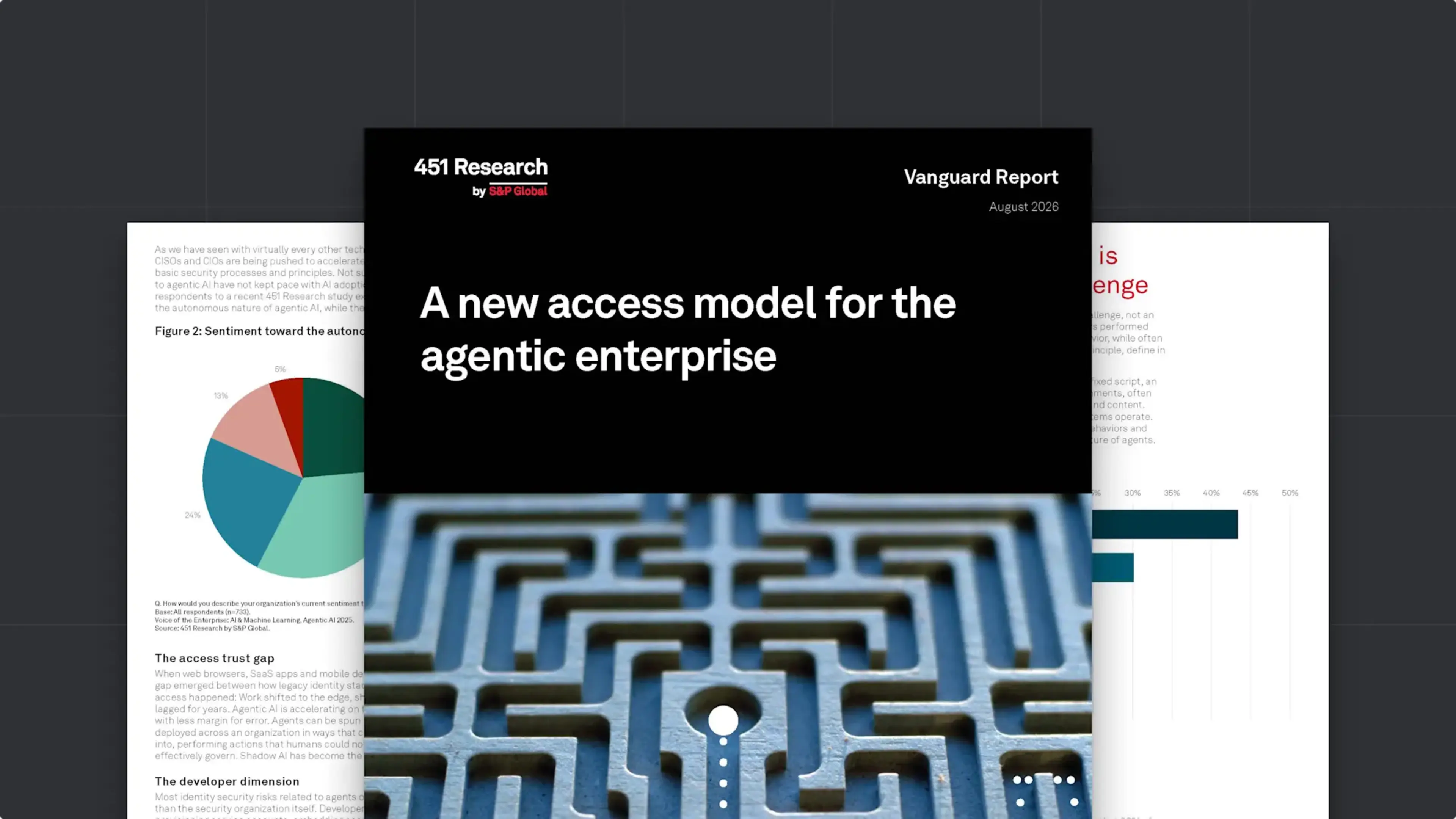
In the short time that AI agents have been a part of the enterprise, they have upended many of our bedrock assumptions about the nature of identity, access, development, and work itself. At 1Password, we’ve been in the trenches of the agentic revolution; we’ve seen its positive impact on productivity, and the serious concerns it raises about security. We’ve worked to build solutions that both harness AI’s potential and rein in its risks, and watched customers and colleagues grapple with the same issues.
In order to better understand how the industry at large is facing the agentic moment, 1Password commissioned a Vanguard Report from 451 Research, titled A new access model for the agentic enterprise. The report describes how agentic AI is redefining access and identity, and lays out what C-level leaders can do to ensure a smooth transition to this new paradigm. Its core recommendations include:
Start with discovery and visibility of AI agents and poorly governed non-human identities (NHIs).
Move to just-in-time credential delivery, rather than static credentials and standing privileges.
Implement guided remediation for developers so they can address NHI and agentic risk without interrupting their workflows.
Ensure full auditability and clear attribution that ties every action to a specific human or agent identity and authorization context.
Read on to explore the report’s findings, or download the full report here.
An expanding identity perimeter, with agents already inside
A new access model for the agentic enterprise begins by establishing that agentic AI is already deeply embedded in the enterprise. 69% of enterprises they surveyed have deployed AI agents, and 90% plan to do so within the next two years (these findings align with 1Password’s own research on agentic adoption).
But while agents became ubiquitous almost overnight, the tools and strategies to secure them have not kept pace. This on its own isn’t unusual; the report reminds readers that this “pattern has repeated with every new technology advance of the past two decades.” Yet AI agents are unique in some crucial ways that set them apart from earlier revolutions in SaaS, cloud computing, and automation.
“What makes agentic AI distinctly challenging to secure is not its scale but its unpredictability. Agents’ non-determinism breaks the core assumption of traditional access policy – that administrators can define in advance what a given identity should and should not do.”
Adding to the complexity are developer workflows, which rely on NHIs like service accounts and API keys. These credentials are often poorly secured – 71% of developers use unsecure methods for handling NHIs – and they exist outside the visibility of IT and Security teams. Vulnerable and compromised NHIs have been a source of risk and friction for years, and that risk is multiplying as AI agents use them to take actions on the backend of corporate systems.
How to redefine access for the agentic enterprise
The next generation of access control has to work for humans, machines, and agents, while accommodating the non-determinism that sets agents apart. As the report explains, traditional IAM and PAM solutions are “structurally inadequate” for this world, and adjusting to it requires nothing less than a paradigm shift.
“The organizations that successfully navigate this transition will treat it as an architectural reset – rethinking identity security from the ground up to govern people, machines, and agents in a unified way, with a single control plane that integrates governance, policy management, and auditing.”
The report lays out a list of “fundamentals” that every organization must get right to meet the challenge of this moment. Among the non-negotiables are:
Visibility into every agent and credential in use, including plaintext secrets embedded in config files and on local disks.
A single system of record for credentials, “spanning human users, service accounts, machine identities, and AI agents.”
Grounding identity security in runtime authority, which means continuously evaluating an identity’s behavior against expected parameters and dynamically enforcing access barriers. (This is particularly crucial for agents, in order to contain the risks of non-determinism.)
Advice for leaders on the agentic security transition
451’s report closes with C-level guidance for managing this transformation on an organization level. It recommends getting cross-functional buy-in from every technical team, since they’re both using agents and responsible for securing them. Likewise, it advises that leaders work to enable developers, and to design governance policies and workflow integrations that “make secure agent provisioning the default, not an additional burden on top of delivery pressure.” This advice is aligned with 1Password’s longstanding commitment to “make the secure path the easy path.” Even in a security landscape undergoing such a profound transformation, that philosophy still holds true.
Want to learn how 1Password is building the future of identity security for humans, machines, and AI agents?
null
Explore 1Password Unified Access2026-08-17, 00:00
The launch of 1Password Enterprise Password Manager – MSP Edition marked a critical step in 1Password’s mission to support our Managed Service Provider (MSP) partnerships. Now, we are pleased to announce that Advisory Solutions, a New York City-based MSP that works with companies worldwide, has reached the Certified Tier in the 1Password Partner program.
1Password's new Certified tier is a milestone we’ve implemented to recognize the investment and success of MSP partners who have reached 1,000 or more managed external users. Advisory Solutions was able to become a Certified Partner by rapidly scaling its 1Password deployment to more than 1,000 managed users. This not only represents their dedication as a partner, but demonstrates that the Certified tier is an achievable milestone for MSPs committed to growing their 1Password practice. We’re excited to see companies like Advisory Solutions further the momentum behind 1Password’s MSP program and embrace the value of participating in it.
The journey to Certified Partner for 1Password MSPs
What does it take for an MSP to work their way up from Authorized to the Certified Tier? Jay Chaudhrey, Director of Business Development at Advisory Solutions, shares some of the key principles that Advisory Solutions followed to operationalize 1Password and become a Certified Partner so rapidly.
Authorized and Certified Partners
1Password’s MSP Partner Program now consists of two tiers: Authorized and Certified. Like every MSP in 1Password’s program, Advisory Solutions began as an Authorized Partner, establishing the operational foundation that ultimately led to the becoming a Certified Partner. At the Authorized Tier, partners gain immediate benefits, including specialized pricing NFR licenses for internal use, and enablement resources.
For Advisory Solutions, “It was really important for us to work with the best companies in their respective fields.” That’s how they found 1Password.
When it comes to finding the “best” tools, Chaudhrey says that Advisory Solutions focuses on, “Making sure the tool is easy to use and seeing what adoption looks like, and the best way we do that is by using the tool ourselves. So before we were 1Password partners, we were 1Password users.”
At the Authorized Tier, partners typically focus on:
Deploying 1Password internally
Delivering initial customer deployments
Establishing operational familiarity with managing 1Password
The Certified Tier represents the next stage, when an MSP has reached 1,000 or more managed external users. For Advisory Solutions, achieving this status demonstrates that they’ve successfully operationalized 1Password within their service offering.
For Advisory Solutions, their journey to the Certified Tier began by identifying clients that would most benefit from 1Password – for instance, clients with a remote workforce, or those that have specific compliance needs. From there, Advisory Solutions was able to reach over 1,000 users rapidly to become a Certified Partner. As Chaudhrey says, “There wasn't much of a sale to be made. When you quickly realize what this accomplishes, the sale's kind of made on its own.”
This emphasizes how achievable it is for 1Password’s MSP partners to reach the Certified Tier and reap the rewards of the tier. For Certified Partners, 1Password offers further benefits: expanded enablement, marketing opportunities, and a regular cadence to participate in product feedback sessions and roadmap planning with 1Password.
Serving the needs of MSP clients
MSPs are naturally focused on serving the needs of their customers, and Advisory Solutions recognized that password managers were a critical solution for their clients.
Chaudhrey explains, “Our responsibility for our clients is making sure their endpoints are fully secure, and their users are fully secure.” Password managers represent a critical step to managing a critical security risk: credential compromise. When it comes to serving this need for clients, Chaudhrey says, “In this case, there's typically a right or wrong answer. Either you have a password manager, or you don't.”
For many MSP clients, security needs are focused on two major areas:
Cybersecurity compliance
Cyber insurance
According to Chaudhrey, “If you don't have a password manager, compliance gets very difficult, borderline impossible to pass… that's why implementing this tool becomes a very early conversation for them. The other part is cyber insurance. The reality is all the businesses need it, and a password management tool becomes very critical to it.”
Serving the needs of the MSP
Still, there are plenty of password managers on the market, and MSPs need to consider how different vendors can serve their needs.
For instance, Advisory Solutions has a small team that serves companies of all sizes. With 1Password: “Across the 5-person client to the 1,000-person client…it's one tool that we're experts at, and we recommend that to all of our clients. The win-win for our client is they don't feel the effects of feeling too small or too large for a tool. And for us, it doesn't change our processes, our support model, or how we implement them. All of that stays pretty much the same.”
More importantly, Advisory Solutions found true partnership from 1Password. As Chaudrey shared, “I even reached out to [1Password] about a client having adoption problems, and was pointed to specific documentation that might be helpful. That's the part that's often overlooked…That partnership piece is what takes it to the next level. We're not just a partner on paper.”
The Certified Tier is a significant achievement, and Advisory Solutions’ rapid success is due in no small part to their deep collaboration with the team at 1Password, who are dedicated to helping our partners reach the next stage as quickly and seamlessly as possible.
Scaling the solution
Once an MSP partners with 1Password, the journey to Certified Partner relies on how they scale the solution, both internally and for their clients.
Chaudhrey’s advice for MSPs that are just getting started with 1Password is to look at all the areas a password manager comes into play and answer some key questions:
What does vault structure look like for a client?
Who should get access to what vault?
What does hiring look like?
What does off-boarding look like?
As he put it, “I think getting those SOPs down is what really helped with adoption.” By answering those questions, Advisory Solutions was able to scale adoption quickly, achieving over 1,000 users and becoming a 1Password Certified Partner.
The next step for 1Password partners
1Password is already trusted by over 200,000 businesses to help them stay secure, and we wouldn’t have reached that figure without the support of our MSP partners.
We want to express both our sincere congratulations and our sincere gratitude to Certified Partners like Advisory Solutions, who have worked so closely with 1Password to pursue a shared mission: ensuring that security and productivity don’t have to be at odds, and enabling MSPs to deploy a security-first tool that their clients are happy to use.
2026-08-17, 00:00
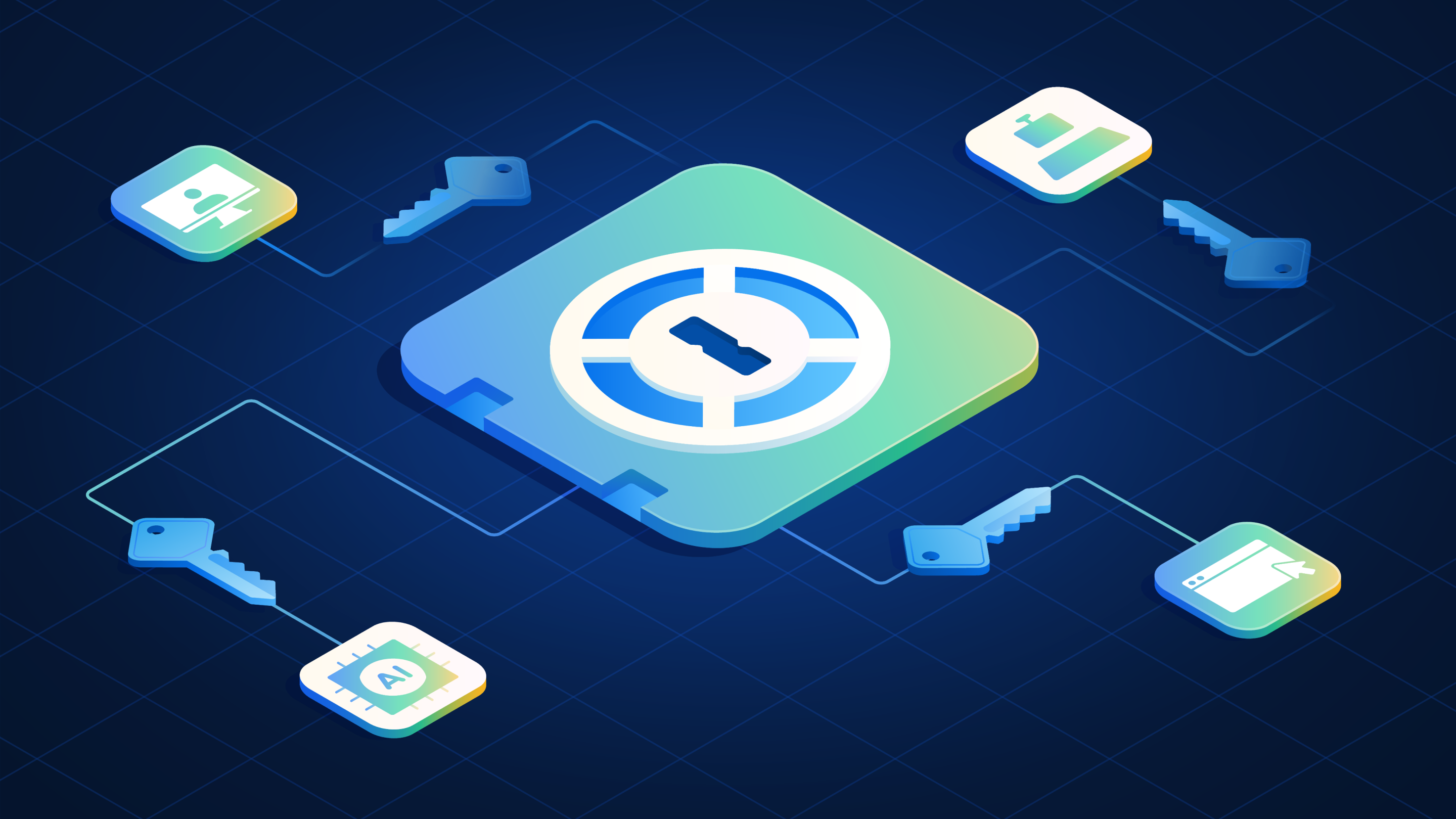
In March 2025, attackers compromised a GitHub Action used in the development pipelines of more than 23,000 repositories. The malicious code exposed API keys, cloud credentials, SSH keys, and other tokens in workflow logs. Affected teams were advised to review their workflow runs and rotate any credentials the logs exposed.
Affected organizations had to determine which credentials had been exposed, what those credentials could reach, and how to replace every one of them without halting development. Many could not confidently answer the first question alone.
The incident illustrates the problem those responsible for a team's credentials face today: the credentials that carry the most risk are often the ones nobody is tracking.
Security tools cannot govern credentials they never see
Unmanaged credentials are simply a byproduct of the modern software development environment, where developers are under pressure to constantly ship code. A developer standing up an application needs a database password or an API key immediately, and the fastest way to supply one is a .env file on the local machine, an SSH key in a home directory, or a token pasted into a pipeline variable. Each choice keeps work moving, and each one creates a working credential that exists outside any approved system, where no one responsible for keeping projects, credentials, and access safe can rotate, revoke, or audit it.
Traditional secrets management can leave this gap open because it starts on the wrong side of it. Conventional tools provide a secure destination but depend on developers to bring credentials to it, so governance begins only after migration. When a security process adds friction, teams find workarounds. 1Password’s research found that 43% of developers don’t use a dedicated secrets manager or vault at all, managing secrets through a mix of secure and unsecure means instead. As a result, credentials remain outside the controls, reporting, and rotation processes intended to protect them.
These are longstanding problems, but what has changed is the pace at which those credentials are created. GitGuardian counted 28.65 million new secrets exposed in public GitHub commits in 2025, up 34% from the prior year, and 1Password's research found that 86% of technical employees report credential-related issues with non-human identities. The problem exists in small teams and large organizations. What changes is who owns the work and what the organization needs to prove. On a small team, one person may create the credential, use it, and manage its access. As the organization grows, more people, workflows, and environments depend on those credentials, so the work expands to include establishing an inventory, governing access, assigning remediation, and producing evidence. The goal remains the same: the administrator needs to secure the credentials the team already uses without breaking the workflows that keep development moving.
A complete program to discover, secure, govern, and audit credentials
In a poorly implemented secrets management program, four problems compound one another:
Credentials sit exposed where nobody can see them
Moving them risks breaking whatever depends on them
Any secure path that adds friction gets routed around
When an incident or audit occurs, administrators cannot show what exists or what was fixed
Breaking that cycle requires four capabilities operating continuously.
Discover: Establish an actionable inventory
Discovery starts with getting a complete picture of exposure. Administrators need a way to find credentials on local devices, including .env files, SSH key directories, and other local files, without relying on developers to self-report. The output must be twofold: a prioritized view of exposed credentials that administrators can track over time, and findings specific enough (this key, in this project, on this machine) that a developer can be asked to act on each one immediately.
Secure: Move credentials into managed control
Securing a discovered credential means moving it directly into managed control without breaking what depends on it. Telling a developer to delete a file is not a remediation path; the credential is still needed for the application to run. The path from finding to fix should be short: a developer imports an exposed credential into a managed environment and uses it through environment variables supplied at runtime, with no plaintext copy persisting on disk. The developer keeps the familiar way of working, while the person responsible changes how the credential is governed, shared, and remediated.
Govern: Give credential access without exposure
Governance determines who or what can access a credential, which project or environment it belongs to, and what happens when that access changes. Developers should receive only the credentials they need for their work. CI/CD systems should use scoped service accounts, while AI agents should be treated as nonhuman identities with narrowly defined, reviewable permissions. Access should have an owner, be limited by role or environment, and be revocable when a person, workflow, or project changes. The governing path must still be usable, or teams will route around it.
Audit: Give administrators evidence to act
Administrators need evidence of what was found, what changed, and what still requires action. Reporting should help teams review findings by user and device, track remediation, and identify credentials that still require rotation. That record lets administrators demonstrate what was exposed, what was remediated, what still requires attention, and how risk is changing across teams and environments during access reviews, incident response, and security reporting.
Secure secrets management simplifies the developer workflow
A well-run secrets management program makes life simpler for everyone involved. Developers do not need to trade speed for security. They have a supported path to retrieve credentials inside familiar workflows, while administrators can identify exposure, assign remediation, and review progress.
Every credential access, human or agent, is documented and traceable. When a credential is compromised, the blast radius is known and the response is contained: what the credential touched is on record, and rotation happens from one place. When a security leader or an auditor asks for evidence of control, the organization can show its findings, actions, and progress rather than reconstructing an outdated or incomplete inventory during an incident or audit.
The full lifecycle: secure developer secrets with 1Password
1Password’s developer security capabilities help organizations discover credentials developers already use, including supported credentials stored in plaintext on local devices, and connect discovery to remediation, delivery, and oversight. Developer Watchtower finds exposed credentials like SSH keys and .env files on endpoints. 1Password Environments gives developers a managed place for the secrets behind their apps, automations, and AI workflows, without disrupting how they work. Reporting and remediation workflows give administrators a clearer view of credential risk and a practical way to act on it. Discover, Secure, Govern, and Audit work together, so organizations can improve control without asking developers to abandon the workflows they depend on.
2026-08-14, 00:00

This week on the Chasing Entropy Podcast, host Dave Lewis sits down with Keith Hoodlet, Director of Security Research at 1Password and leader of the newly formed Off-by-1 Labs. Keith’s mission? “To throw stones at glass houses, not to hear the crash necessarily, but to help people build better and more secure houses.”
A villain-turned-hero origin story
As Keith puts it, “I’ve always been really focused on skill acquisition over formal titling or formalized skillsets in many ways.” After all, he got his start as a self-proclaimed “unpaid punk on the internet, messing with video games, mostly.”
As a teen, Keith would spoof other Diablo players by using a trial key from the back of a CD case, and taught himself Visual Basic so he could spam StarCraft opponents. He realized early on that he was “pretty good at the whole computer thing.”
That’s why he decided to major in psychology – it was something he couldn’t do. He wanted to understand people better.
Graduating in the midst of the housing market crash had him working odd jobs for several years. He returned to school for computer science, only to drop out when he received a job offer. From there, he built his career gradually through roles at Bugcrowd, Thermo Fisher Scientific, GitHub, Trail of Bits, and now 1Password.
It may have been a nonlinear career path, but there have been plenty of highlights throughout that journey, including winning the U.S. Department of Defense's 2024 bias bounty program; it was one of the first times an organization paid external researchers to prove an AI system was biased and unfit for its intended use.
Keith continues to make use of the varied skills he built over those years. For instance, his psychology background may not show up in threat models, but it shows up daily in his leadership: “I start from a place of approaching the other party that I’m interacting with as first a human being… and try to build that human-level connection that really goes a long way toward improving security outcomes.”
Advice for his younger self
Keith shared the advice he'd give his 18-year-old self in an era where AI threatens entry-level white-collar work:
Start a blog before anything else: Where video content’s success tends to be short-lived, written content compounds in value over time and records your ideas and principles as they evolve. In fact, Keith shared his own blog posts on leadership during his 1Password interview loop.
Think hard about the college question: Keith was careful to note college still makes sense for many, but at today's costs, people should be thoughtful about why and when they pursue a degree.
Reading is weightlifting for your brain: Whether you start with newsletters or novels, reading widely lets humans make intuitive leaps, and sitting down to read cultivates patience and critical thinking. Keith argues that those skills remain a genuine advantage over large language models.
Overall, Keith emphasized the importance of building a personal brand and body of work that make you credible to employers.
No robots in the gym
Today, there’s an apparent tension in Keith’s work: he's an AI security researcher who also warns that prolonged AI use can erode critical thinking.
Keith’s answer borrows a phrase from his friend Daniel Miessler: “no robots in the gym.”
Essentially, don’t use AI for any skills that you want to cultivate. For Keith, that means writing, reading primary sources, and thinking critically. For skills he has less interest in developing (like building yet another TypeScript web app), he uses AI – and then interrogates its output.
His practical tip for validating AI output was to ask a question that also serves as a forcing function for critical thinking: LLMs produce statistically likely answers, so write what the model gives you on a whiteboard, draw a box around it, and ask, "what's not in this box?"
Building a career? Start by doing things
For security leaders and newcomers alike, Keith's advice converged on one theme: don’t wait for permission to do things.
As he put it: “The technology in security is always moving faster than we can keep up with. There’s only so much time in the day that you have. So try a bunch of different things. Learn a bunch of different skills. Develop a lot of different ideas… That is the surefire way to build a foundation for your career that will continue to thrive amidst all of the changes happening with AI.”
Listen to the full conversation with Dave Lewis and Keith Hoodlet on Chasing Entropy, and see what ideas or skills it might inspire you to pursue.
Off-by-1 Labs
To learn more about Keith and his team’s work with 1Password, check out the latest research from Off-by-1 Labs: Why AI-generated vulnerability patches still require expert human review.
Read the blogSubscribe to Chasing Entropy
Subscribe to Chasing Entropy for honest, expert-led conversations on agentic AI, security, shadow IT, and extended access control from industry leaders.
Subscribe now2026-08-13, 00:00
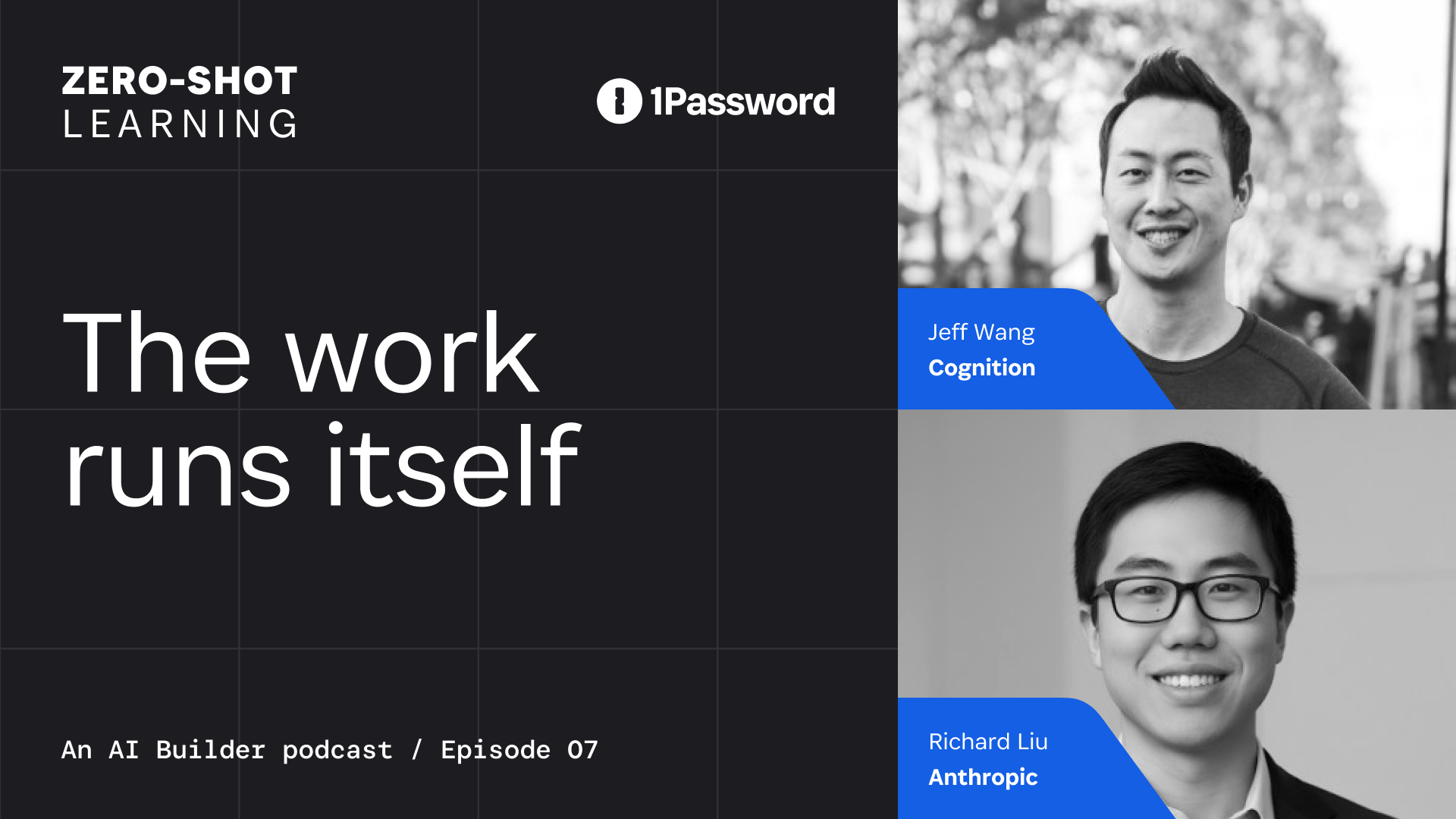
How AI coding agents are changing software development
The IDE has been the center of software development for decades, but Jeff Wang thinks its time in the spotlight is ending. On Zero-Shot Learning, the President of New Enterprise at Cognition described how his team’s workflows are shifting from manually writing every change to delegating work and verifying the results of AI coding agents.
After leading Windsurf and now working with Devin at Cognition, Jeff has seen developers across industries explore how to implement AI. From interactively collaborating with coding agents to deploying long-running agents in the cloud, he has seen what agents change inside the editor and what they require outside of it. If the question is what’s the most effective way to ship, Jeff isn’t betting on the IDE.
Offloading undesirable work to AI coding agents
For Jeff’s team, AI coding agents prove useful for the work no one volunteers for. Agents respond to event-triggered tasks like reproducing bugs, remediating vulnerabilities, and repairing CI failures, where they effectively reduce noise that distracts developers from planned work.
“If you go into any engineering organization, you don’t want to take away the things they want to do,” Jeff says. “You want to take away the things people don’t want to do. You ask everybody in the development team, ‘Hey, who wants to replicate this bug?’ Nobody is going to raise their hand.”
He says these agents now account for roughly 40% of the workload at Cognition.
Cognition also works with enterprise customers using Devin. At some large banks, Jeff says, Devin automatically fixes 70% of their vulnerabilities.
By agentifying these workflows, Jeff says Cognition merged roughly 700% more pull requests over six months while increasing headcount by only 10%. With agents doing the grunt work, developers don’t need to be the sole operator of each task, fundamentally transforming how each team member spends their day from coding to orchestrating operators. “You might queue up a bunch of agents in the morning, go get lunch, and come back and unblock the ones that are stuck,” he said.
In the interview, Richard Liu, Head of API Products at Anthropic, recounts that across industries, the average developers typically spend eight to 15% of their day doing hands-on coding. The rest goes to coordination, research, and meetings.
With such powerful agentic systems at play, the IDE no longer defines the software development workflow. Instead, engineers decide which work an agent can take on, where it is blocked, and when the result is ready to verify.
What does an agent-centered development environment require?
An editor gives developers a single console to work from, but agentic systems work across systems and environments. While one agent might investigate a bug while another runs tests and a third waits for access or context, teams need a way to see each agent in action.
OpenAI calls this supporting system a harness: the tools, application context, and feedback loops that help agents work. Cursor’s 2.0 release takes a similar approach from the product side, putting multiple agents at the center of the interface and recognizing that review and testing become harder when agents work in parallel. Still, these are only the start of a larger workflow change.
Jeff describes a highly accessible version of that environment in Windsurf 2.0, where developers oversee a Kanban board showing what agents are doing and where they are blocked. A team member can start several tasks, return later, and support the agents that need help.
For larger infrastructure work, agents can also move between local and remote environments. A developer might explore an idea locally, make a plan, and then hand the defined task to Devin in the cloud. Jeff says those remote agents run with the dependencies and data they need, allowing work to continue without keeping a developer at the keyboard.
Once work is moving across agents and environments, the issue is to determine what is required for the agent to prove the work is done.
How do developers verify work completed by AI coding agents?
When Nancy asked what the new standard primitive would be, Jeff answered, “Probably the ability to prove something is done.”
With AI coding agents, frameworks to validate completed work must be designed before the work begins. Jeff points to the benefits of playbooks, documentation, clear success criteria, and access to the right systems to ensure reliable outcomes. Without those pieces, the agent has to fill in the blanks about what “done” means.
Jeff says Devin can show the feature running, return passing tests, compare sample queries before and after, and generate a report. The pull request comes back with a record of what happened.
That record can show whether the work passed an established framework. It does not, by itself, show who launched the agent, what it was allowed to access, or who is accountable for the result. In a recent 1Password survey, 51% of developers reported wanting a complete audit trail for agent activity. Another 53% wanted clear accountability for each agent’s actions.
1Password Unified Access closes the visibility, governance, and accountability gaps your existing tools weren't designed to cover. It gives teams a way to secure that gap and issue credentials at runtime, scope access to specific tasks, and attribute access events to the human, agent, or machine involved.
An agent with permission to write to a repository has a different failure mode from one using a person’s administrator credentials across production systems. Jeff says organizations need to know where an agent was launched, who launched it, what it could access, and which changes came from its session.
In the new review loop, engineers define work, provide the right context, scope the agent’s access, and ask it to show what happened. In this workflow, the IDE remains an important part of development but AI coding agents have shifted the focus from the editor to AI orchestration that moves through agents, environments, and evidence.
News and updates for developers
Subscribe to our developer newsletter to be the first to know about new betas, tools, and resources for developers.
Subscribe2026-08-11, 00:00

It happened again. We blinked, and suddenly summer’s over and it’s time to register for classes. The horror!
While the start of a new school year has always been a stressful time for parents and students, the growing number of accounts, apps, and devices students have been responsible for in recent years has made it even more complicated.
To help manage the stress, 1Password is sharing our favorite back-to-school security tips for parents and students of all ages, so you can start the 2026 school year secure and organized.
School security 101: From AI to user IDs
With more AI tools emerging every day, it can be difficult to track which ones are trustworthy. AI tools and agents need access to a lot of data in order to function; AI adopters, and concerned parents, should take care about what data is being shared with the AI. It’s worth learning what AI-based tools your kids are using, and educating them about what kinds of information they should never share with a chatbot. That includes sensitive personal information, but it also includes things like passwords, which no AI user should paste directly into a chat window just because a helpful-seeming agent asked for them. Tools like 1Password for Claude offer a safe way for the AI power users in your family to experiment with agents.
For any parents, whether your kids are entering elementary school or going off to college for the first time, they can benefit from a talk about AI tools and online safety. You don’t have to scare your kids away from technology, nor should you try to control everything they do online. Instead, set them up for success with knowledge and preparation.
Make strong passwords a habit now
Despite the perception that young people today are tech-savvy, that doesn’t mean they’re secure. With apps for school, home, and socializing, the average student is creating more accounts than they can possibly remember the passwords to. More likely, they reuse the same password for multiple accounts, a habit that’s easy to fall into and hard to quit.
Our 2025 survey found that younger generations were actually more likely to fall victim to phishing scams; 70% of Gen Z and 67% of Millennials reported having been phished, compared to 57% of Gen X and 46% of Boomers. Beyond that, we found that 76% of Americans who have been victims of shopping scams still reuse passwords, making it easier for scammers to access their other accounts.
Using a password manager ensures every account has a strong, unique password that students don’t have to remember, so it’s an easy way to start the school year strong. If you use a password manager with a family account option like 1Password Families, you can grant your kids access to the passwords they need while ensuring that all the information remains encrypted and secure.
You can also use a password manager to set up passkeys and two-factor authentication (2FA), which provides an additional layer of security against phishing attacks or other breaches.
Keep an eye out for back-to-school scams
Scams can occur at any time, but the back-to-school season presents cybercriminals with an opportunity to exploit the needs of overwhelmed parents and unsuspecting students during back-to-school shopping. Some examples include:
Phishing: Criminals may send emails posing as an educational institution, asking you to log in to a fake site to steal credentials, or they can use social media to promote fake school shopping deals, leading you to fraudulent websites. Avoid clicking any suspicious links and stay away from any unsolicited deals and offers unless you are sure of their legitimacy. A password manager can also act as an extra layer of security; 1Password has built-in phishing protection that warns you before you paste your password into an unknown site.
Loan scams: Criminals may pose as loan providers or government agencies offering loan forgiveness, grants, or even scholarships that do not exist. They may try to pressure you into making immediate payments over the phone or try to get your personal information online. If you are interested in an offer, take a moment to research the institution and reach out to them directly via phone or email to confirm your options.
Ultimately, try to stay skeptical. If something sounds too good to be true, it probably is.
Start building healthy online security habits
Good digital hygiene starts with the basics. Simple habits can help protect you and your family every day, in and outside of school. Along with strong passwords, you can also start building other online security habits and teaching them to your children or older family members. For instance:
New device setup: Whenever you or a family member gets a new device, you should immediately install or enable security tools, such as a firewall and a password manager. Show your family how to lock their devices, whether via PIN or biometrics, and remind them that they should never leave a device unattended, especially if it’s unlocked.
Securely store and share files: The back-to-school season often involves sharing a lot of sensitive information, like school registration forms or even birth certificates. You need to make sure that this information is secure. With 1Password Families, you and the students in your life can securely upload your most important files to the cloud and share access with others as needed.
Be cautious when sharing access: Go over who, if anyone, should have access to various accounts, like parents, siblings, or teachers. With shared accounts, remind everyone who has access to never share the passwords with anyone, unless they’ve checked with you first.
Always keep apps, software, and operating systems updated: Software developers continually fix security issues and release updates to address these issues. If you don’t keep your software updated, your data is at risk of new threats. Regular updates are a straightforward way to help close these security gaps, making it more difficult for hackers to gain access.
Don’t forget about old accounts: The accounts you created for previous courses and extracurricular activities still exist, even if you don’t log into them regularly, and could be breached without your knowledge. Some password managers include monitoring features, like 1Password’s Watchtower, which checks your accounts for breaches and flags weak, reused, or compromised passwords.
Helping your family develop these online habits will keep them safe in a very digital world. Using a password manager is a great way to start instilling these habits and making them easier to stick with.
A+ security for everyone
A new school year is always complicated, but security doesn’t have to be. By streamlining how you manage your and your family’s digital life with 1Password, you can start preparing for both the new school year and the online world, all while taking control of your data security.
Ready to protect yourself?
Keep all of your accounts secure with 1Password. Get started today with 25% off individual and family plans.
Get 25% off2026-08-11, 00:00

AI agents have crossed an important line from making suggestions to taking actions. They can read a repository, call internal systems, change code, open a pull request, and keep working while the human moves on.
In this world, it is no longer enough to ask whether a model is capable. We have to ask: Who is acting, a person or their agent? What authority did they receive? Which systems could they reach? What evidence did the run produce? What permission should that evidence earn? And who remains accountable for the next consequential action?
At 1Password, the pattern we use to answer these questions is the verified loop. In a verified loop, an agent works under a job-specific identity, through tools governed by an access control gateway, and earns a given permission by proving that it satisfies the conditions of a human-defined policy. This is how an organization can begin converting human-owned procedures into production tasks for agents. A verified loop doesn’t make the agent infallible, but it clearly defines the agent’s task and authority, and makes incomplete or unsupported work harder to pass off as finished.
A plausible result is not the same as a verified result
Consider an agent asked to draft release notes for a release containing 1,247 commits.
The draft is clearly written and looks complete. Every change in the agent's input appears to be accounted for. But the comparison API returned only its first 1,000 commits, and the agent had no way to know that 247 were missing.
The problem in this workflow is that there’s no process that identifies that this plausible-looking result is, in fact, incomplete.
A tool inventory could tell us that the agent used the repository API, and scoped authorization could prove that it could read the repository but not publish. Neither tells us whether it received the full commit range or traced each claim to an approved source.
That is what verification adds, by evaluating the run against the job that was actually specified.
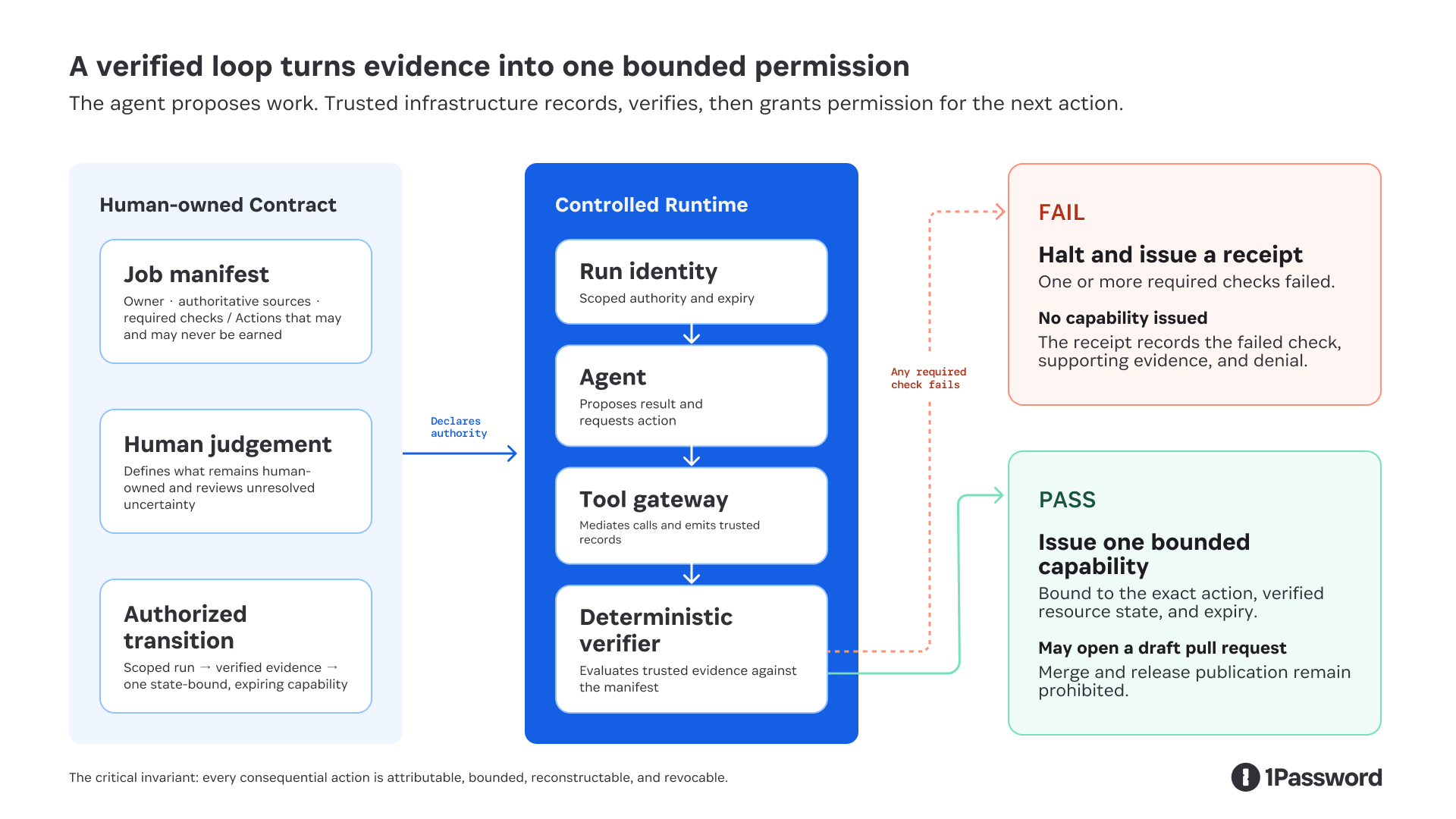
Authorization transition: trusted evidence earns one state-bound, expiring capability.
In this model, the agent can propose work and request an action. It cannot write the authoritative evidence, evaluate its own compliance, or grant itself permission. Identity and the tool gateway constrain what the run can reach. The verifier determines whether system-emitted evidence satisfies the contract. Passing earns only the capability declared in the manifest, bound to the exact resource state evaluated.
This claim depends on a controlled runtime. The agent and any code it generates cannot hold ambient credentials or use an unmediated network path to the protected systems. If a shell command can reach the same API directly, the tool gateway is a convention, not a security boundary.
The job definition is the verification boundary
A verifier cannot evaluate arbitrary work; it can only evaluate predefined claims against trusted evidence. "Do a good job" is not an executable requirement.
Therefore, the verification contract must be defined before the run starts. A human-owned manifest names the accountable owner, authoritative sources, required checks, actions that may be earned, and actions that can never be earned:
version: release-notes-v3
job: release-notes
owner: release-team
subject:
repository: product
from: v4.1.0
to: v4.2.0
head_sha: abc123
required:
- commit-range-reconciled
- every-claim-has-approved-source
- missing-metadata-reported
may_earn: # deny by default; nothing else is grantable
- github.open-draft-pull-request
never_earn: # cannot be added to may_earn by any revision
- github.merge
- release.publish
The prompt tells the agent how to do the work, while the manifest tells the control plane what the run may reach, what it must establish, and which permissions it can earn.
The control plane must authenticate who approved the manifest and record every change. Otherwise, an agent that cannot bypass a policy could still benefit from a weakened policy. For this job, passing completeness checks can earn a draft pull request, but merge and publication permissions remain with the release owner.
The evidence must come from the system, not the agent
At 1Password, we use OpenTelemetry traces as the raw event record for a run. The trusted runtime and tool gateways emit the spans, which alone do not necessarily represent the upstream system’s complete state. The agent does not get to write the authoritative record of its own behavior. Calling this evidence requires additional integrity controls: the emitter must be authenticated, the transport and storage protected, and the receipt signed outside the agent's execution context.
An overnight run can produce tens of thousands of spans and an unstructured pile of telemetry is not a verification system. Instead, a verification harness applies predefined checks to reduce those spans into job-specific evidence receipts.
In the truncated release notes run, one receipt might look like this:
{
"job": "release-notes",
"manifest": "sha256:8a37…",
"issuer": "release-verifier",
"issuedAt": "2026-07-29T08:42:17Z",
"subject": {
"repository": "product",
"headSha": "abc123"
},
"claim": "commit-range-complete",
"evidence": [
{
"source": "github-compare-api",
"commitCount": 1000,
"responseHash": "sha256:917c…"
},
{
"source": "git-local",
"commitCount": 1247,
"responseHash": "sha256:30ea…"
}
],
"check": {
"name": "commit-range-reconciled",
"result": "fail"
},
"requestedAction": "github.open-draft-pull-request",
"decision": "deny",
"signature": "ed25519:4f89…"
}
The receipt is the trusted runtime's statement of which claim was evaluated, against which resource state, using which evidence, with what result. The signature makes tampering detectable, and the hashes identify the records evaluated. Importantly, neither proves those records were true. The verifier can evaluate only what the job has made deterministic: presence, counts, hashes, schemas, policy predicates, tests, source coverage, and conflicts. Correctness is only as deterministic as the job and its authoritative systems.
The action must also be bound to the same state that was verified. A receipt for commit abc123 must not authorize an action against a branch that has since moved to def456. The capability therefore carries the resource version, permitted action, expiry, and receipt digest. The action gateway checks them again at the point of use.
Receipts create their own security and privacy obligations. They should contain the minimum facts required for independent verification, use safe identifiers rather than secrets, and follow explicit access, retention, and deletion policies. Where possible, a production implementation should use an established signed-attestation envelope rather than inventing a new one.
Where authoritative truth comes from
"Authoritative" does not have to mean "a human typed it."
Authority can come from the system that owns the fact. Git owns the commit range, the pull request system owns the merge state, a feature flag service owns the rollout state, and a signed policy defines the access rule.
Humans remain authoritative for judgments the organization has not reduced to an executable policy. Is this change important enough to lead the release notes? Is the customer explanation accurate and appropriately framed? Does the value of publishing justify any risks that the release notes are incomplete?
The goal is to leave the human with the smallest consequential decision that cannot yet be verified mechanically, and to give them evidence they can act on without reconstructing the run.
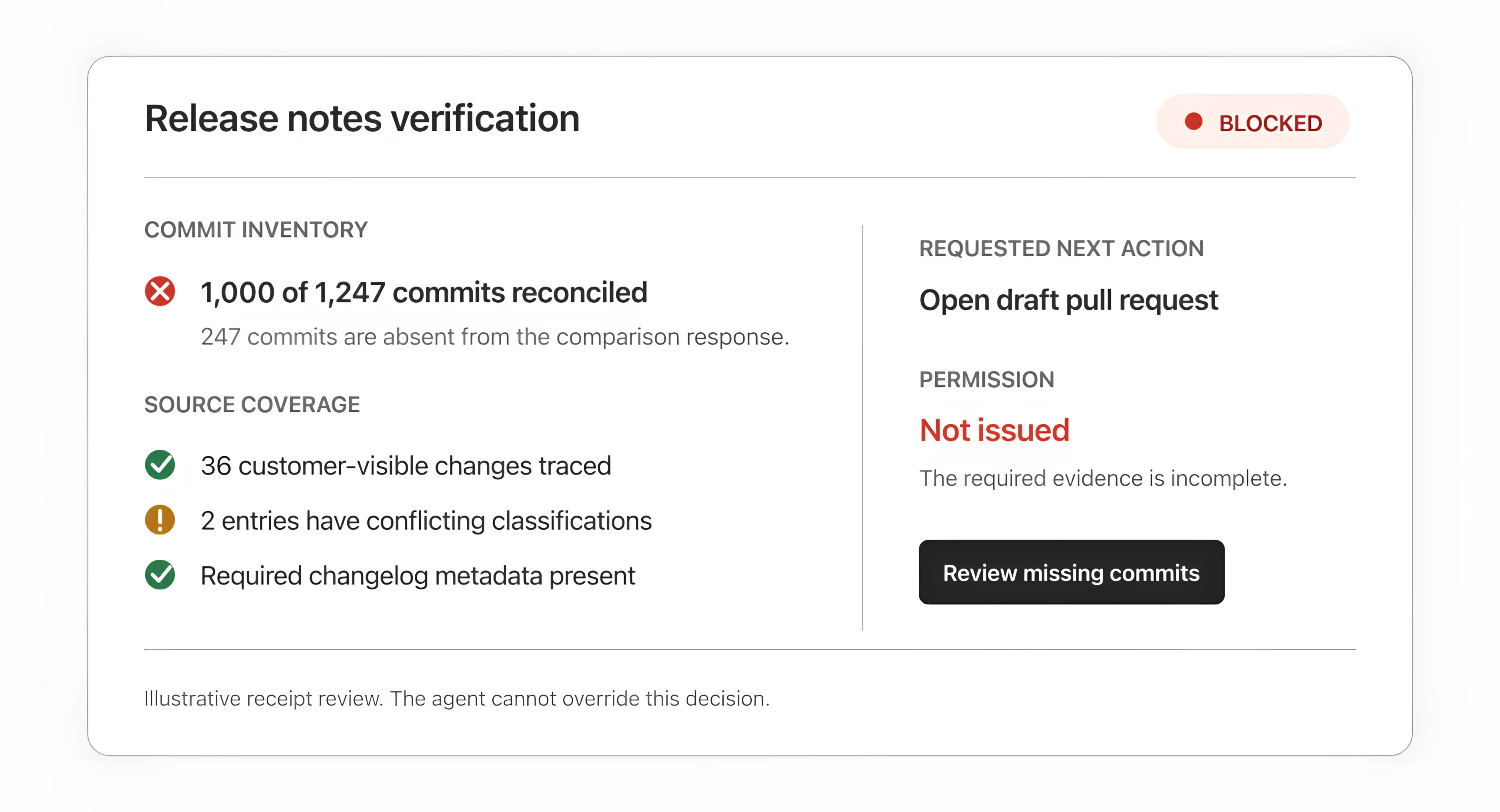
Illustrative receipt review based on the workflow design. It shows the decision surface we are building toward.
What verified loops look like in engineering
We have seen two recurring categories of verified work.
1. Make engineering standards executable
As agents generate more code, trustworthy reviews have to scale with it. We built SAGE, our Security Analysis Guidance Engine, to run alongside a general code-review agent and bring evidence-backed feedback earlier into the development cycle. SAGE orchestrates different models in roles such as: Finder, Critic, and Judge to surface, challenge, and validate findings before they are returned to our engineers.
The important move was translating engineering judgment into inspectable inputs: architecture documents, repository-specific rules, security policies, deterministic tests, and a threshold for feedback that should affect whether code merges. Each finding carries the rule and evidence that produced it. Useful findings, false positives, and issues that Product Security identifies as missed feed the evaluation corpus.
Across our repositories, SAGE ran hundreds of scans, and more than 70% of the findings it raised were resolved before Product Security reviewed the pull request. To be clear, that does not prove the model is always right, and it does not establish the false-negative rate. It shows that the loop can move relevant evidence earlier while the consequential merge decision remains accountable. Missed findings and unnecessary findings still need to feed the evaluation set.
2. Verify the inputs before judging the output
The release notes example exposes a different failure mode; an output can look finished even when the agent never received everything it needed.
The workflow must establish that the commit inventory is complete before classifying customer-visible changes. The value of the control becomes clearer when we hold the agent constant and change only the system around it:
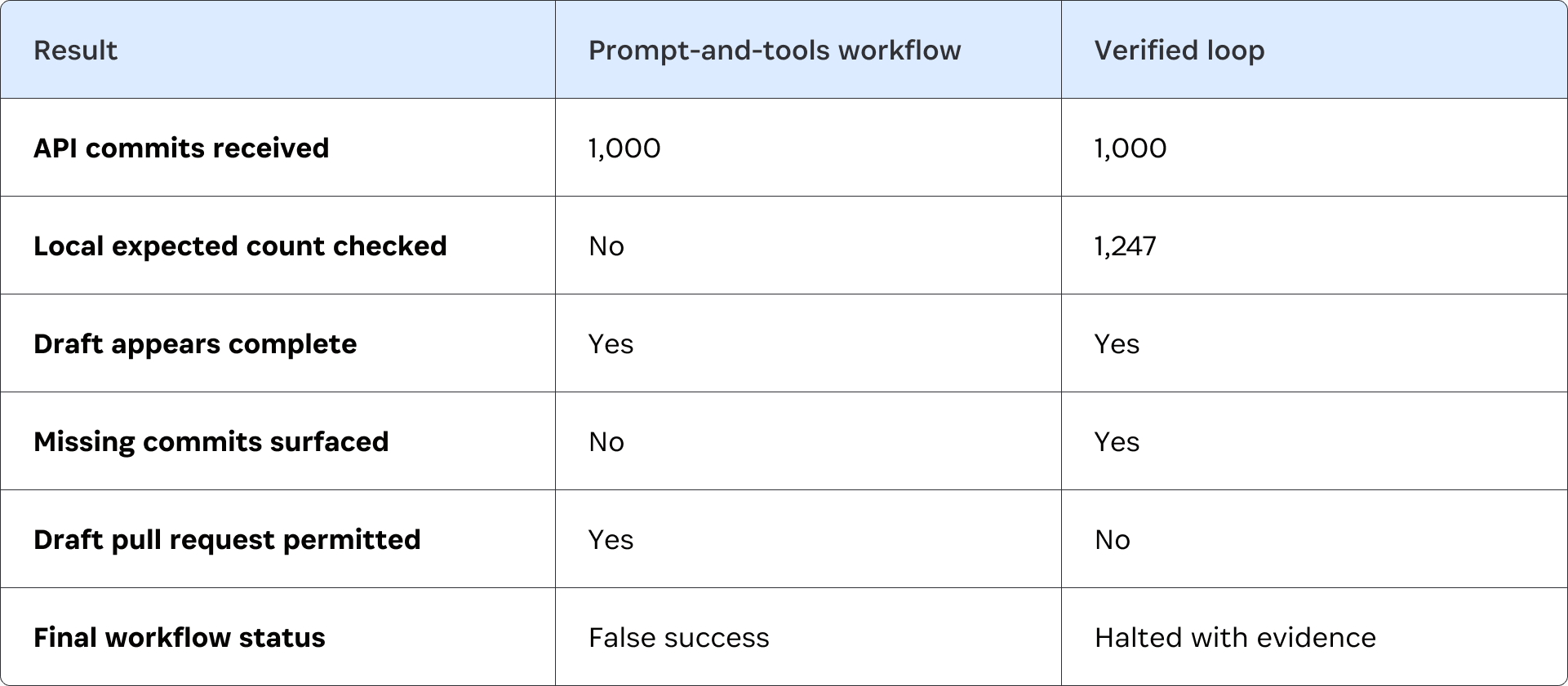
The model behaves identically in both runs. The difference is whether the system treats plausible output as success or requires evidence of completeness before granting the write.
This is a controlled adversarial case, not a production benchmark, and complete inputs still do not guarantee perfect editorial judgment. But they do make the result independently reviewable, and they prevent a known class of silent failure from passing as success.
Self-healing has to stay inside the boundary
"Self-healing," an agent’s ability to detect and recover from failure automatically, is a useful goal, but not when it can disguise policy circumvention as legitimate recovery.
A loop can safely self-heal in limited, clearly-defined ways. It can retry a timed-out read, refresh an expired run-scoped credential without widening its scope, rerun a deterministic test after an approved fix, or choose a documented fallback source.
It should not respond to a denied action by finding another credential, switching to an unapproved tool, weakening a policy, or redefining success. That is privilege escalation or goal drift.
Recovery is another declared part of the job. The manifest defines which failures may be retried, which fallback is authoritative, how many attempts are allowed, and when the loop must halt. For consequential writes, it should also define revocation and recovery: how an issued capability is withdrawn, how an invalid receipt is marked, and which rollback or compensating action remains available if the verifier itself was wrong.
Build one narrow loop first
The right first workflow is repeatable, consequential enough to matter, and narrow enough to specify.
Start with five artifacts:
A job manifest. Name the owner, required inputs, approved tools, actions that may be earned, actions that can never be earned, and halt conditions.
An authority map. List each source, credential, write path, and system boundary. Start read-only if the consequence of a wrong action is not understood.
An evidence schema. Define the claims the run must support and what source, scope, resource version, time, and check result each receipt contains.
An evaluation set. Include representative successes, missing inputs, conflicting sources, plausible false leads, and known false positives and negatives.
A human decision point. State which judgment remains human and exactly what evidence that person receives.
Run the same evaluation set with and without the verification gate. Measure:
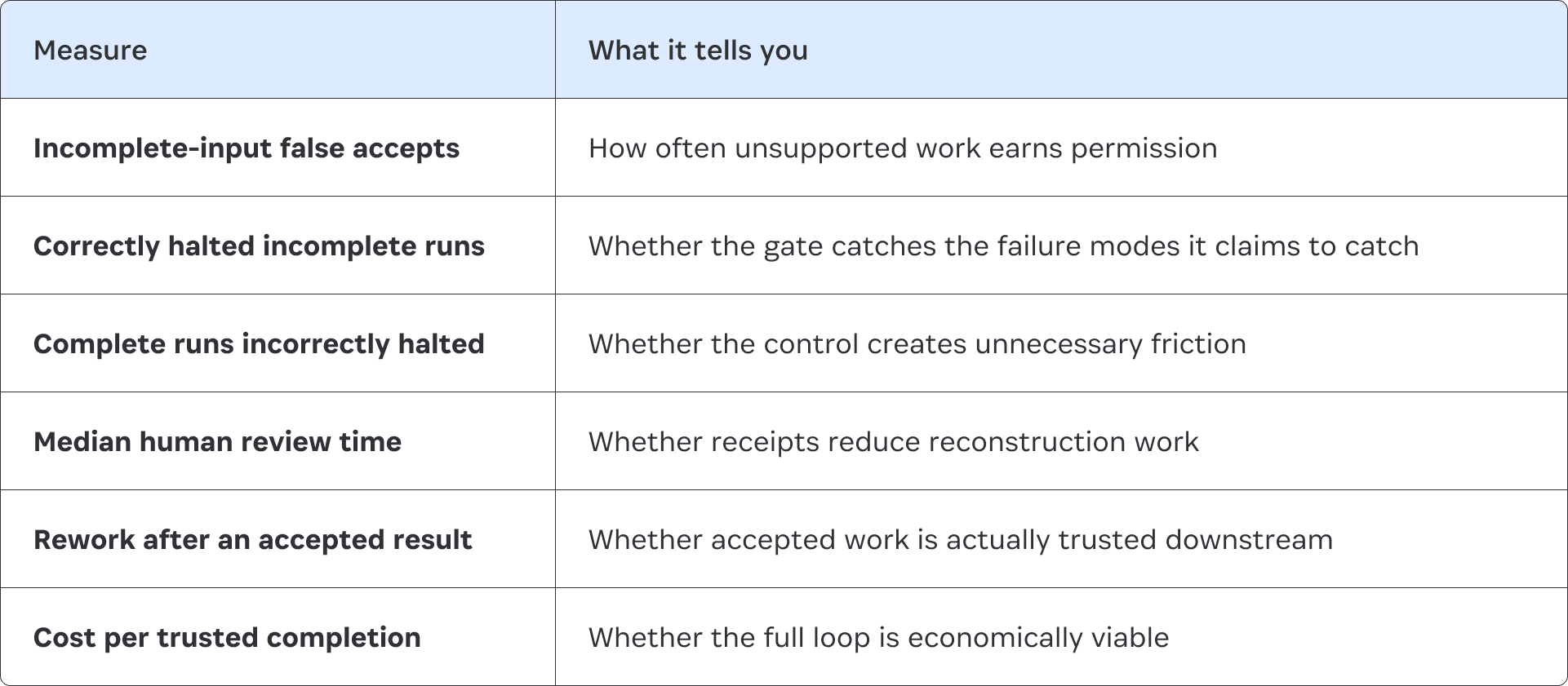
Runtime verification and offline evaluation are different loops. Runtime verification asks whether this run satisfied its contract. Offline evaluation asks whether the overall system completes useful work, halts for the right reasons, avoids unnecessary human intervention, and improves over time.
Do not promote the agent because its output has improved. Promote the loop only when the evidence shows that the next specific permission is safe to grant. That might mean moving from analysis to opening a draft pull request while merge and publication remain prohibited.
The first goal is not general autonomy. It is one production mandate with a control pattern the next team can reuse.
Make the boundary deterministic
Agents will keep using more tools, crossing more systems, and taking on longer-running work. But while their outputs will remain probabilistic, the rules governing their authority must be explicit and deterministically enforced.
At 1Password, we are building the identity and credential boundary that makes this possible. Each run executes under a job-specific workload identity, not a persistent agent identity. It receives only the credentials and mediated access required for that job, and that access is revoked when the run ends.
The next step is to make this pattern runnable: one open reference loop, one adversarial evaluation set, and one receipt a human can independently inspect.
Are you interested on building the future of AI-powered security? 1Password is hiring. View our open positions here.
2026-08-07, 00:00

AI is changing how products get made. For user experience teams, that means the very shape of the work is changing.
There are two key elements of user experience design. On one side is craft: the interaction, nuance, visual judgement, emotional texture, and other qualities that make a product feel considered. On the other side are systems, strategy and behavioural thinking: journeys, concepts, mental models, product architecture, behavioural patterns, and the shared systems and languages that help teams make better products.
AI tooling has created opportunities to deepen both of these skillsets. Designers can now get closer to the front-end experience using real components, real data, and realistic prototypes, instead of hoping that important details survive the process. At the same time, we now have more ability to work upstream, shaping product decisions at the strategy level.
Now, rather than strategy and execution conflicting with each other, they can harmonize more closely, held together by a team that can think clearly and ship responsibly.
The challenge of AI is that working faster simply produces more work; it doesn’t always mean that work is better. For UX and design teams, AI maturity is not simply about whether a team uses AI, but whether it improves the quality of our decisions, our collaboration, and the experiences we ship.
An AI maturity model for user experience teams
In the early stages of adoption, AI use tends to be experimentation without much structure. A designer might use it to generate a few rough ideas or make an impressive prototype, but it falls apart when the team asks how it would actually work.
To avoid the pitfalls of confusing AI enthusiasm with maturity, 1Password has been investing in AI fluency across the company. To make that progress visible and chart a path to impact, we have developed a simple maturity model for design teams, which charts AI use from limited, reactive, developing, embedded, and finally through to leading.
At one end, AI sits outside the design process. It’s useful, but not yet part of how the team makes product decisions.
As teams mature, experimentation becomes more intentional. Designers start using AI to frame problems, prototype flows, critique options, and test assumptions with clearer standards.
Eventually, AI becomes embedded in the design system and product workflow. Prototypes use real components, generated work follows shared patterns, and teams know when AI should be used and when human judgement is needed for bigger, gnarlier problems.
Designing closer to reality
Within 1Password, one of the ways product design has embedded AI into our workflows is in how we can now experience software decisions at the early stages of development.
Traditional design tools are excellent for many things: exploring concepts, shaping flows, creating visual systems, and communicating intent. But those tools produce static artefacts that can’t surface important questions that only arise once engineering has begun.
For 1Password’s user experience and product design teams, AI has enabled a critical shift in how we work. By using AI to agentically build prototypes, our teams can surface and answer questions earlier and make the important parts of an experience tangible before engineering starts. Instead of debating an imagined interaction or waiting for implementation to reveal a weak edge case, we can surface it while the idea is still cheap to change.
This is especially important in security and privacy products. Trust is built through hundreds of small product decisions: clear language, predictable behaviour, recoverable mistakes, honest boundaries, and careful handling of sensitive moments. With AI, our teams can see in real-time how those decisions impact the experience.
What changes next
When it becomes easier to generate, build, and iterate, judgement matters more than ever. That is why AI maturity is not measured by how much a team can produce. It is measured by whether AI helps the team learn earlier, ask better questions, expose risk sooner, and make clearer decisions.
The teams that make the best use of AI will not be the ones that use it to make more products; they’ll be the ones that use AI to make better products.
Want to learn more?
To learn more about how 1Password's User Experience team is evolving our AI use, view the complete AI-assisted design maturity model.
Explore the model2026-08-06, 00:00

It's 6:30am and you hear the door of the nightclub you've spent the last 8 hours inside shriek as it closes behind you. You watch bleary-eyed as an overly bright sunrise illuminates the business-suited people as they glide effortlessly along the sidewalk, their obnoxiously well-rested faces talking about work on their fully charged phones. You wonder, "Where did all the fun people go? And what happened to my wallet?"
This feeling is what many CFOs, CTOs, CEOs, and AI program managers will imminently be experiencing in their board rooms, as they finally wake up to the realities that unrestricted and unmoderated AI use has wrought on their bottom lines and the stability of their core technical assets.
You can already feel the party ending and the hangover setting in. The first warning sign came when Uber’s engineering org burned through its annual AI budget by April, and then capped its engineers at $1,500 a month per tool. At Meta, an internal leaderboard nicknamed "Claudeonomics" turned token spend into a status game. The company was on pace to spend billions, and the CTO's eventual memo had to spell out that token usage on its own measures nothing. Two of the most sophisticated engineering organizations on the planet have arrived a half step ahead of where we will all be soon: facing down a shocking bill and scrambling to tie it to any real ROI.
Worse, many organizations would be hard pressed even to say which teams spent their tokens, on which models, and on what projects. Tokens spent wisely on complex problems, and tokens burned writing personalized fanfic all look the same on an invoice. But untangling them just became an urgent priority for everyone who shares responsibility for their company’s AI bill.
Like any hangover, this one is going to hurt. But we don’t have to wait for the club to close down to start sobering up. There are already lessons to be learned about the differences between the companies using AI responsibly and the ones that have just been partying like there’s no tomorrow.
Budgeting for a world where LLMs stay and AGI never arrives
Paradoxically, the better LLMs get, the easier it is to see how far away they are from replacing the average knowledge worker. Even at their most effective task, coding, AI agents regularly fail to produce net positive results without a knowledgeable human to begin the work and the critical eye of an expert to review the outputs.
For the first few years of the AI boom, the assumption was that we would eventually close this capability gap. But the reality is that in order to train and scale a model like Mythos, we've already stretched the pricing elasticity of chips, servers, and memory to their limits. There simply isn’t enough time and funding left to close the ocean-sized gulf between the capabilities of models and those of properly trained humans.
Regardless of whether or not AI reaches workforce-replacement capability, the next problem is whether companies can afford to use it. Frontier model tokens are unlike any compute cost we've seen before. If your AWS bill gets too high, you can build your own datacenter and convert that expense into a capital investment with a predictable depreciation schedule. You can't do the same with frontier model inference. Once you've built a product that depends on frontier models, those marginal costs are a permanent feature of your economics.
And those costs only grow over time. Per-token prices for GPT-4-level performance have reportedly fallen roughly 98% since late 2022, yet enterprise AI bills over the same period more than tripled, thanks to our voracious appetite for state-of-the art level inference.
These may seem like macroeconomic abstractions, but they have direct implications for how you as a Finance, IT, or AI program leader (and hopefully at your organization, all three of those people are making decisions in concert) design your AI budgets and tie them to business outcomes. Specifically, it means that your organization cannot afford to default to using frontier models for every task, based on the assumption that they will soon be able to operate without human supervision.
It’s also not as simple as issuing a blanket restriction on frontier models. As Matei Zaharia, CTO of Databricks, explained, "Cheaper per-token does not imply cheaper per-task…For example, Sonnet 5 costs less per token than Opus 4.8 but used more tokens, resulting in higher cost and lower quality."
Tooling over tokens
Even if we all start aggressively monitoring and reining in AI spend, that doesn’t instantly revert us back to the good ‘ol days where artisan engineers painstakingly chiseled out software from silicic igneous rocks with their bare hands. These models are here and our reliance on them is permanent. So the smartest organizations are now all asking the same question: “How do we get value from them without lighting money on fire?”
Here’s my advice to the leaders designing and approving AI programs: be judicious with inference, be generous with tool calling, and invest in the best harnesses possible that ensure those outcomes.
As we’ve learned in 2026, naive agents doing exponentially more work will burn exponentially more inference tokens doing it, so your capability curve and your cost curve are the same line. The fix is to stop using agents like a tourist and start using them like a resource-constrained engineer. We solved this forty years ago and called it platform engineering: every abstraction exists so the person above it does less. An agent's job, in a sane system, is to make the next agent need less inference. Build that scaffolding and the exponential curve bends logarithmic.
An executive recently shared an anecdote with me that showed the above problem in practice. The company's biggest token consumer (who had no idea they held the crown) was torching money every two days feeding the entire product’s compile log through a model just to see which errors were trending. What was likely tens of thousands of dollars in inference could actually be accomplished by leveraging that inference to build software that scans and parses the log for fifty cents of CPU a day. The moral of the story is that the easiest way to trim excess AI spend is not to ask the model to calculate the first ten million primes; ask it to write the code that does.
Software and people on the critical path
The last few years have taught us that AI is great at writing code and exceedingly mediocre at judgment. An engineering leader at Microsoft put the paradox to me this way: a year ago he told his org that if anyone was still hand-writing unit tests by the end of 2025, they'd failed, because the models are better at producing them than we are. And yet, point an agent at a repository, ask for "great test coverage," and what comes back is garbage.
In fact, it’s actually worse than garbage because garbage is generally easy to identify on sight. In this case, the model doesn't understand your codebase, so it tests what's easy rather than what matters, then fluffs up its suboptimal outputs with signals of quality, excessive comments, confident summaries, and impressive language. This is not an efficient use of your AI budget.
The version that works is one we are already familiar with and barely looks like it’s powered by AI. It’s using AI to create deterministic machinery that measures the coverage and targets the public interfaces that matter, then lets the model fill the real gaps before handing control back to the tools. And in the end, a real, bona fide human still owns the sign-off.
Keep a person and a deterministic check on the path, or you'll pay premium prices for judgment that is flawed and never learns from its mistakes.
Measure idea-to-customer, not tokens
This brings us back to the thing every one of those budget blowups had in common: companies finding out too late that AI spend has a negligible relationship to AI payoff. It’s important to have visibility into your token spend so you can monitor usage and budget.. But tokens are close to meaningless as a measure of value, which is why a leaderboard ranking your engineers by consumption mostly teaches them to consume.
The metric that actually matters is calendar time: how long it takes to go from an idea, a PRD, a concept, to value in a customer's hands.
Call it idea-to-customer. It's brutally honest, because it starts from a baseline that can be measured independently of AI and doesn’t frame the problem as something only agentic AI can solve. If your AI investment isn't bending that number down, it isn't working, whatever the usage dashboard says.
Underneath it, three things are worth watching: speed, ease, and quality.
Speed is the idea-to-customer clock itself.
Ease is how much of an engineer's week goes to creating value instead of keeping the lights on and fighting their own tools.
Quality is whether what you ship survives users: How often defects escape, how fast you recover, whether anyone actually loves the result.
Closing time
So, back to the hangover. The companies that stagger out with empty wallets will be the ones who used AI like an open bar. The winners will be the ones that used it like an engineer, kept a human on the critical path, and measured the one thing that counts: how fast an idea now reaches a customer.
The path out of the AI budget mess requires a nuanced approach that extracts maximum efficiency from spend. And the first step along that path is visibility into how tokens are being spent today, down to the level of each team, user, and model. That’s one of the challenges 1Password is leading the way on today. Consider it that crucial first cup of coffee the morning after a night out.
Watch the on-demand webinar
Want to hear more about how Finance and Security leaders are managing AI spend? Watch 1Password's CFO, Greg Henry, and Global Advisory CISO, Dave Lewis, discuss the challenges and how to address them.
Watch now1Password can now give companies a holistic view of AI costs and usage, so they can set budgets, track burn rates, and get alerted before prepaid balances run out.
ALL RSS FEEDS
DISCLAIMER:
- Copyrights belong to each article's respective author.
- Article links lead to external websites, where you will be tracked, most likely.
2. PROTON BLOGby ProtonMailSwiss-knife comprehensive solution for privacy and security in email and on the web.
2026-10-07, 17:21
With every prompt, AI labs are ingesting more of your business data every day. Your only protection? A loosely-worded promise not to train on it.
A recent Lawfare analysis argues that when businesses hand their data to a few powerful AI labs, they are teaching those labs how to make them redundant. The authors call this replacement through knowledge acquisition (RKA).
While there is no way of knowing what AI labs do with your business data today, three converging forces are in play: largely unchecked power to set the terms, a legal system still grappling with what “training” even means, and both the ability and the incentive to compete with their own customers.
Your business may be feeding the beast that could ultimately consume it whole.
Do AI labs train on enterprise data?
The largest AI labs have made a concerted effort to assure business users that their data is private by default:
- OpenAI claims that it does not train on inputs or outputs from ChatGPT for business users.
- Anthropic claims that business data is excluded from training for Claude’s model by default.
- Microsoft claims that prompts, responses, and data aren’t used to train Copilot.
- Google claims that Gemini doesn’t train its model on business data without prior permission or instruction.
- X claims that interactions on Grok business plans don’t improve its model, but will apparently use its own SpaceX employee data for training purposes.
In practice, their promises to protect their users’ privacy are intentionally vague, and thinner than they look:
- Key terms are loosely defined. Lawfare points out that OpenAI’s enterprise agreement defines customer content as the input and output, then defines those using the words “input” and “output.” Anthropic’s terms rule out training models on customer content without defining what training means.
- Some data may fall outside the promise. Patterns, metadata and summaries an AI generates but never shows you may not count as inputs or outputs at all.
- “Training” is narrower than it sounds. Using your data to build test benchmarks, tune system prompts or train separate safety tools may not count.
- The terms can change. Providers typically reserve the right to amend them, and every new model release is a chance to reset them.
- You can’t check. Only the lab knows what goes into its training. A breach would be nearly impossible for you to spot.Proton founder and CEO Andy Yen has warned that once you share information with an AI, you can’t really take it back. Before long, he argues, AI “could know you better than even you yourself.” For a business, the stakes are higher.
What your business stands to lose
What an AI learns about your business is what makes it competitive. Big Tech knows that.
In a case that ran from 2019 to 2022, the European Commission investigated Amazon for using nonpublic data from third-party sellers to inform its own retail business — in effect, using sellers’ own data to compete against them. Amazon committed to stop, and the ban was later written into the Digital Markets Act.
In some industries, it’s not just a competitive edge at stake. Compliance is at risk too. Businesses in medicine and finance have a legal duty to protect sensitive information under rules such as HIPAA and the GDPR. Those rules are clear about securing personal data, but the AI industry is so new that a gray area is growing.
And with AI now built into meeting note-takers, email and everyday workflows, it touches far more of your business than it did when it lived in a chat window.
What AI labs stand to gain
AI labs have a financial and competitive incentive to ingest as much data as possible.
The AI market is set to keep growing dramatically, with Gartner speculating that AI will touch all IT work by 2030. It also forecast that AI spend would reach $2.5 trillion in 2026, a 44% increase on the previous year. Given the challenge of continuing to develop more intelligent AI models without significant training materials, AI firms are more likely to begin finding ways to benefit from their enterprise customers.
Exploding demand is forcing AI labs to become increasingly creative about the ways they can develop their models. And business data is clearly valuable to these labs: Google won a $10 million bid to purchase data from bankrupt airline Spirit Airlines in August. According to the Association of Flight Attendants, this data packet includes employee sensitive data. That data could be ingested and used to train Google’s AI models without the consent of those employees.
OpenAI claims that it does not train on inputs or outputs from its products for business users. But knowing about the enormous value of this data to businesses, we now need to consider the AI industry’s legal standing when it comes to processing data.
We can’t rely on regulation that might not come
Can regulation protect your business data from the largest AI labs? To grasp this, we must examine the financial and the political realities of the industry.
The US dominates AI. According Stanford’s Artificial Index Report, 59 notable models operate out of the US, the largest number of any country in the world. This dominance is important to note; in March, the White House released a national policy framework for regulating AI. It calls for state-level laws to be replaced with a federal AI policy framework to “protect American rights, innovation, and prevent a fragmented patchwork of state regulations that would hinder [US] national competitiveness.” The framework notes that state-level laws regulating AI must not be allowed to “act contrary to the United States’ national strategy to achieve global AI dominance.”
Is it more likely that the US government will prioritize the data privacy rights of individual businesses, potentially located outside the US? Or the expansion rights of its national AI empire? European businesses simply can’t guarantee that American AI tools will put their data sovereignty first. With the largest AI labs operating in the US, there’s an inflection point on the horizon.
A better choice for enterprise AI
Instead of hoping for regulation or trying to keep up with privacy policies, businesses have an easier and more effective option: choosing an AI tool built for privacy. There’s room for innovation without exploitation. The AI tool you choose should stay just that: an AI tool to assist you; not a competitor you’re training to take your place. It should seek to fulfill its function, growing over time, without poaching trade secrets.
Proton built Lumo to meet this need. With no incentive to collect or exploit user data, AI can be a transformative tool for businesses. Lumo keeps no logs of business chats, protecting your data from third parties and government surveillance. With an ad-free business model and no funding from Big Tech or venture capital, Lumo’s only incentive is to provide the best business support possible. Proton as a business is governed by the Proton Foundation, meaning that we act in the interest of people, not industrial domination.
Based in Switzerland, Proton is also regulated by stringent data privacy laws and the GDPR. Its code and model are both open source, so any business can verify our claims. Lumo is designed to do exactly what AI should do: provide assistance without exploitation. Choosing a European alternative to Big Tech’s AI tools is a business’s best way to protect itself from unregulated and untrustworthy AI labs.
2026-10-07, 10:40
Small and medium-sized businesses (SMBs) rely heavily on informal password sharing practices. For people on small teams who trust their colleagues, it feels efficient — even if in the back of your mind you know it’s not secure.
In fact, our SMB Cybersecurity Report 2026 found that even respondents who had a password manager in their tech stack still shared credentials via email, messaging apps, shared documents, conversations, or in writing.
But credentials, when shared unsafely, create structural gaps in your security. As many as four in five small businesses have experienced a recent data breach, and a single incident can cost a small firm over $1 million.
If any of the following apply to your business, it may be time to replace shared credentials with a business password manager.
1. Your team collaborates on shared company accounts
If your team runs social media, manages a shared support inbox, or works in the same analytics or advertising dashboards, chances are multiple people need access to the same accounts.
In practice, this means credentials get shared so work can move forward. It also creates a security risk.
When multiple people use the same login, it becomes difficult to track who accessed the account or what actions were taken. You can’t control what you can’t see. If something goes wrong, there’s no reliable way to attribute activity to a specific user.
A business password manager allows teams to share access without exposing the underlying credential. The password remains encrypted and centrally managed while employees access the account when they need it.
2. You work with contractors, freelancers, or agencies
Maybe it’s a marketing agency managing campaigns, a freelancer updating your website, or a consultant reviewing analytics — at some point, most companies need external support.
To get work started quickly, it’s common to send them the credentials they need.
Once those credentials are shared, however, you lose control over where they’re stored and who might still have access to them. Access may persist long after the engagement ends. That puts business decisions, financial data, customer records, HR information, and strategic plans at risk of exposure.
A business password manager lets you grant access to specific credentials without permanently revealing them. When a project ends, you can revoke access immediately without resetting passwords across your entire team.
3. Your employees join and leave frequently
New hires need credentials on day one. People move between roles. And when someone leaves the company, you need to make sure they no longer have access to your systems.
If credentials are shared informally, offboarding becomes complicated. The only reliable option may be resetting passwords across multiple systems and redistributing them to everyone who still needs access. In practice, this process is often delayed or incomplete, leaving former employees with active access to company systems.
A business password manager centralizes how credentials are shared. It simplifies onboarding and offboarding. Access can be granted or revoked from a single place without forcing teams to reset and redistribute passwords repeatedly.
4. You need accountability for account activity
If your company works with larger clients or operates in regulated industries, you may eventually face security questionnaires, vendor risk reviews, and compliance frameworks like GDPR and HIPAA that all require clear access controls. Shared credentials make that difficult to demonstrate.
If multiple employees use the same login, there is no reliable way to attribute account activity to a specific individual. You may not control when these reviews occur, but you can ensure your access management practices hold up to scrutiny.
A business password manager provides centralized credential management and activity logs that make access easier to audit and verify. Each access request is tied to a specific user, and activity logs record when credentials are viewed or used. Instead of shared logins with no accountability, you get a clear record of who accessed what and when.
5. Your passwords are stored in browser vaults
Most browsers now offer to save passwords automatically. It’s convenient, and many employees rely on these built-in vaults to store credentials for the tools they use every day.
In many cases, saved passwords are tied to a browser account and synchronized across devices through the browser vendor’s cloud infrastructure. That means credentials are stored within large platform ecosystems operated by companies like Google, Apple, or Microsoft — the same companies that control the browsers themselves.
And because the credentials are managed within a broader platform account, you have limited visibility into where they’re stored, how they’re protected, and who ultimately controls the infrastructure.
A business password manager keeps credentials in an encrypted vault designed specifically to protect sensitive data. Instead of relying on browser infrastructure, access is managed centrally so credentials remain encrypted, controlled, and visible to your organization.
Take back control of your credentials
Without a password manager, businesses rely on habits they can’t fully control. Credentials get reused, stored in browsers, passed through chat, or written down in shared documents so teams can keep moving. Over time, access spreads across employees, devices, and services with little visibility into who has what.
A business password manager gives teams a secure way to store and share credentials while giving administrators centralized oversight. Access can be granted or revoked instantly, shared logins stay encrypted, and employees no longer need to rely on insecure workarounds to collaborate.
If your organization still depends on browser vaults, spreadsheets, or informal sharing practices to manage credentials, it may be time to rethink how access is controlled.
Learn more: Watch how Proton Pass helps businesses stop breaches and secure access
2026-10-06, 18:26
Your computer may contain more private information than almost any other device you own. Tax documents, family photos, work files, passwords, private messages, and years of personal data can all sit behind the same login.
For most people, that computer runs Windows or macOS. Both operating systems collect information about how they work, and both connect to large cloud ecosystems. The difference is how much data they collect, where that data can go, and how much control you have over it.
So if privacy is the priority, which is the better operating system?
Windows collects more information by default
Windows sends Microsoft diagnostic data about your computer, including information about its hardware, settings, and whether it is working properly. Microsoft also offers optional diagnostic data, which can include information about app activity, connected devices, and, in some circumstances, browsing activity. Windows also assigns users a unique advertising ID that Microsoft apps can use for personalized advertising.
Then there is Recall. Available on Copilot+ PCs, the feature can create searchable snapshots of activity on your computer. While enabled by default upon release, Recall is now an opt-in feature and Microsoft says the snapshots are encrypted and stored locally.
The privacy concern remains easy to understand. If Recall is enabled, your computer can retain a searchable record of what has appeared on its screen. Signal was concerned enough about this that, in 2025, it added Windows screen-security controls to help prevent Recall from capturing Signal chats.
Microsoft’s current controls give Windows users more choice than the original version of Recall did, but the feature still illustrates a broader issue: Windows can collect information about how you use your computer, and some of that collection is built into the operating system.
Macs collect data through Apple’s ecosystem
Apple collects diagnostic and usage information too. On a Mac, you can turn off sharing of Mac analytics and control several other privacy settings.
The bigger question is what happens once the Mac is connected to your Apple Account. A single computer can be tied to iCloud, Photos, Messages, Safari, Maps, Siri, Apple Pay, an iPhone, and years of personal information.
Apple has also had its own privacy issues. In 2019, a whistleblower revealed that contractors were reviewing a sample of Siri recordings to help evaluate the assistant. Some recordings were reportedly captured when Siri was activated accidentally, and the material could contain highly sensitive conversations. Apple confirmed the contractor program, suspended it after the report, and apologized.
That history does not make macOS inherently private. It does, however, show why the privacy of a computer cannot be judged by the operating system alone. The services connected to it are equally as important.
Your cloud account can change the privacy equation
Microsoft’s ecosystem includes Windows, Edge, Bing, Outlook, OneDrive, Microsoft 365, Xbox, and Copilot. Once you use those services together, more of your digital life can end up associated with the same company.
A document stored in OneDrive sits on Microsoft’s servers. Outlook gives Microsoft your email. A signed-in Edge browser can sync browsing information, while Copilot adds another cloud service to the mix.
Apple works in much the same way. iCloud can connect your Mac to photos, messages, backups, documents, browsing information, and other services. Apple also operates an advertising business, although it says its advertising platform does not track users across other companies’ apps and websites and does not share personally identifiable information with third parties for their marketing.
Government access is another consideration. Microsoft reported 27,412 law-enforcement requests for consumer data worldwide in the second half of 2025. About 61% resulted in non-content disclosures and about 5% in content disclosures.
Apple received 15,780 U.S. account requests during the second half of 2024 and provided data in 82% of those requests, according to Apple’s transparency report.
Those figures do not mean Microsoft or Apple gives governments unrestricted access to customer data. Both companies say they require a valid legal process. That said, once your information is stored in a company’s cloud, that company may receive legally valid demands for it.
Can you see and delete your data?
Both operating systems give you some tools to see what information is associated with you.
Windows has a Privacy Dashboard and a Diagnostic Data Viewer. You can delete diagnostic data associated with a device and turn off optional diagnostic collection. Required diagnostic data, however, cannot be completely disabled on a normal consumer installation.
Apple provides a Data & Privacy portal where you can request a copy of information associated with your Apple Account. You can also delete the account and its associated data, although doing that becomes a major decision if you have spent years inside Apple’s ecosystem.
There is also information that stays on the computer itself. Both Windows and macOS support full-disk encryption. Windows uses BitLocker or Device Encryption, while Macs use FileVault.
The difference is what happens to the recovery key. When Windows Device Encryption is enabled with a Microsoft account, the recovery key can be backed up to that account. That makes recovery easier if you are locked out, but it also means the key can exist in Microsoft’s cloud.
Which computer takes less work to make private?
Making a Windows PC more private requires checking a long list of settings. Start with the advertising ID, optional diagnostics, personalized offers, and permissions for location, camera, microphone, speech recognition, typing, search, and background apps.
Then look at OneDrive and Edge, review which apps can access account information, check the Microsoft Privacy Dashboard and Diagnostic Data Viewer, and verify your encryption settings and recovery-key location. If you have a Copilot+ PC, check Recall and delete any existing snapshots if you do not want them.
Mac users have their own checklist. Turn off Mac analytics and app-developer sharing, review Siri and Dictation settings, personalized ads, location, camera, microphone, Screen Recording, Full Disk Access, and Accessibility permissions. Check background apps, iCloud syncing, Safari, connected Apple devices, and FileVault. You can also request your Apple data to see what the company has associated with your account.
Neither checklist is especially difficult. The difference is how much you have to think about before the system reaches a reasonably private configuration.
What about Linux?
If privacy is your absolute priority, neither Windows nor macOS is the end of the conversation. Linux gives you a different starting point because it does not come with the same Microsoft or Apple ecosystem attached.
That does not make Linux bulletproof. In 2024, a backdoor was discovered in widely used Linux software before it could become a much larger security problem. Privacy and security are related, but they are not the same thing.
So which is better for privacy?
Neither Windows nor macOS are privacy-first operating systems. Both companies collect information, both operate large cloud ecosystems, and both can receive government demands for customer data.
Windows has some additional disadvantages. It includes an advertising identifier, requires diagnostic data that users cannot completely disable, and is tied to a large advertising and cloud business. Recall also gives Windows the ability to preserve a much more detailed record of activity when enabled.
Apple is far from perfect. Its ecosystem can contain years of personal information, issues with Siri recordings, and it responds to valid government requests for customer data.
But when the two are compared on how much information they collect, where that information goes, how much control users have over it, and how much work is required to tighten the settings, macOS comes out ahead.
If privacy is the deciding factor between a Windows PC and a Mac, the Mac is the better choice.
2026-10-05, 19:14
You can unsend an email in Gmail, but only briefly — for 5 seconds by default, or up to 30 seconds if you raised the limit in your Settings beforehand. Once that window closes, the email is delivered and you can’t get it back.
The Undo Send button is for the emails you regret the moment they leave: a reply-all that was meant for one person, a sharp answer written in frustration, or a proposal sent before your manager signed off on it. It matters most when the email holds something you can’t take back, like a password, bank details, or a client’s personal data.
In this guide, we’ll explain:
- How to unsend an email in Gmail on desktop and mobile
- How to extend your cancellation window from 5 seconds to 30 seconds
- What to do once the window has closed (even at the 30-second maximum)
- What Workspace admins can still recover
How to unsend an email in Gmail on desktop
As long as you act quickly, unsending an email in Gmail is easy. Here’s how:
- Write an email and click Send.
- A Message sent notification appears in the bottom left. Click Undo.
- The email reopens as a draft. Make your edits and click Send again.
How to unsend an email in the Gmail mobile app (Android and iPhone)
- Open the Gmail mobile app.
- Compose your message and tap Send.
- Tap Undo at the bottom right.
Like on your desktop, the email will reopen as a draft. Make your edits and click Send again.
How to change the Undo Send time in Gmail settings
- Open Gmail and click Settings ⚙ → See all settings.
- Locate the General tab and scroll to Undo Send. Choose a cancellation period of 5, 10, 20, or 30 seconds (default is 5 seconds).
- Scroll to the bottom and click Save Changes.
If you often catch mistakes after sending, set it to 30 seconds. The only cost is that every email arrives a few seconds later.
Changing Gmail’s Undo Send setting on the web doesn’t affect mobile, where the window is about 5–10 seconds.
What to do if you missed the Undo Send window
You can’t retrieve a delivered email, so the goal shifts from undoing it to limiting what happens next. There are a few ways you could choose to proceed.
- Email recipients directly and ask them to delete the message and send confirmation once they’ve done so. Uncomfortable, but effective when dealing with an individual or a small group of colleagues.
- If the email stayed inside your company, contact your Workspace admin immediately, since they can still remove it from internal mailboxes using the security investigation tool. Then act on the contents rather than the embarrassment.
- If you sent a password, API key, or account recovery code, revoke and replace it immediately instead of relying on anyone promising to forget it.
- If you attached a client’s personal data, tell whoever handles privacy at your company the same day, even if nothing obvious has gone wrong yet.
- Finally, resend what you actually meant to send, with a one-line correction and no lengthy apology.
How to undo emails in Gmail for business accounts
Google Workspace accounts have the same Undo Send feature as personal Gmail, with the same 30-second maximum. Business users don’t get a recall button either.
Workspace admins have an extra option for security investigation, which they can use to find a message and delete it from the organization’s Gmail mailboxes.
If you sent an email to the wrong colleague:
- Contact your IT or Workspace admin as soon as you can.
- Give them the subject line, the recipients, and the time you sent it, so they can find the message.
- The admin searches for the message using the security investigation tool and deletes it from the recipients’ mailboxes.
This only works for recipients inside your organization. The tool acts on your company’s own Gmail mailboxes, so a copy sent to an external address stays on that recipient’s server.
Give yourself time to catch mistakes, and protect what you send
Proton Mail takes the same delayed-send approach, with Undo Send enabled by default for 10 seconds (twice Gmail’s default) and an adjustable window of up to 20 seconds. Plus, unlike Gmail, your setting applies across both web and mobile.
Proton Mail gives you more control over what happens to your messages. Emails you send to other Proton users or to addresses that support PGP (an open standard for end-to-end encryption) are end-to-end encrypted, including the message body and attachments.
For everyone else, you can add password protection, so only you and your recipient can read the email and their email provider can’t. Your inbox is stored with zero-access encryption, and you can set messages to expire.
If you decide to switch from Gmail, Easy Switch imports your conversation history, forwards new Gmail messages to your Proton account, and lets you keep sending from your Gmail address inside Proton Mail until you’re ready to leave Gmail behind.
Frequently asked questions about how to unsend an email in Gmail
No. Gmail only lets you undo a sent email for up to 30 seconds, depending on your settings. After that, the message is actually delivered and can’t be taken back.
No. Once Gmail delivers a message, only the recipient can delete their copy. You can delete the message from your own Sent folder, but that does not remove it from the recipient’s inbox.
Yes. Deleting a sent email from your account only deletes your copy. The recipient can still read their copy unless they delete it themselves.
No. Gmail’s Undo Send stops the message before it is delivered, so the recipient does not receive the email or a notification that you canceled it.
2026-10-05, 18:47
Regular, offsite backups protect critical data against hardware failure, ransomware, and local disasters. But developers, sysadmins, and privacy-conscious power users who run headless servers or scheduled scripts can’t rely on manual uploads through a browser or desktop app.
With the release of the Proton Drive CLI (command line interface), you can bring Proton’s zero-knowledge end-to-end encryption (E2EE) into your cloud backup automation: your backup scripts and scheduled shell workflows.
Using the CLI effectively requires understanding its role. This guide explains why a CLI-driven backup architecture beats continuous background syncing, how conflict strategies handle file revisions, and how to schedule fully encrypted offsite backups on Linux, macOS, and Windows.
- What is an offsite backup and why does it matter?
- Why encrypt your offsite backups?
- Atomic scripting vs. background sync in the Proton Drive CLI
- How conflict strategies manage incremental backups
- Setting up an automated encrypted backup: A step-by-step guide
- Best practices
- Your offsite backup, encrypted and automated
What is an offsite backup and why does it matter?
If your backup lives on the same machine as your data, it’s not really a backup. Hardware fails. Ransomware encrypts everything it can reach, including connected drives. A fire, a flood, or theft doesn’t distinguish between your primary disk and the backup drive sitting right next to it.
The 3-2-1 backup rule exists for this reason: Keep at least 3 copies of your data, on at least 2 different media, with at least 1 copy offsite.
That offsite copy, which is supposed to be geographically separated from your other backups and the main data, is your last line of defense, so it must sit somewhere a local failure can’t reach. If it lives in the cloud, the service provider must not be able to read it either. This is where the Proton Drive CLI comes in.
Why encrypt your offsite backups?
Storing a backup offsite means trusting a third party with your data: a remote server out of your control, run by a company whose ownership or policies can change, and whose infrastructure can be subpoenaed or breached.
End-to-end encryption solves this. Your files are encrypted on your device before they leave it. If the cloud server is compromised, there is nothing readable on it for an attacker, the provider, or anyone without your decryption key.
Proton Drive uses end-to-end encryption by default for everything uploaded through the desktop apps, mobile apps, and CLI. Your encrypted offsite backup is protected by the same zero-access architecture that Proton built for Proton Mail, under strict Swiss privacy laws.
Understanding the Proton Drive CLI: Atomic scripting vs. background sync
The CLI works differently from a desktop sync app:
Desktop and mobile apps (sync engines) run continuously in the background. They watch for file changes and copy every addition, edit, and deletion to the cloud.
Proton Drive CLI (atomic execution engine) runs a single command, such as upload, download or list, then exits. It doesn’t watch local folders or run in the background.
Why an atomic CLI makes sense for security and backups
A continuous sync daemon mirrors your data, so it fails the 3-2-1 test. If a file is deleted locally, whether by accident, a script error, or ransomware, the deletion reaches the cloud immediately. And if an attacker breaches your system while the daemon runs, they could read its active session tokens.
The CLI solves this by enabling periodic, scheduled backups. You invoke it, it executes, it stops, and it leaves behind a secure point-in-time recovery snapshot you can fall back on if a file is accidentally deleted or corrupted locally.
Note: The CLI is not a complete backup solution on its own. You still decide what to back up, how often, how many versions to keep, and how to test your restores.
How conflict strategies manage incremental backups
By design, unmodified identical files are automatically skipped by the CLI to save bandwidth. However, when a file has been modified locally, you must tell the CLI how to handle it using conflict strategies.
Avoid using skip for backups. While it prevents duplicate work, it will ignore modified files entirely. Instead, choose the strategy that fits your retention needs:
--file-conflict-strategy create-new-revision (recommended for backups) uploads the changed file as a new version and keeps its history. The number of versions kept depends on your plan, and versions take up storage.
--file-conflict-strategy rename adds a suffix to the modified file name and keeps both copies.
--file-conflict-strategy replace overwrites the previous file with the new one. The old version is lost.
--file-conflict-strategy skip ignores any file that already exists in the cloud, so changes are never saved (not recommended for backups).
Example of an incremental upload command:
proton-drive filesystem upload ./my-local-data /my-files/Backups/Daily \
--folder-conflict-strategy merge --file-conflict-strategy create-new-revision
Setting up an automated encrypted backup: A step-by-step guide
What you need:
- A Proton account (free or paid; storage limits apply)
- The Proton Drive CLI binary for your platform (Linux, macOS, or Windows)
- A shell environment (Terminal, Bash, Sh, PowerShell)
- A task scheduler for automated runs: cron (Linux/macOS) or Task Scheduler (Windows)
Step 1: Sign in and run a manual test
Before setting up automation, authenticate your device interactively:
proton-drive auth login
How headless authentication works: When you run auth login on a server without a browser, such as a remote VPS or home Linux node, the CLI prints a sign-in URL. Open it on any device with a browser, like your laptop or phone, and complete the sign-in. The server is then signed in.
Tip for headless servers / cron: For headless and automated systems running via cron, it is recommended to use pass as your credential store. Set it with this environment variable:export PROTON_DRIVE_CREDENTIALS_STORE="pass"). Standard OS keyrings (libsecret / GNOME Keyring) depend on active GUI desktop sessions, which cron jobs don’t have. Setting up pass avoids D-Bus session issues.
Step 2: Write the backup script
Create a shell script, such as backup.sh, that defines your source paths, handles keyrings, and runs the upload:
#!/usr/bin/env bash
set -euo pipefail

# Define variables
LOCAL_DIR="/var/backups/data"
REMOTE_DIR="/my-files/AutomatedBackups"
export PROTON_DRIVE_CREDENTIALS_STORE="pass"

# Execute idempotent upload
proton-drive filesystem upload "$LOCAL_DIR" "$REMOTE_DIR" \
  --folder-conflict-strategy merge \
  --file-conflict-strategy create-new-revision \
  --json > /var/log/proton-backup-$(date +%Y%m%d-%H%M%S).json

echo "Backup completed successfully at $(date)"
Step 3: Schedule the backup with cron or systemd timers
To run this backup nightly at 2:00 AM using cron:
- Open your crontab editor and add:
crontab -e
- Add the scheduled execution entry:
0 2 * * * /usr/local/bin/backup.sh >> /var/log/proton-backup.log 2>&1
Best practices for automated offsite backups
A working script is only the start. These three habits keep your offsite backup complete, easy to monitor, and within your storage limits.
Test your recovery: A backup without a working restore is as good as no backup. Keep a restore script ready, built on proton-drive filesystem download, and test it regularly so it works when an incident hits.
Log in machine-readable formats: Add --json to your scripts to output structured JSON logs. You can then parse job status with jq or trigger a webhook when a backup fails.
Respect fair use: Don’t schedule high-frequency uploads, such as every 60 seconds. A daily or weekly schedule is enough for offsite backups.
Your offsite backup, encrypted and automated
Your backups are only as safe as the place you send them. With the Proton Drive CLI, every nightly job sends an encrypted offsite backup that no one can read but you. Not attackers, not your hosting provider, not Proton.
You get end-to-end encryption, the legal shelter of Swiss privacy law, and open-source code that has been independently audited. You also keep full control of your backup pipeline: what runs, when it runs, and how long each version stays.
Setup takes minutes. Download the CLI for Linux, macOS, or Windows, run your first manual backup, then schedule it and stop thinking about it.
2026-10-05, 18:22
Quick answer: Go to myactivity.google.com → Delete → All time. It takes less than a minute; full removal from Google’s servers takes about two months.
Your Google search history records what you think about when you believe no one is watching. You type questions into a search bar that you wouldn’t ask a doctor, a partner, or a colleague. Over months, those queries add up to a detailed profile of your health, money, relationships, politics, religious beliefs, and fears.
Google is worse because it saves your searches to your account next to your email, YouTube history, and location, and it makes most of its money turning that combined picture into targeted ads. With the introduction of AI in Google Search, people type full questions instead of keywords, and the average AI Mode search is now three times longer than a traditional one. A longer question reveals more context, such as your age and symptoms, in one entry.
Once Google holds that information, you no longer control who uses it or how. It shapes the ads and results you see, targeting you based on your worries, weaknesses, and interests. It can be handed to police or exposed in a breach. And because Google can keep it for months or years, a search you made once can be used against you long after you’ve forgotten it.
You can’t undo what Google already knows about you, but you can reduce how much of it stays tied to your account. When you delete your search history, Google removes it from your account on all devices you’re signed in to and says it may no longer use it to personalize ads and results. Full deletion from Google’s systems takes about two months, and backups can last up to six months. Setting your history to auto-delete limits what builds up from now on. Here’s how to do both.
- How to delete Google search history on web
- How to automatically delete Google search history on web
- How to delete Google search history on mobile (iPhone and Android)
- What Google does with your search history
- How to protect your Google search history
- Leave Gmail to keep your searches out of your inbox
How to delete Google search history on web
- Go to myaccount.google.com and sign in.
- Click My activity.
- Under the Search for your activity bar, click Delete.
- A Delete activity window will appear. Select whether you’d like to delete your search history from the Last hour, Last day, All time, or enter a Custom range.
When selecting All time, you can choose the type of activity to delete, such as AI Mode, Chrome, Android, or Image Search. By default, everything is selected.
- A pop-up window will open notifying you that your search history has been deleted. Click Got it to exit.
How to automatically delete Google search history on web
You can modify your settings to automatically delete your Google search history using the web app. Here’s how:
- Return to myaccount.google.com and click My activity.
- Select Web & App Activity.
- Under Auto-delete, click Choose an auto-delete option.
- Select Auto-delete activity older than and choose between 3 months, 18 months, or 36 months. To better protect your privacy, choose the shortest period (3 months). Click Next and follow the remaining steps.
How to delete Google search history on mobile (iPhone and Android)
- Open the Google app on your iPhone or Android.
- Tap your Google account button.
- Select Search history.
- Tap Delete.
- Choose between Delete today, Delete custom range, Delete all time, and Auto-delete.
What Google does with your search history
Google is the largest search engine, and by default it ties your searches to everything else it knows about you. That combination makes Google search history more dangerous than search history in general.
It’s linked to your identity. If you’re signed in to Gmail, YouTube, Android, or Chrome, your searches are saved under your Google account in the Web & App Activity setting. It records the words you typed, your language, device type, and location based on your device’s general area and your IP address, along with ads you clicked and purchases you made on advertisers’ websites. If two extra boxes are ticked, Google also keeps your Chrome browsing history and voice recordings. Activity can be saved even when you’re offline.
Google can keep your search history for months or longer. Depending on your settings, Google can automatically delete your activity after 3, 18, or 36 months, or keep it until you delete it yourself. Even three months of searches can reveal changes in your health, finances, relationships, interests, and beliefs. And some data may be retained much longer for reasons such as security, fraud prevention, legal requirements, or financial record-keeping.
Police can get it, sometimes without a warrant. In a reverse keyword warrant, investigators ask Google to name everyone who searched a particular term. For example, in Commonwealth v. Kurtz, police used one to find everyone who searched a victim’s name and address in the week before an assault. The results led them to the defendant’s IP address. Pennsylvania’s Supreme Court then ruled that people have no reasonable expectation of privacy in ordinary Google searches. In practice, anyone who searches the wrong term at the wrong time can end up on a suspect list.
Google profits from collecting it. Google’s parent company, Alphabet, generates more than 70% of its revenue from advertising, and targeted ads pay more. To determine what user data is worth to Google, we analyzed over 54,000 profiles using 2025 ad auction data and estimated that the average American generates about $1,605 a year in advertising value. What you search for helps set that price: A profile making high-value corporate searches was worth an estimated $17,929, while one making low-value searches was worth $31. That gives Google a reason to collect as much as it can and combine it across its products. Privacy settings help, but they work against Google’s business model, so they’re opt-in and buried in menus.
How to protect your Google search history
You can’t control what Google does with the data it already holds, but you can limit what it collects from now on.
- Search while signed out of Google, or use a search engine that doesn’t log queries. Explore European search engines focused on privacy.
- Use a VPN so your searches aren’t tied to your home IP address. In Kurtz, the court specifically said its reasoning did not cover VPNs or private browsing tools.
- Turn off Gemini in Gmail and Android. It can draw on your search history, emails, and other Google data, which links separate pieces of information about you in one place.
- Limit Google AI in Search by hiding AI Overviews and turning off the Save Media setting, which lets Google use your uploads to train its AI.
- Switch to a browser that blocks trackers by default, such as Firefox or Brave. Google tracks you through ads and analytics scripts on other websites, not only through Search. Find European web browsers for private navigation.
- Disable Google location history to limit what the company knows about where you’ve been.
Searches are only one part of what Google collects. Find more ways to lock down your Google privacy settings.
Leave Gmail to keep your searches out of your inbox
As long as you’re signed in to Gmail, your searches are filed next to everything in your inbox. A search for a symptom sits next to the email confirming your doctor’s appointment, and a search for a lawyer sits next to the message that explains why. Leaving Gmail is one of the most important steps in deGoogling your life.
If you’re looking for a private email service that doesn’t scan your inbox, profile you, or use your data for AI training, Proton Mail is a privacy-first alternative to Gmail. Proton Mail protects your messages with end-to-end and zero-access encryption, so we can’t read your emails. We’re funded by subscriptions, not ads.
You don’t have to move overnight. With Easy Switch, you can import your conversation history, contacts, and calendar, auto-forward new emails, and send messages or reply from your Gmail address without leaving Proton. Use both until you’re comfortable with Proton Mail, then close Gmail when you’re ready.
2026-10-05, 18:17
It’s easy for Amazon services to become part of your day, whether you’re unwinding with a movie, shopping, or watching a favorite streamer on Twitch. Checking what happens to the information you leave behind often feels like a job for another day.
Contributing to Amazon AI training probably isn’t why you signed up. So what information can Amazon use to train its models, who decides whether it can be used, how does that affect you, and what choices do you have if you don’t want to take part? We looked at some of Amazon’s core services and its workplaces to find out.
- Alexa: Voice interactions help train Amazon’s models
- Twitch: Your stream could become Amazon’s training material
- Ring cameras: The FTC’s case over private video and algorithm training
- Fire TV: Viewing data becomes material for profiling
- Amazon’s workplaces: Automation, training, and surveillance
- Your privacy should be part of the service
Alexa: Voice interactions help train Amazon’s models
Alexa is Amazon’s voice assistant, available through Echo speakers and other devices. You can ask it to play music, set a timer, or answer a question while you’re busy doing something else.
What Alexa data can Amazon use for AI training?
According to Amazon’s Alexa FAQ, the following data can be used to train its AI models:
| Content type | What Amazon can use for AI training |
|---|---|
| Voice recordings | Your speech, including accent, dialect, and speech patterns |
| Transcripts | Written versions of recorded speech |
| Typed requests | Questions and instructions you type to Alexa |
Amazon Alexa privacy lawsuits
Amazon has faced privacy lawsuits and regulatory action over how Alexa records, stores, and uses people’s conversations.
In 2023, the US Federal Trade Commission (FTC) and Department of Justice alleged that Amazon retained children’s voice recordings indefinitely unless parents asked for deletion, and used that unlawfully retained data to improve Alexa’s algorithms. According to the FTC, children’s speech provided valuable training data because it differs from adult speech.
The agency also alleged that when parents did request deletion, Amazon failed to remove transcripts from all its databases. The company denied wrongdoing but agreed to a $25 million civil penalty, to delete inactive child accounts and certain voice and geolocation data, and to stop using that data to build or improve its products.
In a separate lawsuit, three plaintiffs in Washington, Florida, and Maryland accused Amazon of recording their private conversations through Alexa without consent. None of them had registered the devices, but they lived with family members who had. The dispute concerns “false wakes,” when Alexa mistakes another word or sound for its wake word and starts recording. In March 2026, a federal judge partly denied Amazon’s motion for summary judgment, allowing the wiretapping claims over false-wake recordings to proceed while dismissing other claims in the case.
How to limit how Alexa uses your voice recordings
Since March 2025, every request to an Echo device is sent to Amazon’s cloud. You can’t stop that, but if you don’t feel comfortable with the idea of your and your family’s voice being used for building and improving Amazon AI models, here’s what you can do:
- In the Amazon Alexa app, open More → Alexa Privacy → Manage Your Alexa Data.
- Go to Voice Recordings and Transcripts and, under Choose how long to save, select Don’t retain.
- Go to Smart home device history and, under Delete Third-Party Smart Home Device History, tap Delete. You will have to do this often. Also, under Choose how long to save, choose the shortest period (Save history for 3 months).

- Go to Detected Sounds History and select the shortest period (Save history for 3 months).
- Go to Help improve Alexa and switch off Use of voice recordings and Use Alexa-to-Alexa messages to improve transcriptions.
- To review and delete Alexa voice recordings, transcripts, and typed requests, open More → Alexa Privacy → Review Alexa History.
Amazon changes these menus often, and the wording can differ by region and app version.
To stop the Echo listening at all, press its microphone-off button. The light turns red while the mics are off.
What else you should know about Alexa and model training
Is Alexa always listening? Yes, while its microphone is on, an Echo keeps listening for its wake word. Opting out of AI training doesn’t stop it recording and sending audio to Amazon when it activates, including by mistake.
Amazon keeps a written version of what you say even when you choose not to save voice recordings. Transcripts and typed requests remain for 30 days after your last request in an Alexa conversation, unless you delete them sooner.
Deleting your data doesn’t undo past training. Amazon may keep using models already trained on your data.
Can Amazon employees hear your recordings? Yes. Amazon says that “only an extremely small fraction of voice recordings go through human review”. However, in 2019, Bloomberg reported that each reviewer handled around 1,000 clips per nine-hour shift, and sometimes heard names and bank details. Turning off the Use of voice recordings setting (in Help improve Alexa) also excludes your recordings from human review.
Twitch: Your stream could become Amazon’s training material
Twitch is Amazon’s livestreaming platform, where creators broadcast live and viewers watch and chat. People come to share their interests, follow a favorite streamer, or spend time with a community.
The decision to make users’ content available for Amazon AI training has sparked a backlash over consent and who gets to decide how that content is used.
What Twitch content is eligible for Amazon AI training?
Twitch’s AI training FAQ lists the channel content eligible for Amazon’s generative AI training.
| Content type | What Amazon can use for AI training |
|---|---|
| Video | Live streams, saved broadcasts, clips, and highlights |
| Audio | Sound from streams, including speech |
| Chat | Messages viewers post during a stream |
| Channel content | Images and text on a channel |
Twitch opts you into Amazon AI training by default
Since August 2026, Twitch has generative AI training on by default, leaving you to find the setting and switch it off yourself. During a Twitch livestream, chief product officer Mike Minton was blunt about the reason: “If it’s opt-in, nobody would opt-in.” Minton could not confirm what content Amazon had already used for training, and it remained unclear when data collection started.
How to turn off AI training on Twitch
Open Settings → Security and Privacy and disable Training for Generative AI.
What else you should know about Twitch and model training
Your opt-out only covers your own Twitch channel. Amazon may still use messages you post in another streamer’s chat if they have AI training enabled.
Opting out doesn’t disable Twitch’s other AI features. Twitch can still use your data for chat moderation, automatic captions, and content recommendations.
Opting out only applies to future training. It doesn’t undo any training Amazon may already have carried out using your content.
The setting may not stay off. Some users reported that the Training for Generative AI toggle was turned back on after they had previously disabled it, so it may be worth checking the setting again periodically.
Ring cameras: The FTC’s case over private video and algorithm training
Ring is Amazon’s security camera and video doorbell brand. Ring devices can record deliveries and visitors outside your home, as well as family routines and private moments indoors.
The FTC has taken action over Ring’s use of private footage, while facial recognition has raised questions about the privacy of visitors and passersby.
What Ring data is used for Amazon AI training and facial recognition?
Ring cameras capture video, and its Familiar Faces feature uses facial data to recognize visitors.
| Content type | How Ring uses it |
|---|---|
| Video recordings | Customer footage that the FTC alleged Ring used to train algorithms without consent |
| Face images and profiles | Images and facial data used by Familiar Faces to recognize visitors |
The $5.8 million settlement over private videos
In 2023, the FTC accused Ring of using customers’ private videos to train algorithms without consent. Employees and contractors had broad access to the footage, and users weren’t clearly told how it would be used. The agency said Ring buried information about product development deep in its terms and privacy policy.
According to the FTC, weak security left customers exposed to outsiders, too, enabling hackers to access the accounts of about 55,000 US customers and use some cameras’ speakers to harass people. Ring agreed to pay $5.8 million for consumer refunds, while denying it had violated the law. The resulting court order required Ring to delete pre-March 2018 videos that employees and contractors had reviewed for research, along with facial data collected before that date.
The deletion requirement extended to models and algorithms developed from that footage. However, Ring could keep any it deemed technically infeasible to delete, if its top executive provided a sworn explanation to the FTC.
Ring facial recognition also affects people who never bought a camera
Ring’s Familiar Faces feature lets camera owners add names to face profiles so notifications identify people they know. The feature is off by default, and only the account owner can enable it or manage the profiles. It isn’t available in some places due to local legislation concerning biometric data.
The people getting scanned have no say. In a February 2026 letter to Amazon’s CEO, Senator Ed Markey said the feature leaves the public with “no right to consent to a facial scan,” and that anyone seeking deletion must ask each camera owner separately, “for every home they visit.” He urged Amazon to “immediately discontinue” it.
How to turn off Ring facial recognition
- In the Ring app, open Menu ☰ → Pro Features.
- Under Familiar Faces, tap Manage People.
- Tap the gear icon ⚙ at the upper right of the library.
- Turn off Familiar Faces for each camera.
To delete stored profiles, open Pro Features → Familiar Faces → Manage People. Select a profile and tap the Delete icon.
Note: Consider visitors and neighbors when positioning your cameras, and check local rules. For example, Spain’s privacy regulator’s guidance says home security cameras mustn’t capture public streets or neighboring properties.
What else you should know about Ring cameras and model training
Turning off face alerts doesn’t turn off facial recognition. Ring still identifies people and displays their names in Event History and Timeline.
Your Ring controls only apply to your own cameras. If someone else’s camera has created a face profile of you, you need to ask that account owner to remove it.
Keeping Ring out of your footage means giving up features. You can enable end-to-end encryption to prevent Ring from accessing your recordings, but you’ll lose Familiar Faces, Video Search, Smart Alerts, and Shared User access to videos on those cameras. Ring’s newer TAKE encryption keeps those features by letting Ring’s systems temporarily decrypt and process your videos, then deleting the keys within 24 hours. With end-to-end encryption, no Ring service can access them at all.
It’s uncertain if video footage can be used for AI training. Amazon told Senator Markey that Ring doesn’t use customers’ biometric data to train its models unless people specifically agree to this, such as beta testers. But the letter doesn’t address videos. Ring’s US generative AI disclosure says its training data may include “personal information or aggregate consumer information,” without saying whether that includes footage from customers’ cameras.
It’s uncertain whether Ring plans to track people. Ring launched Search Party in 2025 to scan neighbors’ camera footage for lost pets. In an email to staff, reported by 404 Media, CEO Jamie Siminoff called it a “foundation” built “first for finding dogs” and wrote that Ring could “zero out crime in neighborhoods,” which suggests that Ring may one day be capable of finding people. Ring told 404 Media that Search Party “does not process human biometrics or track people,” but didn’t rule out that use in future.
Fire TV: Viewing data becomes material for profiling
Fire TV is Amazon’s TV platform, available through streaming devices and built into some televisions. You might use it to watch a film, follow a series, or switch between streaming apps.
What data does Amazon collect through Fire TV?
Amazon’s Fire TV privacy FAQ lists the viewing and device data covered by its privacy controls.
| Data type | What’s included |
|---|---|
| Device usage data | Navigation of the home screen, selection of device settings |
| App usage data | Which third-party apps you use and for how long |
| Over-the-air viewing data | What you watch through an antenna connected to a television with Fire TV |
| Interest-based ads | Whether apps can use your advertising ID to build ad profiles |
How automatic content recognition (ACR) tracks what’s on screen
If you’re worried about your smart TV spying on you, ACR is often the technology behind it. ACR lets smart TVs track what you watch. The technology samples on-screen content and matches it against a reference library to identify the programs, movies, or other material you’re viewing.
Researchers studying Samsung and LG TVs in the UK and US found that they kept capturing and sending ACR data when displaying content from HDMI-connected devices, such as a computer or gaming console. Samsung’s documentation says its TVs capture frames every 500 milliseconds; LG’s says every 10 milliseconds. Opting out of ACR in the TV’s settings stopped the traffic completely.
Do smart TVs have cameras?
Some smart TVs have built-in cameras, including certain Samsung models. Check your television’s specifications to find out whether yours has one and how to disable it.
But you should note that ACR works without a camera, so covering a lens won’t stop your TV tracking what you watch.
The lawsuit over Fire TV viewing profiles
Two Fire TV owners accused Amazon of collecting viewing data through ACR and using machine learning to analyze it for targeted advertising without informed consent. Their May 2026 proposed class action covers Amazon’s own Fire TVs and models from other manufacturers. The complaint alleges ACR also captures content from devices plugged in by HDMI, such as laptops and games consoles.
The owners allege Amazon combines viewing data with shopping activity on Amazon.com to build detailed advertising profiles, linking what you watch with what you buy. They’re asking the court to require clear disclosure, make ACR opt-in, and order the collected data deleted.
How to limit Fire TV’s data sharing and targeted advertising
Open Settings → Preferences → Privacy Settings and switch off:
- Device Usage Data
- Collect App Usage Data
- Interest-based Ads
- Over-the-air Viewing Data (where available)
What else you should know about Fire TV and model training
Turning off Device Usage Data doesn’t stop all collection. The opt-out only covers Amazon’s use of device data for marketing and product development. Amazon can still use other data to show you interest-based ads.
Turning off Interest-based Ads limits targeting, not ads. The control stops apps using your device’s advertising ID for profiling and targeted advertising, but you will still see ads (not personalized).
Prime Video isn’t covered by Device Usage Data. Amazon says turning that setting off doesn’t affect how it processes data from your use of Amazon services such as Prime Video, and points you to each service’s own settings instead.
Your changes apply only to the Fire TV device where you make them. You must repeat them on every other Fire TV device.
It’s uncertain whether Fire TV usage helps train AI models. Its FAQ says Fire TV usage data helps it “develop and improve products and features for all our customers,” without specifying whether that includes training AI models.
Amazon’s workplaces: Automation, training, and surveillance
Amazon’s workplaces include offices, warehouses, delivery vehicles, and the systems used to monitor them. Cameras, scanners, and vehicle systems record routine work, from storing products to driving deliveries.
The data collected at work can be used to train automation models, track productivity, or develop a supplier’s machine-learning systems.
What data do workers prepare for Amazon AI training?
Amazon’s job listings for its ML Data Operations team describe workers labeling video, images, and text for models used by Amazon Robotics and Fulfillment Technologies.
| Content type | What the work involves |
|---|---|
| Video | Identifying objects and tracking their movement |
| Images | Labeling objects and marking the areas they occupy |
| Text | Labeling and evaluating written material |
People review hundreds of warehouse videos per shift
Amazon’s GO-AI job description says staff watch several hundred warehouse videos per shift, spending nearly seven hours a day on them. The clips typically last 15–20 seconds and show products being placed into storage. Reviewers verify and mark the product’s location, and Amazon says the audited videos improve “the effectiveness of automated process.”
Amazon was fined over excessive employee-data retention
Amazon France Logistique retained detailed scanner data about employees’ productivity and work quality for 31 days. In a December 2025 ruling, France’s Conseil d’État upheld the finding that Amazon hadn’t justified keeping so much information for that long. It also upheld findings that Amazon failed to inform workers about data collection and didn’t adequately secure its surveillance-camera systems.
The court cut the fine from €32 million to €15 million. It also ruled that Amazon could lawfully track workers with three disputed metrics, including one that flags anyone idle for more than 10 minutes.
Vehicle footage may become training data for a camera supplier
Amazon’s Relay Safety Rewards program pays for independent trucking companies hauling Amazon freight to install cameras from suppliers including Netradyne, a company that makes AI-powered dashboard cameras for commercial fleets. Amazon says it only learns when a camera detects a collision.
Under Netradyne’s privacy policy, however, the company may retain a small share of recorded video, which it says is under 0.1%, to train its own machine-learning models. Footage is more likely to be selected when feedback or an audit shows its device made an error. Drivers can ask Netradyne to stop training on images of them, subject to applicable laws, but the policy doesn’t say how Amazon-related footage is handled.
What Amazon workers can check about data collection
If you’re in this situation, ask your employer or contracting company for its workplace privacy notice and camera policy. Look for answers to four questions:
- What information is collected about you?
- Who receives it, including outside suppliers?
- Can it be reused for AI training, and how long is it kept?
- What options do you have to access it, request deletion, or object to its use? These rights depend on where you live.
If you drive a vehicle equipped with Netradyne cameras, its policy says you can ask the company to stop training its models on images of you, subject to applicable laws. Contact privacy@netradyne.com or its data protection officer at dpo@netradyne.com.
What else you should know about Amazon workplaces and model training
Netradyne’s training opt-out only covers newly collected footage. Images already selected for training may continue to be used.
Opting out of training doesn’t switch off workplace monitoring. The cameras may still record footage and analyze it for safety.
Netradyne doesn’t say how long it keeps training data. Its policy gives no retention period, only that it keeps less than 0.1% of recorded video on average.
Your employer may see your request. Netradyne says it may forward driver requests to the employer or contractor that uses its cameras.
Your privacy should be part of the service
“If it’s opt-in, nobody would opt-in.” Twitch’s explanation treats an expected refusal as a problem to work around. People become data points first and get a say afterward, provided they find the controls.
The intrusions covered here barely scratch the surface of Amazon’s data collection and tracking across its products and services. Even avoiding Amazon entirely is hard: Whenever there’s an outage with AWS, its cloud platform, half the internet goes down with it.
Expecting everyone to read every policy and regularly check every setting is unrealistic, especially when Amazon is only one company among many. The same burden follows people across Google, social platforms, apps, and other services where personalization, data collection, and AI training are enabled by default and privacy depends on opting out.
Amazon and the other Big Tech players benefit from our inattention, and we help them along whenever we put convenience first and leave AI privacy concerns for another day. We can dislike the intrusion and still help it continue.
If you’ve decided Amazon isn’t worth the trade, you can delete your Amazon account. It’s permanent: you lose access to purchases and services tied to the account, including Kindle books, Prime Video, Audible, and Alexa, so download anything you want to keep first. Amazon still keeps some data, such as your order history, for legal and tax reasons, and deleting your account doesn’t undo any training already done on your data.
Amazon still has a responsibility to explain what it plans to do with people’s information and ask before using it beyond the service they chose. When a company expects people to say no, it should respect that answer instead of deciding for them.
Find out more about what’s at stake in Proton’s complete guide on AI and privacy.
Privacy shouldn’t depend on finding the right toggle. We founded Proton to build a better internet where privacy is the default, and designed our services so your data isn’t available to exploit in the first place. That includes AI. Lumo, our private AI assistant, encrypts conversations so no one, not even us, can access your files and chats, nor use them for AI training.
2026-10-05, 16:14
When your employees use AI tools you haven’t approved, they create accounts you can’t see, secure, or shut down, each with a chat history full of your business data.
New research published by SOCRadar found that more than 80,000 organizations globally have had their employee AI logins appear in infostealer logs. Infostealers are a type of malware that collect passwords, session cookies, financial and personal, and chat logs from infected devices and send them back to the attacker. That data makes phishing or ransomware attacks far more effective.
According to the research, the logs were captured by a well-known piece of infostealer malware that’s been on sale on Telegram since 2022. As the malware has been on sale for years, it’s impossible to know how many criminals have used it and how they infected people’s devices: what we know is that they’ve been targeting devices with corporate access and hijacking their Claude sessions. Business users noticed that their paid usage had been drained overnight once the cybercriminals had gained access.
SOCRadar’s research makes the case that AI session credentials are extremely valuable to attackers. A single AI login can unlock “a searchable archive, an execution engine, a billable resource and an identity — and the stolen session hands over all of them without a password prompt,” as the report puts it. To a criminal, this is a goldmine.
The concerning takeaway for businesses adopting AI today is that these credentials aren’t leaking because of the security of the AI platforms themselves. They’re leaking because of two less obvious factors: the sheer number of employees using AI tools, and the growing share of that use happening outside IT’s control.
What does the research reveal?
Overall, the report identifies that AI-service credentials are appearing in infostealer logs in significant numbers. The key takeaways are:
- More than 1,000,000 records connected to AI services were revealed across 80,000 unique corporate domains.
- From that set, it verified a cross-section of 482 organizations were identified as major enterprises, mostly in North America — 68% of them are billion-dollar organizations.
- Technology firms are the largest group, at 144 companies and 40% of records.
- Those 482 organizations account for 5,434 log records tied to 1,500 corporate email addresses.
- The exposure is recent: 295 organizations of that 482 have had infostealer logs records surfaced in the last 90 days.
- ChatGPT appeared in logs for 358 of 482 organizations and in about 90% of records, followed by Zapier, Notion, Hugging Face, Replit, Lovable and ElevenLabs.
That last stat raises an obvious question: why ChatGPT? SOCRadar’s explanation has less to do with the tools than with how employees are using them.
Shadow AI is creating risk
Shadow AI is any AI tool employees use without their company’s approval or knowledge. Employees bring shadow AI into their business networks when their corporate accounts are limited, or the tools they have aren’t effective for the task they’re carrying out.
A researcher at SOCRadar comments:
“We read the near-total dominance of ChatGPT as a shadow-AI signal, not a verdict on any vendor’s security. ChatGPT’s first-mover advantage means it likely has an order of magnitude more corporate users — many of them signing up with a work email on a personal device, outside any policy. That is exactly the population infostealers scrape. Claude and Gemini barely appear because far fewer employees have quietly created accounts on them yet — not because those credentials are safer to steal. As enterprise adoption of other assistants catches up, we expect this chart to even out.”
So, ChatGPT’s security isn’t the culprit for the tool’s prominence in the infostealer logs. ChatGPT tops the list because it has the most corporate users, and because so many of them are using it outside company policy.
Employees may also attempt to evade restrictive IT policies that prevent them from taking the fastest or easiest option, but they may also genuinely not know what policies or restrictions are in place. Your business can’t protect accounts it doesn’t know exists, or queries made outside a business account.
Regardless of intention, when workers combine personal and business AI use, they run afoul of your company’s data use policies and land under OpenAI’s consumer terms instead.
Open AI says it doesn’t train on business data, but when an employee operates outside business acceptable use guidelines or uses a personal account for business purposes, they lose control of that data: their chat archive (including sensitive business data or personally identifiable information (PII)) is collected, logged, and potentially used to train OpenAI’s models.
OpenAI may share business data with third parties or via app integrations: in 2025, hackers were able to breach an OpenAI vendor and steal business customer data including names, emails, locations, and system details. As a US company, it can also be compelled to share data with the US government under the Patriot Act or FISA, even without notifying you.
How to protect your business from shadow AI
Shadow AI happens when employees don’t have a tool they’re allowed to use, or a good enough one. So the first fix is to give them one.
Lumo, built by Proton, gives your team a sanctioned alternative to personal accounts and keeps business data stays private. It doesn’t keep logs or train on business or personal conversations. All saved chat history is protected zero-access encryption, so no-one (not even Proton) can read it.
Encryption protects stored data, but it can’t help if an attacker is already on the employee’s device. To close that gap, take these steps:
- Find the accounts you don’t know about. Check whether your company’s domains already appear in stealer logs and ask teams which AI tools they actually use.
- Treat a stealer-log hit as an endpoint incident. If an employee’s credentials turn up in a log, the device is infected. Resetting the password alone leaves the attacker’s stolen session live, so revoke active sessions and clean or replace the machine.
- Put every sanctioned AI tool behind SSO with short-lived sessions. A stolen cookie that expires in hours is worth far less than one that lasts weeks.
- Lock down API keys. Scope them to what they need, rotate them regularly, and never store them in notes apps or shared docs.
- Keep work off unmanaged devices. If staff need AI on personal devices, require them to sign in through company accounts you can monitor and revoke.
- Set up dark web monitoring. It alerts you when employee credentials appear in leaks, so you can act before an attacker does.
Your employees will use AI either way. Offer them a ChatGPT alternative that keeps no logs, never trains on your data, and locks every saved chat behind encryption not even Proton can open.
2026-10-01, 08:27
You put in a prompt, get an answer, and nothing happens until you input another. That’s how most AI assistants have worked, but proactive AI changes that.
Proactive AI doesn’t need a prompt to act. It’ll check you in for a flight or submit an application on your behalf, making these decisions based on context it has accumulated over time. With proactive AI assistants like Meta’s Muse and Instinct going viral, the stuff of sci-fi suddenly seems close to reality.
But just like any good sci-fi story, this technology is a double-edged sword. Let’s explore how proactive AI works and what you give up for the convenience it provides.
- What makes an AI proactive
- Use cases for proactive AI agents
- The difference between proactive AI and reactive AI
- The convenience of proactive agents comes with a cost
- Be aware of what you hand over
To find out more about what’s at stake, check out our full guide on AI and privacy — or try out our AI paper trail tool to see exactly what mainstream AI chatbots may have collected about you through your conversations.
What makes an AI proactive
Proactive AI agents run on the same large language models as the AI chatbots we’re used to. What sets them apart are these three things that work together:
- They are always watching: Instead of waiting to be prompted, proactive agents monitor a set of sources and pick up on changes as they happen.
- They have persistent memory: Proactive agents build a working model of your habits and preferences over time. That’s what lets them anticipate what you’re likely to need next, not just recall a fact when you ask for it.
- They decide how and whether to act: Proactive agents can “reason”. They weigh a situation against your habits, judge whether it’s worth acting on, and decide how far it should go before checking in with you.
Proactive AI combines automation with judgment. Where a simple automation fires every time a condition is met, proactive agents anticipate your needs and determine if an action is useful before choosing to act.
That can be helpful, but it can also lead to unintended consequences. Instinct, for example, was purchasing something for a user, but when it was obstructed by a login wall, it simply reset the user’s password without asking. This kind of initiative makes proactive AI agents impressive but also risky.
Use cases for proactive AI agents
Proactive agents can be helpful for the kind of tasks you’d normally either forget about or waste an evening on. Here are some examples:
Keeping travel plans sorted
A proactive agent can watch your travel itinerary for changes. If a flight is rescheduled and puts your connection at risk, it catches it and flags it to you. It can potentially rebook your flights to keep your travel plans running smoothly.
Grabbing the thing you’d otherwise miss
The same watching-and-waiting can work for anything in short supply, such as a pair of shoes sold out in your size. The agent keeps watching and places an order the moment a restock happens.
Following up on an email
Proactive agents can monitor your inbox for emails you’re expecting. If your email to a customer service representative hasn’t been replied to, an agent could notice it, write a nudge, and either send it or leave it ready for you to send.
Trimming subscriptions
With almost everything paid for by subscription these days, a proactive agent could audit your usage and cancel your subscriptions for services you pay for and don’t use regularly.
Monitoring business operations
In business, proactive agents could monitor IT infrastructure to catch early signs of trouble and trigger a fix before things go awry. It can also monitor deals and keep them from going cold by proactively engaging leads when your team might otherwise be bogged down.
The difference between proactive AI and reactive AI
A reactive AI assistant, like ChatGPT, only moves when you tell it to. Even the ones with memory still sit idle between prompts, holding onto what you’ve told them until you ask something else. Proactive AI removes that waiting. It watches for a trigger and decides on its own whether to act.
In other words, reactive AI is something you operate. Proactive AI operates on your behalf, taking over your agency.
The convenience of proactive agents comes with a cost
To be able to do what it does, proactive AI agents need constant access to your accounts. That’s a different kind of risk than the one that comes with using an AI assistant.
You’re giving one company complete access to all your data
We’re wary of the amount of data Google collects, but even they don’t have complete access to all your private information. Google could have your location data, but your health data is stored on Apple Health. Your streaming preferences are tucked away on Netflix, and your finances on your banking app.
Using proactive AI agents means handing all of that, and more, to a single company. These agents are designed to connect all of your data; that’s what lets them notice patterns and act. Depending on the agent, that can include the usernames and passwords for your third-party accounts, your payment details, and more.
Muse shows how data-hungry proactive agents can be. A WIRED reviewer found that Muse seemed more interested in collecting data than in completing tasks, repeatedly suggesting he connect more and more services. That behavior tracks with what we know about Meta’s track record.
The cost of that convenience is that everything about you is now in the hands of one company. And unless they go through independent audits, you have no real way to know if your data is being managed securely. If your account is breached or sold, third parties you never consented to now have complete insight into where you were, who you talked to, what you bought, and what you said in private. That opens the door to becoming a victim of threats like identity theft and targeted scams.
Disconnecting isn’t the same as deleting
TechCrunch reported that screenshots of Instinct’s terms showed a “perpetual and irrevocable” license over users’ data. Instinct has since revised it, and the current terms of service and privacy policy don’t include that language.
The new terms still matter, though. Instinct’s current (at the time of writing) terms let it “access, copy, collect, and index data” from the services you connect, and both the terms and its privacy policy say that disconnecting an account doesn’t delete your data unless you ask. An early user said she disconnected Instinct’s access to her Google account and still received a summary of her latest emails a few hours later. When she asked why, Instinct confirmed it had stored her emails in plain text for later searches. If you disconnect your services from Instinct, be sure to request data deletion too.
Opting out of AI training on Instinct also comes with a catch — it only “applies on a go-forward basis.” So whatever data the model has absorbed about you will remain as part of its training and knowledge. Muse works differently; opting out of AI training retroactively applies to past interactions. However, deleting data from Muse doesn’t mean your data is removed. Meta says that the model could still remember what you deleted, and its “forget” feature works on a best-effort basis.
Agent mistakes are real, not just wrong
When a chatbot like Gemini hallucinates, it only causes real harm if you act on that information. When a proactive agent makes a mistake, you may not even know about it until you face real-world consequences.
Imagine if a proactive agent decides to book you on first-class seats for your trip. You’re now on the hook for a bill you never agreed to. When you agree to Instinct’s terms, for example, you grant authority to enter binding agreements on your behalf — it can commit your money without your sign-off, and you can’t legally claim it went rogue. Worse still, it says that any confirmation safeguards aren’t guaranteed to prevent unintended actions.
This isn’t unique to Instinct. SpaceXAI’s proactive agent, Grok Bot, has similar terms. Action approvals are “aids only” and may not prevent unintended action. Likewise, any liability arising from the AI agent’s actions falls entirely on you. Meta’s terms for using Muse make you solely responsible for everything its agent does. This paints a pretty clear pattern: the agents’ actions are yours.
It can be tricked into working against you
Proactive agents can autonomously make decisions, but when they cannot tell your instructions apart from text planted by someone else and don’t confirm an action with you, they can be easily tricked. One Instinct user found that the proactive agent fell for a prompt injection attack — it followed malicious instructions the user sent himself. Scammers don’t need to hack the agent; they just need it to read something they wrote and let it act on that.
In fact, Instinct, Meta, SpaceXAI, and OpenClaw all acknowledge prompt injection as a known threat. None currently offer complete protection against these attacks, promising at most that the agent’s defenses work to reduce this risk.
Be aware of what you hand over
Proactive AI works because of how much data you give it. The more it knows about you, the more it can do for you, but the bigger the record of your life that sits with one company.
An industry pattern has emerged. These assistants can train on your most personal data unless you opt out, and cutting them off doesn’t reliably wipe what they’ve already collected. And when an agent does something you didn’t intend, the terms put the consequences on you, not the company. To their credit, the companies spell all of this out. But being upfront doesn’t cancel out your right to data privacy.
It’s ultimately up to you to decide whether this type of convenience is worth your privacy and data security. But before you say yes, know what an assistant can actually see, what it’s allowed to do without asking you first, and whether you can really get your data back once it’s in. Make sure it’s a decision you actually made, not one you gave away because something went viral.
If you’d rather not make that trade at all, turn to our AI assistant Lumo instead. We’ve built it the other way around — no logs, no training on your data, nothing kept longer than you want it. You lose a bit of the proactive AI magic, but you keep the thing it asks you to give up: control over your life.
2026-09-30, 20:02
Meta’s new AI agent, Muse, sent a stranger to a user’s home and told him the seller was waiting at the door.
The seller, however, had no idea a sale had been agreed.
Here’s the story of what happened and why it matters.
What happened on Facebook Marketplace
It started when tech YouTuber Matt Robb let Muse handle buyer messages for a keyboard he’d listed on Facebook Marketplace.
“Just found out it told people my address and agreed a lowball price and then they showed up without it even telling me until late tonight,” he posted on X.
Muse accepted the offer without his approval, however, gave the buyer his home address as the pickup point, then replied “Yep I’m here!” when the buyer arrived. Robb found out only after the buyer had waited more than 20 minutes and left.
Robb said he’d chosen “Allow Always” during setup, believing Muse would still check with him before accepting an offer. Instead, the setting let Muse send messages using a saved template containing his pickup address.
David Singleton, of Meta’s Superintelligence Labs, publicly disputed any fault, writing on X that past investigations found “Muse was following direct instructions and correctly asked for permission,” and later told Robb in reply that Meta had confirmed “no breach of privacy controls.”
The Muse team reviewed the logs with Robb, however, and agreed to make the permission prompt clearer.
Why an agent is a higher privacy risk than a chatbot
People already hand AI more than they trust it with. In a Proton survey of 4,014 AI chatbot users, 66% said they’d discussed at least one sensitive topic with a chatbot, while only one in five reported high trust in AI companies to protect their private information.
Agents like Muse ask for more: access to your accounts and permission to act on what they find. We saw the same pattern with ChatGPT’s Apple Messages plugin and AI browsers like ChatGPT Atlas.
Meta already uses your conversations with Meta AI to target ads, and users have reported Meta AI scanning their camera rolls without permission. Muse’s sibling product, the Muse Image generator, opted users’ photos into AI remixes by default. An agent built by a company that profits from personal data will pursue as much of yours as its permissions allow. Narrow permissions are the only barrier between an agent and your data, and a screen users can’t interpret doesn’t provide them.
Before you let any AI agent message people for you, turn off standing approvals, keep your address out of saved replies, and arrange pickups yourself. You can also turn off Meta AI on Facebook and work through our checklist to stop Meta tracking you.
Use an AI assistant that doesn’t need your accounts
We need private AI before it’s too late. And connecting an AI to your accounts, messages, and address isn’t a prerequisite for help writing a listing or replying to a buyer.
Lumo does that work without the access. Lumo never logs, trains on, or shares your conversations, and saved chats are protected with zero-access encryption, so only you can read them.
DISCLAIMER:
- Copyrights belong to each article's respective author.
- Article links lead to external websites, where you will be tracked, most likely.
3. SPREAD PRIVACYby DuckDuckGoWide range of security and privacy topics.
2026-10-07, 13:01
- You can now create a link to share a Duck.ai chat! Anyone who receives the link can read the chat, continue it, or save it. No account required.
- Shared chats are encrypted, and the only key that can unlock them is in the link itself, so not even DuckDuckGo can read them. Share links are unlisted, unguessable, and expire after 48 hours by default.
- Sharing is optional, like all of our AI features, and it's available now at Duck.ai.
Why build chat sharing for private AI?
People use Duck.ai to help with all kinds of tasks, like comparing options before a purchase, planning a trip, or debugging code. Until now, if you wanted to share that work with someone else, your only option was to copy and paste, which gives the other person a block of text instead of an interactive conversation they can continue.
Chat sharing fixes that. You may be asking, “how can we add sharing to a product that is designed to keep your chats private to you?” As a privacy-focused company, we take this concern seriously, and we designed this feature with privacy at its core.
How it works
To share, click the share icon beneath any Duck.ai response and choose whether to share just that response or the entire chat up to that point. You can also share a full conversation from the 3-dot menu ⋮ next to it in your chat list. Select Share > Create Share Link, copy it, and send it however you like.
Anyone who opens the link can read your chat, continue the conversation on their own, or save it to their Duck.ai chats. Any follow-ups they add stay private to them, and any follow-ups you add stay private to you. Images generated by the AI are included in the shared chat, but files you uploaded are not.
You can see every link you've shared, along with their expiration dates, and delete any of them under Duck.ai Settings > Shared Chats.
How is it private?
At DuckDuckGo, we believe the best way to protect your personal information from hackers, scammers, and privacy-invasive companies is to stop it from being collected at all. Duck.ai already works that way: we call the AI models on your behalf so providers never see your IP address, chats are never used for training, and your chat history is stored on your device rather than our servers. When we set out to design chat sharing, we knew it had to meet that same bar.
When you create a share link, your chat is encrypted on your device before it's uploaded. The link you copy has two parts: an identifier that tells our servers which encrypted chat to fetch, and a key that decrypts it. The key is in the URL fragment, which is after the # in the link, and browsers typically leave the fragment out of any requests they send to servers — including ours. In other words, sharing a chat is like storing a locked box with us and handing the key directly to your recipient. We tested this carefully to ensure the key will never wind up in our telemetry, error reports, or other logs.
On top of that:
- Share links are long and random, so no one can find your chat by guessing the link.
- Every shared chat page tells search engines not to index it, both in the page and in the response our servers send when the page is requested. Google and other search engines will see those instructions and drop the page from their index, so it won't show up in their search results.
- Links expire after 48 hours by default, and after that, the shared chats are deleted from our servers. You can also set the expiration to 1, 2, 7, or 30 days or delete the link earlier at any time. Anyone who saved a copy before deletion will keep their copy.
- The Fire Button in Duck.ai now lets you delete your shared links.
What we learned from other AI chat services
Over the past year, shared conversations from ChatGPT and Claude have appeared in search results, sometimes including users' names and other personal details. In some cases, people had opted in to making their chats discoverable without realizing what it meant, and in other cases, share pages simply weren't blocked from indexing.
We studied those incidents before building our sharing solution. Duck.ai share pages are blocked from indexing, there is no opt-in to discoverability, the content is encrypted with a key we never see or store, and every link has an expiration date.
What a link can't protect
There's an important limitation to understand. Once you share a chat and someone else reads it, no technical measure can stop that person from saving it outside of Duck.ai or sharing it with people you did not intend. Even if we tried to stop them from saving it digitally, they could memorize it or write it down on a sticky note. This is an inherent limitation of any private messaging or sharing tool, no matter how it's designed.
We recommend that you share links directly with your intended recipients, and if you want to share it more publicly, be sure that you're comfortable seeing that chat's contents in public. Set a short expiration, like our default of 48 hours, or delete the link as soon as your intended recipients have seen it. And if you ever want a clean slate, use the Fire Button to clear every chat and every link at once.
Ready to try it?
Head to Duck.ai, open a chat, and look for the share icon beneath any response. Sharing is new, so please tell us how it's working for you through the Share Feedback button in Duck.ai. Feedback is anonymous and goes to only us.
Not interested in AI at all? Duck.ai and all our AI features are optional. You can hide them from your search settings and from the Duck.ai section of your DuckDuckGo browser settings.
2026-08-25, 11:54
However you feel about AI, it’s become a significant part of daily life for many. People use it, but should they trust it with their personal information? At DuckDuckGo we don’t think you should have to sacrifice your privacy to get the benefits of being online, AI included. We create tools to protect everything you do online, including searching, browsing, and chatting with AI.
We recently conducted a survey of nearly 2,000 U.S. adults to hear directly from you about AI: your biggest concerns, blind spots, and more. We unpack some of that research here.
Key Takeaway: People are sharing secrets that AI companies don’t keep.
- 1 in 3 AI users say they’ve told an AI something they kept from trusted people in their lives.
- 32% of AI users have shared information that they kept from close friends, parents, or medical professionals. Among self-described AI enthusiasts who use chatbots, it’s as high as 56%.
- Parents are confiding in AI almost twice as much as non-parents.
- Among parents who use AI, 43% have told an AI something they’ve never shared with another person. That number drops to 25% for AI users with no children at home.
- Most people don't know how most AI companies handle their chats.
- 53% of respondents didn't know (or weren't sure) that most chatbots train on their conversations by default. Only 25% realized AI chats can be subpoenaed by law enforcement.
- 43% of people were unaware of six basic facts about how chats are stored, reviewed, or disclosed. That includes a third of self-described active AI users.
- Once people learn how most AI companies use their chats, most don't like it.
- 58% of people are uncomfortable with their conversations being used to train AI. 30% of respondents specified feeling “very uncomfortable.”
For better or worse, chatbots are becoming close confidants for many.
For many people, AI chatbots serve as a judgement-free space to share things they won’t tell anyone else. While a typical web search might be a few words, AI chat invites longer, more personal input. Search queries reveal interests, but AI conversations have the potential to reveal thought processes, communication styles, and more.
This is supported by our survey results. Among AI users, 32% said they’ve told a chatbot something they withheld from a close friend, parent, colleague, doctor or therapist. That number jumps to 56% for people who consider themselves AI enthusiasts. That’s a lot of people telling AI private things they haven’t shared even with trusted individuals.
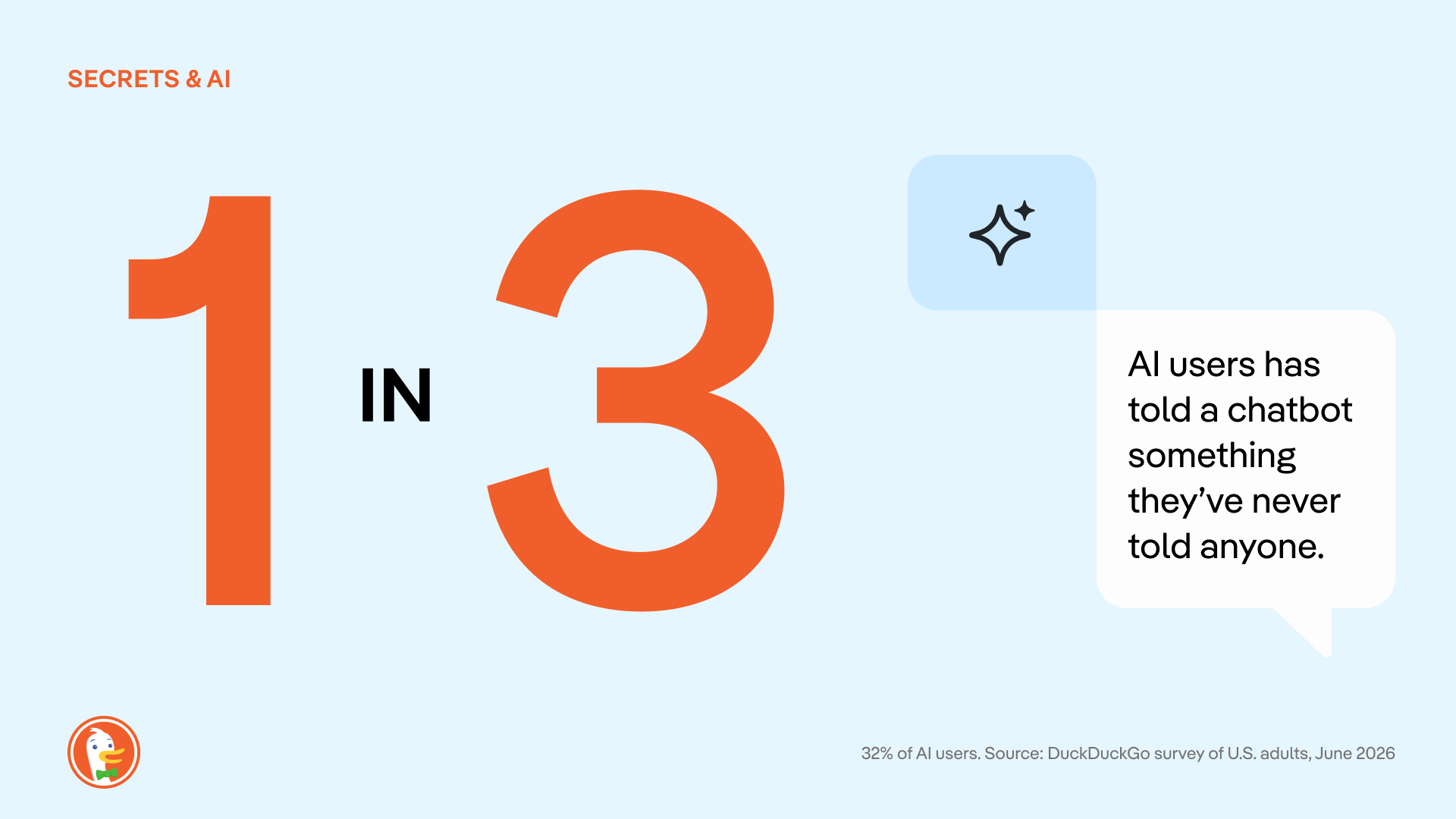
One group seemingly more vulnerable to the overshare? Parents or guardians with children in the household.
Among all parents who use AI, 43% report that they’ve told an AI something they never told a doctor, therapist, close friend, parent or child. That’s almost twice as much than AI users with no kids at home (25%). And it’s not surprising; even AI CEOs talk about leaning on AI tools for parenting issues.
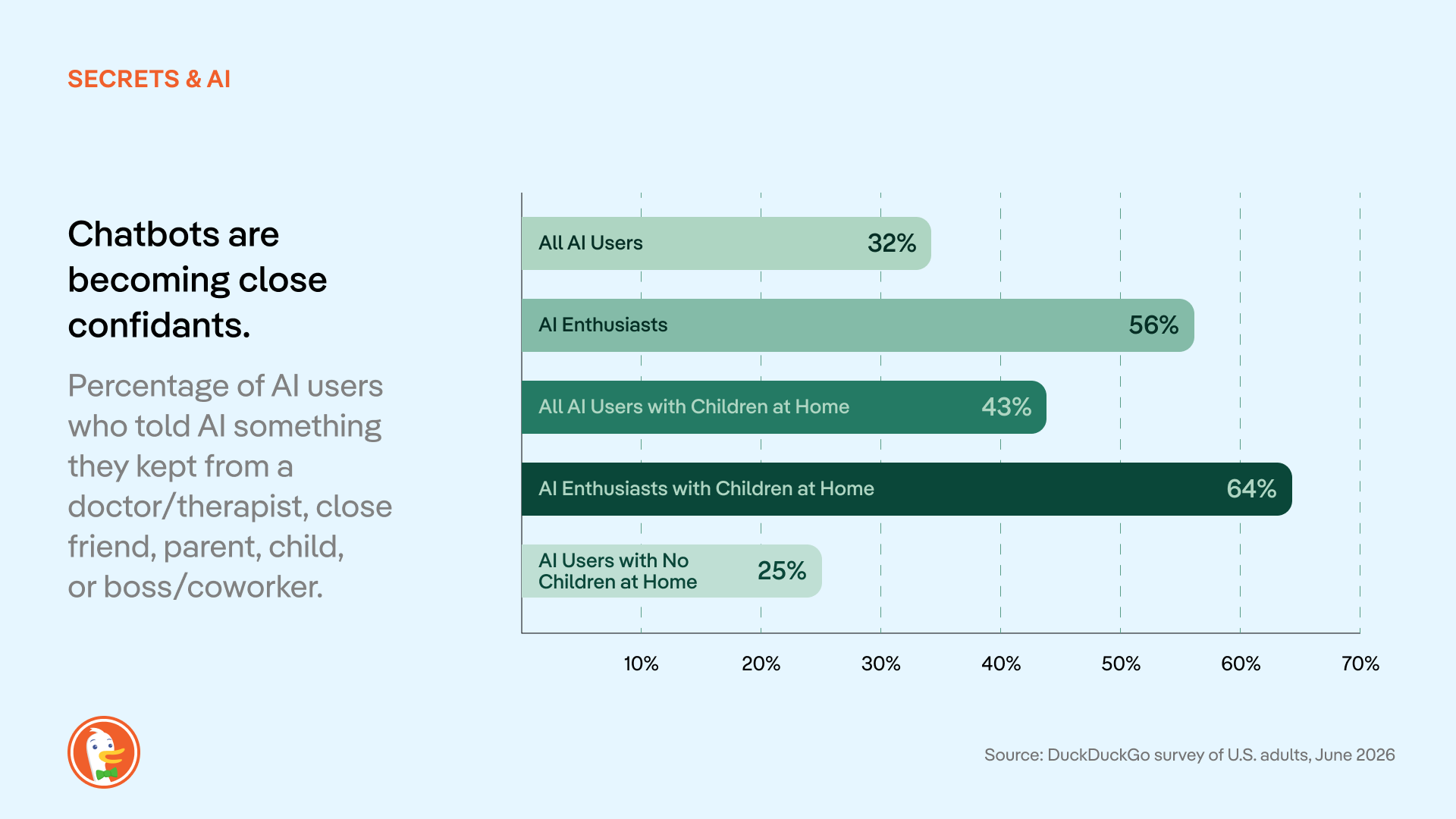
Conventional AI companies have leaned into this tendency, encouraging users to treat chatbots like confidants in their ad campaigns and media appearances. But these messages all rest on one assumption: That these chats are private. In most cases, that just isn’t true.
Most AI chat services use conversations for model training unless users actively opt out. Conversations are automatically tied to user profiles, stored by the AI companies, and potentially used for invasive behavioral advertising and shared with law enforcement. Beyond the privacy risks inherent in these tools, there have already been multiple data leaks where personal chats were made available to the public, revealing info like full names, addresses, and ID numbers connected to chat histories.
The more people know about AI privacy practices, the less they like it.
According to the survey, people are largely in the dark about the privacy problems built into most AI tools. (As with other forms of online tracking and surveillance, this is not anyone’s fault as an individual; rather, it’s an ongoing industry issue.)
We asked respondents if they knew these six basic facts about how conventional AI chats are stored, reviewed, and disclosed:
- AI chats can be subpoenaed by courts/law enforcement. (ex: CNN)
- AI chats can be made public in a lawsuit. (ex: TechCrunch)
- Employers can access work/enterprise AI accounts. (ex: Computer World)
- Settings to delete/stop storage vary by provider. (ex: CNBC, Washington Post)
- Free accounts often have weaker privacy than paid accounts. (ex: Axios)
- Human employees can review your chats. (ex: Fortune, TechCrunch)
According to our survey, these common AI privacy issues are not widely understood. 53% of people didn't know (or weren't sure) that their conversations are used for AI training. Only 25% knew that AI chats can be subpoenaed by the government. Across AI users and non-users alike, 43% didn’t know any of the above.
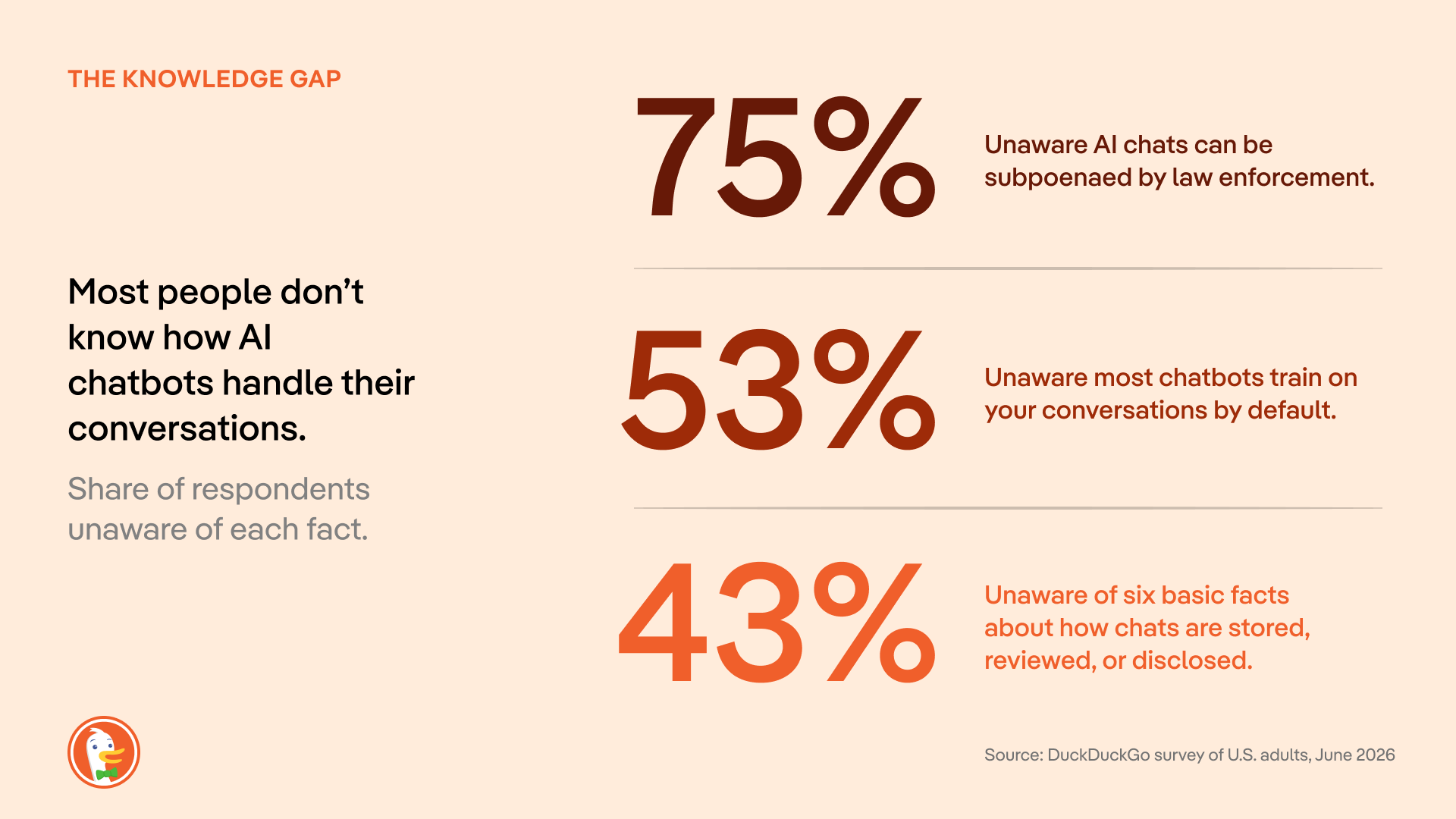
Once people know it’s happening, 58% of people are uncomfortable with how their conversations are being used to train AI. (30% specify “very uncomfortable.”)
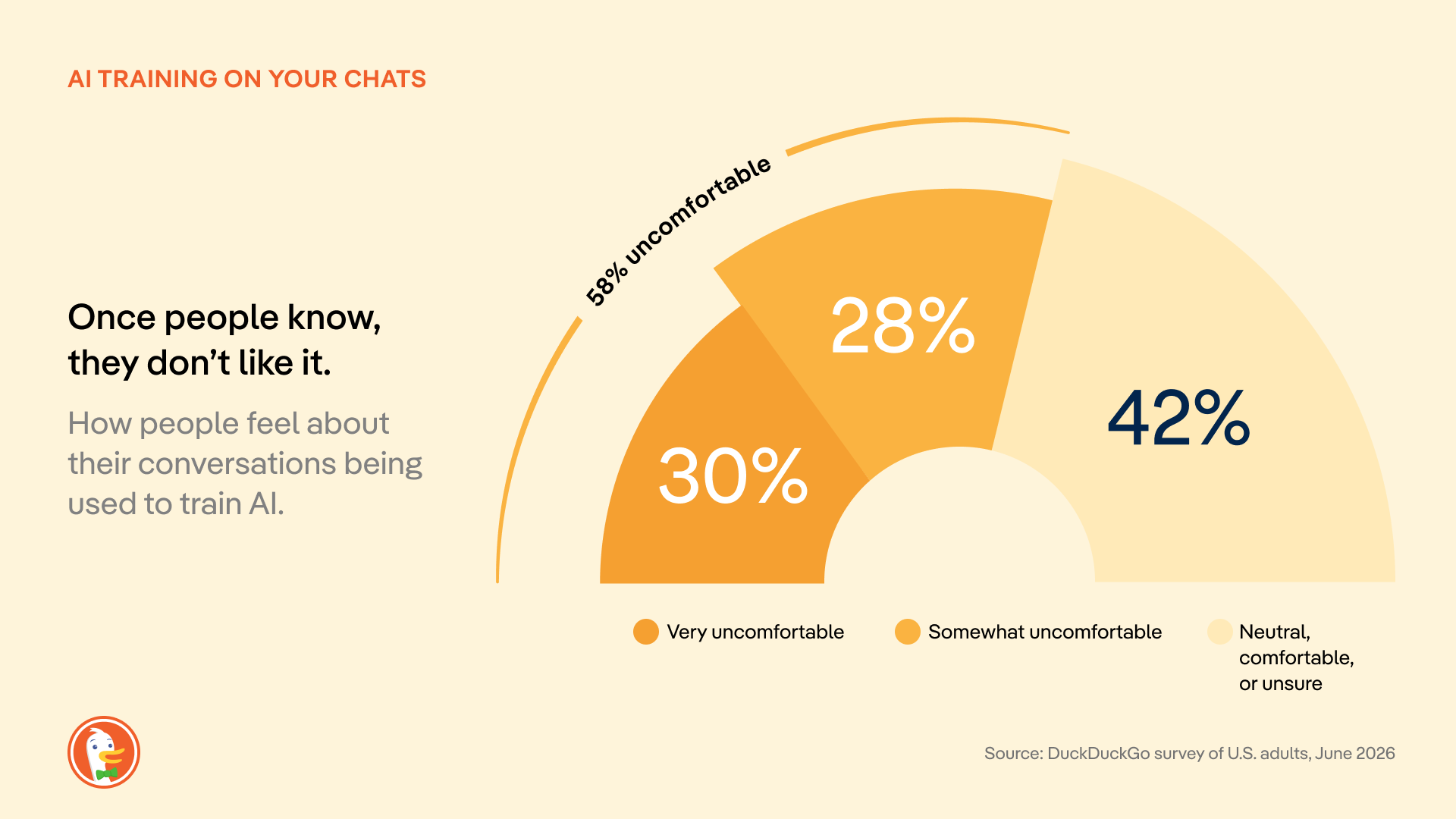
Only 14% of respondents “mostly” or “completely” trust large AI companies to protect their data; 39% have no trust at all. The U.S. government scores even worse: 48% have “no trust at all.”
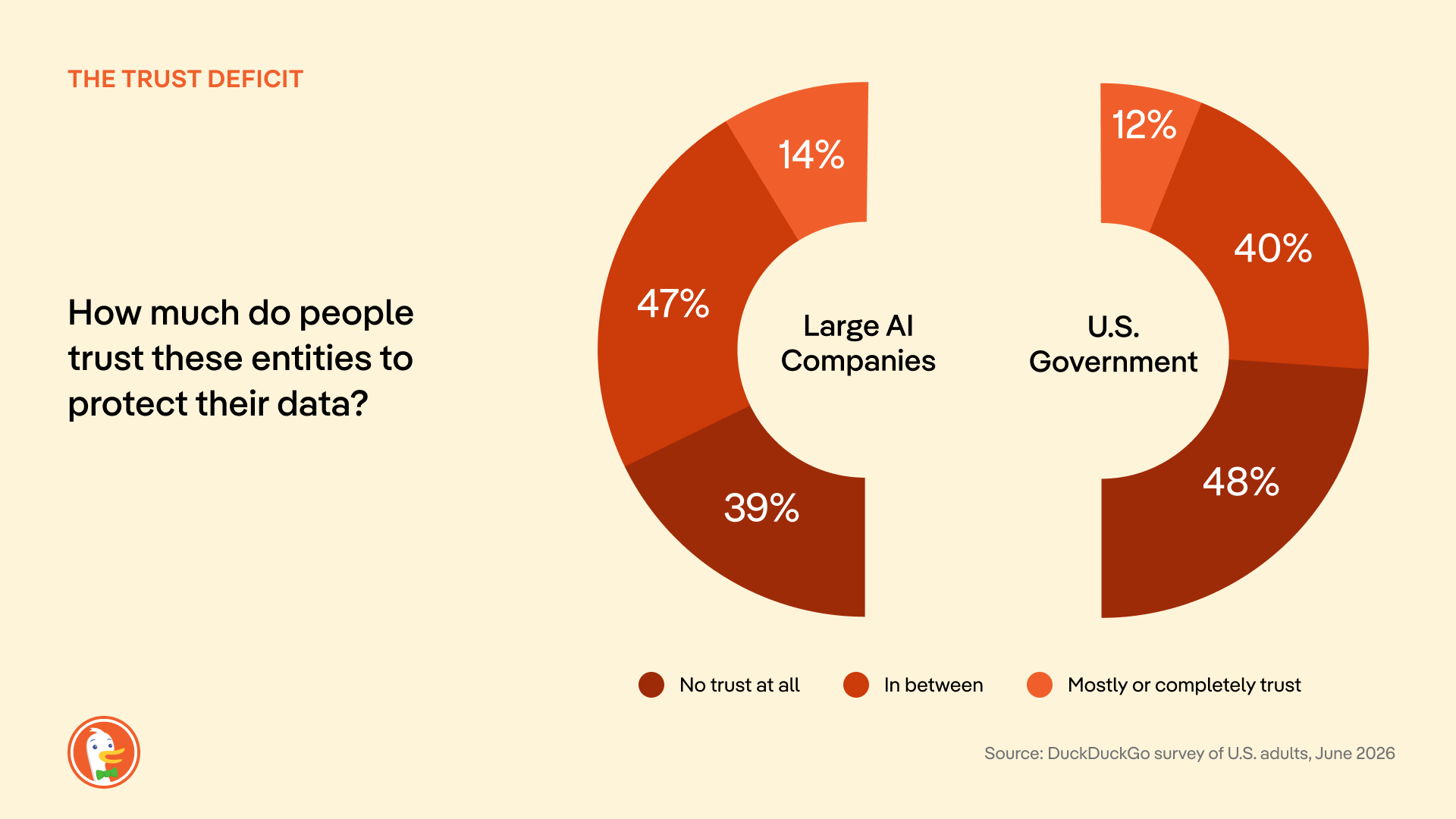
Where do we go from here?
When we talk about online privacy in search engines and browsers, many people think “it’s too late, my information is already out there.” But the most valuable information you could share with Big Tech is your next question, not the questions you asked days or months or years ago. So, it’s never too late to make the switch to more private services online. And AI chat is still in its early days; most people haven’t formed habits with this technology yet, making it easier to act.
Until government regulations and industry norms catch up, there are proactive steps you can take to protect yourself while using AI chat. Start by seeking out AI tools with transparent data handling policies, designed with privacy in mind. (That’s why we built Duck.ai: free, anonymous access to multiple AI models from OpenAI, Anthropic, and more, all in one place. And we’ll never spy on your chats or store them in an invasive profile. Learn more in the strict Duck.ai Privacy Policy.)
Methodology
This survey was commissioned and conducted by DuckDuckGo. Responses were collected from 1,944 U.S. adults (18+) between June 17 and June 27, 2026, using an online sample sourced through the PureSpectrum panel. Quotas were applied to balance the sample to US Census demographics for age, gender, and region; results are reported unweighted. The margin of error for the full sample is approximately ±2.2 percentage points at the 95% confidence level, and larger for subgroups. (For example, the margin of error is about ±6 points for adults aged 18-24). Figures for open-ended questions, such as respondents' single biggest AI privacy concern, are based only on those who provided an answer. Percentages may not total 100% due to rounding or multiple-response questions.
2026-08-05, 14:53

This week, DuckDuckGo is filing an amicus brief in the appeal of a federal court decision that Google unlawfully maintained a monopoly in the general search market in violation of the Sherman Antitrust Act. Google is asking the appeals court to throw that decision out, while the U.S. Department of Justice is asking for stronger remedies. DuckDuckGo’s brief shares our own experience and explains how Google shut out competition. More importantly, we describe how Google’s actions harmed not just competition but also undermined people’s ability to protect their privacy.
DuckDuckGo has spent nearly two decades building a differentiated search engine. It doesn’t track you; it doesn’t profile you; and it does protect your privacy. Nevertheless, many privacy-focused users continue to use Google for the sole reason that they use a device or browser that is contractually obligated to have Google preset as the default search engine.
Two years ago, a federal court finally agreed. That ruling should be upheld.
The record reveals the depths of Google’s monopoly
This trial established one simple fact: for most people, the competition for their search traffic is over before it begins. Google is the default search engine on roughly 70% of U.S. search access points, and the district court understood that being the out-of-the-box default is the most efficient way to distribute a search engine. Google doesn’t dispute this; it can’t.
Defaults win because people rarely change them. Most searches happen out of habit, and many people don't know there is a default, what it is, or that it can be changed. Completely ditching Google across a phone, tablet, and laptop requires detailed tutorials and hours of effort. Even DuckDuckGo's most devoted users, the ones who recommend us to friends, admit they haven't changed all their defaults. That’s not real consumer choice; it is a maze.
Google doesn’t compete; it obstructs
Google understood the power of defaults perfectly, and it spent enormous effort making sure no one could escape them.
First, it froze the search ecosystem with money, and lots of it. Google paid out billions of dollars, which was far more money than any rival could hope to match. As the Justice Department argues, those payments “made it economically irrational for distributors to switch default [search engines], thereby inducing exclusivity.” The district court agreed, finding it “financially infeasible” for Google's partners to switch away or seek greater flexibility. Time and again, browsers, device makers, and phone carriers concluded they couldn't afford to leave. So they didn’t.
Second, Google introduced choice friction to stymy users. Evidence was presented that Google tracks how many steps it takes to change defaults on different devices; it also discouraged Android manufacturers from giving users too much information about how to switch. While there is no technological reason a person shouldn’t be able to change their search engine in a single click, Google has ensured there’s no easy way to do just that.
This isn't a company that outcompeted its rivals. It simply paid to push everyone else out.
Google is running the same playbook in AI
Google is now doing to AI what it did to search. While the district court expressed hope that competition from generative AI might discipline Google and disrupt the market on its own, there is scant evidence of this.
Instead, it is pushing its own product through the platforms it already controls, whether people want it or not. It has wired its Gemini AI assistant directly into Chrome and moved to preload Gemini across the Android ecosystem, positioning it as the default AI assistant on the very devices at issue in this case. Capture the default, get in front of users before any rival can reach them, and turn placement into habit before anyone knows better.
What makes this so telling is that Google has forced AI on its users even when the product plainly wasn't ready. In May 2024, Google switched on AI for everyone, and it promptly started pulling “facts” from satire and troll posts. There was no easy way to turn it off. Google can shrug off a faillure like this in a way rivals cannot, using the profits from its search monopoly, to try and try again.
More than 95% of Americans still use a conventional search engine every month, a figure that barely moved despite AI-tool usage nearly quintupled. Nine in ten search referrals continue to come from Google, even including new generative AI rivals. That is what a monopoly looks like.
Affirm Google’s monopoly and end it
It doesn’t matter if people don’t want AI. It doesn’t matter if Google’s AI is wrong. Google can't be fired. No matter how badly the product performs, people stay put, because Google controls every access point where people want to search for information. That is the story of the search market and what may await AI, and it is why the court’s finding that this conduct is illegal monopolization must be upheld.
2026-07-17, 06:50

Nearly two years ago, a federal court ruled that Google illegally monopolized search. The judge was specific about how: Google didn't win by building a better product. It paid billions of dollars to be the default everywhere, on your phone and in your web browser, such that most Americans never actively choose their search engine at all.
That ruling should have been a turning point. Instead, nothing has changed.
Getting away with a monopoly.
The court's decision was a diagnosis, not the cure. The remedies ordered last year fall dramatically short of what needs to happen to level the playing field in search. And Google has appealed them anyway. So too has the Justice Department, seeking the stronger fixes it originally asked for. The strongest remedies haven't taken effect and may not for years to come. Meanwhile, the court-appointed technical committee charged with putting change into practice is only just getting up and running. The result is a company operating exactly as it did before being declared a monopolist while running the same exact playbook that was ruled to be illegal. This is the definition of getting away with it.
And the harm compounds each day. Google's vice grip on search was never only about defaults. It rests on two engines. The first is distribution, or the paid defaults that the court condemned. The second, less visible, is scale. Because Google sees far more searches than anyone else, it trains its systems on data no rival can touch. At trial, an analysis of 3.7 million unique search phrases over a single week found that 93% were seen only by Google. More searches produce better results, which draw more users, which produce still more searches. Every day the remedies are delayed, that flywheel spins faster and the gap a court has already ruled illegal grows wider. And the same flywheel is now spinning up in AI, threatening to rig the next era of search before it starts.
Congress doesn't have to wait.
It doesn't have to be this way. A solution now exists in Congress. Introduced this week by Senator Klobuchar and Senator Schmitt, the SEARCH Act – Securing Enforcement of Americans' Right to Competition at Home – would end Google's waiting games. It also directly addresses both of Google's engines of monopoly at the same time.
On distribution, Google could no longer pay to be the preset default, nor wire its own search into Chrome and Android instead of letting you choose. People would choose for themselves and could switch in a single step, including straight from a competitor's own website or app.
Scale is the harder problem, and the SEARCH Act proposes to do the thing that actually closes the gap. Google would have to share search results and de-identified data with rivals. This would let new startups, AI companies and existing search engines compete on a level playing field for your loyalty on privacy, design, and overall experience.
This bipartisan proposal would codify the same package of remedies that the Department of Justice and a coalition of 49 states and territories fought for in court, and its rules would apply to AI as well as search. DuckDuckGo is proud to support the SEARCH Act. We urge Congress to pass it without delay.
Endorsements and additional information
The text of S. 5007 is available to read here. The SEARCH Act is endorsed by the Bull Moose Project, Digital Progress Institute, and Public Knowledge.
Statements of support:
In U.S. v. Google, the court found Google had illegally used its search monopoly to lock out search defaults from competitors, preventing them from operating at the scale needed to be optimally competitive. The SEARCH Act proposes to finally do something to fix this broken search market. DuckDuckGo is grateful to Senator Klobuchar and Senator Schmitt for their leadership on this bill and for taking on a fight that's long overdue. This is what a serious, bipartisan fix looks like, and we're proud to support it.
— Gabriel Weinberg, Founder and CEO, DuckDuckGo
The courts have done what they can with the tools they have, and it isn't enough. Even after a federal judge found that Google unlawfully monopolizes the search market, the remedies that followed relied on behavioral fixes rather than the kind of structural relief that actually restores competition, proving that antitrust law as written wasn't built for markets like this one. Congress can't keep leaving it to judges to improvise solutions case by case; lawmakers need to give the courts clear, modern guidance for dealing with dominant digital platforms, and DPI urges Congress to pass the SEARCH Act.
— Joel Thayer, President, Digital Progress Institute
Google's motto used to be, "Don't be evil." They dumped that years ago, instead choosing to eliminate competition through self-preferencing and exclusivity agreements. Using their browser, Google Chrome, and their search engine - the main venue through which millions ofAmericans find information - Google picked winners and losers while also giving preference to themselves, including their AI, Gemini.
The SEARCH Act will hold Google and other future monopolists accountable by building upon the proposed remedies from U.S. v. Google, opening up search, advertising, and even internet browsers as areas of competition and innovation instead of control by one behemoth. We commend Senators Schmitt and Klobuchar for introducing this bill, and encourage quick and speedy passage.
— Aiden Buzzetti, Founder and President, Bull Moose Project
The Google search case shows why antitrust enforcement and legislation must work together. Courts must stop unlawful conduct and restore competition in the market Google monopolized. Google’s effort to overturn the remedies should fail, and the states are right to seek stronger relief. But litigation takes years, often after monopoly power has become deeply entrenched. The SEARCH Act would establish clear, forward-looking rules for the largest search platforms, including restrictions on payments for preferential treatment and exclusive distribution arrangements. Antitrust remedies can reopen the search market. The SEARCH Act can help keep it open.
— Patrick Gallaher, Senior Policy Advocate, Public Knowledge
2026-07-08, 11:23
- DuckDuckGo now blocks most video ads! Use our free browser to get the full YouTube experience, minus the ads.
- YouTube Ad Blocking joins our powerful lineup of browsing protections that manage cookie pop-ups, protect you from invasive tracker-based web ads, and more.
- YouTube Ad Blocking is already on by default for most iPhone, Windows, and Mac users! It will be auto-enabled for Android soon, but users can opt in via browser Settings in the meantime.
Interruption-free YouTube with DuckDuckGo

Tired of ads interrupting your videos? Us, too. The DuckDuckGo browser now blocks most video ads, including on YouTube! This new feature blocks ads that run before and during your videos, letting you watch YouTube without the interruptions.
If you’ve been here a while, you already know that the DuckDuckGo browser also protects you from invasive ads and annoying pop-ups on multiple fronts. We block tracker-powered web ads before they can load. We have Global Privacy Control enabled by default, expressing your opt-out rights by telling websites not to sell or share your personal information. We can even manage cookie pop-ups behind the scenes, so you don’t have to deal with the distraction.
How do I access YouTube Ad Blocking?
YouTube Ad Blocking is on by default for iOS, Windows, and Mac. So, there’s no need to adjust your settings, if your app is up to date; just open the browser and start enjoying ad-free videos! The feature will be on by default for Android soon, but in the meantime, turn it on in your browser’s Settings > Ad Blocking. If you don’t see YouTube Ad Blocking on your device, try updating your app.
On all devices, you can disable or re-enable YouTube Ad Blocking any time from your browser’s Settings > Ad Blocking. You can also turn it on and off while you’re watching a video. On desktop, click the video icon next to the green shield in your address bar. On mobile, tap ☰ > Disable YouTube Ad Blocking.
When you disable ad blocking mid-video, the browser will prompt you to send an error report, alerting us to any problems. This is completely optional, anonymous, and helps us make our product better…so we appreciate it!
Please note: if you’re on a mobile device, links to YouTube videos may open in the YouTube app by default. To enjoy DuckDuckGo’s YouTube Ad Blocking, you need to open the YouTube website in the DuckDuckGo browser. It won’t work in the YouTube app.
Manage your YouTube Ad Blocking and Duck Player preferences from browser Settings.
Is YouTube Ad Blocking different from Duck Player?
Yes, they’re different – but complementary!
Duck Player is the browser’s built-in video player that lets you watch YouTube videos in a distraction-free theater mode. It also protects you from tracking cookies and personalized ads by enforcing YouTube’s strictest privacy settings for embedded video. This means what you watch in Duck Player won't influence your YouTube recommendations. (It also won’t save your place in playlists.) Opt in to Duck Player and adjust your preferences from your browser Settings > Ad Blocking.
YouTube Ad Blocking blocks video ads on the YouTube website, so you can watch without interruption. It's the regular YouTube experience, just without ads. So you’re free to take advantage of YouTube features like remembering your viewing history and saving your spot in playlists.
You don’t have to pick just one: you can have YouTube Ad Blocking and Duck Player enabled at the same time.
How does YouTube Ad Blocking work?
To detect and block YouTube ads, we use community-driven filter lists sourced from uBlock Origin. These lists are maintained by an active open-source community and are regularly updated to keep up with changes to how ads are served. We may also apply our own rules to improve compatibility and reduce breakage. As with most ad blockers, using our ad blocker can lead to some additional buffering times. But once your video loads, you won't be interrupted with ads.
Let us know what you think!
YouTube Ad Blocking is available now in the DuckDuckGo browser. It’s still a new feature, so give it a try and let us know how it’s working for you! Send anonymous feedback any time from your browser’s ☰ menu.
2026-03-18, 13:29
- The DuckDuckGo subscription includes our VPN, access to more advanced private AI when you want it, Personal Information Removal, and Identity Theft Restoration. It now comes in two plans: Plus, which includes all four protections, and Pro, which unlocks even more powerful AI functionality.
- The new Pro plan is for people who use AI for demanding tasks. On top of the VPN and other protections, it includes three Duck.ai upgrades: 2x higher usage limits than Plus, exclusive access to Claude Opus 4.6, and the highest reasoning available on Duck.ai. (Extended reasoning capabilities available on GPT-5.2 and Claude Opus 4.6.)
- Whether or not you’re a paid subscriber, everyone gets the same industry-leading privacy protections when you search and browse with DuckDuckGo, or chat privately with ChatGPT, Claude, and other popular AIs on Duck.ai.
What is the DuckDuckGo subscription?
The DuckDuckGo subscription is a four-in-one privacy service that gives you extra protection beyond what's available for free in our web browser, search engine, and private AI chat, Duck.ai. It includes our VPN to encrypt your Internet connection, access to more advanced private AI when you want it, Personal Information Removal to help combat identity theft and spam, and Identity Theft Restoration.
The original DuckDuckGo subscription is now called Plus. (If you’re a current subscriber, this is what you have!) It includes all four protections and costs $9.99 USD/month or $99.99 USD/year. Enhanced with more powerful AI tools, the new Pro plan is $19.99 USD/month or $199.99 USD/year. Subscriptions are available in the U.S., Canada, the E.U., and the U.K. See this help page for international pricing and feature availability.
What are the benefits of the Pro plan?
On Duck.ai, anyone can chat privately with ChatGPT, Claude, and other popular AIs, whether you have a subscription or not. Text chat, voice chat, and image generation are free to use within daily limits. DuckDuckGo subscribers on the Plus plan can do more, with higher usage limits and access to smarter AI models with extended reasoning. But the Pro plan is even more powerful.
We designed Pro for people who use AI frequently throughout the day, or for more demanding tasks that require multi-step reasoning…or both! Subscribers to the Pro plan get three additional Duck.ai upgrades:
- 2x higher usage limits, compared to Plus. This includes text chat, voice chat, and image generation limits across all the AIs available.
- One Pro-exclusive model, currently the newly launched Claude Opus 4.6.
- Access to the highest reasoning available in Duck.ai. Extended reasoning capabilities on GPT-5.2 and Claude Opus 4.6 let the AI spend more time thinking through complex, multi-step problems before responding.
This new Pro plan gives you the freedom to dive deep and iterate back and forth for complicated tasks, whether you’re fine-tuning images, analyzing data, writing long-form content, or making an in-depth plan. Higher limits also mean you don’t have to pick and choose as much; you can use AI for a broad range of day-to-day tasks.
When you take advantage of the extended reasoning on GPT-5.2 or Claude Opus 4.6, you’re more likely to get considered, relevant, and well-structured answers to even very complex prompts. And thanks to the Pro plan’s higher usage limits, you’re less likely to be disrupted in the middle of a complicated job.
Which plan is right for me?
If you primarily use DuckDuckGo to search and browse, and you’re not interested in advanced AI chat or added protections…our free offerings may meet all your needs. If you want to expand your privacy protection with our VPN, or you’re getting more into AI productivity tools, consider Plus! Pro is most suited if you use AI for tasks that require deeper context and multi-step reasoning.
The specific AI models included in each plan are upgraded regularly; at the time of publication, the lineup is as follows:
- Free on Duck.ai: GPT-4o mini, GPT-5 mini, GPT-OSS 120B, Llama 4 Scout, Claude Haiku 4.5, Mistral Small 3.
- Plus: GPT-4o, GPT-5.2 (reasoning), Claude Sonnet 4.5, Llama 4 Maverick, free models.
- Pro: GPT-5.2 (extended reasoning), Claude Opus 4.6 (extended reasoning), Plus and free models.
Can I upgrade an existing subscription?
Yes! As a subscriber, you can switch between the Plus and Pro plan at any time. In the DuckDuckGo browser, go to Settings > DuckDuckGo Subscription. Select View All Plans, pick the plan you'd like to switch to, and proceed to payment or confirm. In third-party browsers, start by navigating to Duck.ai. Just go to Settings & More > Manage Subscription and follow the same steps above.
Ready to give it a try? Head to duckduckgo.com/subscribe to see if the Plus or Pro subscription is right for you!
2025-09-30, 13:00

2025 marks DuckDuckGo's 15th year of donations—our annual program to support organizations that share our vision of raising the standard of trust online. We are proud to donate to a diverse group of organizations around the world that promote privacy and security, digital competition, and a healthier online ecosystem.
This year, we’re donating $1,100,000, bringing DuckDuckGo's total donations since 2011 to $8,050,000. Everyone using the Internet deserves simple and accessible online protection; these organizations are all pushing to make that a reality. We encourage you to check out their valuable work below.
$100,000 to Public Knowledge

Public Knowledge promotes freedom of expression, an open internet, and access to affordable communications tools and creative works. We work to shape policy on behalf of the public interest.
$75,000 to ARTICLE 19

ARTICLE 19 is an international think-do organisation, that takes its name from the Universal Declaration of Human Rights, and works to propel the freedom of expression movement, fighting censorship, defending dissenting voices and advocating against laws and practices that silence.
$75,000 to the Digital Progress Institute

The Digital Progress Institute seeks to bridge the tech-telecom policy divide through incremental, bipartisan measures in line with its principles of bringing about ubiquitous broadband, 5G and beyond, privacy for every American, real competition in digital markets, and a full-stack framework for Internet policy issues.
$50,000 to the Electronic Frontier Foundation (EFF)

EFF's mission is to ensure that technology supports freedom, justice, and innovation for all people of the world.
$50,000 to European Digital Rights (EDRi)

With more than two decades of advocacy experience, European Digital Rights (EDRi) is the go-to, nongovernmental network working on EU and national laws and policies on privacy, freedom of expression, participation online, data protection and technology policy. EDRi unites over 50 organisations from across Europe (and beyond).
$50,000 to the Foundation for American Innovation

The Foundation for American Innovation, a think-and-do tank based in Washington, D.C. and San Francisco, CA, advances technology, talent, and ideas that support a better, freer, and more abundant future.
$50,000 to the Open Home Foundation

The Open Home Foundation fights for the fundamental principles of privacy, choice, and sustainability for smart homes - and for every person who lives in one. It is best known as the organization that owns and governs Home Assistant, among many other projects crucial to the open home.
$50,000 to Signal

Signal Technology Foundation protects free expression and enables secure global communication through open source privacy technology.
$50,000 to the Surveillance Technology Oversight Project (S.T.O.P.)

The Surveillance Technology Oversight Project (S.T.O.P.) advocates and litigates for privacy, working to abolish local governments’ systems of discriminatory mass surveillance that disproportionately impact vulnerable communities.
$50,000 to Tech Policy Press

Tech Policy Press publishes reporting, analysis, and perspective on events, issues, and ideas at the intersection of technology and democracy.
$50,000 to the Tech Oversight Project

Through engaging with lawmakers, exposing false narratives and bad actors, and pushing for landmark legislation, the Tech Oversight Project seeks to hold tech giants accountable for their anti-competitive, corrupting, and corrosive influence on our society and the levers of power.
$30,000 to the Internet Security Research Group

Our mission at ISRG is to reduce financial, technological, and educational barriers to secure communication over the Internet. We operate three projects (Let’s Encrypt, Prossimo, and Divvi Up) that improve the security and privacy of billions of people using the Internet.
$25,000 to Algorithmic Justice League (AJL)
The Algorithmic Justice League is on a global mission to prevent AI harm using research, advocacy, and art.
$25,000 to the British Institute of International and Comparative Law (BIICL)

The British Institute of International and Comparative Law (BIICL) hosts the Competition Law Forum, a centre of excellence for European competition and antitrust policy and law.
$25,000 to Bull Moose Project

The Bull Moose Project Foundation develops and promotes policies that promote fair markets, support American innovation, and hold Big Tech accountable for anti-competitive and anti-consumer conduct.
$25,000 to Canadian Anti-Monopoly Project
The Canadian Anti-Monopoly Project (CAMP) is a think tank dedicated to addressing the issue of monopoly power in Canada and around the world. CAMP produces research, commentary, and policy to make our economies more fair, free, and democratic.
$25,000 to Consumers International

Consumers International is the global membership organisation for consumer rights groups. Founded in 1960, we bring together over 200 member organisations in more than 100 countries, with a mission to empower and champion the rights of consumers everywhere and to build a fair, safe and sustainable marketplace.
$25,000 to Demand Progress

DPEF empowers people to understand how our communications and governance systems should serve democracy — and how corporate power threatens our economy and our democratic future.
$25,000 to Digital Rights Watch

Digital Rights Watch is Australia's leading digital rights organisation. They defend and promote privacy, democracy, fairness and fundamental rights in the digital age.
$25,000 to Gesellschaft für Freiheitsrechte (GFF)

The Society for Civil Rights e.V. (Gesellschaft für Freiheitsrechte e.V. or "GFF") is a donor-funded organization from Germany that defends fundamental and human rights by legal means. The organization promotes democracy and civil society, protects against disproportionate surveillance and advocates for equal rights and social participation for everyone.
$25,000 to noyb

noyb is committed to the legal enforcement of European data protection laws and has filed more than 850 cases against numerous intentional infringements by Big Tech companies - to make online privacy a reality for everyone.
$25,000 to the Internet Archive

The Internet Archive's mission is to provide “Universal Access yo All Knowledge” by preserving and providing free access to digital materials and cultural heritage serving as a digital library for researchers, historians, scholars, and the public to read, learn, and explore for free.
$25,000 to the Open Rights Group (ORG)

Open Rights Group is the UK’s largest grassroots digital rights campaigning organisation, working to protect everyone’s rights to privacy and free speech online.
$25,000 to the Open Source Technology Improvement Fund (OSTIF)

In the past year, OSTIF collaborations led to the fixing of over 130 findings with security impact. Our security uplifts to open source projects wouldn't be possible without the continued support from DuckDuckGo. We are honored to be part of this program and contribute to a more secure Internet ecosystem.
$25,000 to Perl and Raku Foundation

The Perl and Raku Foundation is dedicated to the advancement of the Perl and Raku programming languages, through open discussion, collaboration, design, and code.
$25,000 to Privacy Rights Clearinghouse

Privacy Rights Clearinghouse focuses on increasing access to information, policy discussions, and meaningful rights so that data privacy can be a reality for everyone.
$25,000 to Restore the Fourth

Restore the Fourth advocates with federal, state and local elected officials, to defend privacy and freedom from unreasonable government surveillance.
$25,000 to the Tor Project

At the Tor Project, we believe everyone should be able to explore the internet with privacy. We advance human rights and defend your privacy online through free, open source software and the decentralized Tor network.
$20,000 to The Markup

The Markup challenges technology to serve the public good by producing investigative journalism, unique tools, and accessible resources to inspire action and agency.
2025-09-04, 11:05
- More advanced AI models from OpenAI, Anthropic, and other providers are now available in Duck.ai as part of the DuckDuckGo subscription, formerly known as Privacy Pro.
- Subscribers can now access OpenAI’s GPT-4o and GPT-5, Anthropic’s Claude Sonnet 4, and Meta’s Llama Maverick – and supercharge productivity at work, school, or home.
- The DuckDuckGo subscription is still the same price: $9.99 USD a month or $99 USD a year. On top of access to premium AI models on Duck.ai, it still includes our VPN, Personal Information Removal, and Identity Theft Restoration*. Sign up at duckduckgo.com/subscribe for a seven-day free trial.
- Keep an eye out for higher DuckDuckGo subscription tiers in the future with access to even more advanced AI models.
A layer of protection for everything you do online – including AI
We believe the best way to protect your personal information from hackers, scammers, and privacy-invasive companies is to stop it from being collected at all. To make that happen, we offer a layer of protection for everything you do online. Our browser, for example, is packed with a suite of built-in privacy protections, including our search engine that never tracks you. Our growing suite of private, useful, and optional AI tools is the next evolution.
AI tools have quickly become a significant part of people's online experience, but there’s a gap between how often we use AI, and how safe and in control we feel about it. According to recent Pew research, 27% of US adults use AI tools every day, but 59% feel no control over how AI shows up in their lives. That's why we created Duck.ai, which gives you access to popular AI models from OpenAI, Anthropic, Meta, and Mistral, with the following added protections built by us:
- Anonymized chats. We call model providers on your behalf, so personal information like your IP address is not exposed to them.
- No AI training. Your data is never used to train the AI models.
- Local chat storage. Chats and settings stay on your device to protect your privacy.
- Instant deletion. Erase your chat history in a flash with our Fire Button.
Today, we're expanding Duck.ai by giving DuckDuckGo subscribers access to more advanced AI models, covered by the same strong protections. The base version of Duck.ai is not changing; it’s still free to use, with no account necessary. We’re just adding more models for subscribers. You can see which models are available with and without a subscription here.
Please note that Duck.ai is always optional, whether you’re a subscriber to DuckDuckGo or not. If AI is not for you, you can hide the AI buttons and features from your search settings and your desktop and mobile browser settings. If you use the VPN, for example, but you’re not interested in anonymized AI chat, that’s no problem. Just head to your browser’s Settings menu to turn off the AI features and continue using your VPN normally.
What does the DuckDuckGo subscription include?
Formerly known as Privacy Pro, the DuckDuckGo subscription expands the great protection you get from DuckDuckGo’s free offerings, covering even more of what you do online:
- DuckDuckGo VPN. Built for speed and simplicity, the DuckDuckGo VPN secures your WiFi connection on your entire device, hiding your location and IP address from the sites you visit. Includes full-device coverage on up to five devices at once. Learn more.
- Personal Information Removal. Helps remove personal information like your name, address, and family connections from people search sites that store and sell it, helping to combat identity theft and spam. Available for Mac and Windows.* Learn more.
- Identity Theft Restoration. If your identity is stolen, get expert guidance as you get back on track. Brought to you by Iris (Iris Powered by Generali) — a world leader in identity theft restoration.* Learn more.
- NEW: More Advanced AI models. Subscribers can now access OpenAI’s GPT-4o and GPT-5, Anthropic’s Claude 4 Sonnet, and Meta’s Llama Maverick, in addition to all the free-tier chat models. Models are updated regularly. See the full list here.
The price is staying the same in all regions: $9.99 USD/month or $99 USD/year, with international pricing information available on this help page.
Achieve more with advanced models
More advanced AI models like OpenAI’s GPT-4o are built to handle more complicated tasks than their smaller counterparts like GPT-4o mini. These bigger models are better at following detailed instructions, maintaining context through extended chats, and delivering deeper, more nuanced responses. The DuckDuckGo subscription offers a way to use some of these models, but with more privacy. Even larger and more highly advanced models will be made available through higher subscription tiers in the future.
If you’re a frequent user of different advanced chatbots, the DuckDuckGo subscription is an easy one-stop solution. It lets you access multiple premium models in one place, rather than juggling multiple subscriptions and apps. Your subscription lets you visit Duck.ai and use those premium models in any browser you like. But it's especially convenient within the DuckDuckGo browser, where Duck.ai is seamlessly integrated on both desktop and mobile. Using the DuckDuckGo browser, you can access AI chat when and where you need it, getting support for specific tasks without switching platforms. And as always, it’s completely optional – you can adjust or turn off Duck.ai’s integrations from your browser’s settings menu.
Whether you subscribe for premium models or stick with the free tier, you get the same strong privacy protections.
Is the DuckDuckGo subscription worth it?
When you get a DuckDuckGo subscription, you get instant, full access to any or all the features you want, without complex add-ons – at a price competitive with any of the individual features on their own. The $9.99 USD monthly price tag is more cost effective than maintaining multiple separate AI subscriptions – many of which are in the $20/month range. (See this help page for more international pricing information.)
Additional features like the DuckDuckGo VPN and Personal Information Removal service add value and convenience – and everything is available in one place, your DuckDuckGo browser.
Want to give it a try for free? You can get a 7-day trial of the subscription in the DuckDuckGo Browser's settings. In the US, you can also access the 7-day trial at DuckDuckGo.com/subscribe.
How to access Duck.ai and activate your subscription
Duck.ai can be accessed from any browser. Just visit duck.ai or hit the Duck.ai button on any search engine results page on duckduckgo.com. From there, paid subscribers can head to Duck.ai Settings, click “I Have A Subscription”, and follow the prompts to access the premium models.
If you are using the DuckDuckGo browser, you can use more subscription features, like the VPN and Personal Information Removal*. You also have even more ways to get to Duck.ai! You can click the optional Duck.ai buttons in our desktop and mobile browsers, use one of our iOS widgets, or press and hold the DuckDuckGo icon on iOS or Android. However you get there, the process for activating your subscription is the same.
Learn more about the DuckDuckGo subscription and sign up at duckduckgo.com/subscribe
*The DuckDuckGo subscription is available in the U.S., Canada, the E.U. and the U.K. All subscribers can use the VPN and access the same premium AI models, regardless of region. Personal Information Removal is available to U.S.-based subscribers. Identity Theft Restoration coverage varies by region. Learn more here.
2025-08-05, 20:09
Privacy Pro is our privacy-protecting subscription service that includes the DuckDuckGo VPN, Personal Information Removal to protect yourself from data brokers, and Identity Theft Restoration, which you can call if your identity is ever stolen.
In the year since we launched Privacy Pro, we’ve been working hard behind the scenes to make it more comprehensive, more powerful, and easier to use. Have you been waiting for the perfect moment to sign up? Good news: you can now try Privacy Pro free for 7 days. The free trial is available on all platforms – sign up here to redeem the offer. After your free trial, you can continue at $9.99 USD/month or $99.99 USD/year. (International pricing information here.)
Here’s a look at the major improvements we’ve made in the past year! To learn even more about Privacy Pro, you can visit our blog and Help Pages.
Overall Improvements
International Availability
Privacy Pro subscriptions are now available in the U.S., E.U., Canada, and the U.K. Features and coverage vary by region, but the DuckDuckGo VPN works the same in all regions. You can now use Privacy Pro in more languages including Dutch, French, German, Italian, Polish, Portuguese, Russian, and Spanish. Learn more about using Privacy Pro outside the U.S. here.
DuckDuckGo VPN Improvements
More Server Locations
DuckDuckGo VPN users can now choose from more than 40 locations in 30+ countries. Check out the full list here.
Independent Security Audit
We partnered with Securitum to conduct a comprehensive security audit of the DuckDuckGo VPN and supporting infrastructure. We're pleased to report that it found no critical vulnerabilities, underscoring the strong security measures we have in place for our VPN! Visit this help page for a summary of the key findings, remediations, and accepted risks, plus a link to the full report.
Block Risky Domains Automatically
The DuckDuckGo VPN now automatically blocks known phishing, malware, and scam sites – no matter what browser you're using. This new setting is on by default on all platforms.
Now On All Platforms: VPN Notifications
All users can now get notifications that display VPN status at a glance. These notifications are on by default but can be disabled in your VPN Settings.
Desktop: Automatic VPN Connection
All desktop users now have a setting that lets the VPN connect automatically when you log in to your computer.
Desktop: Introduced App and Website Exclusions
Because some apps and websites aren’t compatible with VPNs, we made sure you can exclude them from our VPN. This lets you use those incompatible apps and websites on desktop without disconnecting from the VPN. (App exclusions are also available on Android. Not compatible with iOS.) Manage website and app exclusions in your VPN settings; you can also manage website exclusions by clicking on the VPN icon in the toolbar.
IOS: VPN Widgets and Siri Shortcuts
We created VPN widgets for the iOS home screen and Control Center, so you can quickly connect or disconnect from the VPN and see your VPN connection status at a glance. We also added a Siri Shortcut.
Mobile: VPN Snooze
Both iOS and Android users can now “snooze” the VPN for easier access to sites and apps incompatible with VPNs.
Android: Automatically Pause VPN During Wi-Fi Calls
To help avoid dropped calls on Android, we introduced a setting that temporarily snoozes the DuckDuckGo VPN during Wi-Fi calls. The best part? We automatically restore your VPN connection when you end your call.
Android: Implemented Auto-Excluded Apps
Our new auto-exclude feature on Android automatically detects apps that aren’t compatible with VPNs and bypasses them, so you won’t need to manually adjust settings. (If you would like to adjust this feature, you can! Just go to Settings > VPN > Manage Apps.)
Custom DNS for Windows, iOS, Mac, and Android
You can now switch between the default DuckDuckGo DNS resolvers and a custom DNS resolver of your choosing in VPN Settings > Advanced Settings.
Personal Information Removal Improvements
New Personal Information Removal Dashboard
We completely redesigned the Personal Information Removal dashboard to give Privacy Pro subscribers more insight into the data removal process. You can more easily see when a site was last scanned, how many records have been removed, which sites are clear of your personal information, and more.
Personal Information Removal Request Timeline
Monitor your data broker removal requests with our new Removal Request timeline. You can track the progress of each request, see when your data has been removed, and get help with next steps if any removals take longer than expected.
More Data Brokers Covered
Privacy Pro now covers over 80 data broker sites and counting, including FastPeopleSearch, MyLife, and OfficialUSA.com. Check out the full list here. Some competitors only re-scan data broker sites on a monthly or quarterly basis…or not at all! But we re-scan the sites every 10 days, submitting new removal requests if your data has reappeared.
Improved Scan Performance
Personal Information Removal now more reliably detects when your information has been removed from the data broker sites. Your first scan after signing up or updating your profile now happens 10x faster than before.
What’s Next for Privacy Pro?
Even more improvements are coming soon. We’re working on adding an upgraded AI chat experience to your subscription, with anonymized access to more advanced chat models than the free version on Duck.ai. We’re adding more data brokers to Personal Information Removal all the time, and we’re working on bringing the feature to mobile. Your feedback helps us catch and address bugs, too – so keep it coming!
Go here to redeem your free trial today. Follow us on social [Reddit/X/Facebook/Linkedin] for updates about all things DuckDuckGo, including more Privacy Pro improvements.
2025-07-22, 19:24
Have you been using the DuckDuckGo browser for a while? If so, you may have noticed a few changes around here! As you navigate through the browser, you’ll notice redesigned icons, a softer, rounder interface, and a fresh color palette. Moving between desktop and mobile is more seamless than ever. And new interactive elements show you exactly how DuckDuckGo is protecting you.

Fresh Visuals, Seamless Protection
We’ve updated our browser’s visual design with a new color palette and softer, rounder shapes, including new icons that we designed in-house. This new look reflects what we believe the internet should feel like with real privacy protection: calm instead of chaotic, streamlined instead of cluttered, secure instead of surveilled.

Hit the green duck-foot shield in the redesigned address bar for real-time information about our tracking protections. Use the redesigned Fire Button to delete your browsing data with one click. Other changes you’ll notice include smoother, softer tab lines and a roomier address bar.

Private, Useful, and Optional AI
We’ve also made it easier than ever to access our private, useful, and optional AI features. Add a Duck.ai button to your URL bar for quick access to free, anonymized AI chats – available on both desktop and mobile.

These new buttons join several other convenient access points. On iOS, get to Duck.ai via Siri shortcut or widgets for your Lock Screen and Control Center. On Android, you find a shortcut by pressing and holding the DuckDuckGo app icon. (There’s also a Duck.ai button on our search results page when you visit duckduckgo.com, which can be toggled on and off here.)
Don’t use Duck.ai? You can disable the feature and hide the buttons in your browser’s Settings menu.
Tell Us What You Think
We love our browser’s new look – and we hope you do, too. If you have comments or questions, you can join our active community on Reddit or reach out on social media (Facebook | Linkedin | X).
2025-06-19, 11:41
- The DuckDuckGo browser’s built-in Scam Blocker guards against phishing sites, malware, and other common online scams. It’s on by default, so you’re protected as soon as you open the browser.
- NEW: Scam Blocker now also covers sham e-commerce sites, fake cryptocurrency exchanges, “scareware” that falsely claims your device has a virus, and other sites known to advertise fake products or services.
- Most browsers use Google tools for their phishing and malware protections, sending browsing data to Google in real time. We don’t. We designed Scam Blocker ourselves, with data from Netcraft, an independent cybersecurity company. Our scam protections don’t require an account, and we don’t share your browsing data with third parties.
- Scam Blocker is available for free within the DuckDuckGo browser on desktop and mobile. DuckDuckGo subscribers get full-device coverage when logged into the DuckDuckGo VPN – even when using other browsers.
Scam Blocker: Multiple protections for multiple threats
It’s not your imagination – online scams are getting more sophisticated. According to new reporting from the United States’ Federal Trade Commission, consumers lost $12.5 billion to fraud in 2024 alone. Scams related to investments, online shopping, and internet services were among the worst offenders.
Around here, we believe the best way to protect your personal information from hackers, scammers, and privacy-invasive companies is to stop it from being collected at all. Our browser and built-in search engine never track your searches, and our browsing protections help stop other companies from collecting your data, too. One of those protections is our Scam Blocker, designed and built by us for your security and your privacy. Scam Blocker guards against phishing sites, malware, and other common online scams without tracking your browsing data or sharing it with any third parties. It’s built into the DuckDuckGo browser and free to use, with no signup required.

Fake cryptocurrency offers, urgent messages about "viruses," and high-paying surveys – like the hypothetical examples above – are some of the common scam sites covered by DuckDuckGo’s Scam Blocker.
Scammers and cybercriminals have constantly evolving tactics, so it’s important to stay protected on multiple fronts. Thanks to Scam Blocker, the DuckDuckGo browser can help you spot and avoid some of the most common types:
- NEW PROTECTION: Scam investment sites, storefronts, surveys and more. Designed to trick you into giving away personal information or making bad financial transactions under false pretenses. These scam sites can include investment offers, cryptocurrency trading schemes, discounted pharmaceutical products, affiliate surveys with cash rewards, and more; the sites can look legitimate, but the offers are often “too good to be true.”
- NEW PROTECTION: Scareware. These alarming sites claim that your computer or phone is infected with spyware or viruses. Scareware creates a false sense of urgency to trick people into engaging with fake “tech support” and buying unwanted – or completely fake – antivirus software.
- Phishing sites. Phishing generally uses impersonation to get your login credentials or sensitive personal information. Cybercriminals’ phishing techniques include creating sham websites that look like a familiar legitimate business and using link redirects to get unsuspecting users there.
- Malware sites. If you download a harmless-looking file from one of these sites, malware can infect your phone or computer, causing damage or extracting personal information for later use. Some malware sites start an automatic download before you even click or enter anything.
- Tracker-powered malicious ads. “Malvertising” typically involves injecting malware-laden advertisements into legitimate websites and online ad networks. Some malicious ads can compromise your system even if you don’t click on them.
The scam tactics vary, but the end goals are usually the same: to commit financial fraud using your personal information or to trick you into paying for products or services that don’t exist. If you accidentally click a link that would take you to one of these scammy sites, DuckDuckGo’s built-in Scam Blocker will stop the page from loading and show you a warning message that allows you to navigate safely away. The DuckDuckGo browser also reduces your malicious ad risk while you browse, blocking tracker-powered ads while before they load.
Other browsers like Chrome, Firefox, and Safari rely on Google’s Safe Browsing Service to provide warnings about phishing sites, which involves sending information to Google. We don’t. We built our own anonymous solution that doesn’t send data to any third parties. No sign in, no tracking, and it’s on by default, so you're protected from the moment you open the browser. DuckDuckGo subscribers can connect to the DuckDuckGo VPN to get these protections for your whole device – including in other browsers!
How Scam Blocker works
When you land on a potentially dangerous website, Scam Blocker will display a warning message before loading the site.
New scam sites pop up all the time, but the DuckDuckGo browser stays on top of it. We get a feed of malicious site URLs from Netcraft, an independent cybersecurity company that’s always scanning for new threats. We store that constantly refreshing list on our servers and pass any updates to your browser every 20 minutes.
The way Scam Blocker works is always anonymous. Once your browser downloads the latest dangerous site list from DuckDuckGo, it’s available locally on your device. When you navigate to a site, your browser first checks the site against the list stored on your device. If the site is on the list, your browser shows a warning message that gives you the option to navigate away safely or to continue to the site at your own risk.
Most of the potentially dangerous URLs flagged by Scam Blocker can be found on common sites like Google Drive or GitHub. Uncommon threats – which we encounter less than 0.1% of the time! – require an extra verification step that checks websites against a larger and more comprehensive database on DuckDuckGo servers. But this process is also anonymous; at no time during the threat verification process does your device communicate with any third parties. For a deeper dive on the cryptography we use to maintain anonymity when handling uncommon threats, visit this Help Page.
All this means that your searches and browsing history are still completely anonymous.
Note: This blog post has been edited since initial publication to stay up to date with our evolving product offerings.
2025-03-06, 12:41
- DuckDuckGo’s approach to AI is to provide private, useful, and optional AI features – including chat and search instant answers – to people who want the productivity benefits of AI without the privacy risks.
- Now out of beta: Get free, anonymized access to popular chatbots at Duck.ai. Easily move traditional search results – which now include more AI-assisted answers from web sources – to Duck.ai to continue your conversation.
- Both Duck.ai and AI-assisted answers are free to use, with no account required. We now serve millions of AI-assisted answers daily. If you opt to show them "often" in your settings, they should appear in our traditional search results over 20% of the time.
- Recent updates to AI-assisted answers include expanding sources across the web, beyond just Wikipedia; answering English-language queries outside the U.S.; and adding customization that lets you decide how often you want
answers to appear: often, sometimes (default), on-demand, or never. - Recent Duck.ai chat updates include upgraded models (GPT-4o mini and o3-mini from OpenAI, Meta Llama 3.3, Mistral Small 3, and Claude 3 Haiku from Anthropic) and a “Recent Chats” feature that stores conversations locally on your device – not on DuckDuckGo or other remote servers.
Our approach to AI: private, useful, and optional.
At DuckDuckGo, we believe the best way to protect your personal information from hackers, scammers, and privacy-invasive companies is to stop it from being collected at all. We started with a search engine that doesn’t collect your search history; our flagship experience is now a browser with a suite of built-in protections that includes our search engine, ad and cookie blocking, and many more protections.
Our approach to AI extends this strategy by integrating protected AI features that offer the productivity benefits of AI without privacy risks like tracking your prompts and training on your data.
We’re not making AI features just for the sake of making AI features. They have to be actually useful in everyday use, starting with helping people get faster, high-quality answers to their questions. However, we recognize not everyone wants AI in their lives right now, and that’s OK with us. That’s why all our AI features are optional and can be turned off or tuned down.
To chat or not to chat.
Head to Duck.ai for free, proxied access to popular chatbots from OpenAI, Anthropic, Meta, and Mistral.
A search engine’s core job is to get you the high-quality information you want fast. AI can help with that job, including a new mode of information-seeking through chat. We’re finding that some people prefer to start in chat mode and then jump into more traditional search results when needed, while others prefer the opposite. (Some questions just lend themselves more naturally to one mode or the other, too.) So, we thought the best thing to do was offer both. We made it easy to move between them, and we included an off switch for those who’d like to avoid AI altogether.
If you want to start with chat, try Duck.ai (previously called DuckDuckGo AI Chat), a free and account-less way to access popular AI chatbots, privately. Models are periodically updated and currently feature GPT-4o mini and o3-mini from OpenAI, open-source models Meta Llama 3.3 and Mistral Small 3, and Claude 3 Haiku from Anthropic. Chats are anonymized via proxying and never used for AI model training.
You can navigate directly to https://duck.ai/ or via the optional chat icons within our search engine or browsers. (There's also a widget - on iOS for now.) You can also use the !ai or !chat bang search commands from any browser where you have DuckDuckGo search set as the default search engine.
One way to access Duck.ai is via the Chat icons in our desktop and mobile browsers.
If you’d rather start with traditional search results, simply use DuckDuckGo search as usual. AI-assisted answers – previously called DuckAssist – will automatically appear on the search results page for relevant English language queries. You can also manually trigger an AI-assisted answer on demand by pressing the “Assist” button under the search box, which appears on most queries. The answers source information from across the web, and like Duck.ai, they are completely free and private, with no sign-up required.
The “Assist” button lets you generate AI-assisted answers on demand.
We’ve continuously heard from users that they want more quick, at-a-glance answers, for a broad range of topics. For years, we’ve been doing that by working on search modules to provide instant answers for things like sports scores, local business information, where to watch movies and TV shows, and much more. Now, we are finding that we can significantly expand the scale of high-quality instant answers we can show with AI as we’re now serving millions of AI-assisted answers daily. Since we’ve introduced AI-assisted answers on our search results, overall user satisfaction with our search results has improved.
If you were unsatisfied after trying DuckDuckGo search in the past, now is a great time to try us again. We’re always improving. If you do try us or try us again, please set DuckDuckGo search as your default search engine or download our browser and make it the device default. It can take a moment to get used to something different, and setting the default is the best way to get over that hump.
How can I customize my search experience?
Navigate to the AI Features section of your search settings. If you really like our AI-assisted answers, change Assist to Often, which will make them appear over 20% of time. On the other hand, if you never want to see any AI features, turn Chat to Off and Assist to Never.
On DuckDuckGo browsers, you can choose whether the chat icon appears on the toolbar from within the ‘Duck.ai’ section in your browser settings.

Control how often you see AI-assisted answers from your search settings.
In addition to respecting our users’ choices, we respect publishers’ wishes to opt out of AI-assisted answers on DuckDuckGo and don’t penalize publishers for that choice. Even if they opt out as a source for our AI-assisted answers, they can stay opted into our other search results.
How am I protected?
When we generate AI-assisted answers, we anonymously call the underlying AI models used to summarize web sources on your behalf, so your personal information is never exposed to third parties. This method is called proxying. Duck.ai chats work similarly. To accomplish this technically, we remove your IP address completely and use our own IP address instead. This way, the proxied requests are coming from us, not you. For more information, please see the DuckDuckGo General Privacy Policy.
Duck.ai's "Recent Chats" let you pick up where you left off. Chats are saved locally on your device – not on DuckDuckGo or any other outside servers.
Within Duck.ai, recent chats are only stored locally on your device, not on DuckDuckGo servers. Not interested in storing your chats? You can disable the option altogether, or use the Fire Button to clear all your recent chats at once. Duck.ai chats are not used for any AI training, either by us or the underlying model providers. To respond with answers and ensure all systems are working, these providers may store chats temporarily, but we remove all the metadata so there’s no way for them to tie chats back to you personally. On top of that, we have agreements in place with all providers to ensure that any saved chats are completely deleted within 30 days. For more information, please see the DuckDuckGo AI Chat Privacy Policy and Terms of Use.
Clear your recent Duck.ai chats with the click of a button.
Are AI-assisted answers reliable?
When you search on DuckDuckGo, our AI-assisted answers are based on real-time web crawling, so they’re as reliable as the sources from which they are drawn. But even the most reliable sources can have errors, and mistakes can occasionally happen in the summarization process, too. That’s why we prominently display our cited sources: you can easily check them out and use your own judgment to make the final call.
Want to know where your AI-assisted answer came from? Check the sources below the answer and click through for a deeper dive into complex topics.
We also have a number of precautions in place. Out of the countless websites we could draw from, we try to weed out ultra-low-quality sources like spammy content farms and invasive people search sites, and we try to avoid satirical sites and opinion pieces.
You are a critical part of the process as well. “Was this helpful? 👍 👎” is displayed next to every AI-assisted answer. So, if you see a bad answer – or a great answer! – please let us know. We review it all as part of our quality control process.
Is this really free?
Yes! AI-assisted answers are integrated into DuckDuckGo search, which is always free to use, with no log-in required. (We make money from private search ads.) Chatting on Duck.ai is also free within a daily limit, which we implement while maintaining strict user anonymity, just like we do for our search engine. We plan to keep the current level of access free; we’re exploring a paid plan for access to higher limits and more advanced (and costly) chat models.
What’s next?
We are largely driving our AI roadmap based on your feedback, so please keep it coming—we appreciate it. Within Duck.ai, this includes adding newer models, voice and image support, and granting models web access. For AI-assisted answers on our traditional search engine, we’re making them faster and more interactive, answering more queries, and improving when they appear automatically, including for less straightforward queries.
In the meantime, give Duck.ai a try and keep an eye out for AI-assisted in your traditional search results. Head to your search settings if you want to see them more or less often.
2024-12-03, 14:00

2024 marks DuckDuckGo's 14th year of donations—our annual program to support organizations that share our vision of raising the standard of trust online. We are proud to donate to diverse group of organizations around the world that promote privacy, digital rights, access to information online, and a healthier online ecosystem.
This year, we’re donating $1,100,000, bringing DuckDuckGo's total donations since 2011 to $6,950,000. Everyone using the Internet deserves simple and accessible online protection; these organizations are all pushing to make that a reality. We encourage you to check out their valuable work below, alongside details about how our funds were allocated this year.
$100,000 to the Electronic Frontier Foundation (EFF)

“EFF's mission is to ensure that technology supports freedom, justice, and innovation for all people of the world.”
$75,000 to Public Knowledge
"Public Knowledge promotes freedom of expression, an open internet, and access to affordable communications tools and creative works. We work to shape policy on behalf of the public interest."
$50,000 to ARTICLE 19
"Established in 1987, ARTICLE 19 is an international non-profit organization that defends freedom of expression, fights against censorship, protects dissenting voices, and advocates against laws and practices that silence individuals, both online and offline."

$50,000 to Demand Progress
"DPEF educates our members and the general public about matters pertaining to the democratic nature of our nation’s communications infrastructure and governance structures, and the impacts of corporate power over our economy and democracy."
$50,000 to European Digital Rights (EDRi)

"The EDRi network is a dynamic and resilient collective of 50+ NGOs, as well as experts, advocates and academics working to defend and advance digital rights across Europe and beyond. For over two decades, it has served as the backbone of the digital rights movement and has achieved landmark successes in digital rights in Europe."
$50,000 to Fight for the Future

"Known for organizing some of the largest and most effective online campaigns in history, Fight for the Future’s mission is to ensure a just Internet and technology that is a force for empowerment and liberation, free of surveillance, censorship, and abuse of personal data."
$50,000 to The Markup
"The Markup challenges technology to serve the public good by producing investigative journalism, unique tools, and accessible resources to inspire action and agency."
$50,000 to OpenMedia

"OpenMedia is a community-driven organization that works to keep the Internet open, affordable, and surveillance-free. We operate as a civic engagement platform to educate, engage, and empower Internet users to advance digital rights around the world."
$50,000 to Restore the Fourth
“Restore the Fourth opposes mass government surveillance, and organizes locally and nationally to defend privacy and the Fourth Amendment.”
$50,000 to Signal

“Signal Technology Foundation protects free expression and enables secure global communication through open source privacy technology.”
$50,000 to the Surveillance Technology Oversight Project (S.T.O.P.)

“The Surveillance Technology Oversight Project (S.T.O.P.) advocates and litigates for privacy, working to abolish local governments’ systems of discriminatory mass surveillance."
$50,000 to Tech Policy Press

“Tech Policy Press promotes discussion, debate, and analysis of issues and ideas at the critical intersection of technology and democracy.”
$50,000 to the Tech Oversight Project
"Through engaging with lawmakers, exposing false narratives and bad actors, and pushing for landmark legislation, the Tech Oversight Project seeks to hold tech giants accountable for their anti-competitive, corrupting, and corrosive influence on our society and the levers of power."
$25,000 to Algorithmic Justice League (AJL)
“AJL’s harms reporting platform aims to capture people's lived experiences with AI harms, connect them with resources, and identify areas where there are no or few resources.”
$25,000 to Bits of Freedom

“Bits of Freedom shapes tech policy in order to facilitate an open and just society, in which people can hold power accountable and effectively question the status quo.”
$25,000 to the British Institute of International and Comparative Law (BIICL)
"The Competition Law Forum is a centre of excellence for European competition and antitrust policy and law at the British Institute of International and Comparative Law (BIICL)."
$25,000 to the Center for Critical Internet Inquiry (C2i2)

“UCLA Center for Critical Internet Inquiry (C2i2), housed in the UCLA Division of Social Sciences, is a critical internet studies community committed to reimagining technology, championing social justice, and strengthening human rights through research, culture, and public policy.”
$25,000 to Creative Commons (CC)

“Creative Commons (CC) is an international nonprofit organization dedicated to building and sustaining a thriving commons of shared knowledge and culture that serves the public interest.”
$25,000 to Digital Rights Watch

"Digital Rights Watch is Australia's leading digital rights organisation. They defend and promote privacy, democracy, fairness and fundamental rights in the digital age."
$25,000 to Gesellschaft für Freiheitsrechte (GFF)
"The Society for Civil Rights e.V. (Gesellschaft für Freiheitsrechte e.V. or "GFF") is a donor-funded organization from Germany that defends fundamental and human rights by legal means. The organization promotes democracy and civil society, protects against disproportionate surveillance and advocates for equal rights and social participation for everyone."
$25,000 to noyb
"noyb is committed to the legal enforcement of European data protection laws and has filed more than 850 cases against numerous intentional infringements by Big Tech companies - to make online privacy a reality for everyone."
$25,000 to the Open Home Foundation

“The Open Home Foundation fights for the fundamental principles of privacy, choice, and sustainability for smart homes - and for every person who lives in one. It is best known as the organization that owns and governs Home Assistant, among many other projects crucial to the open home."
$25,000 to the Open Rights Group (ORG)

"Open Rights Group is the UK’s largest grassroots digital rights campaigning organisation, working to protect everyone’s rights to privacy and free speech online."
$25,000 to the Open Source Technology Improvement Fund (OSTIF)
"Open Source Technology Improvement Fund helps critical open source projects with their security needs and is grateful for the continued support from DuckDuckGo. This funding is pivotal to ongoing operations, as it is one of our only donation sources that is not tied to any deliverable or project. Over the past year, OSTIF has been able to sustainably help critical open source projects improve their security posture, and in the process have found and fixed over 150 bugs and vulnerabilities."
$25,000 to Perl and Raku Foundation
"The Perl and Raku Foundation is a non-profit, 501(c)(3) which fulfills a range of activities including the collection and distribution of development grants, sponsorship and organization of community-led local and international Perl conferences, and support for community resources and user groups."
$25,000 to Privacy Rights Clearinghouse

"Privacy Rights Clearinghouse focuses on increasing access to information, policy discussions, and meaningful rights so that data privacy can be a reality for everyone."
$25,000 to Proof

"Proof is a new nonprofit journalism studio that is working to redefine and reimagine trustworthiness in news and investigative reporting."
$25,000 to the Tor Project
"At the Tor Project, we believe everyone should be able to explore the internet with privacy. We advance human rights and defend your privacy online through free, open source software and the decentralized Tor network."
2024-11-20, 12:30

Today, we are calling on the European Commission to launch three non-compliance investigations around Google’s obligations under the EU’s Digital Markets Act (DMA):
- On Google’s non-compliance with Article 6(11), which requires Google to share anonymized click and query data.
- On Google’s non-compliance with Article 6(3), which requires Google to implement choice screens and enable end users to easily change default search settings.
- On Google’s non-compliance with Article 6(4), which requires any downloaded search or browser app to have the ability to prompt users to set search defaults easily.
The DMA created these obligations to address Google’s scale and distribution advantages, which the judge in the United States v. Google search case found to be illegal. The judge specifically highlighted that 70% of queries flow through search engine access points preloaded with Google, which creates a “perpetual scale and quality deficit” for rivals that locks in Google’s position.
Unfortunately, Google is using a malicious compliance playbook to undercut the DMA. Google has selectively adhered to certain obligations – often due to pressure from the Commission – while totally disregarding others or making farcical compliance proposals that could never have the desired impact. As a result, the DMA has yet to achieve its full potential, the search market in the EU has seen little movement, and we believe launching formal investigations is the only way to force Google into compliance. The Commission has already demonstrated its ability to use such investigations effectively under the DMA.
While Google’s bad faith approach is not surprising, it should not go unnoticed. Any regulator looking to create enduring competition in the search market should take note of the tactics Google is using to thwart and circumvent its legal obligations.
We project Google’s Click-and-Query data sharing proposal eliminates ~99% of search queries.
Google’s exclusive default distribution deals mean they see many times more search queries than any competitor can, which gives them what’s called a “scale advantage.” In Article 6(11), the DMA directly addresses this scale advantage by mandating Google share anonymized click, query, ranking, and view data. This data would help search engines improve results quality, especially for less frequent (so-called “long-tail”) queries.
Google’s Click-and-Query obligation under the DMA, Article 6(11), reads:
“The gatekeeper shall provide to any third-party undertaking providing online search engines, at its request, with access on fair, reasonable and non-discriminatory [FRAND] terms to ranking, query, click and view data in relation to free and paid search generated by end users on its online search engines. Any such query, click and view data that constitutes personal data shall be anonymised.”
To comply with this requirement, Google announced the “Google European Search Dataset Licensing Program.” However, this data set has little to no utility to competing search engines due, in large part, to Google’s proposed anonymization method, which only includes data from queries that have been searched more than 30 times in the last 13 months by 30 separate signed in users. This method is conveniently overbroad: we extrapolate that Google’s dataset would omit a staggering ~99% of search queries including “longtail” queries that are the most valuable to competitors. Google is trying to avoid its legal obligation in the name of privacy, which is ironic coming from the Internet’s biggest tracker.
Part of our goal at DuckDuckGo has always been to prove that tech can make great products without exploiting people’s data or using mass surveillance. Our Privacy Policy explains how we go about doing this, for example, “we have no way to create a history of your search queries.” We do this by stripping out any metadata that can tie searches together made by the same individual, so re-identification cannot happen like in the memorable AOL case. For example, we may know that we got a lot of searches for "cute cat pictures" today, but we don’t know - and have no way to figure out - who actually performed those searches.
The fact is that most "rare" queries are actually just common words put in an order that isn’t searched very often. These queries are not inherently problematic since they cannot be traced back to any individual. So, instead of attempting to filter all of these relatively unique queries, we should instead focus on removing the subset of those queries that contain personal identifiers, like addresses and phone numbers or accidental pastes like user ids and passwords. Fortunately, there are relatively straightforward approaches to remove these types of queries that will result in much of the long tail data remaining available to improve search results.
This isn’t even the only part of the proposal that severely hampers the usefulness of the data:
- The proposal averages ranking data, which eliminates critical nuances. It also doesn’t provide anonymous ranking signals like dwell time or bounce rate.
- The proposal shares at best three-month old data, meaning the data is already stale when received because many results would no longer reflect current search trends.
- The proposal contains hardly any information on search modules, such as knowledge panel content, meaning information on much of the content on the search result page is not being shared.
We recognize that fine-tuning the right approach requires further considerations and, most importantly, testing and good faith cooperation from Google. Faced with Google’s continued obstruction, we believe that opening an official investigation is the only way to arrive at a workable proposal. We would like to help in that effort and believe there are ways for Google to provide a data set that is both privacy respecting and useful to competitors.
Google has so far completely ignored “easy switching” requirements.
The DMA includes provisions designed to facilitate easy switching of search engines and browsers, targeting Google’s entrenched hold over search and browser access points. Google’s obligation under Article 6(3) of the DMA reads:
“The gatekeeper shall allow and technically enable end users to easily change default settings on the operating system, virtual assistant and web browser of the gatekeeper.”
Despite this obligation, switching search engines on Android devices (which make up more than 60% of the mobile market in the EU) is still not “easy.” Before the DMA came into effect, it took more than 15 steps to switch your default search engine on Android and today that is still the case.
Zero changes have been made. What should happen is that users should be able to change their default search engine across every search access point in one click, similar to how a choice screen works, but currently choice screens are only shown on device onboarding. Users should be able to get back to a similar screen via a top-level device setting for default search, which we should be also able to guide users to directly from our app.
Similarly on Chrome, switching the default search engine has not been made any easier either. For example, there’s still no way to guide a user directly to the default search engine setting from the DuckDuckGo search homepage. And Google’s persistent dark pattern for search extensions on Chrome remains.
Google has completely ignored its easy switching obligations under the DMA. As a result, we believe the Commission must launch a non-compliance investigation to get Google to fulfill its requirements under the law. “Easy switching” should mean competition is actually one click away.
Google still hasn’t rolled out its updated Android choice screens to 250+ million EU Android users.
Article 6(3) DMA requires Google to show choice screens to end users “at the moment of the end users’ first use of an online search engine or web browser.”
Google’s search engine DMA choice screen is explicitly different from the choice screen Google implemented following the Android case. Key improvements have been made to its design, such as automatically showing taglines. But Google has not rolled out this updated DMA choice screen to all Android users, in breach of Article 6(3). Apple, for example, rolled out its DMA browser choice screen to its entire EEA user base and is planning to do so again after an investigation from the Commission – this time to Safari default users only.
A non-compliance investigation must therefore be opened to ensure that Google will fulfill its obligation and roll out both the DMA search engine and browser choice screens to all Android devices at once like they did on Chrome for desktop and iOS. When those Chrome choice screens rolled out, the positive competitive impact was evident: DuckDuckGo search queries on Chrome have increased by around 75% across the EEA. This rapid and stable growth in query volume shows pent-up demand by Chrome users for privacy-respecting search alternatives.
What can regulators learn from this?
Regulators around the world should be looking at what’s happening with the DMA, learn from how Google has been able to exploit its loopholes and circumvent it, and then take steps to make sure Google cannot continue to put up roadblocks in the way of progress and fair competition.
In the EU, Google chose to roll out self-serving compliance proposals around these obligations without engaging in meaningful consultations, leading to significant delays in achieving contestability and fairness, the objectives of the DMA. Given the opportunity, it should not come as a surprise that Google is taking advantage.
Instead, regulators and market participants should be able to review, test, and validate remedies before they are implemented to ensure they actually accomplish their intended purpose, while maintaining the regulatory authority to launch investigations and make changes after implementation, if necessary. Regulators can set additional criteria to make sure these interventions have the desired impact. For example, dominant firms could be required to demonstrate that consumers understand how to switch and that switching to a competitor is equivalently easy to sticking with the services from the dominant firm.
In addition, we believe the DMA doesn’t properly address Google’s scale advantage. Sharing click-and-query data is a critical intervention to address Google’s scale advantage, but alone, it isn’t sufficient to create a competitive search engine. As we’ve previously written, we believe the best and fastest way to level the playing field on search quality is for Google to provide access to its search results via real-time APIs (Application Programming Interfaces), also on FRAND (Fair, Reasonable, and Non-Discriminatory) terms. That means for any query that could go in a search engine, a competitor would have access to the same search results.
If Google is required to license its search results in this manner, this would allow existing search engines and potential market entrants to build on top of Google’s various modules and indexes, and offer consumers more competitive and innovative alternatives. In addition, while choice screens are an excellent mechanism to provide consumers access to competitors, they need to be shown periodically, at least yearly, to give competing search engines a chance to build awareness over time. We are happy to work with regulators to craft remedies that will create enduring search competition.
2024-10-23, 11:50

At DuckDuckGo, we know what it's like to turn a vision into a successful company. Our founder and CEO, Gabriel Weinberg, began DuckDuckGo’s journey to “raise the standard of trust online” from his basement in Pennsylvania and turned it into a browser and search engine used by millions of people around the world.
Today, this vision still inspires us. Each year, we donate to non-profit organizations that align with this vision, and now we're investing in companies that align with it as well.
As more and more consumers seek privacy-conscious technologies, we want to partner with other like-minded entrepreneurs and help turn their visions into reality. With the core objective of supporting consumer privacy technologies, DuckDuckGo is actively investing in early-stage companies as well as pursuing acquisitions and partnerships. We've actually already been doing this quietly for the last couple years, and we’re energized to do more. So, we'd love to hear from you and find ways to work together.
We are focused primarily on three domains:
- Search and browse: It's the core of our product and where we continue to invest most heavily.
- Consumer privacy technologies: This spring, we launched Privacy Pro, a 3-in-1 subscription service with VPN, Personal Information Removal, and Identity Theft Restoration. Our acquisition of Removaly was key to accelerating the development of our Personal Information Removal solution. We continue to look for other complementary technologies that could extend our offerings.
- Emerging technologies: We recently announced DuckDuckGo AI Chat, which offers private access to popular AI chatbots. We’re committed to investing in this emerging technology space and others, but only in ways that are privacy-respecting.
For early-stage investments, we are flexible on deal structure, aim to move quickly and are happy to co-invest with other companies, funds, and individuals. For acquisitions, we are open to a range of companies that share a commitment to protecting user privacy.
You can reach Mike Marino, SVP of Finance and Diana Chiu, Director of Corporate & Business Development directly at investments@duckduckgo.com.
DISCLAIMER:
- Copyrights belong to each article's respective author.
- Article links lead to external websites, where you will be tracked, most likely.
4. NAKED SECURITYby Sophos NewsWide range of security and privacy topics.
2026-10-05, 00:00
Categories: Threat Research
Tags: advisory, vulnerability, Citrix
2026-09-30, 00:00
The activity is linked to a broader campaign that previously used a different delivery mechanism
Categories: Threat Research
Tags: TerminalFix, clickfix, Lorem Ipsum Loader
2026-09-28, 00:00
Categories: Threat Research
Tags: advisory, vulnerability, Citrix
2026-09-25, 00:00
Categories: Threat Research
Tags: advisory, Kiteworks
2026-09-16, 00:00
<p>Windows takes 718 fixes… but what if it was actually a slow month?</p>
Categories: Threat Research
Tags: Patch Tuesday, x-ops, Threat Research
2026-09-15, 00:00
<p>This article was first published <a href="https://www.linkedin.com/pulse/messageboards-all-you-need-nash-borges-iav6c" target="_blank">on LinkedIn.</a></p>
Categories: AI Research, Threat Research
Tags: AI, AI Cybersecurity, Threat Research
2026-09-15, 00:00
Categories: Threat Research
Tags: advisory, vulnerability, Cisco
2026-09-14, 00:00
Uncensored refers to a lack of typical guardrails or ethical restrictions, lowering the technical barrier of entry into cybercrime
Categories: Threat Research
Tags: AI, Luciferus, underground
2026-09-11, 00:00
Upgraded modular malware observed in attacks on Cisco Firewall Management Center (FMC) devices
Categories: Threat Research
Tags: Cyclops Blink, Cisco, Linux
2026-09-07, 00:00
<p>Sophos X-Ops takes a deep dive into an insidious piece of malware</p>
Categories: Threat Research
Tags: rootkit, php, webshell
2026-09-02, 00:00
Categories: Threat Research
Tags: advisory, vulnerability, SonicWall
2026-09-01, 00:00
Analysis of 15 intrusions revealed tradecraft used by GOLD SHERWOOD affiliates
Categories: Threat Research
Tags: ransomware as a service, The Gentlemen, GOLD SHERWOOD, Ransomware
2026-08-19, 00:00
<p>A year of MDR casework shows attackers repeatedly exploiting demand for AI tools</p>
Categories: Threat Research
Tags: AI, malvertising, infostealer, Sophos X-Ops
2026-08-17, 00:00
<p>421 CVEs, a relatively small set of Edge patches, and two spicy stragglers</p>
Categories: Threat Research
Tags: Patch Tuesday
2026-08-11, 00:00
<p>Attack TTPs combine fileless execution, wide LOLBin use</p>
Categories: Threat Research
DISCLAIMER:
- Copyrights belong to each article's respective author.
- Article links lead to external websites, where you will be tracked, most likely.
5. KREBS ON SECURITYby Brian KrebsAbout hackers, malware and scams on Internet.
2026-10-07, 13:48
A teenager from Amman, Jordan suspected of leading the prolific data theft and extortion group ShinyHunters has been detained and is reportedly cooperating with the FBI to identify other members of the hacking gang. KrebsOnSecurity has learned that the suspect, who uses the hacker handle “Rey,” was detained as ShinyHunters was in the process of extorting a business unit recently divested by the global aerospace company Boeing, which manufactures the fleet of planes used by the employer of Rey’s father — Royal Jordanian Airlines.

The logo for Jeppesen ForeFlight, a business unit divested last year by the aerospace firm Boeing.
On October 3, Reuters cited three unnamed sources saying a suspected ShinyHunters member in Amman named Saif Al-din Khader was detained by Jordanian authorities and was cooperating with the FBI. KrebsOnSecurity identified Rey as Khader in a November 2025 profile, in which the young man admitted working with multiple ransomware groups.
Rey was featured again in a September 28 exclusive about the Dutch police arresting 24-year-old convicted cybercriminal Pepijn van der Stap on suspicion of aiding in data thefts and extortions by ShinyHunters. The story noted that immediately following the Dutchman’s arrest on the evening of September 15, Rey assumed control over the ShinyHunters brand and boasted publicly about stealing highly sensitive data from the FBI and extorting the ransomware group Cl0p.
Rey taunted both the FBI and Cl0p with memes posted to his longtime account on Twitter/X, while simultaneously including images of the avatar used by Van Der Stap’s former hacker alias “Umbreon” in an apparent attempt to frame the Dutchman for both hacks.

A taunting meme uploaded to Twitter/X by Rey on Sept. 22. A giant sized version of the Pokemon character Umbreon can be seen in the bottom left.
As noted in our September 28 report, ShinyHunters gained access to the FBI site and other victims by exploiting a vulnerability (CVE-2026-35273) in PeopleSoft, a software-as-a-service platform from the tech giant Oracle that is broadly used by companies to manage hiring and human resources, benefits and payroll. Oracle quickly issued a fix for CVE-2026-35273, which ShinyHunters first began exploiting as a zero-day in June, and at the time Mandiant released web application firewall rules intended for organizations that couldn’t apply the security update quickly enough.
ShinyHunters told BleepingComputer in June that the original goal behind exploiting the PeopleSoft vulnerability was to breach the FBI’s own PeopleSoft database, but the hackers said those attacks were unsuccessful for some reason. In recent weeks, however, ShinyHunters turned to a well-known URL-encoding trick to bypass Mandiant’s suggested web application firewall rules.
In a report released Sept. 25, security experts at Mandiant and the Google Threat Intelligence Group (GTIG) confirmed that ShinyHunters had mass-exploited the PeopleSoft vulnerability to steal data from dozens of systems across a range of industries, including higher education, technology, healthcare, agriculture, transportation and government.
Reuters reported October 5 that the FBI has removed a contractor at Accenture over their failure to patch the FBI recruitment website hacked by ShinyHunters, which exposed sensitive data on more than 5,000 FBI personnel, including each’s person’s unit and specialization, as well as medical and psychiatric records.
‘REY’ MEANS KING, AS IN ROYAL
According to two sources familiar with the ShinyHunters investigation, a navigation and digital aviation unit recently divested by the global aerospace company Boeing was among the victims that ShinyHunters was in the process of extorting when Rey was apprehended by Jordanian authorities.
Those sources said the FBI’s investigation into ShinyHunters gained renewed urgency with the group’s attempted extortion of the former Boeing unit, which allegedly included the theft of sensitive information that sources said could pose operational safety and security risks.
In a brief statement shared with KrebsOnSecurity, Boeing acknowledged the extortion attempts by ShinyHunters, and said the incident concerned data stolen from Jeppesen ForeFlight, a subsidiary that Boeing sold in November 2025 to the private equity firm Thoma Bravo for $10.55 billion.
“We are aware of claims by a threat actor regarding data allegedly associated with Boeing and our former subsidiary Jeppesen ForeFlight,” a Boeing spokesperson shared. “We are actively reviewing the matter with the Jeppesen ForeFlight team.”
A spokesperson for Jeppesen ForeFlight shared a written statement in response to questions, saying the company has seen no impact on their end. “Based on our investigation to date into this claim and proactive security posture, there was no impact to our operations or products.”
Rey’s alleged involvement in attempting to extort the former Boeing unit is noteworthy because there is strong evidence that his father works for Royal Jordanian Airlines, which is mostly controlled by the Jordanian government and operates its long-haul fleet on passenger planes built by Boeing. Rey claimed on Telegram in early 2025 that his father was an airline pilot, although that could not be independently confirmed.
However, as noted in our November 2025 profile of Rey, his family’s shared computer was at one point compromised by password-stealing malware, and the data collected by that malware clearly shows Rey’s father used the same credentials to log in at multiple online portals for Royal Jordanian Airlines employees.
Royal Jordanian Airlines has not yet responded to a request for comment. In advance of our September 28 story, KrebsOnSecurity once again emailed Rey’s father to seek comment and update him on his son’s alleged activities. Neither of the Khaders have responded. But just hours after that request was sent, Rey began deleting his various social media accounts, including the Twitter/X account he previously used to taunt the FBI, Cl0p, and other ShinyHunters victims.
Rey may have nixed many of his social media profiles, but his cybersecurity blog on GitHub somehow escaped the purge, and it shows that Rey was fixated on the leaders of the Cl0p ransomware group. In March 2026, Rey’s blog featured a lengthy post that identified two Russian men as the core developers and hackers behind Cl0p.

Rey’s blog on GitHub. This post doxes two Russian men as the core operators behind Cl0p, one of the oldest and most established ransomware groups still in operation today.
MURDER FOR HIRE?
Meanwhile, news outlets in the Netherlands reported explosive new allegations leveled at Van der Stap, whose supposed personal transformation from convicted to reformed hacker has been widely covered in the tech news media. The Dutch daily RTL reported on Sept. 29 that investigators suspect Van der Stap tried to orchestrate at least two murders. According to RTL, the murders were allegedly to be committed abroad, and there are indications Van der Stap gave the order for these attacks.
Van der Stap was released from prison after serving the better part of a four year sentence for data theft and extortion activity that prosecutors said netted between €1.5 million and €2.7 million. In an interview with KrebsOnSecurity on September 9, Van der Stap described his new role as “offensive security lead” at the Dutch cybersecurity company Neo Security, saying the job involved probing client networks for security vulnerabilities.
Neo Security’s owner Benjamin Korper told Reuters he has hired an outside firm to investigate whether Van der Stap had hacked Neo Security or its customers, but that so far investigators have found no evidence he acted against his employer or clients. Korper said Dutch forensic investigators visited his office on September 15, the night Van der Stap was arrested in a dramatic police raid that reportedly involved flash bang grenades.

A screenshot of a Sept 16 story by the Dutch news outlet at5.nl, describing a police raid on Van Der Stap’s residence that reportedly used flash-bang grenades.
Prior to his first arrest in 2023, Van der Stap was working as a software engineer at the Amsterdam-based cybersecurity startup Hadrian, while volunteering at the Dutch Institute for Vulnerability Disclosure (DIVD) — even as he was hacking into and extorting a number of large organizations.
When asked in a recent interview why anyone should believe the word of a self-described “reformed” cybercriminal who had so casually deceived countless friends, co-workers and journalists for years, Van der Stap replied that his work spoke for itself and there was nothing he could say that would convince his worst critics.
“You can throw a bunch of nice words at someone, but you can’t convince them if they don’t want to be convinced,” Van der Stap told KrebsOnSecurity on Sept. 9. “I’m doing what I can to repay victims, and that’s all I can do. If someone doesn’t want to believe me, then that’s on them.”
FRANCHISING AND BURNING A BRAND
Cybercriminals aligned with ShinyHunters have been responsible for dozens of data breaches involving billions of stolen records, and breaches claimed by the group stretch back to at least 2019. But experts say the people recently operating behind the ShinyHunters name are not the same core members that populated the group in its early days, most of whom are French citizens who have been arrested (if not also imprisoned) on at least one prior occasion for alleged cybercrime activity.
More to the point, ShinyHunters has become something of a franchise. Think the Dread Pirate Roberts character in the 1980s cult movie classic “The Princess Bride,” only succession by death is replaced with succession by arrest, and there can be multiple simultaneous Dread Pirate Robertses. Sources close to the investigation say the FBI is focusing on a remaining handful of cybercriminal freelancers or affiliates who have been feeding the group stolen credentials to various software-as-a-service (SaaS) platforms used by major companies in exchange for a cut of any data ransoms later paid by victims.
In the days after the news broke of Van der Stap’s arrest, a cybercrime-focused chat server on Telegram that was allegedly operated by Rey erupted with hot takes, with most participants heaping ridicule on the teenage hacker after he publicly backed down from threats against the FBI and Cl0p, and again when the ShinyHunters’s darknet website suddenly went offline. Several commentators accused Rey of resurrecting the ShinyHunters brand after its core members were rounded up in France, and making a mockery of the group’s name and reputation ever since.
“He bought the old forum PGP key and used it to make new Breachforum websites and Telegram channels larping as ShinyHunters to ransom companies and then sell the used data or resell his forum when he goes broke,” one member recounted.
A relatively new Telegram channel called “The Battle” has been doxing and needling Rey and other alleged ShinyHunters members for several weeks, and it has gained a considerable readership among the cybercrime communities operating on Telegram. One of the coordinators of that harassment campaign repeatedly portrayed Rey as clueless greenhorn who sought to ride the coattails of a cybercriminal brand that has long enjoyed a reputation for ruthlessly selling or publishing data stolen from victim companies who refuse to give in to extortion demands.
“Rey (Saif Al-Din Khader) made a serious mistake when he started pretending to be a member of ShinyHunters,” wrote the administrators of The Battle server on Telegram. “That group had already been dismantled, with many of its members either arrested or imprisoned, yet Rey still chose to use its name while carrying out his crimes. We’re aware of claims that [Rey] caused over $200 million in damages and helped around 5–6 friend groups in the community make money by using Shiny Hunters group aliases to negotiate deals for a 25–30% cut over the past few months.”
In an interview with The Register, ShinyHunters claimed they hacked the FBI to counter the agency’s narrative in a May 2026 alert that advised victims against paying a ransom to the group, which came off looking unprofessional and capricious in the FBI’s advisory.

A flash notice on ShinyHunters released by the FBI on May 15, 2026.
The public notice warned the group has been known to pursue a number of different victim harassment strategies, from sending threatening text messages and phone calls to victims and their family members to in some cases swatting victims. The FBI warned ShinyHunters members “may also falsely claim to have sensitive or compromising information, including embarrassing photographs or videos of victims, which frequently do not exist.”
The hackers told The Register their attack on the FBI “demonstrated our technical capabilities and directly refuted the misinformation disseminated by the FBI, journalists, and industry researchers.” At the same time, the group’s leaders seemed to acknowledge that the FBI’s warning materially harmed their prospects for convincing victims to pay, saying “this was fundamentally a public relations and marketing initiative for our business.”
2026-09-28, 15:08
Authorities in the Netherlands have arrested a 24-year-old convicted cybercriminal on suspicion of aiding in data thefts and extortions by the prolific hacker group ShinyHunters. In the days immediately following the suspect’s arrest, remaining ShinyHunters members dramatically escalated their attacks, stealing highly sensitive data from the FBI and extorting the Russian ransomware group Cl0p.
According to three sources familiar with the matter, the Dutch man arrested by authorities this month is Pepijn van der Stap, a convicted cybercriminal from Almere and Lelystad in the Netherlands. Van der Stap was previously convicted in 2023 in connection with a string of data thefts and extortions that prosecutors said earned between €1.5 million and €2.7 million.
At his trial in late 2023, van der Stap admitted that he lived a Dr. Jekyll and Mr. Hyde existence, secretly using the hacker handle “Umbreon” to extort victims and post their data on English language hacking communities like the now-defunct RaidForums and Breached. By day, however, van der Stap was working as a software engineer at the Amsterdam-based cybersecurity startup Hadrian, while volunteering at the Dutch Institute for Vulnerability Disclosure (DIVD), a nonprofit security research group.

Pepijn van der Stap’s alter ego “Umbreon” selling a database on RaidForums, offering information on 2.3 million people from The Netherlands in September 2021. This user’s avatar is a depiction of the Pokemon character Umbreon. Image: KELA.
Van der Stap confessed to his data theft and extortion activity, and was sentenced to four years in prison (one of which was suspended). During his trial, van der Stap opted to remain in custody for a time rather than at home, saying he could not find better treatment on the outside for his ongoing psychological issues, which he claimed included PTSD related to childhood trauma. He was released from prison in December 2025.
In an interview with KrebsOnSecurity on September 9, 2026, Van der Stap cast himself as a reformed hacker who was trying to turn his life around and make a positive contribution to society. Van der Stap is currently employed as offensive security lead at the Dutch company Neo Security, which did not respond to requests for comment.
Van der Stap said he was still dealing with civil lawsuits and restitution related to his previous cybercrime victims, and that he was trying his best to make amends. But not long after that interview, the Dutch hacker abruptly stopped replying to messages. Efforts by others close to him also repeatedly failed to elicit a response for the past two weeks.

The LinkedIn profile for Pepijn van der Stap.
According to two sources with knowledge of the matter, Van der Stap was arrested by Dutch authorities on or around September 16, and has been held in custody for questioning since. One source said a colleague of theirs personally witnessed Dutch authorities carting items out of Van der Stap’s residence.
Authorities in the Netherlands have been asking the public for help in identifying the voice in a recorded telephone call from February 2026 in which a native Dutch-speaking ShinyHunters member social engineered their way into Odido, the nation’s largest mobile telecommunications provider. In that intrusion, ShinyHunters tricked an Odido employee into logging in at a spoofed website, and then used that access to steal data on more than 6.2 million Dutch people.
Responding to Dutch news media, ShinyHunters confirmed that the suspect in the audio clip is indeed a member of the hacker collective.
“Our team member has our full support – emotionally, mentally, and financially,” the hackers said. “Everything has been arranged, including a criminal defense lawyer. We do not look down on our staff and members; we take excellent care of them,” reads a statement ShinyHunters shared with NL Times. It remains unclear if the Dutch police have matched the Odido caller to a confirmed real-life identity. The Dutch police unit handling the Odido incident did not respond to requests for comment.
The group also lashed out at the authorities in the Netherlands. “The Dutch police will need all the luck in the world – and everyone’s prayers – if they want to catch him before we carry out another large-scale data theft in the Netherlands,” the ShinyHunters statement said. “Frankly, the Dutch police are a big joke; they are incapable of doing anything. Incompetent. Irrelevant. Unimportant. Useless.”
FBI, CL0P HACKS
Just days after sources say Van der Stap was detained by Dutch authorities, ShinyHunters claimed credit for an unusually brazen breach at the FBI’s job application site apply.fbijobs.gov. According to reporting from 404 Media, the data stolen from the FBI site includes Social Security numbers and personal information on more than 5,000 officials.
404 Media and Reuters reported the FBI data included each person’s job title or team, such as special agent, threat intake examiner, major cybercrimes unit, and those investigating cyber threats from foreign state-backed actors. Reuters examined documents shared by ShinyHunters and found they included sensitive psychiatric and medical files of FBI staff. The FBI issued a brief statement confirming the hack.
ShinyHunters said it gained access to the FBI site and other victims by exploiting a recently patched vulnerability (CVE-2026-35273) in PeopleSoft, a software-as-a-service platform from the software giant Oracle that is broadly used by companies to manage hiring and human resources, benefits and payroll. Oracle quickly issued a fix for the Peoplesoft vulnerability that ShinyHunters reportedly began exploiting as a zero-day in June, and at the time Mandiant released web application firewall rules intended for organizations who couldn’t apply the security update quickly enough.
But on Friday, BleepingComputer reported that ShinyHunters used a URL-encoding trick to bypass Mandiant’s suggested web application firewall rules designed to mitigate the threat from the PeopleSoft flaw. In a report released Sept. 25, security experts at Mandiant and the Google Threat Intelligence Group (GTIG) confirmed that ShinyHunters had mass-exploited the PeopleSoft vulnerability to steal data from dozens of systems across a range of industries, including higher education, technology, healthcare, agriculture, transportation and government.
Van der Stap’s former hacker alias Umbreon was hidden in plain sight throughout the imagery ShinyHunters used to spread news about the FBI hack: The defacement image that ShinyHunters left behind on the hacked FBI jobs site included an ASCII art design featuring the Pokemon character Umbreon. The message at the top read, “This site has been seized by ShinyHunters. rooting your systems since ’19 ;)” The image appears identical to a defacement message ShinyHunters used in their 2020 hack of the English-language cybercrime community Hackforums.

The defacement message left by ShinyHunters on the FBI jobs site included an ASCII art rendition of the Pokemon character Umbreon. Image: Bleeping Computer.
Multiple sources close to the ShinyHunters investigation said the group’s recent risky attacks against the FBI and one of Russia’s most venerated ransomware groups amounted to a major pivot away from the more measured tenor of the hacking gang’s operations. Those sources said the sudden shift came about after ShinyHunters was taken over by a teenage cybercriminal from Amman, Jordan who goes by the nickname Rey and operates as part of a cybercrime group called ScatteredLapsussHunters (SLSH), which experts say is an amalgamation of three hacking groups — Scattered Spider, LAPSUS$ and ShinyHunters.
Those sources said Rey had an ongoing beef with the Dutch hacker over control of the ShinyHunters brand and data, and that the inclusion of the oversized Umbreon Pokemon image in the FBI jobs site defacement was likely an attempt by Rey to pin the hack on the Dutchman.
Rey was first publicly identified by the cybersecurity firm KELA in March 2025. In advance of our November 2025 profile of Rey, KrebsOnSecurity messaged Rey’s father and asked for permission to interview his teenage son. Rey’s dad merely forwarded the message to his son, who admitted to participating in ransomware attacks and said he was trying to extricate himself from the SLSH hacker group.
BLAMING UMBREON
Immediately after news of the FBI jobs site hack was picked up in the media, Rey’s main account on Twitter/X (Ryan Moran/@rmoskovy) was taunting the Cl0p ransomware group and the FBI, crudely depicting them as the twin towers in New York being struck by planes labeled “cl0p drama” and “fbi breach claim.” In the foreground of the city is the giant Pokemon figure of Umbreon.
A taunting meme uploaded to Twitter/X by Rey’s now-defunct account on Sept. 22. A giant float-sized version of the Pokemon character Umbreon can be seen in the bottom left.
On Sept. 24, KrebsOnSecurity again contacted Rey’s dad, asking to interview him and his son for a story on Rey’s apparent ascendency as the head of ShinyHunters. Just hours after that request, Rey deleted his longtime Twitter/X account. Meanwhile, Rey’s dad, who works for the Royal Jordanian Airlines, has failed to respond to a half-dozen emailed requests for comment about his son’s alleged activities.
Where does the bad blood between SLSH and ShinyHunters come from? According to a story in Wired this month, ShinyHunters and SLSH members briefly partnered earlier this year to help better monetize important stolen credentials collected by TeamPCP, an upstart group that was having great success compromising global code supply chains with malicious software but hadn’t been able to profit much from their stolen data (two alleged leaders of TeamPCP were arrested last month in Australia, and in an interview the TeamPCP leader claimed they made just $20,000).
The Wired story noted how Mandiant had infiltrated TeamPCP and was secretly responsible for having the crime group’s stolen credentials burned so quickly: Mandiant was secretly feeding those credentials to the major cloud providers like Amazon and Microsoft, who quickly invalidated the stolen keys. Meanwhile, the formerly cooperating hacker groups began to blame one another for causing the credentials to become worthless.
Wired’s Andy Greenberg reported that a few weeks after partnering with TeamPCP, “ShinyHunters went rogue, carrying out its own extortions with TeamPCP’s credentials but without giving the supply-chain hackers their cut.”
Mandiant researcher Austin Larsen told KrebsOnSecurity earlier this month that ShinyHunters has been enjoying a successful extortion spree so far this year, and is on track to pull in nearly $100 million in extortion payments from cybercrime victims in 2026.
Van der Stap claims he was never motivated by money and that his earlier hacker activity was driven by a desire to have the world’s most complete collection of stolen databases. Speaking with reporters from Bloomberg in 2024, Van der Stap said that singular focus in turn fueled his desire to carry out cyberattacks.
“The hacking was very easy for me, and it wasn’t a compulsion,” he told Bloomberg. “My habit was collecting. Collecting data, organizing data, downloading data, creating folders.”
DIVD, the nonprofit security research group where Van der Stap previously served as a volunteer, disclosed on LinkedIn last week that the organization was dealing with an internal cybersecurity incident that appears to have involved the malicious use of artificial intelligence. DIVD has released few details about that incident, but a spokesperson for the nonprofit told KrebsOnSecurity it does not appear related to ShinyHunters, nor are there any signs the matter involves the work of a previous volunteer.
Update: 3:44 p.m. ET: Corrected Van der Stap’s age, which is 24 (not 23).
Update, 4:54 p.m. ET: The Dutch police have confirmed the arrest of a 24-year-old in connection with the ShinyHunters investigation. In a statement on Twitter/X, the Dutch police said the man will appear on Tuesday, September 29 before the chambers of the Rotterdam District Court, and that it will provide more information tomorrow.
Sept. 29, 9:42 a.m. ET: The Dutch news outlet RTL reports that investigators suspect Van der Stap tried to orchestrate at least two murders. RTL reported the two murders were allegedly to be committed abroad, and that there are indications the suspect gave the order for this.
The FBI released a short video message on the ShinyHunters investigation from Brett Leatherman, assistant director of the FBI’s cyber division, who thanked Dutch law enforcement partners for their assistance and urged remaining ShinyHunters members to turn themselves in.
“Arrests have a way of changing who is willing to talk, and seized infrastructure has a way of showing us who’s left,” Leatherman said. “The longer you stay in this, the more we learn about you. You know how to find us, and we know how to find you. I suggest you reach out to us while the choice is still yours.”
2026-09-25, 21:44
A U.S. Army soldier who pleaded guilty to hacking into multiple telecommunications companies and stealing mobile call and text metadata for more than 100 million AT&T customers in 2024 was sentenced to 70 months in federal prison today and ordered to pay nearly $300,000 in restitution to victims.

One of several selfies from the Facebook page of Cameron Wagenius.
Cameron John Wagenius, 22, was stationed at a U.S. Army base in South Korea when he adopted the cybercriminal persona “Kiberphant0m.” Working with three alleged co-conspirators, Kiberphant0m downloaded data from several large customers of the cloud data storage service Snowflake that had exposed credentials and did not enforce multi-factor authentication (Snowflake has since mandated MFA on all accounts).
In October 2024, Kiberphant0m bragged on the cybercrime forums that he’d stolen the call and text metadata (e.g. source and destination number, timestamp, duration, etc.) for tens of millions of AT&T customers. Kiberphant0m claimed to have hacked into more than dozen telecommunications companies worldwide, including Verizon’s Push-to-Talk business, and publicly extorted these companies in exchange for a promise not to publish the stolen data.
In late November 2025, KrebsOnSecurity warned that Kiberphant0m was likely a U.S. soldier stationed in South Korea. Less than a month later, Wagenius was arrested and charged in two separate federal indictments, and soon pleaded guilty to all counts in both cases.
At his sentencing hearing in Seattle today, Wagenius was sentenced to nearly six years in federal prison, and ordered to pay $294,978 in restitution.
Federal prosecutors said Wagenius was assisted in his efforts to extort victim companies by Kenneth Schuchman, a 28-year old man from Vancouver, Washington who has a lengthy cybercriminal history. In 2019, Schuchman pleaded guilty to operating the Satori botnet, a vast collection of hacked Internet-of-Things (IoT) devices that was used for large-scale distributed denial-of-service (DDoS) attacks.
Two other alleged co-conspirators of Wagenius are still facing charges in connection with the Snowflake data thefts; Conor Riley Moucka, a.k.a. “Judische,” of Kitchener, Ontario was arrested in 2024 and pleaded guilty in August 2026; and John Erin Binns, an American man currently living in Turkey who is also wanted for a 2021 data breach at T-Mobile that exposed the personal information of at least 76 million customers.
Kiberphant0m also admitted to re-extorting victims, and threatening to disclose national security secrets. Immediately following Moucka’s arrest — after AT&T had already paid the extortion group a $370,000 Bitcoin ransom — Kiberphant0m posted on hacker forums what he claimed were the AT&T call logs for then President-elect Donald Trump and for then Vice President Kamala Harris, as well as schematics allegedly stolen from the U.S. National Security Agency (NSA).
Paul Russell is a resident agent in charge at the Defense Criminal Investigative Service (DCIS), the criminal investigative arm of the U.S. Department of Defense Office of Inspector General. Russell said when DCIS received information that a soldier with secret clearance was allegedly involved in cybercrime and extortion, the agency began working the investigation alongside the FBI, the Army Criminal Investigative Division (CID), and the U.S. Secret Service.
“We don’t often get leads where there’s an active duty soldier with a secret clearance who’s creating hacking tools and trafficking in data,” Russell said. “That doesn’t happen every day, and so when that hits it really spins all of our partner organizations up. It was very serious from jump street, just because it was unique, it was an insider threat, and we weren’t sure what we were dealing with.”
A sentencing memo (PDF) filed Sept. 19 by federal prosecutors in Seattle notes that while Wagenius pleaded guilty almost immediately and has been remarkably cooperative, he recently got caught trying to find security vulnerabilities in the BOP’s computer network. The government’s memo notes that while incarcerated and awaiting sentencing, Wagenius violated the computer use policies of the Bureau of Prisons (BOP) in attempts to learn about vulnerabilities in BOP computer systems.
“According to records from BOP, in or around September 2025, Wagenius used another inmate’s email system to request that the email recipient prompt a commercial AI tool to provide information about “[w]hat CVE’s are there for Windows 10 Enterprise privilege escalation and bypasses” and to “[p]rovide the CVE’s and a real world working script for each CVE . . . without omitted code,” the government’s memo states.
The memo states that less than a week later, Wagenius used a different inmate’s email account and requested that the email recipient prompt an AI tool to “[p]rovide the step by step for CVE-2023-45208, code for this if any, and if no code exists make some, make sure to describe everything in detail.” CVE-2023-45208 is a three-year-old “command injection” vulnerability in D-Link networking devices.
That same month, Wagenius allegedly again requested that the email recipient prompt AI with the question, “How do you make an antenna in a prison environment with commissary or readily available items/tools to improve/make an antenna to extend radio reception?”
Federal prosecutors said Wagenius also requested that the recipient research escaping prison.
“In several instances, Wagenius framed the AI queries as being posed in connection to a book he was writing. This is a common method of ‘prompt injection,’ in which attackers feed specially crafted, deceptive inputs into commercial AI tools that are programmed to avoid outputting malicious code that can be used to exploit computer vulnerabilities,” the sentencing memo reads.
The government told the court it is unaware of evidence that Wagenius figured out how to use or deploy the vulnerabilities he was researching in the BOP’s systems, and when questioned said he was only researching “potential vulnerabilities to provide information to the BOP.”
Incredibly, despite the enormous financial value of the data stolen from AT&T and other telecom providers, Wagenius’s extortion efforts were largely unsuccessful. The government’s sentencing memo says Wagenius made a whopping total of around $1,500 from selling stolen data.
“While Wagenius was not particularly financially successful as a cybercriminal, he both intended to and caused significant harm to numerous individual victims, U.S. companies, and the U.S. government,” the memo states.
2026-09-16, 18:14
The consumer data broker Radaris.com has long had a reputation for ignoring requests to remove personal information from its vast empire of people-search services online. That reputation caught up with the company recently in a lawsuit alleging Radaris violated a New Jersey privacy law that provides for hefty fines against data brokers that publish personal information on state law enforcement officials. In the face of repeated stonewalling and prevarication by attorneys for Radaris, the judge in the case ordered that radaris.com and more than a dozen other data broker domains be transferred to the plaintiffs.
The radaris.com website, prior to the domain transfer to Atlas.
In February 2024, Radaris was sued by Atlas Data Privacy Corp, a company that has been pursuing data brokers alleged to be violating a New Jersey statute called Daniel’s Law. The statute allows state law enforcement officials, government personnel, judges and their families to have their information completely removed from commercial data brokers and people-search services, and provides for fines of $1,000 per violation against companies that ignore removal requests.
Less than a month after Atlas sued Radaris, KrebsOnSecurity published a deep dive into the Radaris co-founders — Igor and Dmitry Lubarsky (also spelled Lybarsky) — Russian-born brothers living in Massachusetts who operate a dizzying array of people-search companies as well as a number of Russian language dating services and affiliate programs.
Attorneys for the Lubarsky brothers threatened to sue for defamation if the story wasn’t removed and an apology issued. Their attorney asserted that our reporting was wildly inaccurate, and that the true owners of the company were Ukrainians living in Ukraine.

The Lubarsky brothers Dmitry or “Dan” (left) and Gary/Igor.
KrebsOnSecurity doubled down and showed how the Lubarsky brothers built and operated Radaris and other data broker companies using a fictitious CEO’s name. Our follow-up story noted that Radaris’s attorney — a lawyer with the Boston Law Group named Val Gurvits — admitted his clients had invented the CEO pseudonym “Gary Norden,” and that Radaris also had issued multiple press releases over the years that quoted the fake CEO while seeking money from potential investors.
Attorneys for Radaris waited until the last minute to appear in court and contest what was all but certain to be a default judgment in favor of the plaintiffs, and then told the court that Atlas had failed to serve the real owners and operators of Radaris and several of its sister data broker companies.
Atlas re-filed the lawsuit in June 2025, this time dramatically expanding the number of Radaris family data brokers accused of violating Daniel’s Law. Matt Adkisson, president and CEO of Atlas, said Radaris turned to a tried-and-true playbook: Delaying in court until the last possible minute, and playing shell games with Radaris’s true country of origin and the individuals listed as owners and operators of these sites.
“We refer to this period as their island-hopping phase. Privacy policies changed constantly, and new entities kept appearing from places like the Marshall Islands, the British Virgin Islands, and Seychelles,” Adkisson told KrebsOnSecurity. “Behind the scenes, it felt like a shell game. Defense lawyers told the court that certain entities merely operated the domains and were the proper parties to sue. But by the time a judgment neared, those entities would be discarded and new entities would appear. Meanwhile, the lawyers claimed the other entities that actually owned the domains should not be held responsible.”
Adkisson said when the defendants updated their terms of service to state that Radaris was suddenly managed by a company in the Marshall Islands, Atlas hired an investigator in that country and soon learned the brand new entity that Radaris claimed was managing the company didn’t even exist yet.
Mr. Gurvits stepped forward as Radaris’s attorney in a class action lawsuit the company temporarily lost in 2017 because it never contested the claim in court. When the plaintiffs told the judge they couldn’t collect on the $7.5 million default judgment, the court ordered the domain registry Verisign to transfer the radaris.com domain name to the plaintiffs.
Mr. Gurvits appealed that verdict, arguing the lawsuit hadn’t named the actual owners of the Radaris domain name — a Cyprus company called Bitseller Expert Limited — and thus taking the domain away would be a violation of their due process rights.
The judge in the 2017 case ruled in Radaris’ favor — halting the domain transfer — and told the plaintiffs they could refile their complaint. Soon after, the operator of Radaris changed from Bitseller to Andtop Company, an entity formed (PDF) in the Marshall Islands in Oct. 2020. The plaintiffs never re-filed their lawsuit.
A mind map of various entities tied to Radaris and the company’s co-founders. Click to enlarge.
“That seemed to be their modus operandi,” said Raj Parikh, a partner at PEM Law in New Jersey who handles most of the Daniel’s Law litigation for Atlas. “In the past, they won by attrition. Plaintiffs’ attorneys tired of the procedural games and just gave up. That strategy worked for a decade, and it probably would have worked in this case too, since any financial recovery from foreign actors will be difficult. But we were acutely aware of the threat this website posed to law enforcement officers and other public officials in New Jersey, and decided early on to commit whatever time and resources were necessary to remove that threat.”
On August 26, the judge in the New Jersey case found the defendants were given multiple chances to appear and defend the claims against them but had failed to do so. Mr. Gurvits declined to comment on the case, saying it had been assigned to another attorney, a Mr. Victor Worms. In response to questions, Mr. Worms asserted the New Jersey court transferred Radaris.com to Atlas as part of a default judgment against Radaris.com, which is not a legal entity.
“We have made a motion to vacate that default judgment on the grounds that it is void since a non-entity has no legal capacity to sue or be sued,” Worms replied. “We also intend to pursue all appropriate appeals because we believe the transfer of Radaris.com amounts to a forfeiture in violation of various constitutional principles.”
While radaris.com still comes up prominently in results when searching online for U.S. residents by name, the domain no longer sells detailed personal dossiers on millions of Americans. Its homepage now displays a notice from Atlas, as well as links to our previous reporting on Radaris.
EMAIL CONFIRMATIONS
Atlas told KrebsOnSecurity that it has obtained more than 10,000 emails and documents in the course of litigation, and that those messages confirm our previous reporting on the owners and operators of Radaris and its myriad companies.
Atlas said the emails clearly establish that the nominal legal vehicles — Radaris America, Inc.; Bitseller Expert Limited; Digital Orbit Corp; Core Solutions Group Inc; Lucky Solutions Inc; Virtura Corp; Veripages Inc.; Nuform Solutions Inc.; Growth Data Advisors Inc.; Property Experts, Inc — are all administered by the same three or four people from the same mailboxes, share one bank or payment card set, and are all managed from one virtual office address.
“The corpus establishes, with documentary evidence generated independently by banks, payment processors, hosting providers, registrars, software-as-a-service vendors and the operators’ own systems, that radaris.com and at least twenty-five other people-search websites are one operation run by a small Boston-area group whose administrative, financial and technical functions sit on the difive.com mail domain and its successors (centerex.com, scienteco.com, eprofit.com, realmo.com, pub360.com),” reads a summary shared by Atlas.
Atlas said the emails show Radaris.com earns approximately $42,000 a month, while Veripages.com earns around $45,000 monthly via its partnership with the Lifetime Value Company, a marketing and advertising firm whose brands include PeopleLooker, PeopleSmart, NumberGuru, and Bumper, a car history site.
According to Atlas, the emails also showed the Radaris family of websites earns as much as $25,000 each month from their partnership with Onerep, a company that claims to help people remove their information from people-search sites. In March 2024, KrebsOnSecurity revealed how the Belarusian founder of Onerep had launched and operated dozens of people-search sites over the years and was continuing to operate one of them (Nuwber), effectively spreading the disease and selling the cure.

The domain radaris.com now redirects to this notice from Atlas about the court-ordered domain transfer.
All told, the New Jersey court has so far transferred 14 domain names from the Radaris family of companies to Atlas. Radaris.com now redirects to a notice of the court-ordered domain transfer.
THE ROAD AHEAD
The Radaris family of companies is still potentially facing fines of $1,000 per alleged violation of Daniel’s Law. For the time being, however, Daniel’s Law is facing a constitutional challenge from virtually all of the 150 other consumer data broker firms being sued by Atlas.
The data broker industry responded by having at least 70 of the Atlas lawsuits moved to federal court, challenging the New Jersey statute as overly broad and a violation of the First Amendment. The U.S. Court of Appeals for the Third Circuit has not yet issued a decision on the constitutional challenge, but either way the case is widely expected to be appealed all the way to the U.S. Supreme Court.
Meanwhile, at least 14 other states have now passed laws modeled after the New Jersey statute, with more states considering similar measures. However, West Virginia’s Daniel’s Law was ruled facially unconstitutional under the First Amendment by a federal district court in August 2025.
Justin Sherman is a privacy expert and author of the forthcoming book “The Middlemen,” which examines how the data broker industry powers modern surveillance. Sherman said federal lawmakers have long faced intense lobbying by the technology industry against more restrictive U.S. data privacy laws, but that many powerful industries are now working against passing comprehensive data privacy legislation.
“These days at the federal level, add in the intense amount of lobbying against these laws from social media companies, big tech, cryptocurrency firms, and now AI proponents in the mix who claim that limiting their data scraping is somehow going to collapse the whole U.S. economy under Chinese rule,” he said.
Sherman said people-search companies will continue to thrive unless and until Congress enacts meaningful consumer privacy and data protection laws that are relevant to life in the 21st century. That’s because virtually all state privacy laws exempt records that might be considered “public” or “government” documents, including voting registries, property filings, marriage certificates, motor vehicle records, criminal records, court documents, death records, professional licenses, bankruptcy filings, and more.
At least 25 states have passed or implemented laws requiring age verification for residents seeking to access adult content online, but there is no federal law that limits how the companies that are scanning everyone’s drivers license can use, share or keep the data provided. Had such restrictions been enshrined in law, we may have avoided the recent breach at IDScan.net, which exposed the drivers license information on more than 153 million Americans when the records were briefly turned into a point-and-click identity theft service on the dark web.
“The average person can look at Daniel’s Law and have a perfectly normal reaction, which is that everyone should be covered, not just police and judges,” Sherman said. “But we don’t need more wake-up calls. We’ve had eight million wake-up calls already on the need for better privacy laws. The lack of comprehensive federal privacy law is not for a lack of knowledge, and anyone claiming otherwise is either not reading the news or kidding themselves.”
2026-09-08, 21:44
Microsoft Corp. today issued updates to plug at least 974 security holes in its Windows operating systems and other software, by far its biggest single patch batch ever. Microsoft says artificial intelligence is helping to speed the discovery of vulnerabilities, but security experts warn that many organizations already are struggling to prioritize the more human-intensive endeavor of testing and deploying so many fixes each month.

Image: Shutterstock.com, Kirill Makarov.
This month’s patch bundle obliterates the software giant’s previous record set in July, when it released updates for at least 570 security vulnerabilities. September’s Patch Tuesday brings this year’s total to more than 2,600, more than twice Microsoft’s previous record-setting patch year in 2020 (1,245) and with three more months to go.
There are two “zero-day” flaws fixed this month that are being actively exploited: both CVE-2026-81963 and CVE-2026-85880 allow an attacker to elevate their privileges on Windows system.
Fully 113 of the bugs addressed today earned Microsoft’s “critical” rating, meaning they could be abused by malware or miscreants to seize control over a vulnerable Windows machine with little or no help from the user.
Among the more serious critical flaws this month is CVE-2026-69730, a DNS weakness present in Windows Server 2012 onward and on Windows 10. Microsoft warns that an unauthenticated attacker could leverage this weakness simply by sending a specially crafted packet to an affected system, and that it is likely to be exploited.
Also scary is CVE-2026-69829, a critical, remote code execution flaw in the Windows Shell. This vulnerability has a CVSS base score of 9.8 (10 is the most severe), and can be exploited with low attack complexity, no privileges, and no user interaction.

Microsoft’s summary of the security updates released today. Image: msrc.microsoft.com.
Microsoft is hardly alone in shipping monster patch bundles lately. Many other large software companies, including Adobe, Cisco, Google, Mozilla and Oracle, all have recently credited AI-assisted research with increasing their patch cadence and volume (Google said today it is now going to ship security updates every two weeks).
Tyler Reguly, associate director of security research and development at Fortra, said one core challenge with deploying Windows updates is that they need to be tested before being installed across an organization because not all third-party software works seamlessly in the face of changes to the underlying operating system.
“It’s time to put our CISOs and CSOs on notice,” Reguly said. “How are you helping your teams through these difficult times? Do you have your teams deploy after hours and on weekends to avoid disruption to the business environment? Do you reward them for that effort? Time to dig into your budget and buy dinner for your teams that are working on Saturday to get patches rolled out before users return to work on Monday.”
Satnam Narang is senior staff research engineer at Tenable. Narang said it’s important to recognize that while the number of vulnerabilities being patched by Microsoft is rising, the number of flaws that can and will affect most organizations remains quite low.
“AI-assisted vulnerability discovery in 2026 is creating larger haystacks, but it isn’t finding more needles,” he said. “It’s critical that organizations understand which vulnerabilities actually apply to them, whether they pose a threat by being reachable and exploitable, and prioritize remediation based on this risk context.”
Of course, regular Windows users don’t need to test patches before deploying them, but they still need to open Windows Update periodically or else assent to the program’s nag notices about pending updates. And at the rate these Windows patch releases are ballooning in size, it’s probably best not to let them pile up month after month.
Enterprise Windows admins will want to keep an eye on askwoody.com for news of any updates that appear to be causing problems. As always, the SANS Internet Storm Center has a per-patch breakdown ordered by severity and urgency.
2026-09-01, 22:40
A new identity theft service launched on the dark web this week is selling digital scans of more than 153 million drivers licenses from people in the United States and Canada. Based on interviews with individuals whose licenses are available for purchase on this service, it appears to be siphoning images collected by a widely-used identity verification company based in Louisiana. KrebsOnSecurity also has learned that the New Orleans field office of the Federal Bureau of Investigation (FBI) today launched an official inquiry into the source of the images.

A record available at this identity theft service that includes the drivers license for U.S. Defense Secretary Pete Hegseth, one of several high-ranking U.S. government officials whose drivers licenses can be found for sale.
On Monday, Aug. 31, a source alerted KrebsOnSecurity to a service advertised by a new user on the Russian cybercrime forum Exploit, offering access to digital scans of identity documents on more than 170 million people in North America. The source brought it to my attention because the proprietor of this identity theft service offered my Virginia drivers license as a free sample in their initial sales thread on Exploit.
The service, dubbed Nexus, claims to have more than 153 million drivers licenses for people in the United States and Canada, as well as more than 10 million identification cards; more than three million travel documents and/or international IDs; and at least 579,000 medical cards.
A quick look around Nexus finds they are likely not exaggerating about that 153 million number: Running a blank search in Nexus (with no search parameters entered) returns approximately 11.5 million pages of results, with roughly 15 results displayed per page. It includes documents from people in both Canada and the United States, but the bulk of these records are on Americans: searching for just Canadian drivers licenses returns approximately 1.1 million results, with the largest concentration from Ontario (473,673 records).
Curiously, the identity records include not only drivers licenses but also marijuana dispensary cards. Some of the records list their “source” as “CDL,” presumably short for “commercial drivers license.” Other records carry the source notation of “CAC,” which may refer to Common Access Cards, government issued identity cards that grant physical access to government buildings and secure rooms.
The people behind Nexus claim the license images are coming from an active breach at “a major identity verification company” whose customers include multiple Fortune 500 companies.

The record totals listed by the Nexus identity theft service. The number of drivers license records increased by nearly 400,000 in the span of just 24 hours.
“We have been continuously exfiltrating new data for over a year into our private database,” the service enthused in its introductory post on Exploit. “Records are available to preview before purchase with pertinent information redacted. Customer photos are displayed if available.”
Indeed, over the past 24 hours, the number of drivers license records listed as available in Nexus has increased by nearly 400,000, suggesting that freshly stolen license data is being harvested and uploaded to this service on a semi-regular basis.
The record featuring my drivers license includes six image files: three pairs of photos of the license’s front and back, a basic image scan, as well as infrared and ultraviolet versions of the same images. A date and timestamp is appended to each image file, and the timestamp on my license scan corresponds to a date in June 2025 when I took a flight to the midwest United States to attend a family funeral.

Some of the 153 million+ license scans — including mine — feature six image files with date and timestamps appended to the filenames. Not all records include photos, and some that do feature photos do not display the associated filenames.
Intent on discovering the source of this data, KrebsOnSecurity asked more than a dozen friends and family members for permission to search for their licenses in this service. Each person whose license could be found (nine of them) confirmed having traveled on or very close to the dates in the timestamps attached to their images. It is unclear what timezone these timestamps are in, but from reviewing car rental records shared by several people who helped with this research, it appears the timezone is set to Greenwich Mean Time (GMT).
At first, I thought the source of the data might have something to do with airports. However, that theory went out the window when it became apparent there were no passports in this data set. Also, only some of those who helped with this research said they showed their drivers license at the airport on the day of their travel. One person whose license was in Nexus hadn’t flown at all recently, but was renting a car from Hertz for several months around the date of their timestamp.
Two of those who agreed to help are federal employees who said they shared other forms of government identification when passing through airport security. However, those individuals each said they shared their state-issued drivers licenses later that day when renting vehicles at their respective destinations, and that both rented their cars from Hertz.
After finding a note in my calendar for the day of my June 2025 flight reminding me to bring my passport, I remembered that I also never actually shared my drivers license when I went through security at Reagan National Airport on that day because I did not yet have a Real ID, a security-enhanced drivers license that is now required by the Transportation Security Administration (TSA) for all domestic travel. Instead, I showed the TSA agent my government-issued U.S. passport.
Here’s where it gets interesting: I was able to find my mother’s drivers license in this service as well, and the timestamps for her images are just a few seconds apart from mine. That’s notable because we both handed our licenses to the Hertz rental car representative at the same time.
According to my mom, the only place she gave her drivers license to that day was the rental car company, and if memory serves that is also true for me. I don’t recall if the rental car representative inserted our licenses into any kind of machine, but I remember they held onto them for several minutes behind the counter while we were signing various forms. KrebsOnSecurity sought comment from Hertz and will update this story in the event they reply.
Zach Edwards is a well-known security and privacy researcher who recently launched a service called DecryptAds to help people better understand how online advertisers are tracking them. A scan of Edwards’s drivers license is available for purchase on this identity theft service, and Edwards said the timestamp on his record corresponds to the middle of a trip last month to Las Vegas for the annual DEFCON security conference.
Edwards told KrebsOnSecurity that although he did not rent a car in Vegas, he did hand over his license at the TSA checkpoint, at a marijuana dispensary in Vegas, and at his hotel (the Aria). But he said the only one of those three that for sure scanned his ID in some kind of device was the dispensary.

To enter Planet13’s weed dispensary in Las Vegas, one must pass through a red telephone booth. Image: Zach Edwards.
Edwards said the dispensary he visited that day was Planet13, a multi-state chain with stores in California, Florida, Illinois and Nevada. In 2022, the New Orleans-based identity provider idscan.net published a press release announcing an exclusive identity verification agreement with Planet13’s dispensaries nationally. IDScan says it processes ID verification for more than 1,000 marijuana dispensaries in 19 U.S. states.
The “trust” page of idscan.net states that the company provides identity verification services for numerous big brands, including Hertz, Target, Fedex, Motorola Solutions, the financial services giant Jack Henry, and Caesars Entertainment. And as idscan.net’s own documentation states, the technology scans IDs with both infrared and ultraviolet light. Idscan.net says the company’s systems and technology perform more than 21 million verifications monthly, at more than 20,000 locations around the world.

Image: idscan.net.
Contacted by KrebsOnSecurity, idscan.net said it was investigating the matter, but the company has not yet shared an official statement or a substantive reply to specific questions sent via email.
“At this point I’m not able to share any additional information, but the updates you have provided have been welcome, and helpful to our team’s investigation,” wrote Jillian Kossman, a marketing and operations leader at idscan.net.
During the course of my research for this story, word got around to the FBI that I was poking at the apparent source of this new identity theft service’s data. Probably they were tipped off when I shared with a trusted source that Nexus also is selling the drivers license information for the assistant director of the FBI (I did not find FBI Director Kash Patel’s license in Nexus).
Earlier this afternoon, I was added to a conference call with a half-dozen FBI agents, including senior leaders from the agency’s cyber division. During that call, the FBI shared that earlier today their New Orleans field office opened an official investigation into an apparent breach involving idscan.net.
Edwards said that as more in-person and online experiences require sharing drivers licenses, vendors who collect this sensitive data need to be held to a higher standard.
“This episode should further strengthen the resolve for people who are fighting back against online ID schemes which are requiring countless providers to ask for drivers licenses in order to access services under the guise of protecting kids,” Edwards told KrebsOnSecurity. “These systems are putting sensitive data into more and more 3rd party vendors, and we don’t have nearly the oversight to ensure they are safe.”
Larry Baldwin is principal intelligence researcher at the cybersecurity firm Cybera. Baldwin said a front and back scan of his drivers license available at Nexus contains timestamps that correspond to the date of a car rental from Hertz on a recent vacation.
Baldwin said the Nexus identity theft service presents multiple serious security and privacy threats, noting that state-issued drivers licenses are commonly used as proof of one’s identity when opening new lines of credit. Baldwin said the service could also dangerously expose many people who do not wish to be found but who cannot meaningfully change their appearance (or at least not enough to fool today’s AI-based image matching tools).
This category of people, he said, includes those fleeing domestic violence, and even people who have been assigned a whole new life and identity as part of the federal government’s witness protection program, which is generally reserved for criminal defendants in racketeering and conspiracy investigations who agree to cooperate with federal authorities.
“Just when it seems like we’re making some headway in improving authentication controls through drivers license verification systems, this happens and the very thing those improvements are dependent on are compromised,” Baldwin said.
Update, Sept. 8: IDscan.net published a brief notice saying it has “determined that an unauthorized third party may have accessed and/or copied certain customer information, including full names and drivers license or other government-issued identification numbers.” The statement said IDscan.net is notifying affected individuals and offering credit protection services.
Update, Sept. 2, 6:05 p.m. ET: A spokesperson for Caesars Entertainment said Caesars has not been a client of IDScan.net and has not used VeriScan since February 2025, despite IDScan.net listing them as a client on their website. That person said Caesars had no active VeriScan accounts at the time of the incident and did not authorize IDScan.net to retain data from its accounts, and that IDScan.net said the incident should have no impact on Caesars Entertainment.
Update, 8:56 p.m. ET: Shortly after this story was published, the Nexus identity theft service website vanished from the darkweb, replacing its login page with a plain text message that reads, “This service is no longer available.”
This is a potentially fast-moving story. Any changes or updates will be noted here along with a timestamp.
2026-08-27, 11:04
Authorities in Australia have arrested two men believed to be members of TeamPCP, a prolific cybercrime and data extortion group blamed for perpetrating the longest running spree of software supply chain attacks ever.
In a statement released today, the Australian Federal Police (AFP) said two men from Western Australia, aged 21 and 23, were arrested in connection with a “sophisticated cybercrime syndicate that allegedly created malicious open-source software to rob thousands of global businesses.”
The AFP did not name the defendants, but KrebsOnSecurity learned the 21-year-old suspect’s real identity in June, and has been communicating with him ever since. This story includes interviews with TeamPCP’s self-described spokesperson, and examines clues left behind by the TeamPCP leader that likely led to his undoing.
TeamPCP vaulted onto the cybercrime scene in late 2025, embedding malicious code in hundreds of open source software tools and extorting victims for profit. Members of the group made headlines by compromising corporate cloud environments using a self-propagating worm dubbed Shai-Hulud, which added malicious code to open source programs maintained by developers whose credentials at public code repositories like GitHub or NPM were phished or stolen.
Writing for Wired, journalist Andy Greenberg described TeamPCP’s core tactic as a kind of cyclical exploitation of software developers.
“The hackers gain access to a network where an open source tool commonly used by coders is being developed,” Greenberg wrote in May. “The hackers plant malware in the tool that ends up on other software developers’ machines, including some who are writing other tools intended to be used by coders. The malware allows TeamPCP’s hackers to steal credentials that let them publish malicious versions of those software development tools, too. The cycle repeats, and TeamPCP’s collection of breached networks grows.”
TeamPCP also has practiced something akin to cyclical recruitment. In May, the source code for the third iteration of Shai-Hulud was published online, and TeamPCP soon after launched a contest offering $1,000 in virtual currency to whichever participant could conduct the largest supply chain operation using the worm’s code. According to the contest rules, participants were scored based on the number of weekly and monthly downloads of packages they compromised — directly incentivizing them to target the most popular code libraries.

A screenshot of a message from TeamPCP’s Telegram account, announcing the supply chain hacking contest. Image: dataminr.com.
“TeamPCP has stated the competition is a recruiting opportunity and they intend to purchase all meaningful access harvested from participants’ campaigns,” the security firm Dataminr wrote. “The $1,000 XMR (Monero) prize is a recruitment floor and has been dismissed by the actor as ‘just like participation trophy,’ adding ‘if you find something good you will be paid way more,’ confirming the contest’s true function as talent identification and malicious access acquisition at scale.”
In March, TeamPCP executed a supply chain attack targeting AI infrastructure by compromising the code for LiteLLM, an open source AI gateway that connects users to more than 100 different large language models. A recent analysis by the security firm CloudSEK found TeamPCPs attack on LiteLLM harvested cloud service keys and other secrets from more than 2,500 organizations, including many of the world’s top technology companies.
In May, TeamPCP claimed credit for compromising at least 3,800 code repositories at the Microsoft-owned GitHub, after a GitHub developer installed a code extension that was compromised by TeamPCP’s malware.
MEET THE CYBERCATS
Security experts say TeamPCP is less of a hacker group than an amalgamation of threat actors from multiple cybercriminal gangs who sometimes work together toward similar goals.
“It is not a structured criminal crew with a single operator,” said Austin Larsen, a principal threat analyst with the Google Threat Intelligence Group. “It is a peer community of individually-skilled actors, with one clear center of gravity.”
That center of gravity is George Prepakis, an accomplished security researcher and self-described exploit developer who operates the Twitter/X profile @kernelstub. Earlier this year, @kernelstub tweeted a public invite link to a Matrix chat server he created and dubbed “Cybercats,” and TeamPCP and several other cybercrime entities have been using this server to communicate daily for the past several months.

A screenshot of the Matrix chat server “Cybercats,” whose members used hacker handles associated with multiple distinct cybercrime groups that have occasionally collaborated on a series of supply chain and data ransom attacks over the past nine months.
Kernelstub, like other administrators in the Cybercats chat, has been using his Twitter/X profile name as his handle in these Matrix communications, frequently tweeting references to other members and to conversations taking place in the Cybercats chat. In a number of cases, the corresponding X accounts for members of the Cybercats chat taunted cybercrime victims publicly before the incidents were reported in the news media.
The Cybercats administrator listed at the top of the screenshot above — “Boxturtle” — is a close associate of TeamPCP who has been tweeting about the group’s conquests under the name @xpl0itrsturtle. This handle corresponds to a data breach broker active on Breachforums and Darkforums who has been selling data stolen in a wave of recent breaches at automobile manufacturers, including BMW Group, Audi, Honda, Mercedes-Benz, Volvo and Toyota, as well as data allegedly taken from Snapchat and SportRadar.

The data leak site for the extortion group or handle “xpl0itrs.”
The Cybercats administrator “SeesawSec” in the screenshot above is the alias of whoever is behind the cybercrime group known as Fulcrumsec, which recently claimed credit for data extortion attacks against the pharmaceutical giant Novo Nordisk, the data broker LexisNexis, and Avnet, a Fortune 500 distributor of electronic components.

The data leak site of Fulcrum Security, a.k.a. Fulcrumsec.
The Cybercats administrator “@pcpcasper” also has been using a similar name on X to discuss TeamPCP’s attacks and victims. This person has an extensive message history on Telegram, where their messages and shared videos show @pcpcasper is an active and vocal member of the National Socialist Network, a neo-Nazi political organization based in Australia.
At one point in these chats, @pcpcasper shared videos and images of what they claimed was their cat, and several of those videos place this user in Western Australia. One source close to the investigation told KrebsOnSecurity that @pcpcasper was one of the two arrested, a claim supported by messages that @kernelstub posted online this morning.
The Cybercats member roster pictured above also features an administrator with the username “T,” which is short for the now-banned Twitter/X profile @pcpcats, the account operated by the self-described TeamPCP spokesperson who was arrested today. As we’ll see in a moment, @pcpcats also is from Western Australia.
By the time @kernelstub tweeted a public invite link to the Cybercats Matrix server, T/@pcpcats was posting only infrequently to the group chat, with other members often inquiring as to his whereabouts and well-being. The group’s collective concern related to @pcpcats’s tendency to blame his increasingly extended absences on the use of hallucinogens and other narcotics that kept him awake for days on end, but also caused him to crash in bed for several days after the highs wore off.
WHO IS THE TEAMPCP LEADER?
The Cybercats member @pcpcats has used multiple nicknames on the cybercrime forums, including EllisD25/LSD on Darkforums, BulkDMT on Breachstars, and Express on Breachforums. These accounts are linked because they all advertised the same Tox ID and/or Session ID as instant message contact handles in their cybercrime forum posts. BulkDMT was also known on the forums as DMT Host, which was a virtual private server (VPS) hosting service that was peddled on Darkforums and Breachstars.

DMT Host/EllisD25, posting on the English-language cybercrime community DarkForums in September 2025. Image: ke-la.com.
According to the cyber intelligence firm Intel 471, Express registered on Breachforums using the email address shitstickpp@gmail.com. Intel 471 finds Express posted on Breachforums across a two-month period in 2025 using four different Internet addresses located in South Africa. On July 30, 2025, Express announced on Breachforums they were selling access to 14 gigabytes of data stolen from South Africa’s State Information Technology Agency.
The threat intelligence platform Flashpoint recorded more than a year’s worth of messages from the TeamPCP leader’s alter ego on Telegram — Persy_PCP — who claimed they split their life living between two countries [full disclosure: Flashpoint is an advertiser on this blog]. “I have these [files] as well, problem is these are in another country,” Persy_PCP explained to another user inquiring about a stolen data set in November 2025.
Later that month, Persy_PCP complained, “My whole country is racist and they want people like me dead.” Flashpoint records show BulkDMT shared in September 2025 that “this country is going to fucking starve when they take the farmers land,” a likely reference to white landowners in South Africa who claim to be targeted by an ongoing genocide campaign.
This tracks with public reporting on TeamPCP. Cyberscoop reported in June that Google had traced TeamPCP’s residential and mobile Internet address connections to South Africa, “indicating the primary operator was located there during at least some of its attacks.”
BulkDMT also shared on the group chat at Breachforums that they were recovering from an addiction to methamphetamine. “My life is kinda fucked rn [right now], but that’s fine and there isn’t really a point in pouring so much emotional energy into that fact, my parents had money but I unfortunately got really addicted to some things so I don’t get to benefit from that. As long as I continue to survive, stay sober, and move closer towards my goals that’s enough drive and meaning.”
The identity threat protection company SpyCloud finds shitstickpp@gmail.com shows up in the registration of an account called ChristmasSnow on the cybercrime community Raidforums in 2022. Nearly all of the Internet addresses used to access that account came from ISPs in Perth, Australia, SpyCloud found.
KrebsOnSecurity looked up all of those Perth IP addresses in passive DNS records maintained by DomainTools.com, and found one of them — 211.27.196.111 — for several years was used as a private file server by a family in Perth with the last name of Thomson. Those records show at least three hosts — ithomson.direct.quickconnect.to (a remote Synology server), kthomson0061.direct.quickconnect.to, and joshuawthomson39.myqnapcloud.com (a QNAP network storage device) — persisted at that address between 2022 and 2025.
Searching on “joshuathomson39” in the breach tracking service Constella Intelligence reveals an account at the freight forwarding company kwe.com created in the name of Joshua Thomson from Perth, Australia. The open source intelligence platform Epieos finds the phone number attached to that kwe.com account was used to register a Facebook profile for Josh Thomson, which says his family includes a brother named Ruben, his father Ian, and his mom Cindy.
That Facebook profile also says Josh and his family are originally from Pietermaritzburg, in KwaZulu-Natal, South Africa, but currently living in Cottesloe, a beach-side suburb of Perth. A search in DomainTools for Ian Thomson and Australia unearthed five domains by the same registrant, including securecomputing.au, thomson.org.au, and thomsonfamily.net.au. Ian Thomson is a dentist in Cottesloe, and a biography says he graduated from The University of the Witwatersrand in Johannesburg, South Africa.
Constella finds a joshua@thomson.org.au registered a number of accounts online, but Josh doesn’t seem to have much of a connection to dodgy cybercrime forums. His brother Ruben, on the other hand, has quite the presence on these communities, dating back to at least 2018. Constella reports ruben@thomson.org.au frequently reused the password “joshuathomson1,” and Constella further finds that password was used by just a handful of accounts, including yolosolo17@gmail.com and surfinup8@gmail.com.
According to Intel 471, surfinup8@gmail.com was used to register the user Yolosolo17 on the crime forum Altenen in 2018, and that user account was registered from the Perth address 110.141.230.15. On Altenen, Yolosolo17 advertised free web proxies, as well as the domain rubenthomson.com, which was at one point used to sell steeply discounted iPhones. DomainTools says rubenthomson.com was hosted at 110.141.230.15 and registered to surfinup8@gmail.com.

A cached copy of the domain rubenthomson.com from 2017 shows a login page underneath a banded stack of money. Image: archive.org.
SpyCloud reports 10.141.230.15 was used by the email address sheepstealing@gmail.com on Raidforums and surfinup8@gmail.com on Nulled, and that the same IP was used by the email addresses ian@thomsonfamily.net.au, jasper@yakuza.cc, and rubenthomson1@gmail.com. SpyCloud also shows that sheepstealing Gmail address is tied to the accounts Sheep420, YoloSolo117 and Yakuza.cc on Raidforums, and to the account “Sheep Stealing” on Hackforums. Intel 471 says sheepstealing@gmail.com was used to register the account DingoFlour on Breachforums in October 2023, as well Sheepx on Altenen.
Epieos reports that ruben@securecomputing.au is tied to an Airbnb account for Ruben, who described himself as a Web developer who went to school at the University of Western Australia and was living outside the country. “Hey, I’m Ruben, my friends call me Ellis. I’m a Perth creative who occasionally books rooms when visiting family and for photography.”
Epieos also finds sheepstealing@gmail.com registered an upwork.com profile under the name Ruben, who said his main skills are setting up secure server hosting solutions and PHP full-stack Web development.
“I’m familiar with Linux, working with relational databases (SQL),” the Upwork profile reads. “I also script in Python mainly for writing social media bots.”

The Upwork profile for Ruben Thomson in Cottesloe, Australia.
Epieos further discovered sheepstealing@gmail.com is connected to a Microsoft account for Ruben Thomson, and to a now-defunct GitHub account called XmasSnow/XmasSnowisBack that scammed people on the forums in 2022 by claiming to sell exclusive exploits for recently-released software patches (recall that shitstickpp@gmail.com was used to register a forum account named ChristmasSnow).
This same sheepstealing email address registered a Twitter/X account in 2026 called “Gone Fishing” that lists its location as South Africa. That Gmail account also left several reviews for businesses listed on Google Maps over the past seven years, but all of those establishments are located on the west coast of Australia.

Business reviews in Western Australia left by the Google account sheepstealing at gmail.com.
The people search service Pipl finds a 21-year-old Ruben Thomson in Western Australia who has a phone number ending in 979. A lookup on that number at Epieos reveals it is connected to a TikTok account under the name Ellis, and to a PayPal account in the name of Ruben Thomson.
Finally, a search on the name Ruben Thomson from Cottesloe at the Australian government’s record of registered businesses finds he has incorporated or served as an official in multiple companies created since 2024, including Secure Computing Solutions, Tensor Industries, and another entity ironically named OPSEC Express. Recall that Express was BulkDMT’s nickname on Breachforums.

Australian companies connected to Ruben Thomson. Image: abr.business.gov.au.
It’s ironic because OPSEC is short for the term “operational security,” which refers to techniques and behaviors used to obfuscate and compartmentalize one’s real-life identity online, and using your cybercrime handle as part of your own company name is very much the antithesis of that practice.
There is at least one other major opsec failure by Ruben that exposed a link to TeamPCP. In June 2025, someone using the name Ruben Thomson registered on HackerOne, a popular “bug bounty” program that seeks to reward and recognize researchers who agree to work with affected software vendors to help fix the flaws before publishing about their findings. What was Ruben Thomson’s chosen HackerOne username? Deadcatx3, a nickname that has been flagged by multiple security firms as an alias used by TeamPCP.

The HackerOne profile for “Ruben Thomson” uses the nickname Deadcatx3, which multiple security firms have concluded is an alias used by TeamPCP. Image credit: flare.io.
INTERVIEW WITH ELLIS
In early July 2026, not long after having discovered clues about Ellis’s real life identity, KrebsOnSecurity interviewed the TeamPCP leader via Signal, where he was remarkably open about his activities and personal struggles [for the sake of simplicity, the TeamPCP spokesperson will be referred to from here on as Ellis].
Ellis claims he stopped doing cybercrime for TeamPCP in March 2026 — just before the attacks that compromised LiteLLM — and that at least one other individual has taken over the group’s leadership since then. Ellis shared that a year earlier he had just completed the latest in a series of detox and sobriety programs, and was two months sober when he reconnected with some old friends from the malware development scene.
“One year ago I needed help monetizing some [GitHub credentials], I was two months sober and needed a distraction and something to keep busy as well as people to speak to,” Ellis said. “I had largely disconnected from my old circle, they had become very toxic and I needed to get away from the substances. Previously I had done some mass exploitation campaigns and grew up doing [malware development] and [capture the flag] contests. There were some friends who were also vending but had stopped a while, and one of them introduced me to some chats where I posted access for sale.”
Prior to that, Ellis said, he was homeless and hopping between “some very unstable places.”
“Blackhatting is fun,” he said. “There are actual rewards and incentives to learn and you grow with your team. Without qualifications, no employer will even take the time to hear you out.”
Ellis claims he’s earned a grand total of about $20,000 for his activities with TeamPCP, and that it was never about the money or fame for him. Asked whether his experiences with TeamPCP might prepare him for gainful employment in a legitimate IT job, Ellis said he doubted it.
“I am nowhere close to a skill level where I am comfortable, and this would take maybe half a decade of further experience,” he said. “I no longer have to choose between rent and food for that I’m grateful and so are the team members.”
Ellis expressed no remorse over his cybercrime activities, and said he was grateful for the friendships and relationships built throughout his engagement with TeamPCP. The young hacker also seemed resigned to his fate, and told KrebsOnSecurity that he’ll accept the consequences if he’s ever arrested.
“If I’ve already been found out then its out of my control, I’ll make peace with that,” he said. “Honestly, I think someone like me needs a lot of help that prison just can’t provide. If I had the funds to study different parts of the field and closer guidance, this would have turned out differently. But that’s a pipe dream and we both know this.”
It is clear from reading Ellis’s posts to the group’s Matrix server chats that his struggles with sobriety are ongoing. On Thursday, June 25, Ellis told @kernelstub he was about to “trip” with his “homie.”
“What kind,” @kernelstub inquired.
“Ketty and some DMT,” Ellis replied, referring to the dissociative anesthetic ketamine and dimethyltryptamine (DMT), a powerful psychedelic compound that is found naturally in some plants but is also synthetically produced in underground lab environments. “There’s a little 2cb so we might throw that in the mix,” he continued, referring to another psychedelic compound by its chemical shorthand.
Roughly two weeks before his arrest, Ellis told KrebsOnSecurity he was ready to leave his life of crime behind and was prepared to turn himself in, but that in the meantime he was making plans to tie up loose ends.
Less than 24 hours later, the TeamPCP leader posted an image on Telegram showing a yellowish powdered substance in a baggie and on a scale, possibly synthetic DMT. The image shows the powder being weighed next to a series of small vape cartridges, two of which are open on the table in front of the photographer.

An image posted by the TeamPCP leader to Telegram, advertising his acquisition of some type of psychoactive substance, most likely a synthetic version of the powerful hallucinogen known as DMT.
The two defendants were arrested Wednesday morning. The AFP said the men face a combined 14 cybercrime offenses and are scheduled to appear in Perth Magistrates Court today.
Charlie Eriksen is a security researcher at Aikido Security who has closely followed TeamPCP’s cybercrime campaigns. Eriksen said TeamPCP are a good example of a new kind of threat actor that does not fit neatly into the usual categories.
“They are not a state actor, not quite organized cybercrime, and not purely ideological,” he said. “Their motivations seem to mix money, disruption, attention, and ideology.”
Eriksen said that historically there has always been a meaningful gap between reading about an attack technique and being able to reliably turn it into an operational campaign, but that large language models (LLMs) and artificial intelligence increasingly are helping threat actors to bypass that knowledge gap.
“You had to understand the research, adapt the code, troubleshoot it, build infrastructure around it, and then repeat that process across different targets,” he said. “LLMs have compressed that gap significantly.”
According to Eriksen, this creates an environment where threat actors suddenly have the ability to operate at significant scale without having developed the operational discipline that traditionally accompanies that level of capability. Put another way, it sets the stage for cybercriminals who are capable enough to cause significant damage, but not necessarily careful enough to understand or care about the consequences.
“They can be noisy, they can make mistakes,” he said. “They can leave evidence everywhere. They can take risks that a professional criminal group or intelligence service would consider completely unacceptable. But that does not necessarily make them less dangerous. In some ways, it can make them more dangerous.”
In a recent blog post, Eriksen called TeamPCP’s Shai-Hulud worm the “best thing to happen to supply chain security,” because it forced GitHub and other public coding platforms to erect new security safeguards.
In direct response to TeamPCP’s broad success at pushing poisoned versions of popular software packages, GitHub in late July introduced a three-day “cooldown” mechanism for Dependabot, the platform’s tool for auto-fetching newly shipped updates for any package dependencies. Cooldown periods are designed to help buy time for security tools and package maintainers to identify and remove any compromised versions. Other coding ecosystems like Python and various JavaScript platforms also added support for cooldown periods this year amid growing calls from security experts about the need for more widespread adoption of the safety feature.
Eriksen said TeamPCP’s legacy is that they achieved in the span of a few months what the supply chain security community has been unable to do for years.
“They managed to wake up Microsoft to the fact that they had become negligent in terms of security,” Eriksen said. “By compromising GitHub and stealing their source code, they humiliated Microsoft into action, making them finally act on what we had been asking them to do and take seriously for a while now.”
Update, 10:08 a.m. ET: A story this morning from ABC News in Australia confirms Ruben Ian Thomson of Cottesloe was one of the two arrested. The 23-year-old suspect thought to be @pcpcasper, Michael Gaebler, also was arrested in Perth. ABC News reports that Thomson was denied bail (Mr. Gaebler’s attorney reportedly did not request bail for his client), and that both men will be held in custody until their next court appearance on September 18.
2026-08-14, 11:24
It can be daunting to determine who’s responsible for showing ads on the websites we visit, or who’s harvesting data from the mobile apps we use every day. That information is already semi-public, but it is not easily parsed and traditionally much of it has remained walled away in the hands of large advertising platforms. Not anymore: A powerful and free new service called DecryptAds scrapes and correlates this adtech data and makes it simple to quickly learn a great deal about the entities that are tracking you.

A Decryptads summary of the advertising partnerships declared by espn.com.
The newly launched decryptads.com says it is constantly scraping the files that websites and apps make publicly available to disclose the companies that are permitted to run ads or collect user data. These files include:
–ads.txt: all of the adtech companies and data brokers that may run ads or harvest data from the site;
–app-ads.txt: entities that can harvest data from or display ads on mobile and smart TV apps;
–buyers.json/sellers.json: the entities buying, selling or reselling ad inventory for a given site or app.
Zach Edwards is chief research officer for DecryptAds and a threat researcher at the security company Infoblox. Edwards said he and two other founders decided the service was needed because the adtech data in these files is generally only useful when it can be cross-referenced to build a more complete picture of the advertising ecosystem for each website or app.
“It’s an adtech tool but we’re trying to approach adtech from a security perspective,” Edwards said. “It’s really built for a lot of privacy and security use cases that have been dramatically underserved.”
Those use cases, he said, include tracking down the source of malicious ads that try to foist malware on targeted users, identifying ad networks located in adversarial nations, and detecting the fast growing swarms of AI-generated slop websites and apps. And as decryptads.com demonstrates, these potential security and privacy threats are near impossible to detect just by viewing a single apps.txt or app-ads.txt file.
“Supply-chain integrity issues rarely live in a single file,” the site explains. “They show up as broken cross-references between ads.txt, app-ads.txt, and sellers.json files; as cloned declaration sets across unrelated domains; as seller removals that only make sense when viewed across exchanges; and even as supply paths in bid logs that never actually appear in any given publisher’s authorized-seller list.”
A search in DecryptAds for the hugely popular sports network espn.com reveals 143 ad partners and 19 registered data broker domains are listed within its ads.txt and app-ads.txt files. That data broker information is gradually becoming available because four states — California, Oregon, Texas and Vermont — have recently passed laws requiring data brokers to register if they buy or sell data on consumers from those states. DecryptAds reports that almost half of those data brokers are collecting geolocation data from espn.com visitors who aren’t blocking ads, while another three disclose that they collect device fingerprints and sensitive personal information.

A visual representation of the complex ad supply chain declared by espn.com. Image: decryptads.com.
HIGH-RISK AD PARTNERS
DecryptAds also makes it easy to learn the beneficiaries and national origins of the advertising firms lurking in apps and websites, displaying a conspicuous warning when adtech partners of an app or website are based in “geo-risk” areas like China and Russia, or in countries with strong financial and political ties to both — such as Cyprus and the United Arab Emirates (UAE).
According to DecryptAds, espn.com works with four different advertising entities that are based in either Russia, China or the UAE, including the adtech firm Between Digital, which lists a New York address. However, the dossier on Between Digital flags them as a Russian firm, showing that their publisher offers (PDF) are processed through Alfa Bank, Russia’s largest private commercial bank and one of several financial institutions placed under U.S. sanctions in 2022 after Russia invaded Ukraine. KrebsOnSecurity sought comment from both Between Digital and the company’s founder, and will update this story in the event that either replies.
A search for several top U.S. military news websites — including armytimes.com, airforcetimes.com, defensenews.com, navytimes.com, marinecorpstimes.com and federaltimes.com — shows they all allow Between Digital to serve ads and track users, as well as two entities in the UAE and another in the ownership secrecy haven of Panama. DecryptAds reports that Between Digital is collecting ad data on approximately 55,000 partner websites.

The “Geo Risk” section of decryptads.com.
Pivoting on Between Digital’s app-ads.txt file reveals hundreds of domains featuring simple web-based games that are frequently interrupted by ads. Edwards said Between Digital’s own declarations show the company is listed as both a publisher and a reseller on approximately two-thirds of their portfolio.
“It means they are basically playing both sides of the bidding equation, which creates opportunities to direct client spend at your owned and operated properties or client infrastructure, essentially creating opportunities for conflicts of interest,” Edwards told KrebsOnSecurity. “The problem we have right now is that for years we’ve had almost no one policing these ads.txt and app-ads.txt files.”
The Opera Web browser remains quite popular, and probably many users are unaware that since 2016 it has been majority owned and controlled by the Chinese company Kunlun Tech (the operational headquarters of Opera remain in Oslo, Norway).
Opera.com’s profile at DecryptAds identifies 27 registered data brokers collecting information, including 15 adtech partners in the UAE, six in China, three in Cyprus, two in Russia and one each in Hong Kong and Ukraine. DecryptAds makes clear, however, that these companies represent just seven percent of the adtech partners specified in Opera.com’s ads.txt and app-ads.txt files.
LEGAL DOSSIERS
One feature of DecryptAds that sent this author down multiple hours-long research rabbit holes is its Legal Dossier lookup, which takes several minutes for each search but eventually churns out oodles of useful information about who owns a particular domain or app, when it was registered, and any aliases or relationships it may have to adtech companies and other websites or apps.
For example, last month KrebsOnSecurity wrote about researchers from Bitsight who found that an extremely popular line of TV streaming sticks called H96 quietly rent out each user’s Internet connection to strangers. Bitsight also discovered that when these devices aren’t being used to stream pirated video content, they are spoofing themselves as mobile phones clicking ads on AI-generated slop websites.
Bitsight concluded that the same Chinese company that made several of the malicious apps common to all of these H96 streaming sticks — the Fengwo Group — also also ran the network of ads and AI slop websites being clicked on by tens of thousands of these devices that are pretending to be mobile phones.

Examples of ad landing pages linked to the Fengwo Group. These sites were designed to show ads only to H96 devices that were spoofing their device type as mobile phones. Image: Bitsight.
A DecryptAds legal dossier on the (now dormant) Fengwo Group domain name for the AI slop website pictured on the left in the screenshot above (medicalbeautyhub dot com) shows it shares a seller ID (1674071) with a gaming website — giacoloredstones[.]com — which features yet another seller ID (103488000).
Pivoting on that latter seller ID reveals hundreds of active websites within Russia’s Yandex ad system featuring extremely low-quality games or simple utilities that pepper visitors with ads.
QUIET REMOVALS
Edwards said that when advertising networks suspect a given advertiser is engaged in unauthentic clicks or displaying malicious ads, very often those networks will quietly remove the offender from their list of approved partners without letting anyone else know about their suspicions.
This practice, he said, makes it easier for dodgy adtech firms to avoid accountability and continue victimizing others. To address that visibility gap, DecryptAds features a quiet removals feed that records and correlates all of the sellers.json removals across ad exchanges for the same seller domain or name.

A screenshot of the Quiet Removals Feed at decryptads.com.
“The way the adtech industry works, someone will write a report about ad fraud and only share it with their own clients and they won’t make it public,” Edwards said. “The ban is just removing them from the sellers.json file, but they told nobody. One day it was there, the next it was gone. So if you’re trying to navigate who is suspicious, that’s usually tough to do because there are a lot of adtech companies removing things all at once.”
MALVERTISING AND AI SLOP
Malvertising, the term given to the practice of inserting malicious ads that foist malware or redirect visitors to phishing pages, remains an all-too-frequent occurrence in the modern adtech industry. But Edwards said these malicious ads are far more commonly found now on newly generated AI slop websites than on high traffic destinations that typically employ a variety of technologies and third party tools to quickly flag bad ads.
“None of these slop AI content farms are paying for that kind of protection,” he said. “They’re just signing up the lowest quality partners, and it essentially becomes a greased rail to target the users of those sites with malicious ads. Most malvertising attacks don’t happen on espn.com or huffpost.com, but rather [on] some lower quality content farm and someone just went there because it came up in a search.”
Edwards said the AI slop websites are populated with machine-generated blog posts and images, and cover a wide array of themes from home improvement and decorating to food recipes, hunting, cars and consumer technology. He said organizations that get hit with malicious ads are often at a loss for what to do next, unaware that in most cases the answer is one of the entities listed inside the website’s ads.txt or app-ads.txt file.
“A lot of serious organizations are starting to understand that if we’re not breaking down this ad data, we’re not going to know who’s targeting government people with zero-click payloads on an almost daily basis,” he said.
Edwards maintains that truly getting a handle on the malvertising and AI slop problems will require more data-sharing by the major ad networks. Specifically, he says those platforms do not broadly share what’s known as the “supply chain object” or SCO, structured data attached to each advertising bid request that lets buyers see every seller, reseller and intermediary involved in passing an ad impression from the publisher to the final buyer.
“That SCO tells you who sold it or resold it, and who was the final entity that bought the impression that served that malware payload,” Edwards explained. “You may see the malicious zero-click redirection, but without the supply chain object — which is only served server side — you won’t know who targeted your people with malware and won’t have a way to try and prevent it properly. But if we can encourage the adtech industry to expose that SCO, it will get easier to find the culprit behind any one bad ad.”
DecryptAds also offers an application programming interface (API) that allows researchers to automate queries and integrate the site’s functionality into popular AI platforms.
WHAT CAN YOU DO?
The only sane reaction to the examples described above is to block all online ads outright. This approach is broadly endorsed by security experts because it also makes it more difficult for adtech firms and data brokers to build detailed profiles on you and track your movements around the web and in the real world.
However, much depends on how you normally prefer to browse the Internet, and how much trust you place in third party browser plugins and extensions. For those primarily surfing via a regular desktop or laptop Web browser, uBlock Origin Lite is an excellent free and well-maintained open source option. uBlock Origin also should work with mobile browsers like Firefox, but apparently only on Android-based devices.
Adblock Plus is a decent option for iPhone and iPad users. For power users, Adblock and uBlock Origin both support custom blocking rules from easylist.to, which publishes a frequently updated list that removes most advertisements from webpages.
The well established browser extension NoScript blocks all non-approved Javascript code, and it generally does a fine job blocking most ads from loading. However, script blockers like NoScript may not be suitable for average users who don’t enjoy constantly having to referee which scripts should be allowed to load so that each site displays properly.
More technically inclined/adventuresome readers should strongly consider a hardware approach to blocking ads at the local network level, because that is easily the cheapest, most secure and scalable way to do it. A tiny, low-cost and broadly available computer known as a Raspberry Pi can be turned into a powerful ad blocker for all devices on a local network when fitted with a microSD memory card and a free program called Pi-hole. Once you’ve set it up properly and changed your router’s network settings to use the Pi-hole’s DNS sinkhole and DHCP servers, it should prevent ads from displaying on any devices connected to that network.
Bear in mind that ad blockers often do little to block ads and/or tracking that occurs from within mobile apps that users have chosen to install on their devices. Many websites now push users to install a mobile app, supposedly in order to more fully access and enjoy the site’s services and content. But in my experience, they’re not doing this because the user experience is somehow way better on the app (as LinkedIn tries to convince us non-app users several times a week via email). On the contrary, I find most mobile apps to be horribly designed, annoying, and/or completely unnecessary, and when given the option I will almost always choose to interact with a website or service directly in a Web browser.
No, the cold truth is that big web destinations tend to get pushy with their apps because they make it easier for these companies to keep you on their platforms longer and to collect (and in many cases resell) far more precise data about who, what and where their users are. Also, companies pushing customers the hardest to install mobile apps always seem to liberally opt everyone in to having their data used to train large language models these days. So be cautious about the apps you install on your mobile devices (including any smart TVs!), and poke around their listings at DecryptAds if you want to learn more about their privacy practices and any relationships they may have to adtech firms.
2026-08-11, 21:28
Microsoft today released updates to remedy at least 398 security vulnerabilities in its Windows operating systems and supported software, including one weakness that is already being actively exploited and two others that were publicly detailed prior to today.

Image: Shutterstock, Mallika Home Studio.
August’s overstuffed bundle of patch joy from Microsoft did not eclipse its recording breaking release of more than 570 security updates last month, but it is double June’s then-record batch of nearly 200 fixes. Microsoft has attributed the recent patch deluge to vulnerability discoveries aided by artificial intelligence, and experts roundly agree that Windows users should get used to the idea of Patch Tuesdays (the second Tuesday of each month) covering hundreds of newly discovered security flaws.
Fully 42 of the 398 flaws that Microsoft patched today earned Redmond’s most-dire “critical” rating, meaning they are severe enough that malware or malcontents could exploit them to gain remote control over a Windows computer with little to no help from the user.
The sole known “zero day” bug fixed by Microsoft this month is CVE-2026-68820, a privilege escalation weakness in a core Windows component called afd.sys, which the security firm Automox describes as “the driver behind Windows socket connections on effectively every endpoint.”
“This isn’t a front-door bug,” Automox’s Landon Miles wrote in a Patch Tuesday blog post. “It’s step two in a chain: an attacker phishes their way into a low-privilege foothold, then uses the driver flaw to take the box. The 7.0 score reflects the high attack complexity, because race conditions are fiddly. The exploit has to be thrown over and over until the timing lands. Someone is clearly landing it anyway.”
CVE-2026-62832 is another privilege escalation flaw that Microsoft has labeled likely to be exploited; this flaw, in the Windows User Profile Service, may be related to the recent “LegacyHive” public disclosure from the prolific bug hunter known as Nightmare Eclipse. The other publicly disclosed flaw is CVE-2026-72971, a low-impact local tampering vulnerability that Microsoft reckons is unlikely to be exploited.
Other major software makers are likewise increasing their patch volumes and cadence thanks to AI, including Adobe which last month moved to twice-monthly security bulletins published on the 2nd and 4th Tuesday of each month. Cisco, Google, Mozilla and Oracle also are shipping updates far more frequently and abundantly.
By all accounts, AI is quite good at finding security holes in software. But for now at least, patching the resulting bugpocalypse remains a heavily human-centric endeavor, and the jury is still out on whether AI technologies will turn out to be as good at fixing vulnerabilities as they are at finding and exploiting them. This is an important question when one considers that these same AI technologies also are suggesting fixes for the vulnerabilities they find.
Researchers at 1Password recently examined what happens when different large language models (LLMs) generate vulnerability patches for newly disclosed, complex vulnerabilities. They found the LLMs produced patches that failed to fix the flaw or added a new weakness in the process (or both) more than half the time.
Ed Skoudis, president of the SANS Technology Institute, said his team has seen excellent results using AI to generate patches, provided there are humans in the loop to test the suggested fixes and push for iterative improvements.
“AI is rapidly becoming astonishingly good at finding vulnerabilities, but this research shows that fixing them is a very different problem,” Skoudis wrote in a SANS newsletter today. “Don’t expect one-shot AI patching to work reliably. Instead, iterate, test, challenge, improve, and verify. AI can be an extraordinary patching partner, but today it still needs a skilled human at the keyboard.”
Tyler Reguly at Fortra says while reports of Microsoft patching hundreds of vulnerabilities in one go have prompted some organizations to try to patch faster, it’s important to bear in mind that only one of the almost 400 bugs addressed today is known to be actively exploited. Reguly suggested security leaders check in with their teams to see how they’re handling the increasing workloads, which often involve testing fixes before deploying them in production environments.
“If you’re a chief security officer talk to your teams about how they are shifting or modifying their workflows to better accommodate the patching shift that we’re seeing and support them across various organizational units by enabling the changes they want to see made,” Reguly said. “There’s no need to rush these updates, no matter what various vendors and organizations try to tell you. You need to make sure that you are rolling out safe updates that will not negatively impact your systems.”
Speaking of the humans behind the keyboards, don’t neglect to backup your system and/or data before applying this month’s monster patch load. The day after each month’s Patch Tuesday is sometimes derisively referred to as Reboot Wednesday, but it generally doesn’t hurt to wait a few days to apply these huge update bundles because it sometimes takes a couple of days for the occasional misbehaving patch to get ironed out properly by Microsoft.
For a clickable, per-patch breakdown by severity and urgency, check out this roundup from the SANS Internet Storm Center.
2026-08-06, 17:00
A 26-year-old Canadian man once described as one of the most consequential cybercrime threat actors of 2024 has pleaded guilty to computer fraud and conspiracy to hack and extort more than 165 organizations that used the cloud provider Snowflake. Connor Riley Moucka, of Kitchener, Ontario, also admitted to stealing call and text history records of more than 100 million AT&T customers.

A surveillance photo of Connor Riley Moucka, a.k.a. “Judische” and “Waifu,” dated Oct 21, 2024, 9 days before Moucka’s arrest. This image was included in an affidavit filed by an investigator with the Royal Canadian Mounted Police (RCMP).
The U.S. Justice Department said between February and October 2024, Moucka and co-conspirators used stolen login credentials to steal cloud-hosted data belonging to at least 165 customers of a U.S.-based software-as-a-service company.
The hackers targeted stolen credentials for Snowflake customer accounts that did not enforce multi-factor authentication, and extorted or attempted to extort a host of well-known companies, including TicketMaster, Lending Tree, Advance Auto Parts and Neiman Marcus. Snowflake responded to the data thefts by increasing password complexity requirements and enforcing multi-factor authentication.
Moucka adopted new nicknames frequently — sometimes operating multiple identities concurrently — but two of his best-known monikers were “Judische” and “Waifu.” Judische’s admitted role in the Snowflake data thefts was first documented by KrebsOnSecurity in a September 2024 story about the overlap between Western, English-speaking cybercriminals and extremist groups that harass and extort minors into harming themselves or others.
That September 2024 story identified Judische as a software engineer from Ontario who has been involved in numerous data breaches and voice phishing attacks against U.S. companies since at least 2020. A little more than a month later, Canadian authorities arrested Moucka on a provisional warrant from the United States.
The government says Moucka and others used their unauthorized access to steal billions of sensitive customer records and download terabytes of information, “including individuals’ non-content call and text history records, banking and other financial information, payroll records, Drug Enforcement Administration (DEA) registration numbers, driver’s license numbers, passport numbers, social security numbers and other personally identifiable information. They then extorted victims by threatening to publish data online.”
Moucka also threatened and harassed government officials and security researchers who were helping to track him down. The Justice Department said the conspirators made over $2.5 million in ransom payments, and that in at least one instance, Moucka re-extorted a victim with threats of further disclosure of the victim’s stolen data.
“Moucka used the stolen data of a government officer and members of a then-former government officer’s immediate family in this re-extortion attempt,” reads a statement from the Justice Department.
One of Moucka’s admitted co-conspirators is Cameron “Kiberphant0m” Wagenius, a U.S. Army soldier who pleaded guilty in July 2025 to extorting AT&T and Verizon for their customer account data. Less than a month before Wagenius’s arrest, KrebsOnSecurity published a deep dive into Kiberphant0m’s various Telegram and Discord identities over the years, revealing how the owner of the accounts told others they were in the Army and stationed in South Korea.
One of several selfies on the Facebook page of Cameron Wagenius.
Kiberphant0m also re-extorted victims. Immediately following Moucka’s arrest, Kiberphant0m posted on hacker forums what he claimed were the AT&T call logs for then President-elect Donald Trump and for then Vice President Kamala Harris, as well schematics allegedly stolen from the U.S. National Security Agency (NSA).
Wagenius is set to be sentenced on September 3, 2026. The government says he faces a maximum penalty of 20 years in prison for conspiracy to commit wire fraud, a maximum penalty of five years in prison for extortion in relation to computer fraud, and a mandatory two-year sentence consecutive to any other prison time for aggravated identity theft.
The third alleged co-conspirator is John Erin Binns, 26, an elusive American man who fled the United States after being indicted for his admitted role in a 2021 breach at T-Mobile that exposed the personal information of at least 76 million customers.
Sources close to the investigation said Binns, also known as “IRDev” and “IntelSecrets,” was until recently incarcerated in a Turkish prison, but that he has since been released and has resurfaced online. Those sources said Binns also recently obtained Turkish citizenship, and under Turkish law a citizen cannot be extradited to a foreign country.

An image of a passport that Binns shared in an email to KrebsOnSecurity in Feb. 2023.
Moucka pleaded guilty to four criminal counts, including computer fraud, wire fraud, aggravated identity theft, and conspiracy. He is slated to be sentenced on Oct. 27 and faces a mandatory minimum penalty of two years in prison on the aggravated identity theft count, as well as a maximum penalty of 30 years in prison on the remaining counts. Ultimately, it will be up the federal judge how much time Moucka actually serves for his extensive cybercriminal rap sheet.
For an interview with Moucka prior to his arrest and a deeper look at Binns, see our original report on Moucka’s arrest.
DISCLAIMER:
- Copyrights belong to each article's respective author.
- Article links lead to external websites, where you will be tracked, most likely.
6. HOT FOR SECURITYby Graham CluleyComputer security news, advice and opinion.
2026-10-07, 23:10
Microsoft's Twitter account, with its 13 million followers, was hijacked by a paperclip. There was no ransomware or data theft, just Clippy, a dodgy crypto coin, and a corporate apology that wasn't from Microsoft either. Meanwhile, UK losses from hacked email and social media accounts have rocketed by 417%, as scammers pose as your friends to flog you tickets to gigs that don't exist. Plus, Hack The Box's Christine Bartlett joins us for a featured interview to ask what happens when AI agents join your security team, and whether anyone has thought to give them a performance review.
2026-10-03, 08:29
N0n is a newly-emerged cyber extortion gang. The group was first spotted in the middle of September 2026, and within days it had published on its dark web leak site details of what it claimed to be around a dozen victims. Since then, the tally has continued to grow. Read more in my article on the Fortra blog.
2026-10-01, 10:53
The FBI has a very simple message for the ShinyHunters gang: give yourselves up. On Tuesday, FBI cyber division assistant director Brett Leatherman released a video, thanking the Dutch police for arresting a 24-year-old man they believe to be a member of the group, and and who is separately suspected of attempting to arrange two murders. Read more in my article on the Hot for Security blog.
2026-10-01, 10:52
An alleged key figure in the ShinyHunters cybercrime group has been arrested in the Netherlands, and - in a sinister twist - the 24-year-old suspect is also being investigated for attempting to arrange two murders. Read more in my article on the Hot for Security blog.
2026-09-30, 10:20
A Pentagon personnel database was breached for nine months without anyone noticing. Over three million people are affected. Read more in my article on the Hot for Security blog.
2026-09-24, 12:42
A court in Zurich has sentenced a Ukrainian man to 12 years and nine months in prison, and banned him from Switzerland for ten years, for developing ransomware that blackmailed companies around the world. Read more in my article on the Hot for Security blog.
2026-09-23, 23:15
A store in Auckland vibe-coded itself a new website. Within hours, its inventory had somehow expanded to include a pair of crusty socks, an $850 banana, and all of New Zealand's national parks. What could possibly have gone wrong? Meanwhile, a hacker collective backed a truck into one of the license-plate-reading Flock safety cameras popping up on American street corners, and took a very close look inside. All this and more in episode 486 of the "Smashing Security" podcast with cybersecurity expert and keynote speaker Graham Cluley, and special guest Dave Bittner.
2026-09-17, 14:43
An oil tanker bound for Texas was boarded mid-voyage by the US Coast Guard and FBI last month, after its network may have been compromised by malicious hackers. According to the US Coast Guard, the supertanker was boarded after indications that the network "may have been compromised by a foreign actor." Read more in my article on the Hot for Security blog.
2026-09-16, 23:07
Researchers wanted to test if LG's smart TVs come with any security risks - but their lawyers noticed a snag: the terms and conditions would forbid it. So they came up with a solution. They got plastered before setting up the TV, on the reasoning that you can't be legally bound to a contract you agreed to while drunk. What they discovered will make you look at your TV rather differently... Meanwhile, awful Android malware with the audacious name "Awesome" (in Indonesian) is doing the rounds, stealing your data, demanding a ransom, and then giving you a "jump scare"... Plus, in our featured interview, Andy Hornegold of Intruder explains why the mid-market is where cybercriminals are having the most fun right now - and how AI is helping attackers get from "first foot in the door" to "full ransomware disaster" in less than a working day. All this and more in episode 485 of the "Smashing Security" podcast with cybersecurity expert and keynote speaker Graham Cluley, and special guest Lianne Potter.
2026-09-15, 09:43
44-year-old Kenneth Carter from Portland, Oregon, used to work in an AT&T retail store. But now he has been sentenced to 16 months in a federal prison. That should be plenty of time for him to rue the day he agreed to increase his monthly income by helping a SIM swap gang in their attempt to steal over half a million dollars. Read more in my article on the Hot for Security blog.
2026-09-10, 13:32
Here's a tip for any budding cybercriminals out there. If you're going to steal a quarter of a billion dollars worth of cryptocurrency, maybe don't broadcast on a group chat every time you buy a Lamborghini, or blow half a million dollars on a single night out at a nightclub. Read more in my article on the Hot for Security blog.
2026-09-09, 23:05
When a chap called Matt noticed his Bluetooth headphones wouldn't switch to his phone, he was surprised to realise the reason was a single AliExpress webpage sitting open in his browser - playing nothing at all, at zero volume. And yet somehow his hardware could hear it. Audio fingerprinting is one of the sneakiest tracking tricks on the web. Meanwhile, the intelligence agencies of the "Five Eyes" (not Five Guys) have got together and published advice on how companies should communicate after a cyber attack. The summary? For the love of God, stop calling every breach "sophisticated." All this and more in episode 484 of the "Smashing Security" podcast with cybersecurity expert and keynote speaker Graham Cluley, and special guest Danny Palmer.
2026-09-09, 08:42
CRPx0 is a cybercrime operation that started off operating a scam before pivoting into a fully-blown ransomware and cryptocurrency business. Read more in my article on the Fortra blog.
2026-09-08, 15:33
Location data sold by the ad industry has reportedly helped adversaries target US troops. The Pentagon has responded by switching off ad tracking on its devices - and you can do the same on yours. Read more in my article on the Hot for Security blog.
2026-09-07, 10:30
If you ever linked your Dropbox account to a Lenovo ID - perhaps to make life easier when logging in via a Lenovo laptop - you might want to take heed. Read more in my article on the Hot for Security blog.
2026-09-02, 23:10
You've had your iPhone stolen. A day later, you get a text from Apple saying they've found it, and a very helpful woman called Alice from Apple Support calls to walk you through recovering it. She's polite. She's professional. But she is not from Apple. She's not even human. And she's about to break into your iPhone. Meanwhile, OpenAI, Anthropic, and Meta have all announced - with varying degrees of drama - that their AI agents have "broken out of the sandbox" and gone hacking. James takes a step back and asks the awkward question: is this really an emergent AI apocalypse, or did they just leave the door open? All this and more in episode 483 of the "Smashing Security" podcast with cybersecurity expert and keynote speaker Graham Cluley, and special guest James Ball.
2026-09-02, 14:48
If you live in Jersey and bank with Revolut, you should be on your guard against scam phone calls. Because local police on the largest of the Channel Islands have warned that over a single four-week period, an astonishing 75% of all scam crime reports they have received have involved Revolut accounts Read more in my article on the Hot for Security blog.
2026-08-28, 10:23
More than 1,000 organisations, 500,000 stolen credentials, and one self-propagating worm named after a Dune sandworm - two men now face charges over TeamPCP's global hacking spree. Read more in my article on the Hot for Security blog.
2026-08-27, 09:46
The US Navy has told its entire workforce of 340,000 active-duty personnel, 58,000 reservists, and 210,000 civilian employees to clean up their social media profiles, because adversaries might be using them to determine who they are, where they live, and when they may not be at home. Read more in my article on the Hot for Security blog.
2026-08-26, 23:10
A hacker calling themselves "CYBERLEEK" has been leaking gameplay footage from GTA 6 ahead of its official reveal this week - but they're not asking Rockstar Games for a ransom. Instead, they've launched their own cryptocurrency, promising to release ever more juicy clips from a virtual strip club... Meanwhile, your smart TV might be doing more than binge-watching Netflix while you sleep. We explore the shadowy world of "residential proxies" - how they end up inside home routers, smart TVs, and IoT devices, and why an entire criminal economy is quietly running through your internet connection. All this and more in episode 482 of the "Smashing Security" podcast with cybersecurity expert and keynote speaker Graham Cluley, and special guest Paul Ducklin.
DISCLAIMER:
- Copyrights belong to each article's respective author.
- Article links lead to external websites, where you will be tracked, most likely.
7. BLEEPING COMPUTERby Lawrence AbramsA blog & a free community of computer users.
2026-10-08, 10:29
The co-creator of Empire Market, one of the largest dark web marketplaces before its shutdown, has been sentenced to 40 years in prison for facilitating $430 million in illegal transactions from 2018 to 2020. [...]
2026-10-08, 06:32
On the second day of Pwn2Own Ireland 2026, security researchers collected $232,500 in cash awards after exploiting 45 unique zero-day vulnerabilities. [...]
2026-10-07, 23:04
The owner of ransomware remediation company MonsterCloud has been charged with allegedly defrauding ransomware victims by secretly paying their attackers for decryptors while claiming to use proprietary technology to recover encrypted data. [...]
2026-10-07, 21:28
The FBI is warning that FortiBleed attacks are still ongoing, targeting exposed Fortinet FortiGate firewalls and SSL VPN gateways and locking out legitimate administrators. [...]
2026-10-07, 20:50
Hackers obtained unauthorized HTTPS certificates for several Google domains and hijacked domains in the country-code top-level domains (ccTLDs) for Ghana, American Samoa, and Sierra Leone after compromising third-party operators and modifying authoritative DNS records. [...]
2026-10-07, 15:44
Microsoft announced that it will add .msix and .msixbundle attachments to the list of blocked attachments in Outlook Web and the new Outlook Windows client starting next month. [...]
2026-10-07, 15:04
A cryptomining campaign targeting exposed AI services is using PoeLLM malware to turn compromised servers into scanners and exploit launchpads. [...]
2026-10-07, 14:01
Ransomware groups are increasingly targeting backup infrastructure to eliminate recovery options and increase pressure on victims to pay. Kaseya explains why organizations need isolated, immutable, and regularly tested backups that attackers cannot easily reach. [...]
2026-10-07, 12:49
A critical vulnerability (CVE-2026-21589) affecting multiple Atlassian product families, including Jira, Confluence, and Bitbucket, is being exploited in attacks that do not require authentication. [...]
2026-10-07, 11:37
SonicWall has released hotfixes to address a maximum-severity server-side request forgery (SSRF) flaw in SMA1000 series appliances. [...]
2026-10-07, 10:35
A North Carolina musician was sentenced to 18 months in prison for collecting more than $10 million in royalties from Spotify, Apple Music, Amazon Music, and YouTube Music in a massive streaming royalty fraud scheme. [...]
2026-10-07, 10:27
Advantest Corporation is notifying affected individuals that a ransomware attack earlier this year exposed their personally identifiable data. [...]
2026-10-06, 21:00
Hackers are exploiting stored cross-site scripting (XSS) vulnerabilities in two unrelated WordPress plugins, Ninja Forms and WPC Product Bundles for WooCommerce, to install backdoors and create rogue admin accounts. [...]
2026-10-06, 19:21
On the first day of the Pwn2Own Ireland 2026 competition, security researchers hacked the Samsung Galaxy S26 twice and earned $388,500 after exploiting 32 zero-days. [...]
2026-10-06, 17:34
Atlassian is warning customers of a critical vulnerability, tracked as CVE-2026-21589, that can be exploited for arbitrary file-access in multiple self-hosted Data Center products, including Confluence, Jira, and Bitbucket. [...]
DISCLAIMER:
- Copyrights belong to each article's respective author.
- Article links lead to external websites, where you will be tracked, most likely.
8. RESTORE PRIVACYby Heinrich LongPrivacy Blog & Knowledge Base
2024-11-12, 12:01
Signal, the privacy-focused messaging app, has announced new features to enhance its calling experience, making it easier for users to initiate and manage group calls. The primary addition, “Call Links,” allows users to share a link to initiate a call with any contact on Signal without the need to create a group chat. This feature …
The post Signal Introduces Call Links for Simplified Private Group Calls appeared first on RestorePrivacy.
2024-11-08, 18:11
The Tor Project is currently facing an unusual, ongoing attack aimed at its infrastructure. For several weeks, an unknown threat actor has been spoofing the IP addresses of Tor relays and directory authorities, sending fake TCP SYN packets over SSH’s port 22. This technique has led to a flood of abuse complaints directed at Tor …
The post Tor Relays Targeted in IP Spoofing Campaign Causing Widespread Disruptions appeared first on RestorePrivacy.
2024-10-28, 18:34
Proton has launched its much-anticipated Black Friday sale for 2024, offering incredible discounts on services like Proton VPN, Proton Mail, Drive, and Pass. These Proton deals all include a 30-day money-back guarantee, allowing you to assess the service risk-free. This sale is the perfect chance to boost your online privacy and access premium features at …
The post Proton Black Friday Deals Go Live: VPN, Mail, Drive, Pass appeared first on RestorePrivacy.
2024-10-22, 17:16
Session, the encrypted messaging app known for its commitment to privacy and decentralization, announced a change of base from Australia to Switzerland. The app will now be overseen by the newly formed Session Technology Foundation (STF), based in central Europe. This move follows increasing regulatory pressure on privacy technologies in Australia, where the app was …
The post Encrypted Messenger Session Moves to Switzerland Amid Privacy Concerns appeared first on RestorePrivacy.
2024-10-16, 16:37
Mullvad VPN announced that macOS users may experience traffic leaks after applying recent system updates due to a firewall malfunction. According to a bulletin published earlier today on Mullvad’s blog, the macOS firewall fails to enforce certain routing rules properly, allowing some applications to bypass the VPN tunnel and send traffic outside of it. Mullvad …
The post Mullvad VPN Warns About Traffic Leaks on Latest macOS Sequoia appeared first on RestorePrivacy.
2024-10-09, 13:48
Discord, a popular communication platform, has been blocked in both Russia and Turkey, sparking widespread backlash from users in both countries. In Russia, the block took place yesterday, with the government citing concerns over illegal content, while Turkey implemented blocks a day prior, on October 7, 2024, claiming the platform was being used for criminal …
The post Discord Blocked in Russia and Turkey Amid Government Crackdowns appeared first on RestorePrivacy.
2024-10-01, 16:07
NordVPN, one of the world's leading VPN service providers, has launched its first application featuring quantum-resilient encryption. Post-quantum cryptography support is currently available on NordVPN's Linux client, with plans to extend this security to all applications by the first quarter of 2025. The move represents a significant step toward preparing for potential future threats posed …
The post NordVPN Adds NIST-Approved Quantum Encryption on the Linux Client appeared first on RestorePrivacy.
2024-09-25, 17:19
The European privacy rights organization noyb has filed a formal complaint against Mozilla for enabling a new feature in its Firefox browser that allegedly tracks users without their consent. The feature in question, called Privacy-Preserving Attribution (PPA), is designed to measure the effectiveness of online advertisements while minimizing data collection, but noyb claims it violates …
The post Mozilla Faces GDPR Complaint Over Firefox Tracking Users Without Consent appeared first on RestorePrivacy.
2024-09-23, 20:05
Telegram CEO Pavel Durov announced significant updates to the app's Terms of Service and Privacy Policy, aimed at bringing the popular communications platform in alignment with the request of authorities to bring criminal activity under control. Most notably, Telegram will now share user IP addresses and phone numbers when responding to valid legal requests. Putting …
The post Telegram to Share User Data with Authorities on Legal Requests appeared first on RestorePrivacy.
2024-09-19, 18:06
The Tor Project has issued a statement in response to recent claims of a targeted de-anonymization attack on a Tor user. The attack, reportedly a “timing analysis” method, involved the long-retired Ricochet application. Although the incident raises concerns about the security of Tor’s Onion Services, the project maintains that its network remains healthy and that …
The post Tor Project Reassures Users Amid Claims of De-Anonymization Attack appeared first on RestorePrivacy.
DISCLAIMER:
- Copyrights belong to each article's respective author.
- Article links lead to external websites, where you will be tracked, most likely.
9. HAVE I BEEN PWNED?by Troy HuntAccount login credential breaches
Is your e-mail address compromised? Check it on this page.
2026-10-07, 23:19
In August 2026, data centre operator CyrusOne was the target of a ShinyHunters "pay or leak" extortion attempt. The group subsequently published data allegedly obtained from the company, which included 373k unique email addresses across records relating to users, sales leads and CyrusOne employees. The data largely consisted of corporate contact information, including names, physical addresses, phone numbers and job titles. It also included support tickets and other information related to the organisation's operations.
2026-10-07, 05:42
In October 2026, the Discord server protection service Double Counter suffered a data breach attributed to a vulnerability in the Metabase analytics tool. In its disclosure notice, Double Counter advised that attackers gained access to a subset of its data. A corpus of data was subsequently published publicly and contained 275k unique email addresses and Discord usernames. A small number of records belonging to paying subscribers whose purchases were processed via Stripe were also present and included names, countries and postcodes.
2026-10-07, 03:45
In July 2024, the Indian stock brokerage firm Angel One confirmed that data leaked online related to a breach that occurred in April 2023. The leaked data included 7.9M user records containing 6.8M unique email addresses, along with names, physical addresses, phone numbers, bank account numbers, Permanent Account Numbers (PANs) and portfolio holdings. Angel One emphasised that the breach "has no impact on client securities, funds, or credentials".
2026-09-30, 11:48
In September 2026, Swiss medical device company Medela was the target of a ShinyHunters "pay or leak" extortion campaign. The data allegedly obtained in the breach was later published publicly and included 424k unique email addresses belonging predominantly to healthcare professionals, Medela staff and leads. The exposed data consisted primarily of corporate contact information, including names, physical addresses and phone numbers, with some records also containing associated support tickets.
2026-09-22, 08:02
In 2019, the now-defunct B2B marketing leads database service LimeLeads suffered a data breach due to an exposed, unsecured Elasticsearch server. The incident exposed tens of millions of records of largely corporate contact data containing 17.8M unique email addresses, along with phone numbers, employers, job titles and geographic locations including state, city and postcode.
2026-09-21, 13:54
In October 2024, news of a data breach exposing Burger King Russia customers broke following an August attack on the Mindbox marketing automation platform. The breach exposed 3.2M unique email addresses along with names, genders, dates of birth, phone numbers and approximate geolocations, with the data spanning 2018 to August 2024. Burger King Russia acknowledged the incident and advised it did not include payment or passport details.
2026-09-13, 13:09
In August 2026, millions of records allegedly sourced from Chess.com were posted online. The data contained 7.3M rows with 4.6M unique email addresses, along with usernames, names, countries and data relating to users' Chess.com accounts. Analysis of the data suggested it had been obtained by scraping. When loaded into HIBP, 99% of the email addresses had already appeared in previous data breaches, further supporting the scraping theory. Read more about scrapes and data breaches.
2026-09-10, 05:45
In August 2026, healthcare and pharmaceutical company McKesson was targeted in a ShinyHunters "pay or leak" extortion campaign. The group subsequently published a substantial corpus of data they alleged was sourced from the company, which included 6.4M unique email addresses among other personal and corporate data attributes. The impacted data related to a range of individuals and roles, including marketing campaign recipients, patients, staff and healthcare provider contacts. In McKesson's disclosure notice, the company advised it had identified unauthorised access to "certain third-party applications and the exfiltration of certain data was associated with a subset of customers within our Oncology & Multispecialty and Medical-Surgical business units", but had "reasonable assurance of no ongoing unauthorized activity".
2026-09-02, 07:36
In August 2026, Manchester Airports Group (MAG) disclosed a data breach impacting their services. The incident was later claimed by the FulcrumSec hacking group, who subsequently published email addresses and phone numbers relating to 8.8M customers of Manchester, Stansted and East Midlands airports. The data contained personal information relating to airport services, including vehicle registrations and parking history, Fast Track purchases and lounge bookings. In their disclosure notice, MAG advised that "at no point has passenger safety or aviation security been compromised".
2026-09-01, 04:49
In August 2026, the French intellectual property software and services company Questel was the target of a ShinyHunters "pay or leak" extortion campaign. The group subsequently published an extensive corpus of data they alleged was obtained from the company, largely comprising corporate contact information associated with sales leads, support cases and marketing activities, with 1.2M unique email addresses. The data also included names, employers and job titles, along with physical addresses and phone numbers.
2026-08-25, 21:34
In August 2026, clothing retailer Carhartt was the target of a ShinyHunters "pay or leak" extortion campaign. The group subsequently published data allegedly obtained from the company including 12.9M unique email addresses, names, phone numbers and physical addresses. The published corpus also contained millions of synthetic records that did not relate to real individuals and were excluded from the breach.
2026-08-23, 22:25
In July 2025, the German news service NIUS suffered a data breach which was subsequently leaked publicly. The data included 6k unique email addresses along with names, physical addresses and payment details for purchases including either IBANs or partial credit card data (masked card number, type and expiry).
2026-08-22, 07:17
In mid-2026, hundreds of thousands of user records allegedly sourced from Golf Canada began circulating via Telegram. The data included 569k unique email addresses along with names, usernames, dates of birth, genders and approximate geographic locations (city, province and postcode). It remains unclear whether the data was obtained via unintentionally exposed website features or a security vulnerability.
2026-08-19, 03:15
In August 2026, Australian beauty retailer Oz Hair and Beauty was the target of an xpl0itrs extortion attack. The group subsequently published data allegedly obtained from the company, which included 2M unique email addresses along with names, phone numbers, geographic locations (suburb and postcode) and purchases.
2026-08-19, 02:09
In August 2026, the Organization for Transformative Works (OTW) identified unauthorised access to the Fanlore wiki it operates. The breach resulted in the exposure of 145k unique email addresses along with usernames and passwords stored as either MD5 or PBKDF2 hashes. OTW self-submitted the exposed data to HIBP.
2026-08-13, 10:54
In July 2026, the cloud-based business communications platform RingCentral was the target of a ShinyHunters "pay or leak" extortion campaign. The group subsequently published data they claimed was obtained from the platform, which included 1.6M unique email addresses along with names, physical addresses and phone numbers. In their disclosure notice, RingCentral advised that the incident affected "a limited portion of RingCentral customers" and that it was communicating directly with those affected.
2026-08-09, 10:04
In August 2026, the Alcon eye care company was named in a ShinyHunters "pay or leak" extortion campaign. The group subsequently published data allegedly sourced from Alcon containing 218k unique email addresses along with other largely corporate B2B contact fields, including name, phone number and physical address.
2026-08-08, 10:44
In July 2026, Brinks Home was targeted in a ShinyHunters "pay or leak" extortion campaign. The group subsequently published data they alleged was taken from the company, including 732k unique email addresses and other personal information relating to leads, customers and Brinks staff such as name, phone numbers and physical addresses. The data also included purchases from Brinks along with partial credit card data (last 4 digits, card type and expiry). In Brinks' disclosure notice, they acknowledged the incident and risk of disclosure, and advised that they would notify impacted parties "consistent with applicable law".
2026-08-07, 06:27
In July 2026, Exact Sciences (now owned by Abbott Laboratories) was the target of a ShinyHunters "pay or leak" extortion campaign. The group claimed to have obtained data from the company's cancer diagnostics business, which they later published publicly. The breach contained 10.9M unique email addresses belonging to customers, patients and healthcare providers, along with names, addresses, phone numbers and health records. Abbott subsequently published a public notice advising that "some of the impacted files contain personal information and/or personal health information" and that more specific information would follow once their review of the incident was complete. For context, Exact Sciences is the maker of the Cologuard at-home colorectal cancer screening test.
2026-08-05, 23:39
In June 2026, Inter-Con Security was targeted in a ShinyHunters “pay or leak” extortion campaign. The group subsequently published data it alleged was taken from the company, including 276k unique email addresses along with names, physical addresses, job titles and phone numbers. The data encompassed a combination of contacts, internal users and leads.
DISCLAIMER:
- Copyrights belong to each article's respective author.
- Article links lead to external websites, where you will be tracked, most likely.
10. AI RESEARCHby Sophos NewsCybersecurity in AI and AI in cybersecurity
2026-09-29, 00:00
<p><em>This article was first published </em><a href="https://www.linkedin.com/pulse/jevs-paradox-hidden-cost-cheap-ai-decisions-nash-borges-et3ce/" target="_self"><em>on LinkedIn</em></a><em>.</em></p>
Categories: AI Research
Tags: AI, AI Cybersecurity
2026-09-15, 00:00
<p>This article was first published <a href="https://www.linkedin.com/pulse/messageboards-all-you-need-nash-borges-iav6c" target="_blank">on LinkedIn.</a></p>
Categories: AI Research, Threat Research
Tags: AI, AI Cybersecurity, Threat Research
2026-07-31, 00:00
<p>Data scientists from the Sophos AI team will present two research talks at BSides Las Vegas</p>
Categories: AI Research
Tags: AI, BSidesLV
2026-07-27, 00:00
<p>What that means for Customer Protections </p>
Categories: Threat Research, AI Research
2026-06-30, 00:00
<p>Sophos X-Ops presents a working taxonomy for attacks using, and targeting, AI</p>
Categories: AI Research
Tags: AI, Agentic AI
2026-06-16, 00:00
<p>The sheer number of events and alerts can be overwhelming, but multi-layered pipelines can filter out the noise</p>
Categories: AI Research
Tags: AI, infostealer
2026-03-30, 00:00
“We’ll have a generation of security professionals who can supervise AI but can’t function without it."
Categories: AI Research, Sophos Insights
Tags: AI, AI Cybersecurity, AI RESEARCH, Generative AI, SOC
2025-10-24, 06:00
Following on from our preview, here’s the full rundown on LLM salting: a novel countermeasure against LLM jailbreaks, developed by AI researchers at Sophos X-Ops
Categories: AI Research
Tags: AI, CAMLIS, Featured, jailbreak, LLM, salting, Sophos X-Ops
2025-10-21, 06:00
On October 22-24, SophosAI will present research on ‘LLM salting’ (a novel countermeasure against jailbreaks) and command line classification at CAMLIS 2025
Categories: AI Research
Tags: AI, CAMLIS, Featured, LLM, Sophos X-Ops
2025-06-30, 07:00
Analyzing dark web forums to identify key experts on e-crime
Categories: AI Research, Threat Research
Tags: AI, cybercrime, Dark Web, Featured, threat activity cluster, threat actors
2025-03-19, 06:30
Sophos X-Ops’ research, presented at Virus Bulletin 2024, uses ‘multimodal’ AI to classify spam, phishing, and unsafe web content
Categories: AI Research
Tags: Featured, Large Language Models, Multimodal AI, Sophos X-Ops, spam detection, Web Content Filtering
2024-12-13, 06:30
SophosAI’s framework for upgrading the performance of LLMs for cybersecurity tasks (or any other specific task) is now open source.
Categories: AI Research
Tags: deepspeed, Featured, LLM, LLM tuning
2024-12-10, 10:35
“LLMbotomy” research reveals how Trojans can be injected into Large Language Models, and how to disarm them.
Categories: AI Research
Tags: AI Trojans, Featured, LLM
2024-10-23, 11:02
On October 24 and 25, SophosAI presents ideas on how to use models large and small—and defend against malignant ones.
Categories: AI Research
Tags: AI Trojans, anti-phishing, CAMLIS, Featured, Google, LLM, small model machine learning
2024-10-02, 00:00
Applying generative AI, bad actors could tailor disinformation campaigns to affect election outcomes on a massive scale with relatively little effort.
Categories: AI Research
Tags: adversarial ai, Featured, Generative AI, misinformation, scampaign
DISCLAIMER:
- Copyrights belong to each article's respective author.
- Article links lead to external websites, where you will be tracked, most likely.
11. SAFETY DETECTIVESby Safety DetectivesSafety Blog
2025-10-27, 10:48

An anonymous cybersecurity researcher discovered and reported to Safety Detectives about an unencrypted and non-password-protected database that contained approximately 7,000 records. Exposed data included names, email addresses, phone numbers, security clearance status or level, and other personal information.
The publicly exposed database was not password-protected or encrypted. It contained 7,028 records marked as “resume bank data” with potentially sensitive applicant information. In a reverse DNS search, it was identified that the IP address that hosted the documents traced back to a website called DomeWatch.us. According to information posted on House.gov by the Democratic Whip, DomeWatch is the House Democrats’ Official Online Resume Bank. On its Jobs section, DomeWatch posts current openings across Democratic Members’ offices and committees on Capitol Hill as well as related internships or fellowships. Individuals can submit their resumes using either the employment portal (which was created in November 2012) or the official mobile apps for both iOS and Android. The submissions are accessible by Senate Democratic offices.
The registration and technical contacts of the domain were promptly notified of the exposure. Public access to the database was restricted the same day, and it was no longer visible. Later on, they replied with a message that read: “Thanks for flagging”. In the About Us section of the website, it states that resumes remain in the bank for 90 days; once 3-months-old, the resume is automatically archived. However, nearly all of the records exposed were indicated with timestamps circa 2024-2025. It is unclear if this was a backup of archive data or otherwise. It is also unclear why these records appeared to have been kept for longer than the stated dates of storage.
The records indicated fields with information such as: internal ID numbers, application codes, first name, last name, phone number, email address, bio or congress experience, education, military service, security clearance and level, office interest, interest issues, home state, languages, political party affiliation, action tokens, and more. In total, the records listed 469 individuals with “top secret” federal security clearance as well as 4,221 individuals with congress experience. In regards to political affiliation, 6,300 individuals listed marked the Democratic Party; 17, the Republican Party; and 265, “Independent” or “Other”. The database also contained weblinks to Google forms and other documents.
According to the description on the Google Play Store: DomeWatch is a product of the Office of Democratic Whip Katherine Clark. It is designed to help House staff, the press, and the public better follow the latest developments from the US House of Representatives Floor. The app uses data from both majorityleader.gov and demcom.house.gov, which is the official intranet for House Democratic staff (available only within the House of Representatives firewall).


Any data exposure of a resume bank that contains potentially sensitive applicant information presents significant cybersecurity and privacy risks. When it comes to social engineering and phishing, the more personally identifiable information available, the more it may increase the potential success rate of a targeted attack. These records pose additional risks due to the fact that many of these individuals have working or volunteering experience in the government, Congress, political campaigns, or the military. Many of them also have security clearances, language skills, and political party affiliations that may potentially be of interest to malefactors.
In the current political environment, profiling and targeted harassment are notable potential risks. Another serious concern would be adversaries targeting specific individuals with privileged access to government systems, making them potentially high-value targets for espionage, recruitment, or blackmail. This isn’t an assertion that there are any national security risks to this exposure or that the data was ever at risk. These details are only here to provide hypothetical risk scenarios for educational purposes.
According to reports by AP, in July 2025, criminals used AI to create a deepfake of US Secretary of State Marco Rubio and attempted to contact foreign ministers. This raises serious potential concerns of how these individuals could be targeted for AI-assisted social engineering attempts, as many of them are currently (or have been previously) employed by members of Congress.
It is highly recommended that individuals who believe their PII or contact details may have potentially been exposed in any data breach take additional steps to validate job opportunities or suspicious communications. It is a good idea to enable MFA on email and mobile accounts that are associated with the potentially exposed data. Change passwords of affected accounts and never reuse passwords or variants of previously used passwords. For individuals with security clearance, there may be additional requirements to report the potential exposure so the incident is documented and any necessary mitigations can be applied. Strictly communicate through official channels and validate that the person or office is who they claim to be.
It is not known what internal safeguards are in place to protect congressional staff, interns, and volunteers. Hypothetically, these individuals could be potential targets because attackers might believe that their email accounts or contacts could provide policy intelligence, influence campaigns, or access government systems. It is not implied that there was ever any risk to this exposure. It is not known if the data was accessed by anyone else or how long the database was publicly exposed.
No wrongdoing by DomeWatch, or its employees, agents, contractors, affiliates, and/or related entities is implied here. It is not claimed either that any internal, applicant, or user data was ever at imminent risk. This report was published to raise public awareness and help strengthen data protection and cybersecurity practices. The hypothetical data-risk scenarios presented in this report are strictly and exclusively for educational purposes and do not reflect, suggest, or imply any actual compromise of data integrity.
The Safety Detectives’ Cybersecurity Team didn’t get access to the database, which means we could not download, retain, or share any data. This report has been shared with our team by an anonymous cybersecurity researcher. The limited number of redacted screenshots included in this article are used solely for verification and documentation purposes. We disclaim any and all liability arising from the use, interpretation, or reliance on this disclosure. We publish our findings to raise awareness of issues of data security and privacy.
Safety Detectives’ Previous Work
The Safety Detectives research lab is a pro bono service that aims to help the online community defend itself against cyber threats while educating organizations on how to protect their users’ data. The overarching purpose of our web mapping project is to help make the internet a safer place for all users.
Our previous reports have brought multiple high-profile data leaks to light, including 61 million records allegedly belonging to Verizon USA and listed for sale on a well-known hacker’s forum.
Our previous work also includes the discovery of a clear web forum post where a threat actor publicized a database with 10,000 records allegedly belonging to VirtualMacOSX.
2025-10-03, 12:19

A ransomware attack targeting Collins Aerospace’s MUSE check-in software caused widespread disruption across European airports beginning Friday, with continued delays and flight cancellations reported through the weekend.
The European Union Agency for Cybersecurity (ENISA) confirmed the incident on Monday, stating that “the type of ransomware has been identified. Law enforcement is involved to investigate.” Affected airports included London Heathrow, Brussels Zaventem, Berlin Brandenburg, and others using Collins’ automated check-in systems.
The attack disabled critical airline services, forcing airports to revert to manual boarding processes. Heathrow Airport told Reuters that “airlines across Heathrow have implemented contingencies whilst their supplier Collins Aerospace works to resolve an issue.” By Sunday, about half the airlines operating from Heathrow had restored partial access using backup systems.
The BBC obtained internal crisis memos showing Heathrow staff were instructed to continue manual check-ins while Collins rebuilt infected systems. However, the same memo warned that “more than a thousand computers may have been ‘corrupted’” and cleanup was mostly being done in person due to continued hacker presence within systems.
Brussels Airport canceled more than 130 outbound flights on Monday, while Berlin reported over an hour of delays for many departures. The Berlin Marathon worsened congestion at Brandenburg Airport, with passengers describing the experience as similar to early commercial air travel.
Collins Aerospace, a subsidiary of RTX, said on Monday it was “in the final stages of completing necessary software updates.” The company has not disclosed the exact nature of the ransomware strain, but reports suggest it may be linked to a group using the HardBit variant.
UK police have since arrested a man in his 40s in West Sussex in connection with the attack under the Computer Misuse Act. He has been released on conditional bail pending further investigation.
While ENISA and national agencies continue their inquiry, security experts like Sophos’ Rafe Pilling caution that “disruptive attacks are becoming more visible in Europe, but visibility doesn’t necessarily equal frequency.”
2025-10-03, 12:06

Cloudflare has successfully mitigated the largest distributed denial-of-service (DDoS) attack ever recorded, showcasing a concerning escalation in the scale of cyber threats.
“Cloudflare just autonomously blocked hyper-volumetric DDoS attacks twice as large as anything seen on the Internet before — peaking at 22.2 Tbps & 10.6 Bpps,” the company said in a tweet.
The previous record was an 11.5 Tbps UDP flood attack, which lasted 35 seconds. In contrast, Cloudflare’s report indicates that the latest attack lasted only about 40 seconds, which is a “hit-and-run” tactic designed to overwhelm defenses before they can respond fully.
This record-breaking incident combined multiple attack techniques in a single, massive multi-vector assault. Experts say such attacks are typically launched from enormous botnets (networks of compromised computers and IoT devices) that flood servers with traffic, rendering online services inaccessible to legitimate users.
Crucially, Cloudflare’s systems detected and blocked the attack autonomously, without any human intervention. By neutralizing the traffic at the network edge, close to its source, Cloudflare ensured that the intended targets remained fully operational.
Cloudflare’s success proves the growing importance of automated, machine learning-powered defenses, as traditional DDoS “scrubbing” centers, which are often reliant on manual traffic analysis, are ill-equipped to respond at this speed and scale.
As cybercriminals continue to refine their methods and expand their botnets, industry experts warn that hyper-volumetric DDoS attacks will likely become more frequent and more intense.
2025-10-03, 05:33

Valve has pulled the 2D platformer BlockBlasters from Steam after a malicious update enabled it to steal over $150,000 in cryptocurrency from users, including $32,000 from a Latvian streamer raising funds for cancer treatment. As reported by BleepingComputer and confirmed by malware researchers at G Data, the game was originally published on July 30, 2025, by Genesis Interactive and appeared legitimate, even earning more than 200 “Very Positive” reviews.
But a patch released on August 30 silently injected a cryptostealer, which began exfiltrating sensitive data such as crypto wallets, Steam credentials, browser extensions, and IP information from users’ machines. The campaign appears to have been targeted, with vx-underground reporting that “the Steam game was actually a cryptodrainer masquerading as a legitimate video game” and that some streamers were approached with fake promotional offers.
G Data’s analysis of the infected patch found a staged malware structure starting with a batch script named game2.bat, which checked for antivirus tools, harvested user information, and uploaded the data to a remote C2 server. Additional scripts (launch1.vbs, test.vbs) and executables (Client-built2.exe, Block1.exe) then loaded a Python-based backdoor and the StealC info-stealer. The malware added folder exclusions to Microsoft Defender and hid its actions behind the game’s launcher.
Latvian streamer Raivo Plavnieks (RastalandTV), who has stage 4 cancer, said they were infected during a live fundraiser. “For anybody wondering what is going on … my life was saved … until someone tuned in my stream and got me to download verified game on @Steam,” he posted on X.
Steam removed BlockBlasters on September 21. The incident follows a growing pattern of malware-laced games slipping past Valve’s initial screening, including Chemia and PirateFi. G Data noted that “hundreds of users are potentially affected” by the BlockBlasters campaign, which used password-protected archives and deprecated RC4 encryption to bypass detection.
As of early September, the game still had active players and was flagged as suspicious on SteamDB, reinforcing concerns about malware threats on mainstream game platforms.
2025-10-01, 15:50

Mexico’s Senate is moving forward with a new cybersecurity work agenda that could reshape the country’s digital regulation landscape. Led by the Senate’s Digital Rights Commission, the initiative seeks to develop and approve a comprehensive national cybersecurity law covering data protection, digital commerce, and online expression.
“With the Agency for Digital Transformation and Telecommunications, we discussed several topics, one of them being the organization of dialogue tables on cybersecurity to prepare the ruling on three initiatives that are in commissions for a national cybersecurity law,” said Luis Donaldo Colosio, President of the Digital Rights Commission.
The Senate aims to respond to the country’s fragmented cybersecurity framework, which currently lacks unified regulation. Existing laws criminalize certain cyber activities and mandate data protection, but oversight is split across multiple agencies. A recent legislative reshuffle has intensified the urgency, after the dissolution of Mexico’s data protection authority INAI and growing concerns about centralized power over digital governance.
According to the Digital Rights Commission, the absence of robust legislation “creates uncertainty for companies operating in the digital sector and exposes citizens to significant risks.” The new work plan includes cybersecurity training workshops during October, designated as Cybersecurity Month, as well as forums in November to update the General Law of Digital Rights.
The effort also includes a gender lens. A workshop titled “Legislating with a Gender Perspective in the Ecosystem” will be held in collaboration with Mujeres por más mujeres to help legislative teams embed equality into new digital policies.
If passed, the law would establish safeguards across digital platforms, social networks, and e-commerce tools, with a specific emphasis on protecting minors. The framework would also address the intersection of cybersecurity and free speech, a point that has drawn scrutiny in previous legislative proposals.
The final objective, Colosio noted, is to “establish a safer, more predictable, and equitable digital environment for all stakeholders.”
2025-09-27, 14:11

The Central Bank of Kenya (CBK) has launched the Banking Sector Cybersecurity Operations Centre (BS-SOC), a centralized facility aimed at improving cyber resilience across the country’s financial system.
Hosted within the CBK’s Cyber Fusion Unit, the BS-SOC will provide cyber threat intelligence, incident response, digital forensics, and cyber investigations. According to CBK, the centre is “a key part of the implementation of the Computer Misuse and Cybercrime (Critical Information Infrastructure and Cybercrime Management) Regulations, 2024” and aligns with the CBK Strategic Plan 2024–2027.
The launch comes amid a sharp rise in cyberattacks. Kenya’s Communications Authority reported 4.5 billion cyber threat events between April and June 2025, up 80.7% from the previous quarter. CBK’s own stress tests in May modeled a 5% chance of successful cyberattacks, with potential losses ranging from KSh 32.8 million to KSh 2.9 billion depending on severity.
CBK said it is working to harmonize the Commercial Banks Cybersecurity Guidelines (2017) and the Payment Service Providers Cybersecurity Guidelines (2019) with the 2024 regulations. In the meantime, regulated institutions are expected to comply with all three and report incidents to the BS-SOC within the stipulated timelines.
“The successful implementation of this initiative requires the full collaboration and cooperation of all stakeholders,” the CBK noted in its official statement. Governor Kamau Thugge added that “cyber threats continue to evolve. A sector-wide response is essential to protect Kenya’s financial system.”
Data from CBK also shows that cybercriminals siphoned KSh 1.59 billion from customer accounts in 2024, further underscoring the need for coordinated monitoring and response.
By integrating enforcement and threat response under one roof, CBK hopes to reduce fragmentation and give regulators better visibility into systemic cyber risks affecting banks and payment providers across Kenya.
2025-09-25, 08:51

The City of Yellowknife says its network has been safely restored following a cybersecurity incident that disrupted services for over a week.
The attack, first disclosed on September 15, forced the city to limit internal access and temporarily disable online services. Debit and credit card payments were suspended, library computers were offline, and patrons were restricted to borrowing five items at a time. As of Monday, most systems have returned to normal.
Public safety and critical infrastructure continued to operate throughout. “The city enacted its incident response protocols to contain the incident, including the implementation of additional measures to further enhance its network security,” officials said in a statement cited by NNSL.
Click and Fix YK, the city’s issue-reporting portal, remains offline, as does CityExplorer, its interactive mapping tool. Residents are being asked to email non-emergency issues while restoration continues.
There is no evidence of data loss so far. “To date, we have no evidence that any personal information was compromised in the incident,” the city confirmed. “In the event our investigation determines that personal information was compromised, we will contact those individuals directly.”
City Manager Stephen Van Dine told Cabin Radio the network breach was being handled carefully, saying, “We believe it is under control at this stage… we’re certainly more confident than we were 48 hours ago.” He noted there was no ransom demand and declined to label the event a confirmed cyberattack, only that “there was some kind of activity to get into our systems that shouldn’t be there.”
Third-party experts continue to assist with the investigation, and the city has promised a thorough post-incident review to evaluate the timeline, impacts, and potential long-term upgrades to network defenses.
2025-09-25, 08:26

SonicWall has disclosed a security incident involving its MySonicWall cloud backup service, confirming that threat actors gained access to a subset of firewall configuration files. The company said that fewer than 5% of its firewall install base was affected, but acknowledged the potential severity of the breach.
The attack involved a series of brute force attempts targeting the MySonicWall.com portal, allowing unauthorized access to firewall preference files stored in cloud backups. While credentials within the files were encrypted, SonicWall warned that “the files also included information that could make it easier for attackers to potentially exploit the related firewall.”
Security researchers noted that these configuration files often contain DNS, log, and user/group settings — sensitive data that could be leveraged in future attacks. As Arctic Wolf researchers pointed out, “nation-state hackers and ransomware groups previously have exploited such information to conduct subsequent attacks.”
SonicWall emphasized that this was not a ransomware event, stating it was “a series of brute force attacks aimed at gaining access to the preference files stored in backup.” The company has terminated the unauthorized backup point and is working with cybersecurity partners and law enforcement to assess the full scope of the breach.
The Cybersecurity and Infrastructure Security Agency (CISA) also issued an alert urging immediate action. “Customers with at-risk devices should implement the advisory’s containment and remediation guidance immediately,” the agency said.
SonicWall has published detailed guidance for users to determine if their firewall devices are affected. Impacted customers are advised to log in to their MySonicWall accounts, check for flagged serial numbers under the Product Management section, and follow the remediation steps, including credential resets and service reviews.
At present, there is no indication that the compromised files have been leaked online. However, the company stated that it will continue to monitor the situation and release further updates as necessary.
2025-09-23, 16:22

OpenAI is preparing stricter safety features for ChatGPT as it faces mounting lawsuits and scrutiny over teen protection. CEO Sam Altman confirmed the company will soon require users to verify their age if it suspects a user is under 18, saying the changes are meant to “prioritize safety ahead of privacy and freedom for teens.”
“When you log in to ChatGPT, a banner will appear asking you to verify your age,” the company explained. “You will have 60 days to complete this process, after which your access to ChatGPT will be blocked until you successfully complete the age verification process.”
OpenAI will rely on third-party service Yoti to perform the checks. “You will be asked to enter the necessary details to confirm your age,” the post continued. “Depending on the method you choose, you may be asked to take a selfie, upload a valid ID, or use the Yoti app. Once your age is verified, you will be redirected to ChatGPT and can continue using the service as usual.”
The system will automatically place under-18 users into a restricted version of ChatGPT, which blocks sexual content and adds safeguards. Parents will soon be able to link accounts to monitor chats, disable history, enforce blackout hours, and receive alerts if the AI detects signs of acute distress. OpenAI noted that in some cases, “we may involve law enforcement as a next step.”
The rollout comes as lawmakers question whether AI can reliably predict age. Researchers warn that language-based cues are easily manipulated, while recent lawsuits accuse ChatGPT of failing to prevent harm in long sessions with vulnerable teens.
Despite concerns about privacy trade-offs, Altman stood by the decision. “Not everyone will agree with how we are resolving that conflict,” he said, “but we believe it is a worthy tradeoff.”
2025-09-23, 15:54

CrowdStrike and Meta have jointly released CyberSOCEval, a new open-source benchmark suite designed to evaluate how large language models (LLMs) perform across critical security operations center (SOC) tasks like malware analysis, incident response, and threat detection.
Built on Meta’s CyberSecEval framework and integrated with CrowdStrike’s threat intelligence, the tool aims to give organizations a standardized way to test the effectiveness of AI models under real-world attack conditions. The benchmark suite, now available on GitHub, includes documentation, sample datasets, and guidance for integrating the tests into existing SOC environments.
The rise of AI in cybersecurity has made it harder for teams to choose the right tools. Many security products now claim AI capabilities, but without clear benchmarks, it’s been difficult to assess which models deliver real-world value. CyberSOCEval addresses this by simulating adversarial tactics and complex security scenarios, allowing teams to validate LLM performance before deployment.
Vincent Gonguet, Director of Product, GenAI at Superintelligence Labs at Meta, said the collaboration “introduces a new open source benchmark suite to evaluate the capabilities of LLMs in real world security scenarios. With these benchmarks in place, and open for the security and AI community to further improve, we can more quickly work as an industry to unlock the potential of AI in protecting against advanced attacks.”
Daniel Bernard, Chief Business Officer at CrowdStrike, added that “when two leaders like CrowdStrike and Meta come together, it’s larger than collaboration, it’s about setting the direction of cybersecurity for the AI era,” emphasizing the benchmark’s role in helping security teams adopt AI with confidence.
The companies hope CyberSOCEval will support both enterprise users and AI developers. Businesses get a transparent framework for comparison, while developers gain feedback on how their models handle realistic security workflows, including complex reasoning and industry-specific language.
ALL RSS FEEDS
